










New Features and Improvements
Change Management
Change Management in an Information Technology (IT) company is a critical process that ensures any modifications to infrastructure, systems, software, or services are carried out in a controlled, documented manner with minimal impact on daily business operations.
For security certifications (such as ISO 27001, ENS, or SOC 2), change tracking is essential to demonstrate control, compliance, and governance. Auditors require evidence that changes are approved, documented, and assessed — a key requirement for maintaining security and renewing certifications.
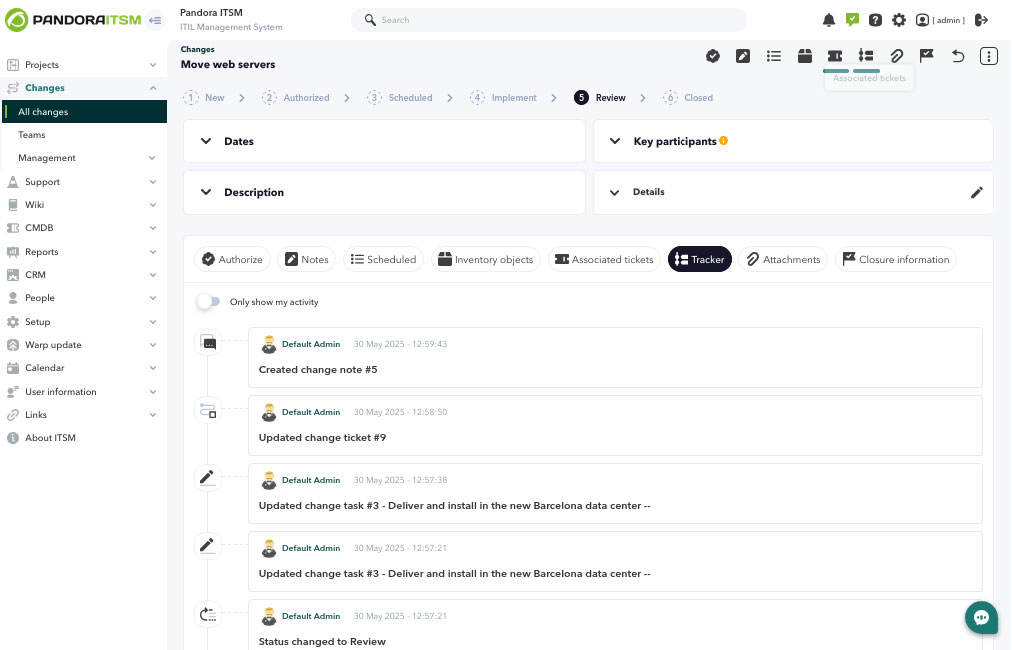
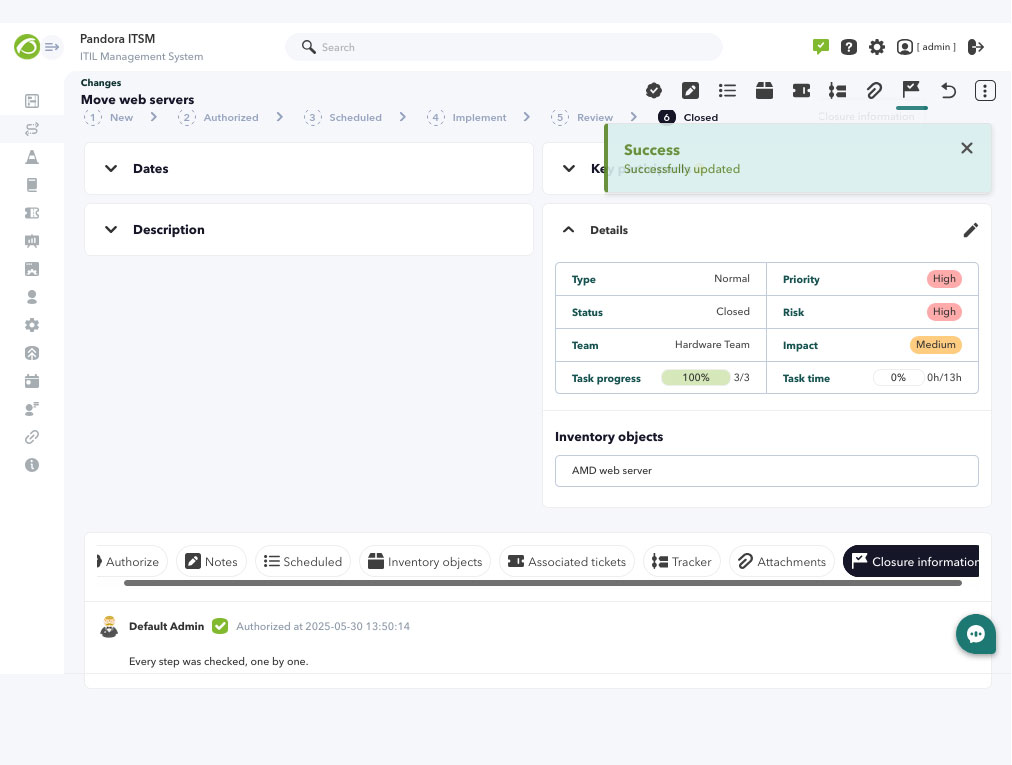
To support Change Management within the ITSM environment, a new feature has been introduced to help organize changes more efficiently. This tool breaks down each change into Tasks and Tickets, improving tracking and control throughout the whole process. Additionally, it allows linking affected inventory items and assigning responsibilities to the multiple teams involved, ensuring coordinated execution. The whole workflow includes the necessary traceability and validations, guaranteeing that every change is properly recorded and successfully completed.
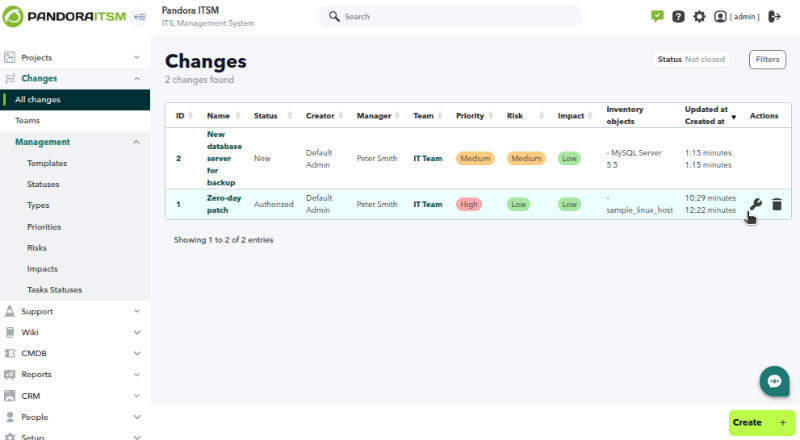
You may access the team creation process — a key first step — through the menu Changes → Teams, and then proceed to plan the remaining work by referring to the Official Documentation for full details.
Changes in the Project Section.
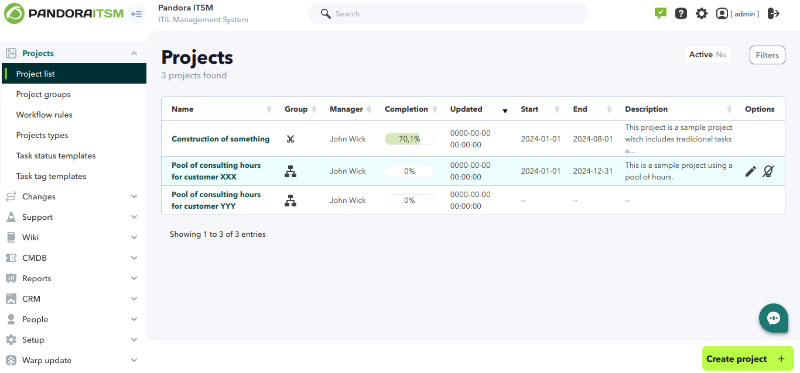
For version 106, the Archived Projects menu has been moved and integrated into the main project list. The filtering mechanism has also been updated, now offering new search capabilities:
- The Project Types feature, introduced in the previous PITSM version, provides a simple filtering option.
- Improvements to Project Types: global (or project-type-specific) custom fields may now be created, allowing searches to be performed using exact values. This provides advanced filtering capabilities.
- These custom fields can also be displayed as columns in the project list, making it easier to sort and organize search results. This enables users to sort and present a large number of registered projects with minimal effort by performing initial classification and editing during project registration.
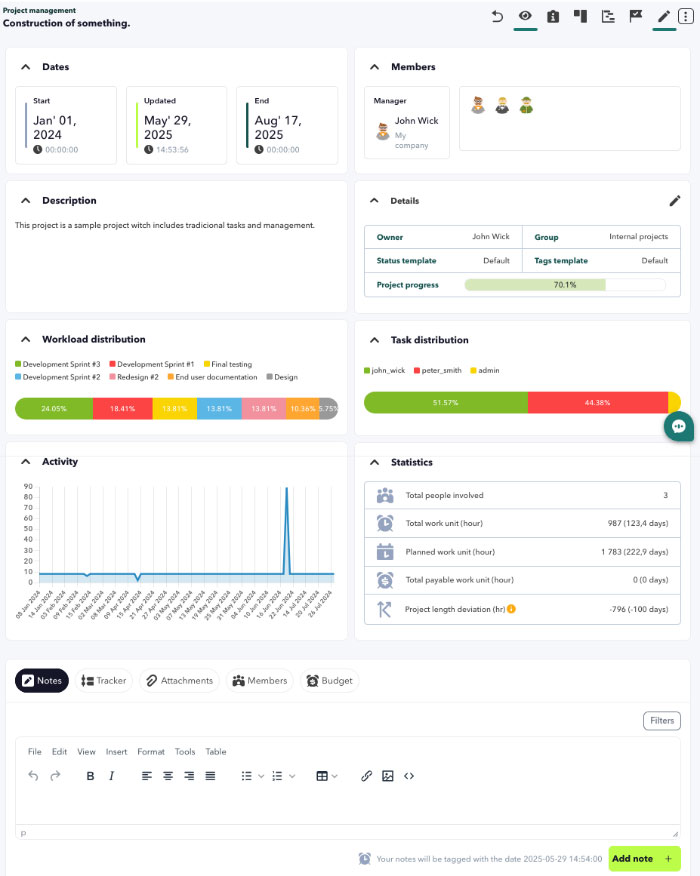
The project detail view has been reorganized and improved to prioritize the most frequently used elements. Options such as editing project information (name, project type, etc.) and managing assigned users have been moved to a collapsible side menu on the right-hand side of the view. Some tabs have also been integrated into this side menu, resulting in a cleaner and more organized project detail view.
Project Tags (task labels used to classify according to predefined criteria) have been enhanced and are now stored in a default template shared across all projects. This default template can be expanded or duplicated under a new name and further customized to fit new project groups that share logical similarities. That way, a set of tags used by one or several projects can rely on its own template without affecting other projects that continue using the default template.
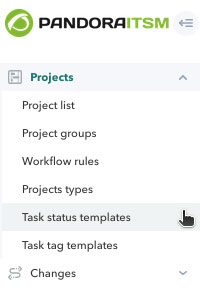
Similarly, Task States now follow the same template-based approach in this version. When creating a new project or group of projects, the default task state template can be copied and then expanded by adding new states and/or renaming existing ones. Before creating a new project, it is recommended to assess whether an expanded set of states will be necessary, using the default template as a base. Additionally, a feature has been added to allow custom text and background colors to be assigned for each tag.
Finally, Project Notes have been added — a kind of private log where any important project-specific information can be stored.
User Authentication through Pandora FMS
Starting from version 106 OUM, it is now possible to authenticate and add registered Pandora FMS users. This may be done through PFMS API, streamlining the workload involved in human resource administration and maintenance, while also enhancing integration between products. For more details, refer to the advanced configuration section of PITSM in the official documentation.
Improvements and small changes
| Case# | GitLab# | Description |
|---|---|---|
|
N/A |
1943
|
By means of Pandora FMS API users may be added and authenticated into Pandora ITSM. |
|
N/A |
1950 |
Added twenty-three new macros for workflow rules to projects. |
|
N/A |
2066 |
Implemented the project log feature through notes. |
|
N/A |
2234 |
Added support for installing Pandora ITSM on EL 9. |
|
N/A |
2309
|
Implemented the ability to download attached files in compressed format on invoices, when available. |
|
N/A |
2395
|
Enabled the change management feature in IT assets to control planning, implementation, and review of modifications in organizational devices. |
|
N/A |
2451 |
Added an SLA column to the resolution report. |
|
N/A |
2532
|
Added new feature to allow independent conditions for standard SLA and third-party SLA (Incidents). |
|
N/A |
2660 |
Added an option in the general visual configuration to apply custom CSS styles that persist separately from product updates. |
|
N/A |
2765
|
Implemented column sorting in Project Dashboards to help maintain an organized state as tasks are moved; minor issues were also fixed. |
|
N/A |
2884
|
Created the _companymanager_ macro for sending email messages to the company administrator associated with the issue; it can also be used to reassign incident ownership to that administrator. |
|
N/A |
2888 |
Rebuilt the GitLab project integration with bulk pagination options, improved charts, and more flexible item filtering. |
Known Changes and Limitations
| Case# | GitLab# | Description |
|---|---|---|
|
N/A |
1876
|
Added new workflow rules in projects, which are disabled by default. |
|
N/A |
1950 |
Added 25 user macros to workflow rules in projects. |
|
N/A |
2238 |
Replaced label “Index” by “Date” in the general incident report. |
|
N/A |
2251 |
Automatically set the parent company during company creation to the one associated with the user; this may be changed before saving or edited afterwards. |
|
N/A |
2319 |
Updated user selectors to improve filtering and selection, applied to the detailed user report, detailed operator report, customer ticket report, and general project report. |
|
N/A |
2389 |
Added ACLs to the vacation export report and improved filtering by user group. |
|
N/A |
2410 |
Reorganized and realigned cells in the Support Activity Charts widget. |
|
N/A |
2444 |
Added item class feature, initially used by default in Pandora FMS integration, allowing filtering in the inventory view. |
|
N/A |
2462
|
Improved exception handling in the cron process. |
|
N/A |
2465
|
Optimized incident statistics queries. |
|
N/A |
2689
|
Added a graphical waiting notices to the Project Workunit view while data are loaded to the memory. |
|
N/A |
2705 |
Removed the yellow icon for text labels with long content. Now, hovering over the ellipsis will display the full text. This change affects contracts, incidents, invoices, companies, and project features. |
|
N/A |
2672 |
Added the ability to manage tags in mass ticket operations. |
|
N/A |
2841 |
Offered the site name and username as the identifier for time-based key generation software in two-factor authentication (2FA). |
|
N/A |
2887 |
Redesigned and renewed the main Projects view. |
|
N/A |
2981 |
Added a dedicated tab in the project view to edit the selected project. |
|
N/A |
2986 |
Moved the Notes, Attachments, Members, and Costs tabs from the project menu to their corresponding pop-up menus. |
|
N/A |
2997 |
Added default colors to easily identify project statuses. |
Fixed vulnerabilities
| Case# | GitLab# | Description |
|---|---|---|
|
N/A |
2776 |
Removed the possibility of code injection in API token names in PITSM 2.0. |
|
N/A |
3002
|
Removed the possibility of injecting commands into the configuration path of the PDF report engine. |
|
N/A |
2993
|
Restricted the characters allowed in backup naming through the Web Console to prevent arbitrary code execution. |
Bug Fixes
| Case# | GitLab# | Description |
|---|---|---|
|
N/A |
156
|
Added ACL verification for users with the PR profile in Gantt charts for projects. |
|
N/A |
1702 |
Fixed filter saving with all their fields in the incident view. |
|
N/A |
2223 |
Added missing online help for the Workflow section. |
|
N/A |
2278 |
Restricted access in custom SQL reports to read-only operations. |
|
N/A |
2464
|
Rewrote database queries used in certain features to correctly return all requested records. |
|
N/A |
2681 |
Corrected the calculation for determining the top five users with most worked tickets in the support report. |
|
N/A |
2682 |
Corrected the value for the oldest closed ticket in the support report, accounting for its state, any reopenings, and the earliest associated date. |
|
N/A |
2684 |
Fixed the time period used to generate project activity charts in the general project report. |
|
N/A |
2685 |
Solved PDF generation issues in the operator report. |
|
N/A |
2690 |
Fixed file uploads in the PITSM Wiki. |
|
N/A |
2713 |
Fixed user display and filtering within the same tieam in the Time tracking feature, superadmin users keep their company score. This correction applies also to the Mobile version. |
|
N/A |
2714 |
Corrected two-factor authentication in the mobile application. |
|
N/A |
2788 |
Relocated the corresponding QR code in inventory items. |
|
N/A |
2812 |
Fixed access permissions to CRM Manager for all users according to ACL. |
|
N/A |
2822 |
Corrected image attachment process when creating new tickets. |
|
N/A |
2848 |
Fixed pagination in the invoice list within the Companies section. |
|
N/A |
2949 |
Improved task loading in the Project feature. |
|
N/A |
2867 |
Corrected filtered search feature in the inventory section. |
|
N/A |
2893
|
Fixed subgroup selection when creating new tickets. |
|
20091 |
2900 |
Corrected inventory item access through ACL. |
|
20270 |
2909 |
Fixed PDF report generation engine (Chromium). |
|
N/A |
2984
|
Fixed project filter in the Web console view. |
|
N/A |
3035 |
Fixed error HTTP 404 when downloading PDF or ZIP invoices. |
|
N/A |
3010 |
Fixed icons in Leads and Inventory sections (Web console). |
