










Trials & Downloads – Pandora FMS
Discover what Pandora FMS can do for your IT infrastructure
Monitoring, service management, remote control, lightweight deployments, or open source — choose how you wish to get started. No restrictions, no upfront costs, and full control from day one.
Choose How to Get Started with Pandora FMS
Unlock the full potential of our solutions for complex IT environments. From end-to-end monitoring and service management to remote access and automation — select the tools you need, try them risk-free, or download them directly.

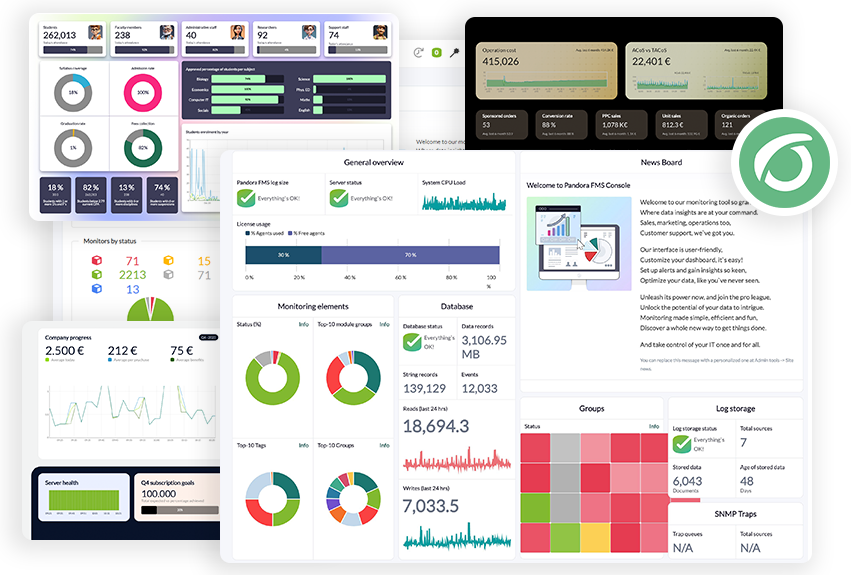
Advanced Monitoring for Critical Infrastructures
Monitor your whole environment — network, servers, cloud, IoT — from a single console. Full visibility, maximum customization, and complete control.
30-day free trial, no limitations

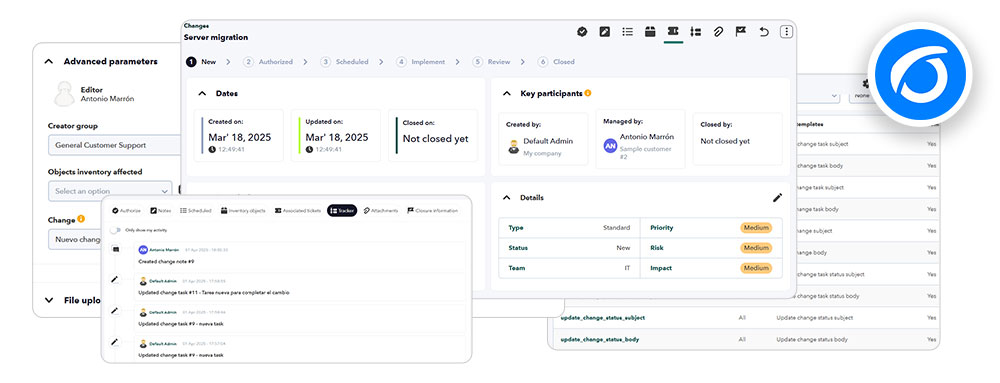
Automate and Control Your IT Support
Centralize ticketing, asset management, change control, and SLA tracking with ready-to-use ITIL-based workflows
Full-featured 30-day trial to explore its full power.


Fast, Safe and Cost-Free Remote Support
Remote control for servers and workstations — integrated with Pandora FMS or as a standalone tool. Perfect for technicians, in-house support teams, or distributed environments.
Free for up to 50 devices.

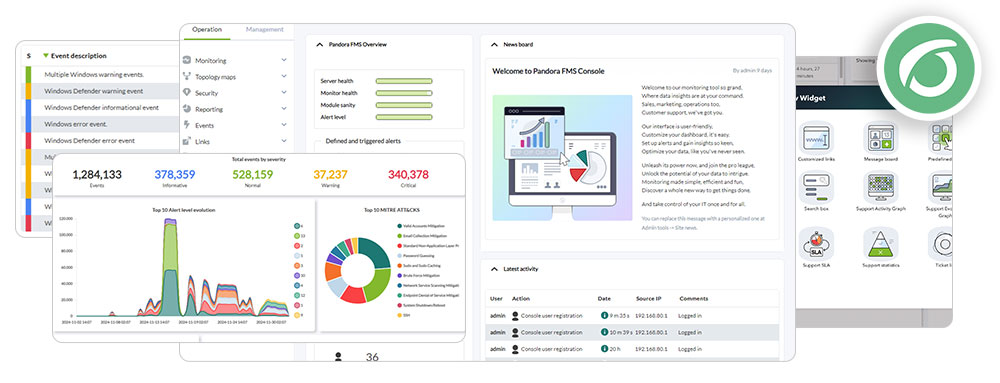
All of the Essentials — at No Cost
Pandora FMS Free version, featuring core features with no licensing fees. Perfect for small infrastructures or testing environments.
Completely free with no limitations — up to 50 agents or 600 monitors.

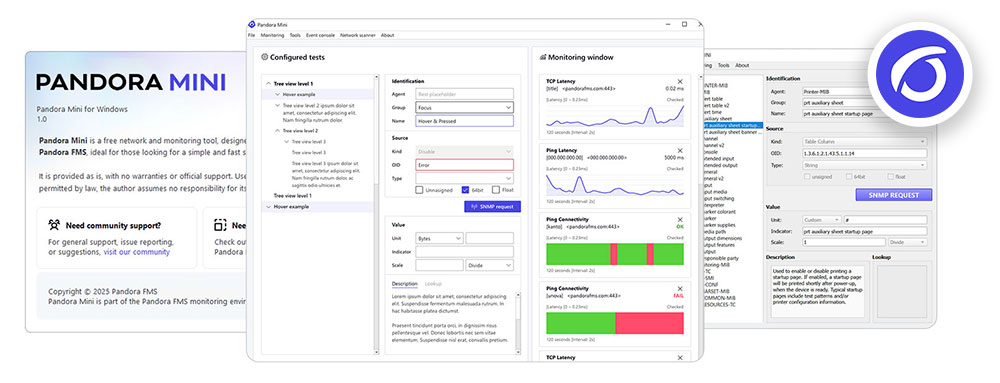
Monitoring for Everyone
Ideal for professionals who need a lightweight, ready-to-use desktop tool (Windows, Mac, or Linux) — no installation required. Quickly detect and monitor devices with no cost and no limit on monitors.
Completely free.
Instructions to Configure Agents and Satellite Servers
Get additional useful tools to optimize your experience or install these packages directly from the console once your main Pandora FMS server is set up.
Pandora FMS Agents
Required to gather detailed information from the system you want to monitor, they allow you to collect more data than remote monitoring (agentless). Moreover, if you want to use the RMM functions of the Pandora FMS agent, it is essential to install both the Pandora FMS agent and the Pandora RC agent. The agent will need to access your Pandora FMS server through the Tentacle port (41121/tcp).
You can install them one by one using the agent deployment wizard from the Management -> Resources -> Agent Management section. If you prefer to download them for mass deployment using our agent deployment tool or any other tool, you can do so from the following links:

 Windows 64 bit →
 Linux 64 bit (Tarball) →
 MacOS 64 bit →
<
Pandora FMS Satellite Server
Used to perform discoveries and remotely monitor network devices, Windows and Linux machines in environments far from the Pandora FMS server. They do not have full connectivity — only from the Satellite to the Pandora FMS server. This is especially useful in client environments or remote networks where agents cannot be installed, and there is no visibility from our main network.
By installing a satellite server, you can monitor systems in those networks from the Pandora FMS console. The satellite server can be installed on Windows 64-bit and Linux. It does not require many resources (it can run on a virtual machine) and only needs to access the Pandora FMS server using the Tentacle port (41121/tcp).
LTS Version
Другие загрузки вы найдете в разделе "Загрузки" на портале поддержки Pandora FMS.Если вы хотите установить последнюю версию (RRR) агента и спутниковых пакетов, загрузите их отсюда →

LTS or FR?
Stability vs. Innovation
Choose the power of Pandora FMS
Long Term Support (LTS)
Reliable stability
The annual LTS versions prioritize rock-solid stability for a safe and reliable software environment. Thorough testing and refinement ensure a foundation you can trust. LTS is perfect for those who value consistent performance and a predictable update cycle. Security and critical bug fixes are provided over extended periods, offering peace of mind. Choose LTS and experience the power of a robust and reliable monitoring solution.
Feature Release (FR)
Always at the forefront
Feature Release versions give you continuous access to new features and improvements in Pandora FMS, with releases approximately every two months. This allows you to adopt new product features sooner, without having to wait for the annual release. It is the ideal choice for organizations that need a monitoring platform that is constantly evolving, more flexible, and ready to adapt to changing technological environments.
Frequently Asked Questions
We’ve answered the most common questions to help you get started.
For more details, visit our Help Center.
1. Do I need a credit card to activate the trial?
No. We only ask for an email. No commitments, no hidden costs.
2. What’s included in the trial?
Full access to all features of Pandora FMS ONE or ITSM for 30 days.
3. Can I try multiple solutions at the same time?
Yes. You may activate different trials and download other versions without any restrictions.
4. What’s the difference between Free and MINI?
The Free version of Pandora FMS includes all core features, with a limit of 50 agents and no expiration date. It offers updates and support through the community.
Pandora MINI, on the other hand, is a separate tool designed for desktop use and focused on basic remote monitoring tasks: connectivity, latency, web monitoring, network scanning, and interface checks. It has no limitations and is completely free.
5. Where can I find more information?
Check out the full list of FAQs in our Help Center.
Ready to Move Forward with Pandora FMS?
Whether you’re exploring options or need a tailored proposal, tell us about your use case. From here, you can request a demo, ask for a customized technical trial (PoC), get your questions answered, or request a quote tailored to your environment.
🌐 Online links of interest

User manual
Get comprehensive instructions on installing, configuring, and using Pandora FMS to monitor your IT infrastructure.

Knowledge Base
Find answers to frequently asked questions, troubleshooting tips, and best practices for using Pandora FMS.

Quick Guides
Access step-by-step instructions for common Pandora FMS tasks to get you started quickly and smoothly.
 |
FAQ | Visit page → |
|
Plugins library | Visit page → |
|
Features Map | Visit page → |
|
SAP Monitoring | Visit page → |
|
Security architecture | Visit page → |
|
Releases | Visit page → |
|
Changelogs | Visit page → |
|
IT Topics | Visit page → |
|
Youtube Channel | Visit page → |
|
Pandora FMS: License Comparison | Visit page → |
Need help? get started with our resources and tips
Installation guide and first steps
Startup official guide: all the way from the installation and report generation, to day to day management.
Pandora FMS on YouTube
Visit our official channel for in-depth guides, tutorials, interviews and important features.
Documentation
User manuals, administration and development documents of Pandora FMS.
Security Architecture
We describe the security elements of each Pandora FMS component.
Version comparative
Compare what features are present in which versions of Pandora FMS.
Pandora FMS Discord
Get in touch with our awesome community and solve any problem asap.
