










Pandora FMS Trial version
You’re a few clicks away from your Pandora FMS Trial
Access a fully functional Pandora FMS ONE version for 30 days.
If you need help throughout this process, will be glad to answer any of your questions, both technical and sales-related. Contact one of our advisors →


Pandora FMS system requirements
| OS |
EL9 (rockylinux9 & RHEL9) Ubuntu Server (ubuntu 22.04) |
| RAM | 4GB |
| SSD space | 20GB |
| Internet | Connection required |
| User role | Admin (root) |
These requirements are the minimum necessary for the installation, to properly size the monitoring environment, we recommend going to the minimum hardware requirements →
Online installation tools
To use the online installation tool, simply execute the corresponding command (LTS or RRR). The installer will detect the deployed operating system and, if it is one of the supported systems, will automatically download, install, and configure all the necessary packages.
Long-Term Support Versions (LTS)
LTS versions are released annually and prioritize stability, accumulating improvements and fixes from previous releases. They are recommended for environments that require maximum reliability.
To install the LTS version, run the following command as the root administrator:
Regular Rolling Release Versions (RRR)
RRR versions are released approximately every two months, offering the latest and experimental features. They are ideal for those who want to stay up to date.
To install the RRR version, run the following command as the root administrator:
AWS または Azure Marketplace から簡単に Pandora FMS をクラウドにデプロイできます

Azure Marketplace →

AWS Marketplace →
This section provides instructions for two powerful tools that extend the reach of your Pandora FMS monitoring: Agents and Satellite Servers. These are installed after setting up your main Pandora FMS server.
Pandora FMS Agents
The Pandora FMS agent is necessary to obtain detailed information of the system you want to monitor, it allows you to obtain more information than remote monitoring (without agent). In addition, if you want to use the RMM functions of the Pandora FMS agent, it is essential to install the Pandora FMS agent and the Pandora RC agent. The agent will need to access your Pandora FMS server using the Tentacle port (41121/tcp).
You can install agents, one by one, using the Agent Deployment Wizard from the Management -> Resources -> Agent Management section. If you want to download the agent to make a massive deployment, with our agent deployment tool or with another tool, you can download it from these links:
 Pandora ONE agent
 Windows 64 bit →
 Linux 64 bit (Tarball) →
 MacOS 64 bit →
 Pandora RC agent
Pandora FMS Satellite Server
The satellite is used to perform discovery, and to be able to perform remote monitoring of network equipment, windows and linux machines in those environments that are far from the Pandora FMS server and do not have full connectivity (only from the Satellite to the Pandora FMS server). This is especially useful in client environments or remote networks where we can’t install agents, and we don’t have visibility from our main network.
By installing a satellite server we can monitor the systems in those networks from the Pandora FMS console. The satellite server can be installed in Windows64 bit and Linux, it doesn’t need many resources (you can install it in a virtual machine) and you only need to be able to access your Pandora FMS server using the Tentacle port (41121/tcp).
Другие загрузки вы найдете в разделе "Загрузки" на портале поддержки Pandora FMS.Если вы хотите установить последнюю версию (RRR) агента и спутниковых пакетов, загрузите их отсюда →
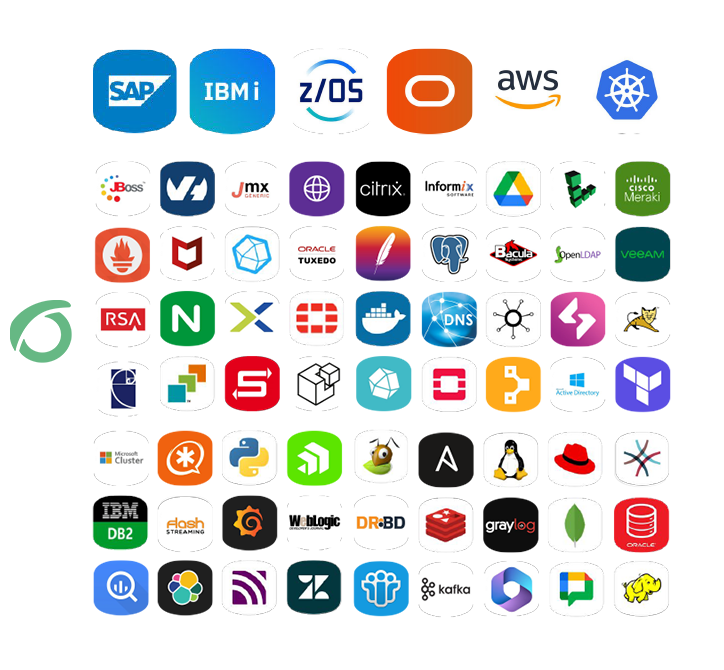
Integrations without limits
From standard integrations to enterprise environments and custom developments.
FREE
Basic integrations and standard plugins
ONE
Native integrations included in the platform
PREMIUM
SAP, IBM, Mainframe and mission-critical environments
CUSTOM
Full adaptation to any system
Award-Winning Monitoring software
Discover the difference thanks to our presence in +60 countries, our 24/7 support and constant improvements
Pandora FMS is recognized as one of the leading IT monitoring software by users, securing prestigious awards endorsed by renowned websites like Capterra, G2, and Sourceforge for its exceptional ease of use and unbeatable customer satisfaction, making it the top choice for monitoring solutions.



“
We loved that it saved us up to 20 minutes of time on repetitive tasks each day/week."
Swapnil M. - IT
Construction Industry
11 to 50 Employees
Capterra's comments constitute the subjective opinions of individual users based on their own experiences and do not represent the views of Capterra or its affiliates.

“
I really like Pandora FMS's visual and interactive monitoring system. I also like the fact that it has a free version available."
Masiullah W. - Project Coord.
Information Technology and Services
1001 to 5000 Employees
GetApp reviews constitute the subjective opinions of individual end users based on their own experiences and do not represent the views of GetApp or its affiliates.
“
It helps my work to be more proactive instead of reactive, I have all the visibility of my critical infrastructure."
José A. - CIO
Information Technologies and Services
11 to 50 Employees
Capterra's comments constitute the subjective opinions of individual users based on their own experiences and do not represent the views of Capterra or its affiliates.

“
One of the best and most flexible software for monitoring applications, servers, ITSM, etc."
Frinto A. - Operations Manager
Management Consulting
501 to 1000 Employees
Software Advice reviews constitute the subjective opinions of individual end users based on their own experiences and do not represent the views of GetApp or its affiliates.
Support Quality
- Pandora FMS 92%
- Competitors 85%
Ease of use
- Pandora FMS 92%
- Competitors 86%
Ease of doing business
- Pandora FMS 94%
- Competitors 89%
Meets requirements
- Pandora FMS 94%
- Competitors 90%
Need help? get started with our resources and tips
Installation guide and first steps
Startup official guide: all the way from the installation and report generation, to day to day management.
Pandora FMS on YouTube
Visit our official channel for in-depth guides, tutorials, interviews and important features.
Documentation
User manuals, administration and development documents of Pandora FMS.
Security Architecture
We describe the security elements of each Pandora FMS component.
Version comparative
Compare what features are present in which versions of Pandora FMS.
Training
Learn to master the most powerful and flexible monitoring software.
Pandora FMS Discord
Get in touch with our awesome community and solve any problem asap.
