Telegram settings: bot creation
First, you must create a bot in Telegram®:
- From your account in Telegram, start a conversation with the user BotFather
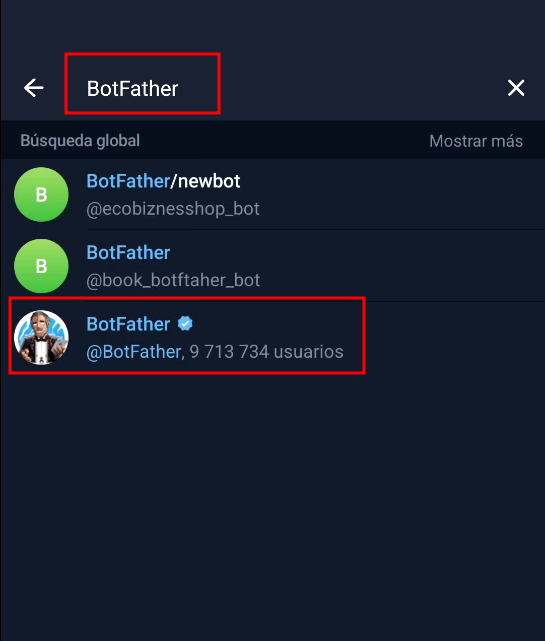
- Once the conversation is initiated, use the
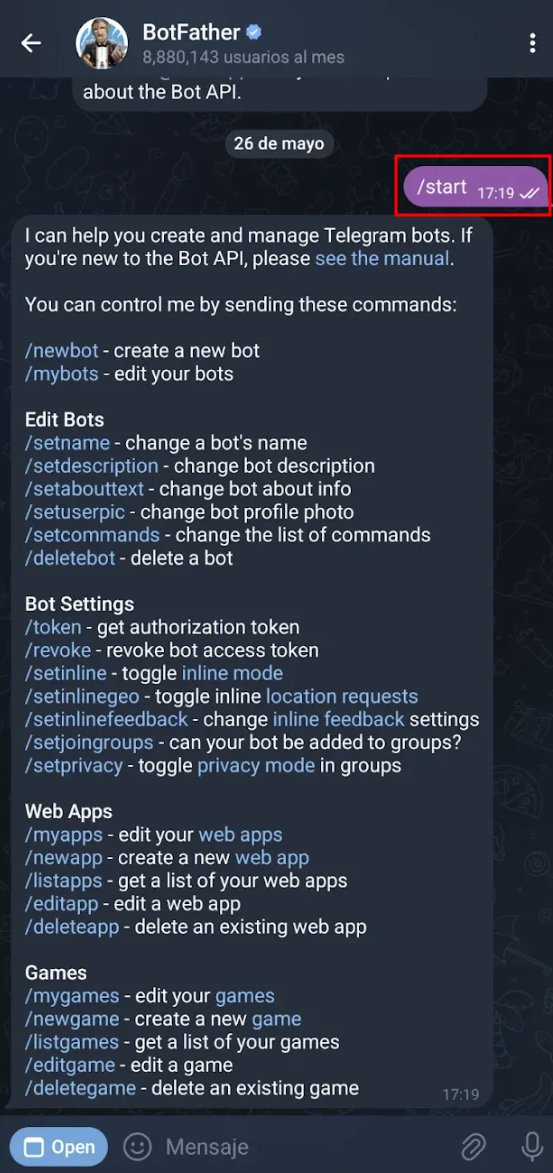
/startcommand:
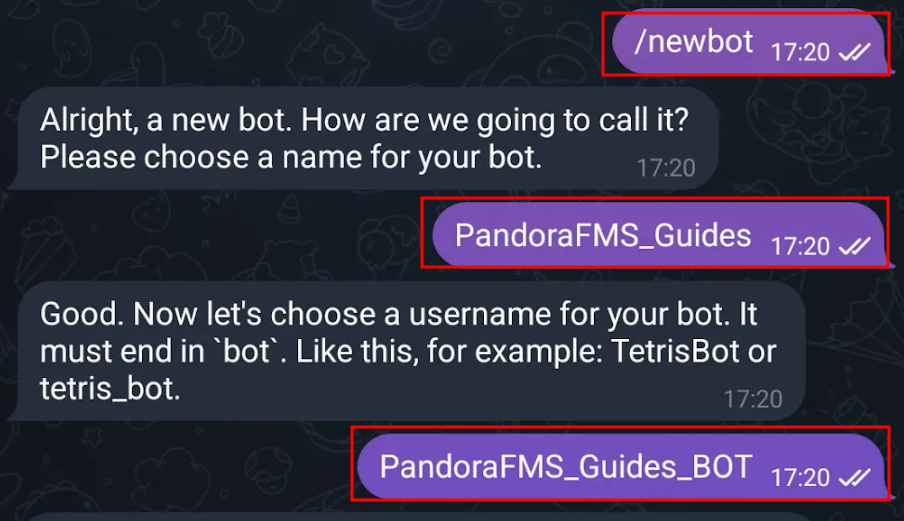
- Next, enter the
/newbotcommand. You will be prompted to provide a display name for the bot and a username, which must end in “bot”.
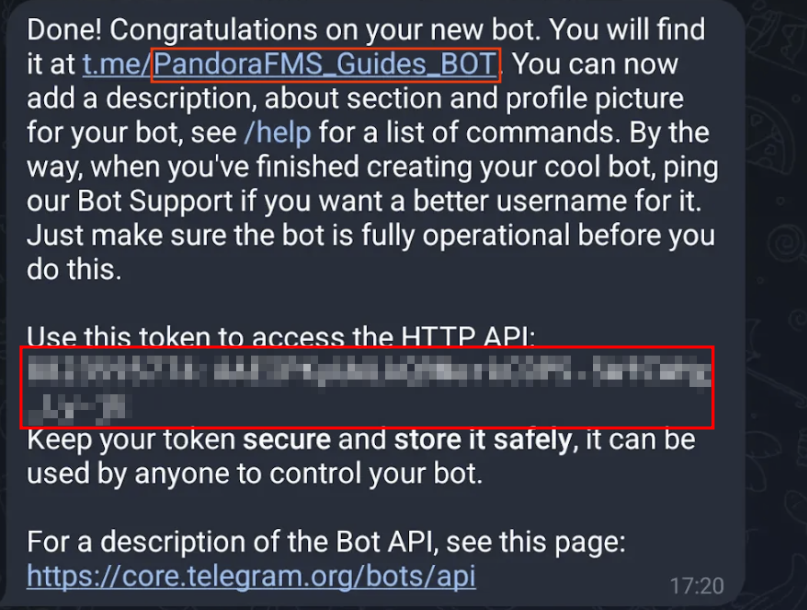
Once these steps have been completed, you will be provided with the API key for the bot you created. It is very important to save the API key and remember the bot’s username.