
Plugin parameters and manual execution
Download the CLI from the Pandora FMS marketplace and unzip it on the Pandora FMS server (the recommended location is /usr/share/pandora_server/util/pandora-msteams-workflow or any other where the Pandora FMS server has read and execute permissions).
It is recommended to perform a test in the command terminal with the following format:
Script Parameters
| Parameter (Short) | Parameter (Long) | Description | Required | Default Value |
|---|---|---|---|---|
| `-u` | `--url` | **Teams Webhook URL**. Generated by the Power Automate flow. | **Yes** | - |
| `-d` | `--data` | **Alert data** in `key=value` format separated by commas. | **Yes** | - |
| `-t` | `--alert_tittle` | Main title that will appear on the card. | No | `PandoraFMS alert fired` |
| `-D` | `--alert_desc` | Description or additional alert text. | No | `Alert Fired` |
| - | `--image` | URL of the image to be displayed on the card. | No | Pandora FMS Logo |
| - | `--image_size` | Image size (`Small`, `Medium`, `Large`, `Stretch`). | No | `Medium` |
| - | `--button` | URL to which the action button will redirect. | No | `https://pandorafms.com` |
| - | `--button_desc` | Text that will be displayed inside the button. | No | `Open web console` |
Usage Examples
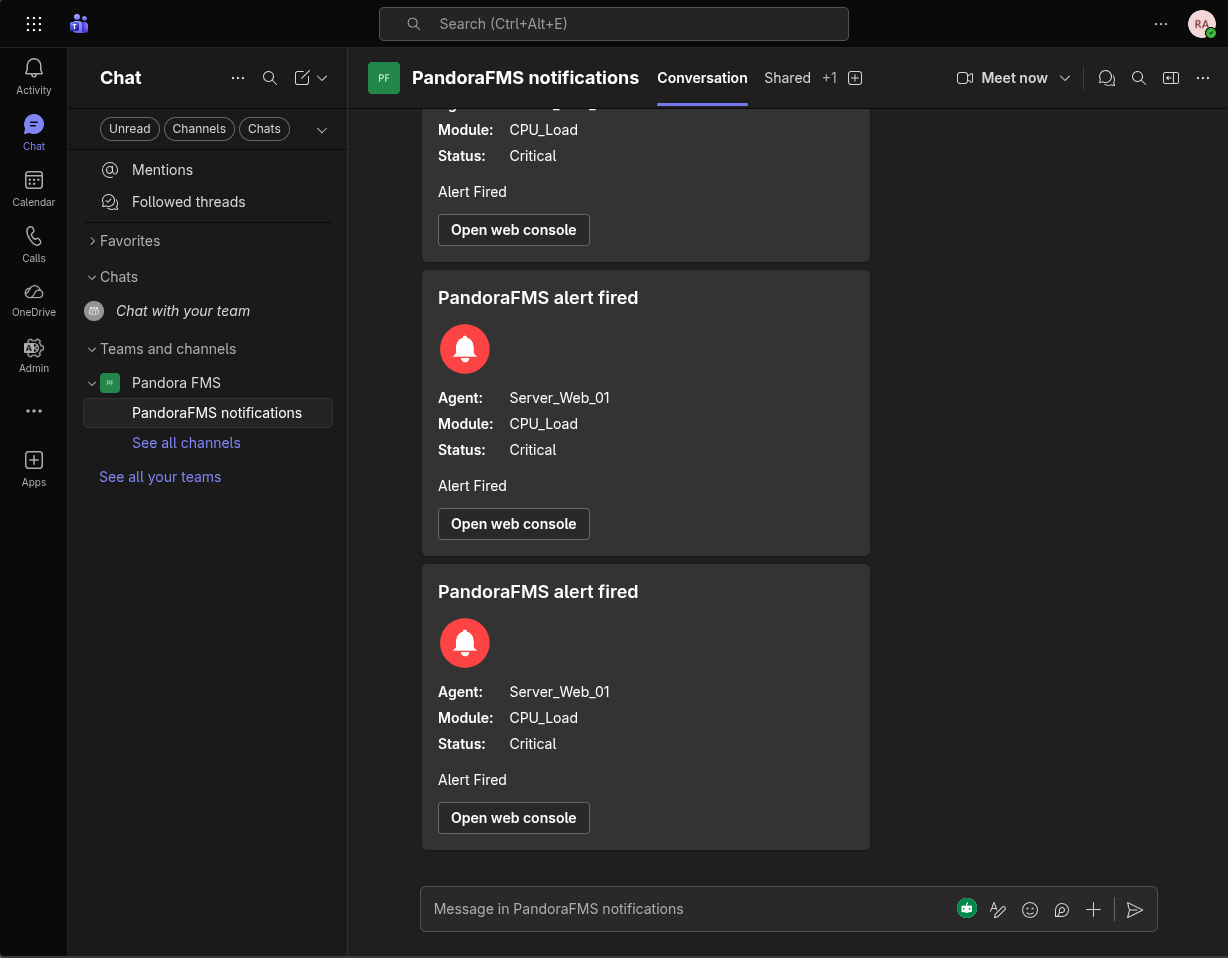
1. Basic Example
Sending a simple alert with the minimum required data:
./pandora-msteams-workflow \
  --url "https://your-webhook-url" \
  --data "Agent=Server_Web_01,Module=CPU_Load,Status=Critical"
2. Full Example with Customization
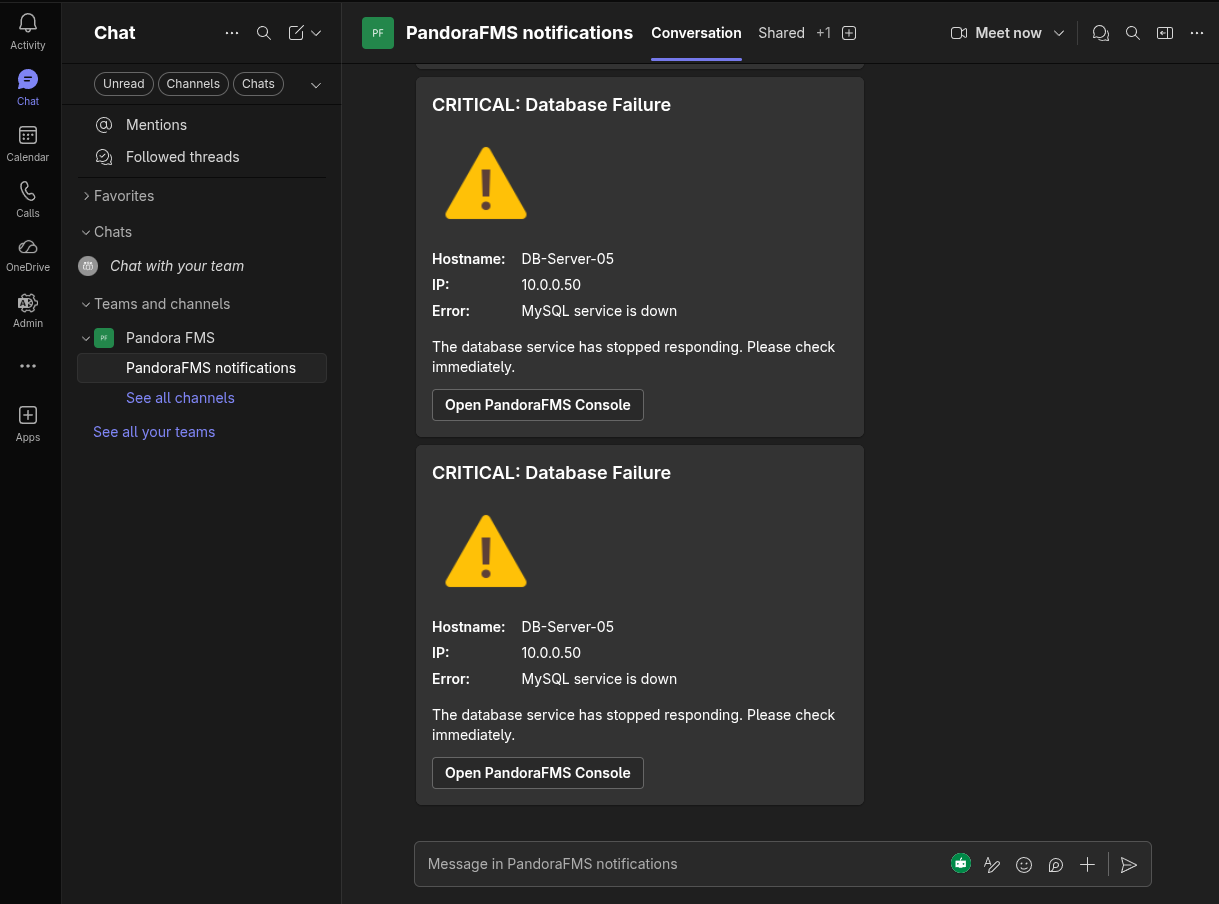
Customizing the title, description, button, and image size:
./pandora-msteams-workflow \
  --url "https://your-webhook-url" \
  --data "Hostname=DB-Server-05,IP=10.0.0.50,Error=MySQL service is down" \
  --alert_tittle "CRITICAL: Database Failure" \
  --alert_desc "The database service has stopped responding. Please check immediately." \
  --image "https://img.icons8.com/color/96/error.png" \
  --image_size "Large" \
  --button "https://your-pandora-console.com/index.php?sec=estado&sec2=lista_agentes" \
  --button_desc "Open PandoraFMS Console"
Internal Operation of the --data Parameter
The --data parameter processes a text string and converts it into a list of "Facts" within the Teams Adaptive Card.
- Correct format:
Name=Value,OtherName=OtherValue - Note: Avoid using commas (
,) or equals signs (=) within values, as the script uses them as delimiters.