Discovery
This plugin can be integrated with Pandora FMS Discovery.
To do so, you must load the “.disco” package that you can download from the Pandora FMS library:
https://pandorafms.com/library/
Once loaded, Horizon environments can be monitored by creating Discovery tasks from the Management > Discovery > App section.
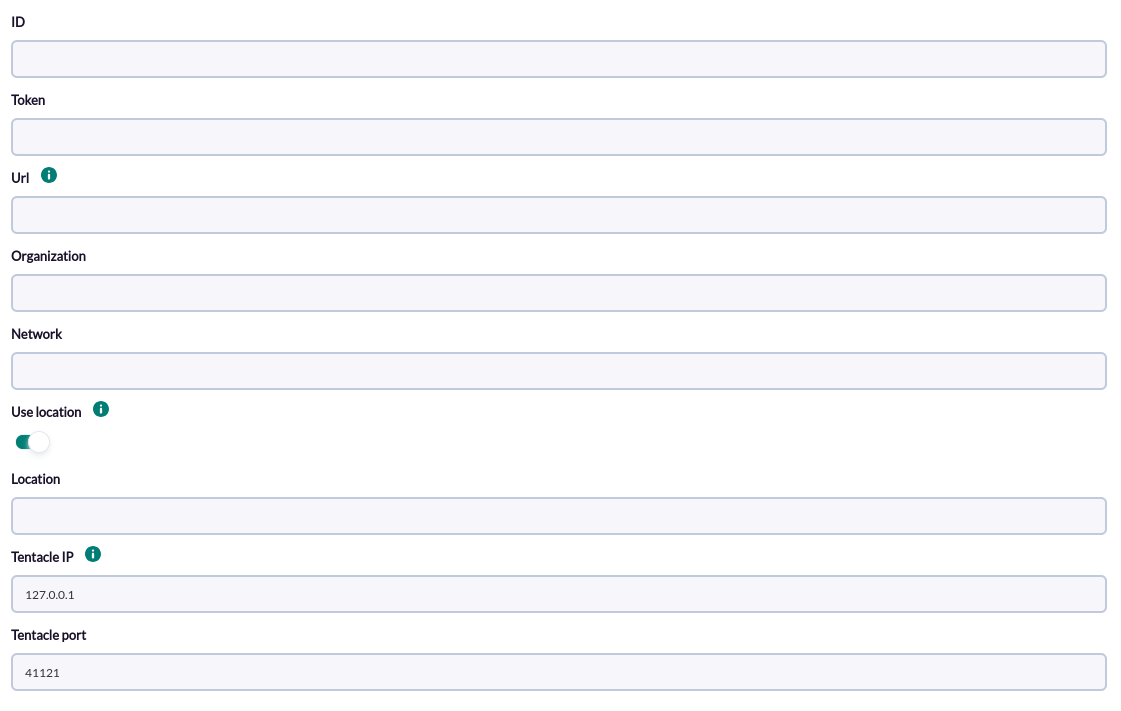
The following minimum data will be requested for each task:
- ID: Identificara del switch si existe la network en Meraki.
- Token: Token bearer necesario para la autenticación.
- Url: Url de conexión de la API
- Organization: ID de la organización en las que se escanearan las redes.
- Network: Network de meraki
- Location: Grupos secundarios añadidos al agente
- Tentacle IP: Dirección de tentacle
- Tentacle port: Puerto de tentacle
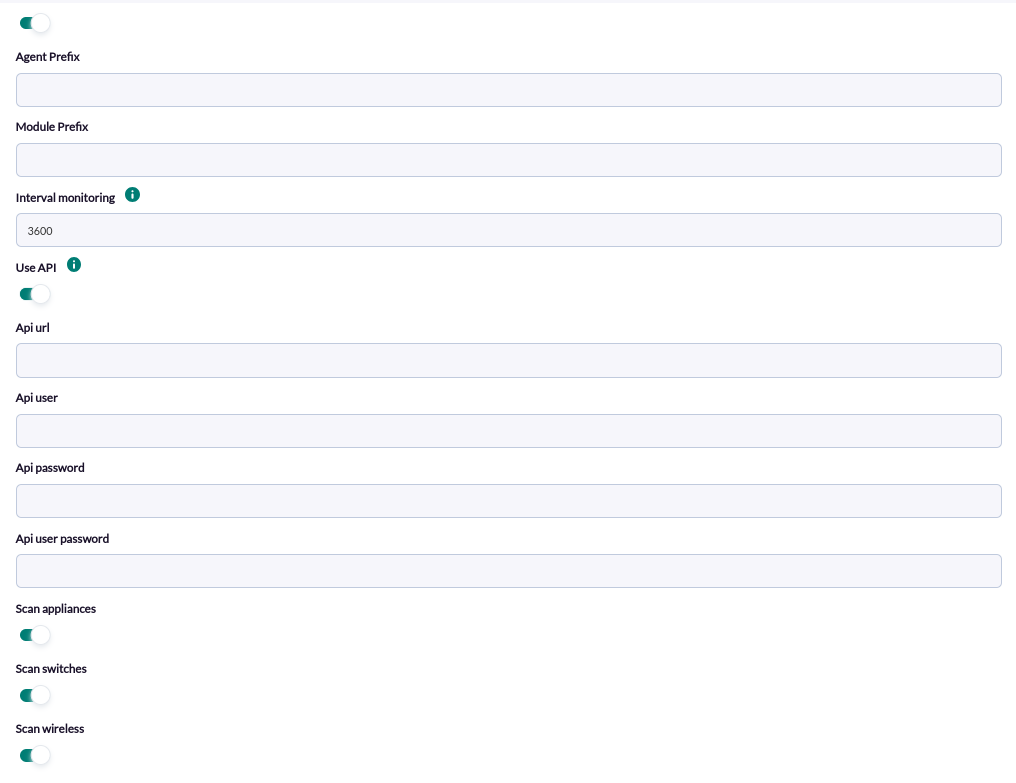
On the next page we will be asked for the following :
-
Agent prefix: Prefix for agents
-
Module prefix: Prefix for modules
-
Interval monitoring: Monitoring interval for switch port statistics.
-
API Url: Url of pandora api
-
API Password: Password of pandora api
-
API User: Pandora api user
-
API User password: Pandora api user password
-
Scan Appliances: Enable to monitor Appliance type devices
-
Scan Switches: Enable to monitor switch type devices
-
Scan Wireless: Enable to monitor wireless type devices.
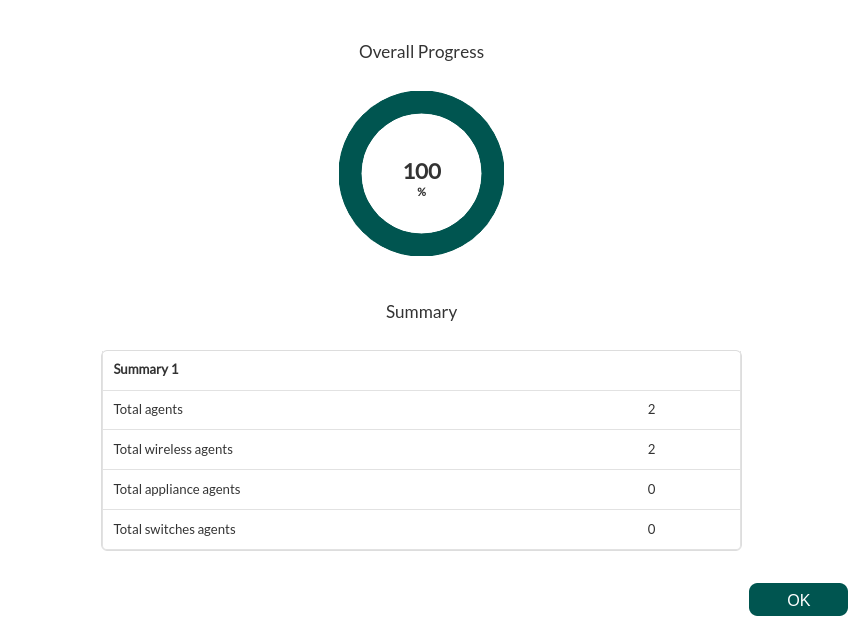
The successfully completed tasks will have an execution summary with the following information:
- Total agents : Total number of agents generated by the task.
- Total wireless agents: Total number of wireless agents generated by the task.
- Total appliance agents: Total number of Appliance agents generated by the task.
- Total switches agents: Total number of Switch agents generated by the task: