Configuring message filtering
The plugin makes use of different filters to filter messages.
Topic filtering
For topic filtering, the Filter_topic and Filter_topic_exact_match tags are used.
-
Filter_topic
Regular expression or exact text that must match the message topic for the filter to be satisfied. This is optional. By default it would match any topic.
-
Filter_topic_exact_match
Indicates whether what is specified in filter_topic will be treated as a regular expression (0) or as an exact text (1). It is optional. Default value is 0.
Examples
Using the Filter_topic and Filter_topic_exact_match filters we can choose the topic to subscribe to.
We can directly indicate the name of the topic or look for a regex pattern in it.
Suppose you have a MQTT topic called:
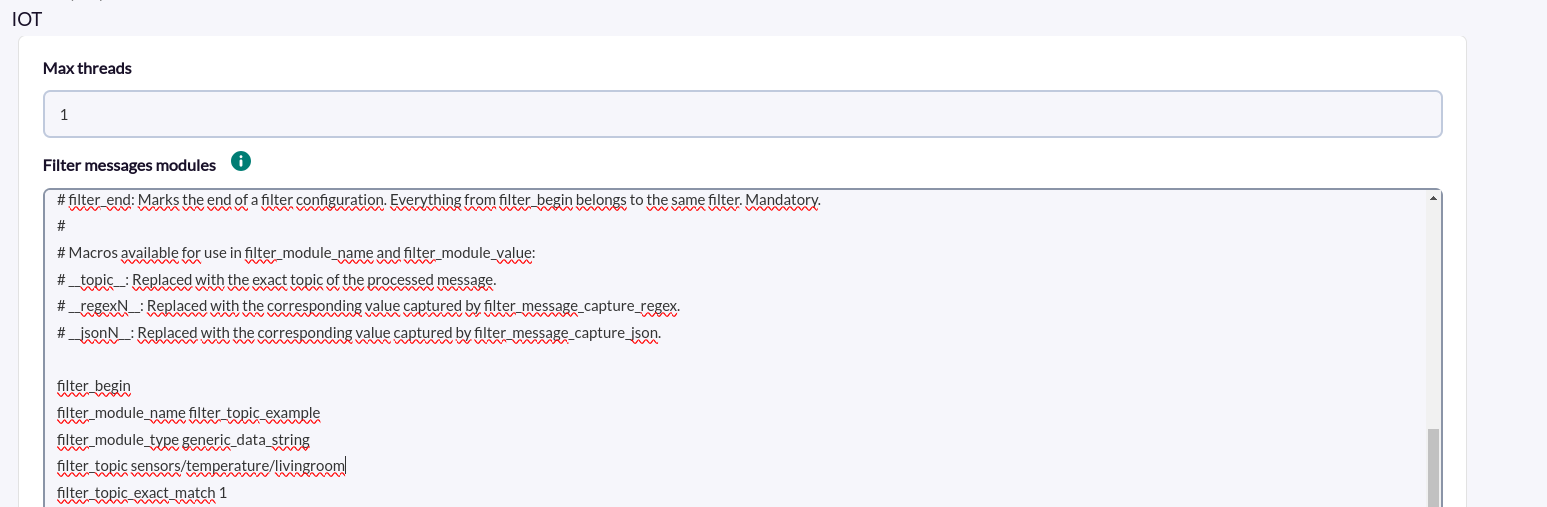
sensors/temperature/livingroomEXAMPLE 1 filter_topic_exact_match 1 (Exact text)
You could configure filter_topic by specifying the topic name.
filter_topic sensors/temperature/livingroomand set filter_topic_exact_match to 1, so that it searches only that topic.
filter_topic_exact_match 1If instead of specifying the complete topic name, we specify only a part of the topic:
filter_topic sensors/temperature/I would also agree.
EXAMPLE 2 filter_topic_exact_match 0 (Regular Expression)
You could configure filter_topic by specifying a regular expression that matches the name of the topic you want to subscribe to. For example, the following, which would look to start with “sensors” and end with “livingroom”.
filter_topic ^sensors/.*?/livingroom$and set filter_topic_exact_match to 0, so that it filters by regular expression, instead of exact text.
filter_topic_exact_match 0
Message filtering
For topic filtering, the Filter_topic and Filter_topic_exact_match tags are used.
-
Filter_message
Regular expression or exact text that must match the message for the filter to be satisfied. This is optional. By default it would match any message.
-
FIlter_message_exact_match
Indicates whether what is specified in filter_message will be treated as a regular expression (0) or as an exact text (1). It is optional. Default value is 0.
Ejemplos
Using the filters Filter_message and Filter_message_exact_match we can filter the messages to be received.
We can indicate directly the content of the message or look for a regex pattern in it.
Suppose you have a message like this:
{"message":"Move up right",
"status":"active",
"datetime":"2025-02-11T14:30:54.260Z",
"data":{"yaw_rate":0.11466979980468749,
"pitch_rate":0.6159210205078126,
"yaw_direction":"right",
"pitch_direction":"up"}}
EXAMPLE 1 filter_message_exact_match 1 (exact wording)
We could configure filter_message by specifying the message text.
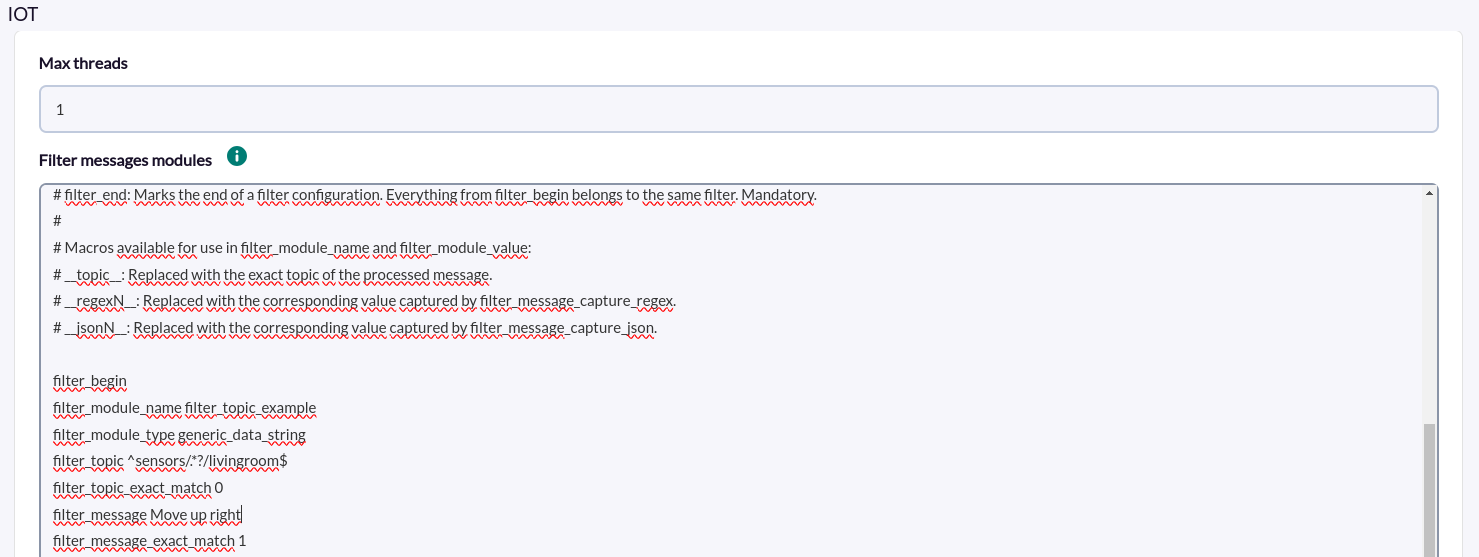
filter_message Move up rightand set filter_topic_exact_match to 1, so that it searches only that topic.
filter_message_exact_match 1
filter_message_exact_match 1If instead of specifying the complete topic name, we specify only a part of the topic:
filter_message Move upIt would also match
EXAMPLE 2 filter_message_exact_match 0 (Regular Expression)
We could configure filter_message by specifying a regular expression that matches the messages to be filtered. For example, the following would look for a message containing the words “move” and “right”.
filter_message Move.*right|right.*Move
filter_message Move.*right|right.*Moveand set filter_message_exact_match to 0, so that it filters by regular expression, instead of exact text.
filter_message_exact_match 0
Macro generation and use
Examples
Imagine we have the following message:
{
  "message": "Move up right",
  "status": "active",
  "datetime": "2025-02-11T14:30:54.260Z",
  "data": {
    "yaw_rate": 0.11466979980468749,
    "pitch_rate": 0.6159210205078126,
    "yaw_direction": "right",
    "pitch_direction": "up"
  }
}
And we want to capture some parts of the message, for example:
yaw_direction, which is"right".pitch_direction, which is"up".message, which contains"Move up right".
In addition, we also want to capture the topicto which the message belongs in a macro to include it in the value.
To do this we should follow the following steps, which can be done with Filter_message_capture_regex and FIlter_message_capture_json:
-
FIlter_message_capture_regex
With Filter_message_capture_regex a regular expression with capture groups is expected to get values from the message. What matches the capture groups will be stored in macros “__regexN__”, where N is the position of the capture group of the regex. The steps to configure the macros to capture would be the following:
1. Configure filter_message_capture_regex to capture the necessary parts:
We use a regular expression to capture "yaw_direction", "pitch_direction" and the content of "message".
filter_message_capture_regex \"yaw_direction\":\\s?\"(\\w+)\".*\"pitch_direction\":\\s?\"(\\w+)\".*\"message\":\\s?\"([^\"]+)\"2. Configure filter_module_value to include the macros containing the captured values and the topic.
filter_module_value __topic__ | Dirección de guiñada: __regex1__ | Pitch Direction: Mensaje: __regex3__Example of complete configuration
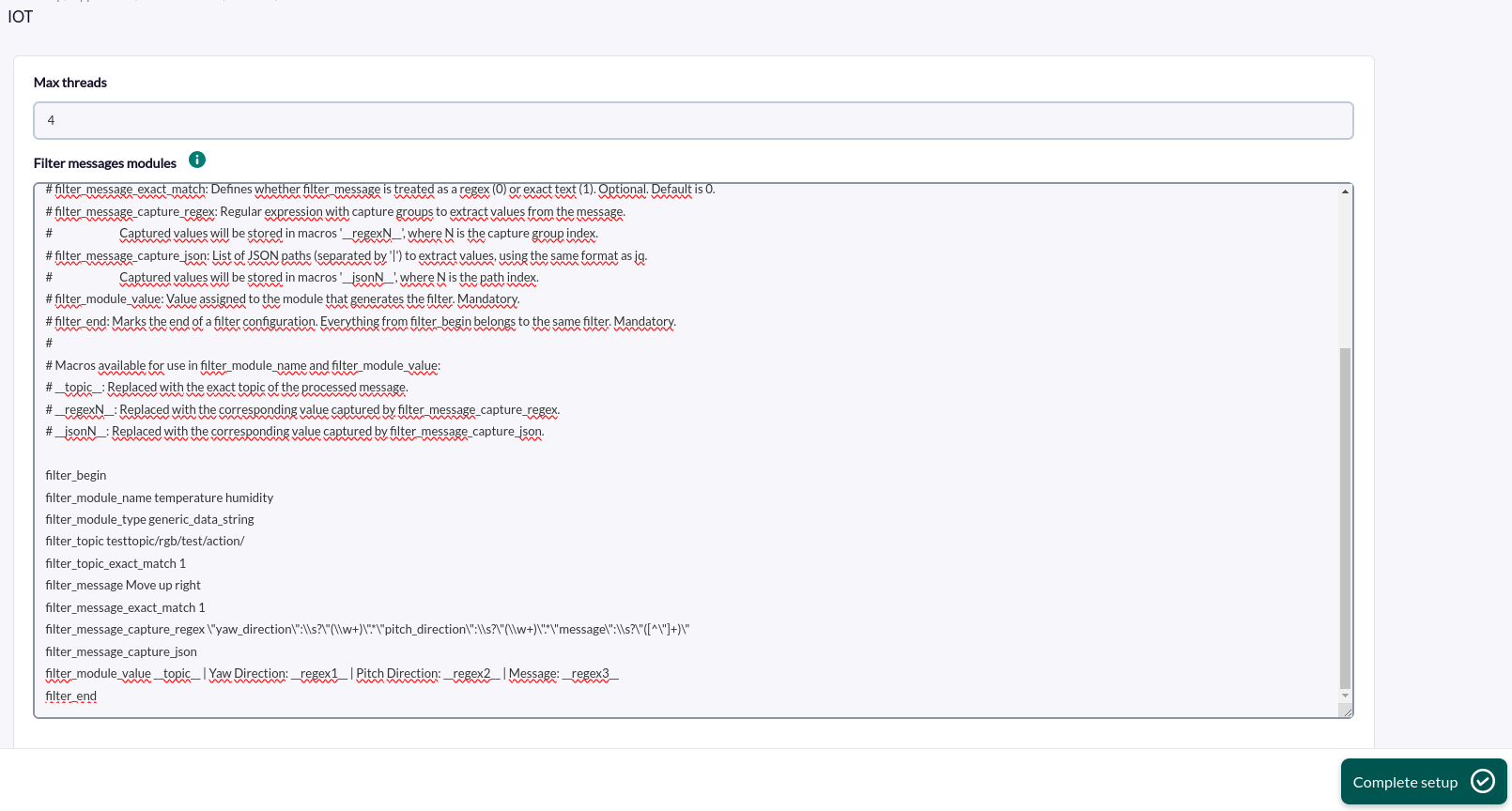
filter_begin
filter_module_name __topic__ get right
filter_module_type generic_data_string
filter_topic testtopic/rgb/test/action/
filter_topic_exact_match 1
filter_message Move up right
filter_message_exact_match 1
filter_message_capture_regex \"yaw_direction\":\\s?\"(\\w+)\".*\"pitch_direction\":\\s?\"(\\w+)\".*\"message\":\\s?\"([^\"]+)\"
filter_message_capture_json
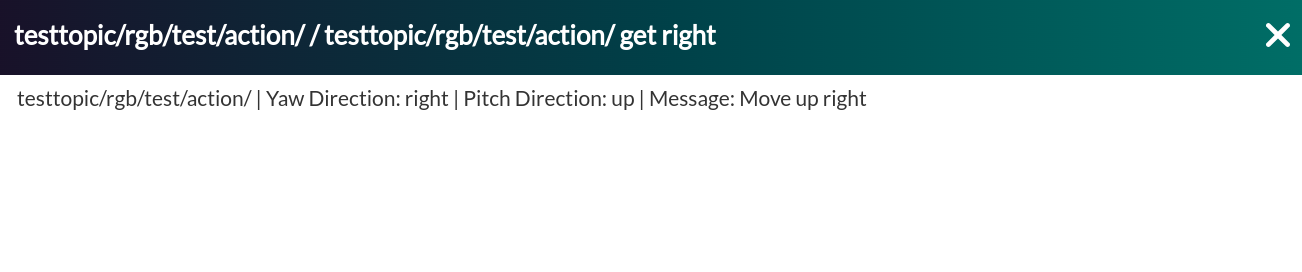
filter_module_value __topic__ | Yaw Direction: __regex1__ | Pitch Direction: __regex2__ | Message: __regex3__
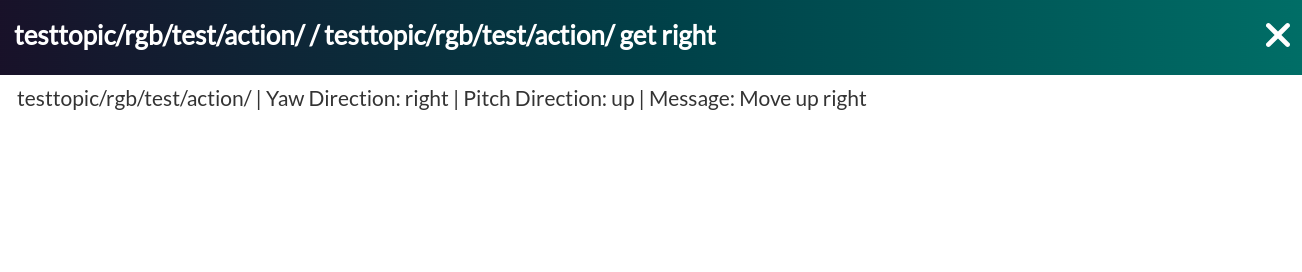
filter_endThen, with the previously shown message and configuration examples, the following agent would be created:

And the following message module:

-
Filter_message_capture_json
With Filter_message_capture_json we expect a list of paths within a JSON (separated by “|”) from which to capture their values. Using the same format as the jq command, what is captured for each path will be stored in “__jsonN__” macros, where N is the position of the path in the list . The steps to configure the macros to capture would be the following:
- Configure filter_message_capture_json to capture the necessary parts of the JSON.
filter_message_capture_json $.data.yaw_direction|$.data.pitch_direction|$.messageJSONPaths must begin with $ because it represents the root of the JSON document.
2. Configure filter_module_value to include the macros containing the captured values and the topic.
filter_module_value __topic__ | Yaw Direction: __json1__ | Pitch Direction: __json2__ | Message: __json3__Example of complete configuration
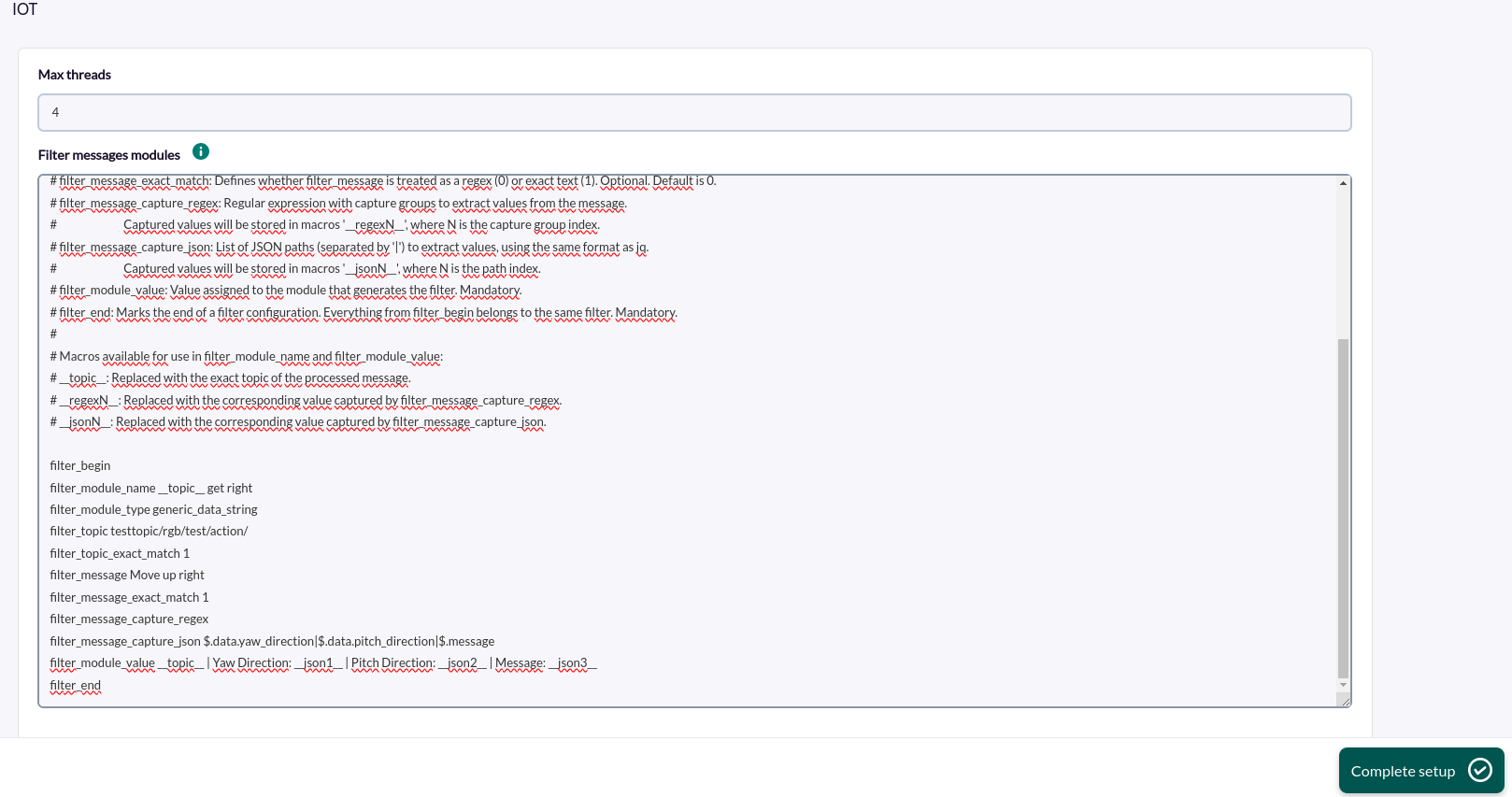
filter_begin
filter_module_name __topic__ get right
filter_module_type generic_data_string
filter_topic testtopic/rgb/test/action/
filter_topic_exact_match 1
filter_message Move up right
filter_message_exact_match 1
filter_message_capture_regex
filter_message_capture_json $.data.yaw_direction|$.data.pitch_direction|$.message
filter_module_value __topic__ | Yaw Direction: __json1__ | Pitch Direction: __json2__ | Message: __json3__
filter_endThen, with the previously shown message and configuration examples, the following agent would be created:

And the following message module: