
Configuration in PandoraFMS
ParaTo configurarconfigure elthe plugin enin PandoraFMS, sefollow debenthese seguir los siguientes pasos :steps:
1. SubirUpload elthe plugin ato PandoraFMS, porfor ejemploexample enin lathe siguientefollowing ruta:path:
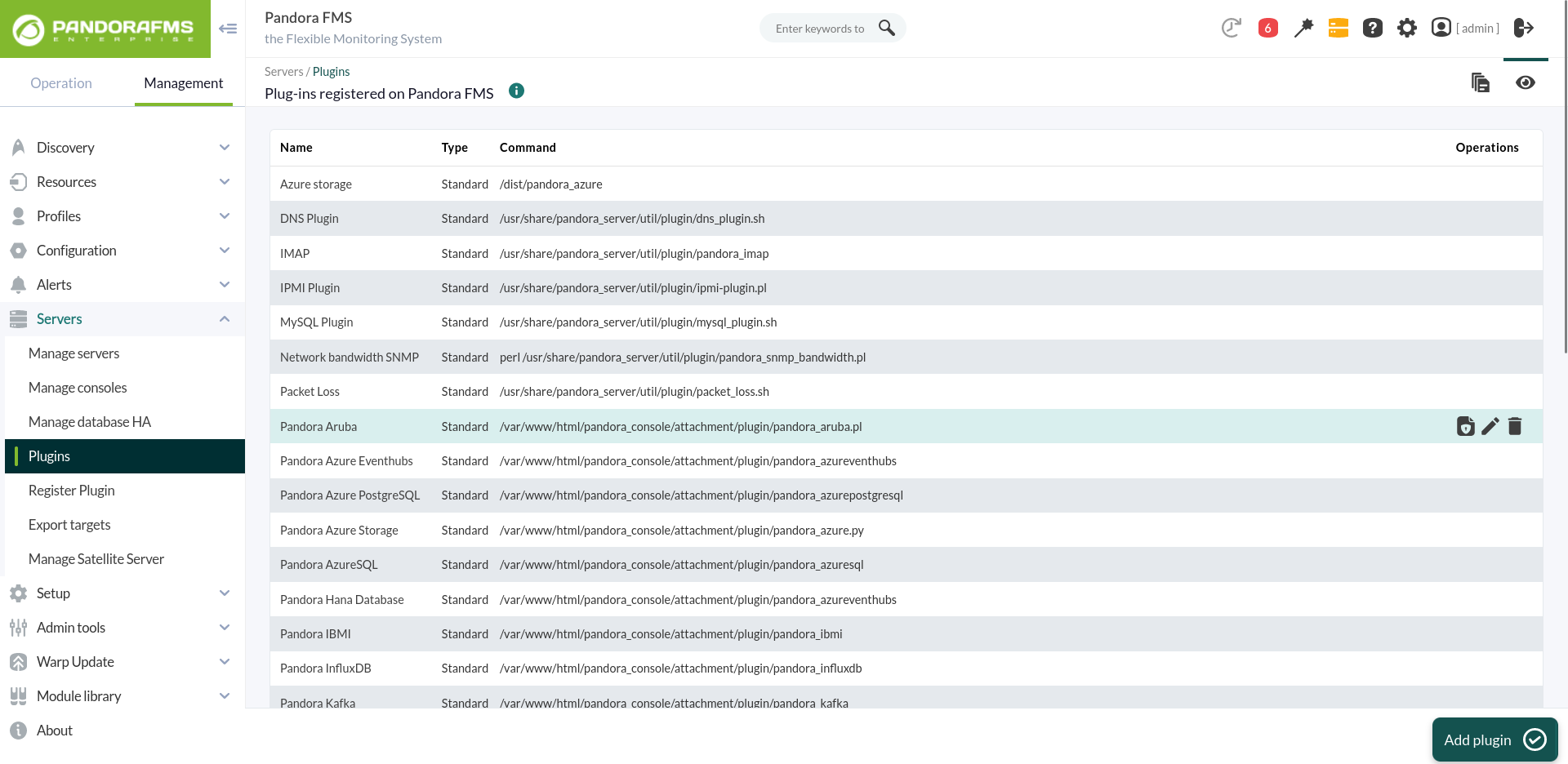
/usr/share/pandora_server/util/plugin2. DirigirseGo alto apartadothe plugins ysection crearand unocreate nuevo:a new one:
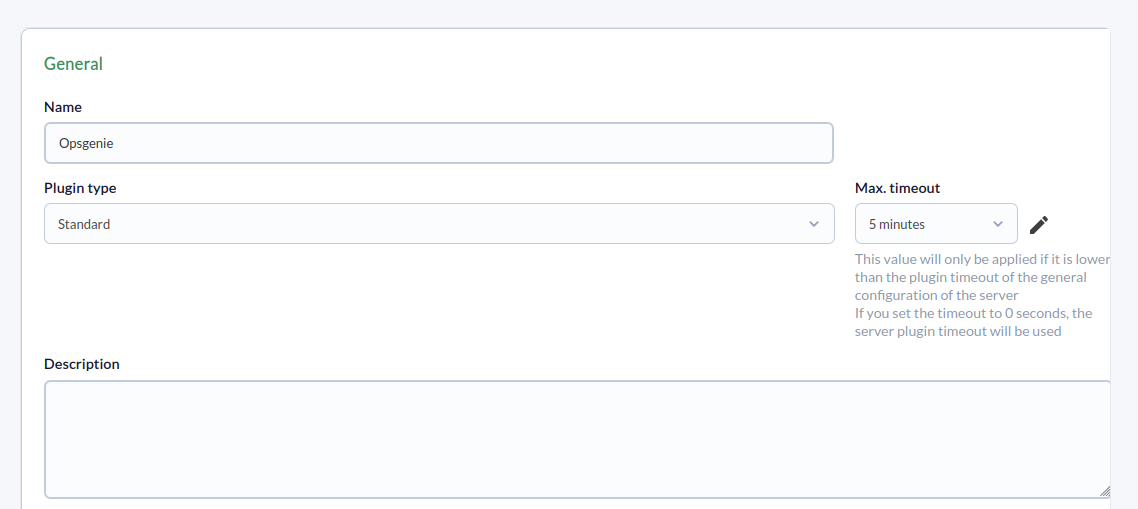
3. SeName, ledescription, añadeand nombre,timeout descripciónare y timeout:added:
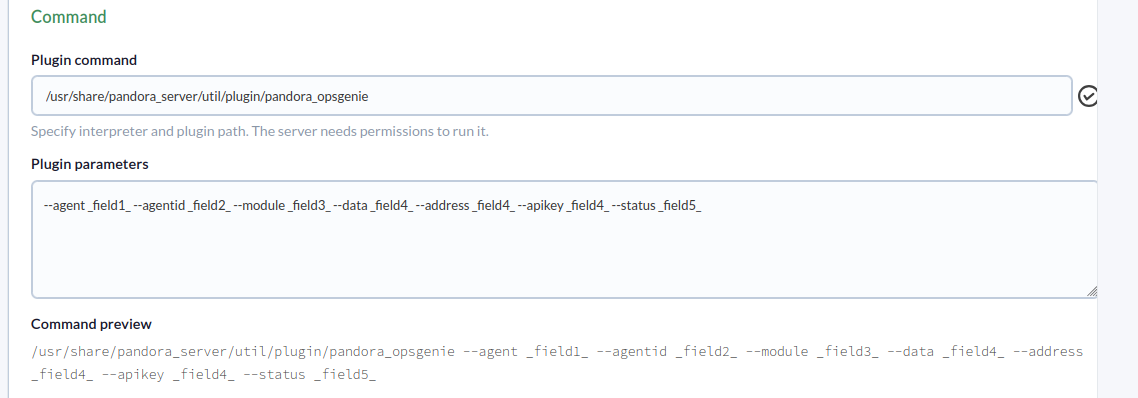
4. SeAdd añade la ruta delthe plugin enpath elto comandothe ycommand losand parámetrosthe necesariosparameters paranecessary lafor ejecuciónits de este.execution.
Para cada parámetro se debe configurar una macro, siendo la sintaxis de estaA macro lamust siguientebe :configured for each parameter, with the following syntax: _fieldx_, siendowhere x elis numerothe posicionalpositional delnumber parámetro.of the parameter.
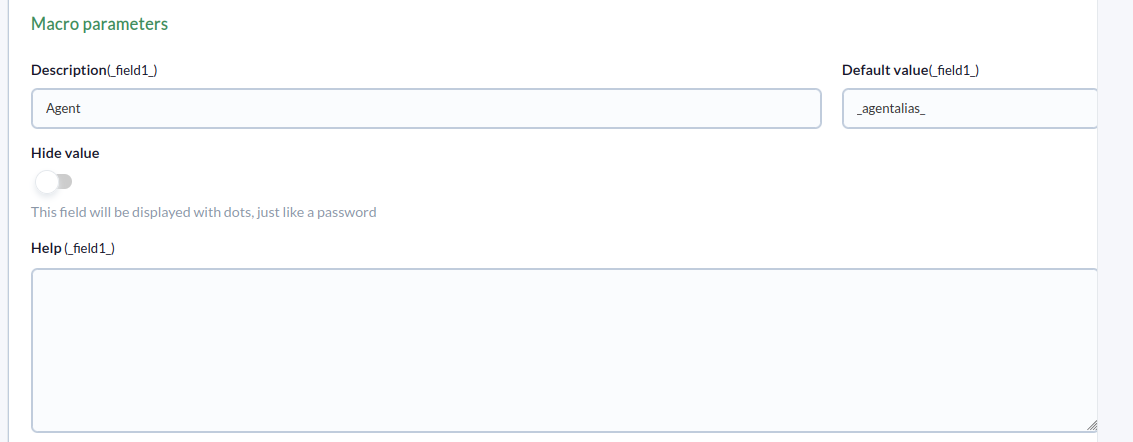
5. SeThe configuran lasabove macros anteriores,are añadiendoconfigured enby cadaadding unathe elparameter valorvalue delto parámetro:each one:
6. UnaOnce vezconfigured, configuradoa semodule debemust crearbe uncreated móduloin enan unagent agentethat queexecutes ejecute elthe plugin. EnIn elthe menuagent's demodule módulosmenu, dewe uncreate agentea creamosnew unplugin-type módulo de tipo plugin nuevo:module:
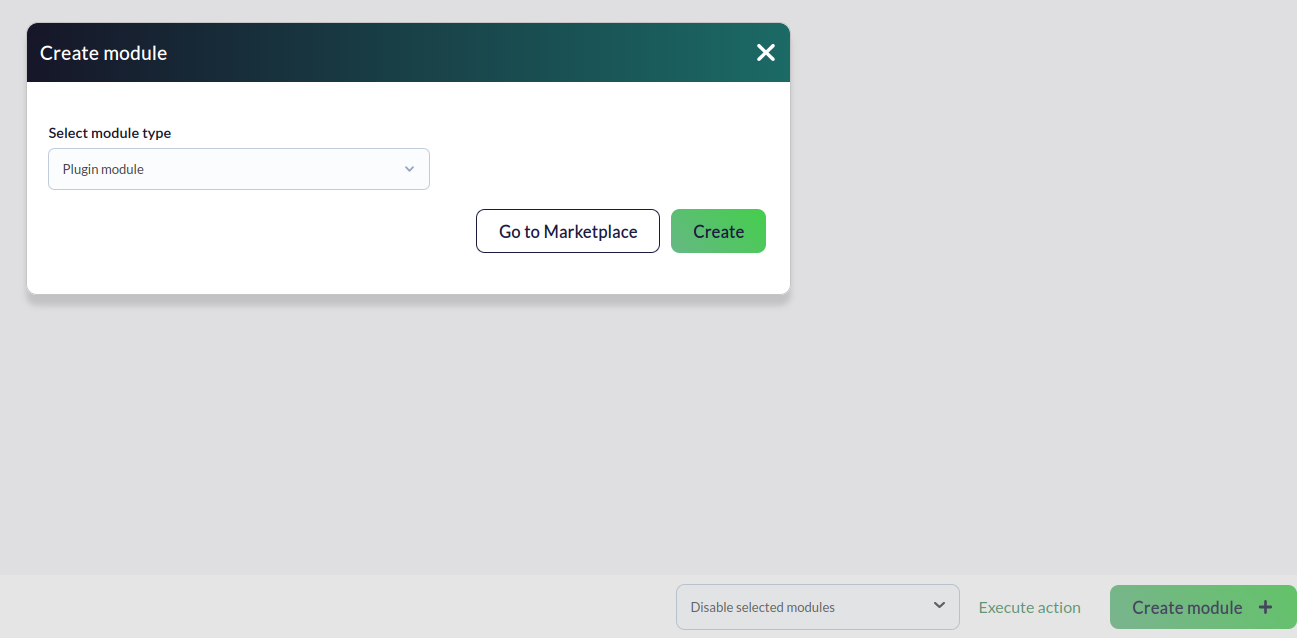
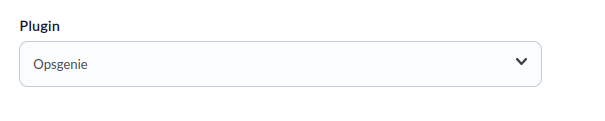
7. EnIn elthe menúmodule deconfiguration configuraciónmenu, delgive módulo, le ponemos un nombre, seleccionamos el plugin antes configurado y se le debe darit a "crear".name, select the previously configured plugin, and click “create.”
8. ElThe plugin sewill ejecutaraeventually eventualmenterun segúnaccording lato configuraciónthe realizada,configuration generandosettings, lasgenerating alertasalerts segúnas vayait procesandoprocesses losthe datos.data.