Discovery
This plugin can be integrated with Pandora FMS Discovery.
To do so, you must load the “.disco” package that you can download from the Pandora FMS library:
https://marketplace.pandorafms.com/
Once loaded, Office 365 accounts can be monitored by creating Discovery tasks from the Management > Discovery > App section.
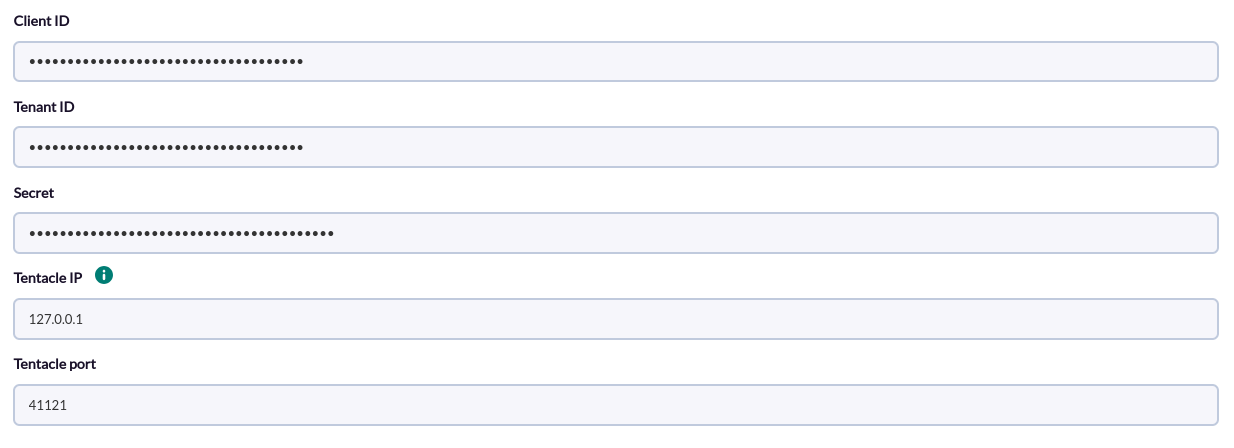
The following minimum data will be requested for each task:
- Client ID: Client id of the office 365 account
- Tenant ID: Tenant id of the office 365 account
- Secret: Secret of the office 365 account
- Tentacle IP: Tentacle address
- Tentacle port: Tentacle port
On the next page we will be asked for the following :
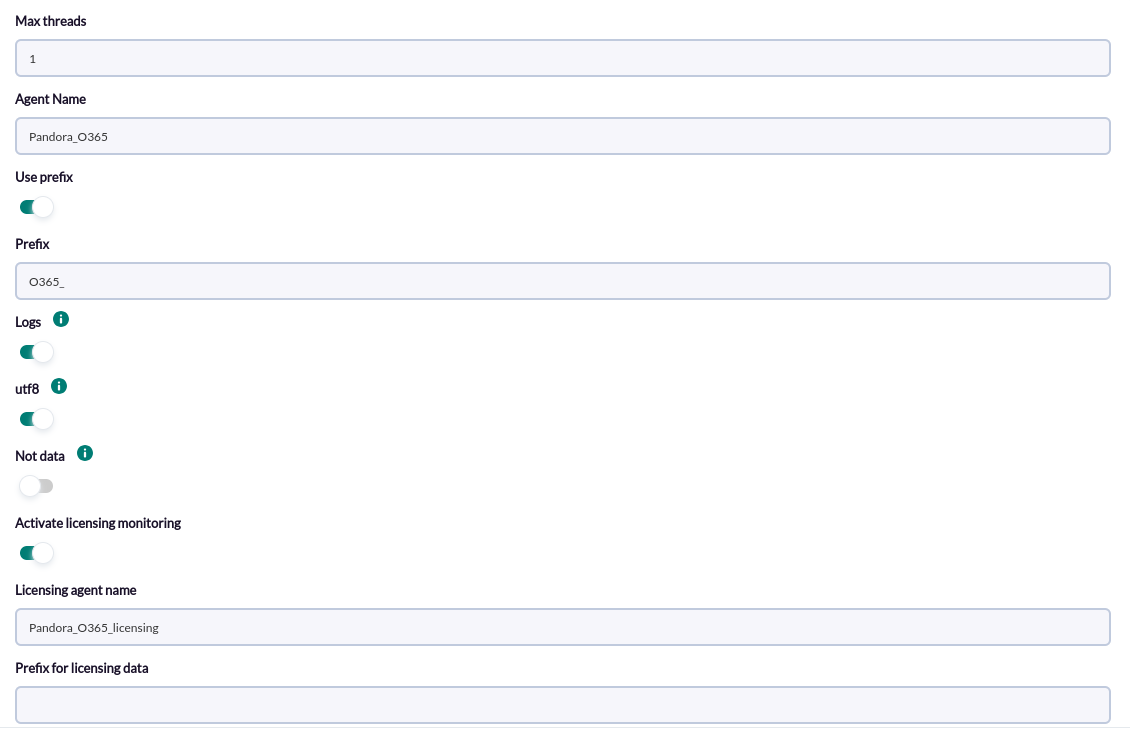
- Max Threads: Number of threads
- Agent Name: Name for the main agent
- Prefix: Prefix for the main agent and its modules
- Logs: Activate to enable the creation of log modules
- Utf8: Activate to enable the codification of Issue modules
- Not data: Activate to disable the monitoring of the general agent modules (except log modules)
- Activate licensing monitoring: Activate to enable the monitoring of the licensing modules
- Licensing agent name: Name of the licensing agent
- Prefix for licensing data: Prefix for the licensing agent and its modules
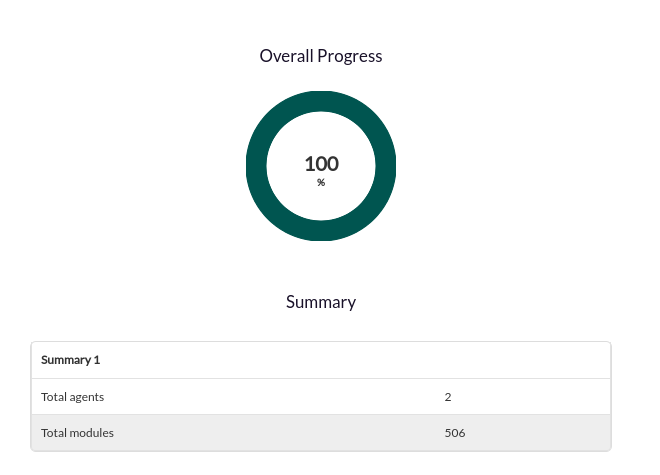
Successfully completed tasks will have an execution summary with the following information:
- Total agents : Total number of agents generated by the task
- Total modules: Total number of modules generated by the task