
Pandora FMS Configuration: Creating an Alert Command
DescargueDownload desdethe el marketplace de pandorafms el CLI yfrom descomprima en el servidorthe Pandora FMS marketplace and unzip it on the Pandora FMS server (lathe ubicaciónrecommended recomendadalocation esis /usr/share/pandora_server/util/pandora-msteams-workflow oor cualquierany otraother dondewhere el servidorthe Pandora FMS tengaserver derechohas deread lecturaand yexecute ejecución)permissions).Debe
SeIt recomiendais realizarrecommended unato pruebaperform ena latest mismain the command terminal dewith comandosthe confollowing el siguiente formato:format:
ParámetrosScript delParameters
`-u` |
`--url` |
- | ||
`-d` |
`--data` |
|
- | |
`-t` |
`--alert_tittle` |
No | `PandoraFMS alert fired` |
|
`-D` |
`--alert_desc` |
No | `Alert Fired` |
|
| - | `--image` |
URL |
No | |
| - | `--image_size` |
|
No | |
| - | `--button` |
URL |
No | `https://pandorafms.com` |
| - | `--button_desc` |
No | `Open web console` |
EjemplosUsage de UsoExamples
1. EjemploBasic BásicoExample
EnvíoSending de una alertaa simple conalert loswith datosthe mínimosminimum obligatorios:required data:
./pandora-msteams-workflow \
  --url "https://tu-your-webhook-url" \
  --data "Agent=Server_Web_01,Module=CPU_Load,Status=Critical"
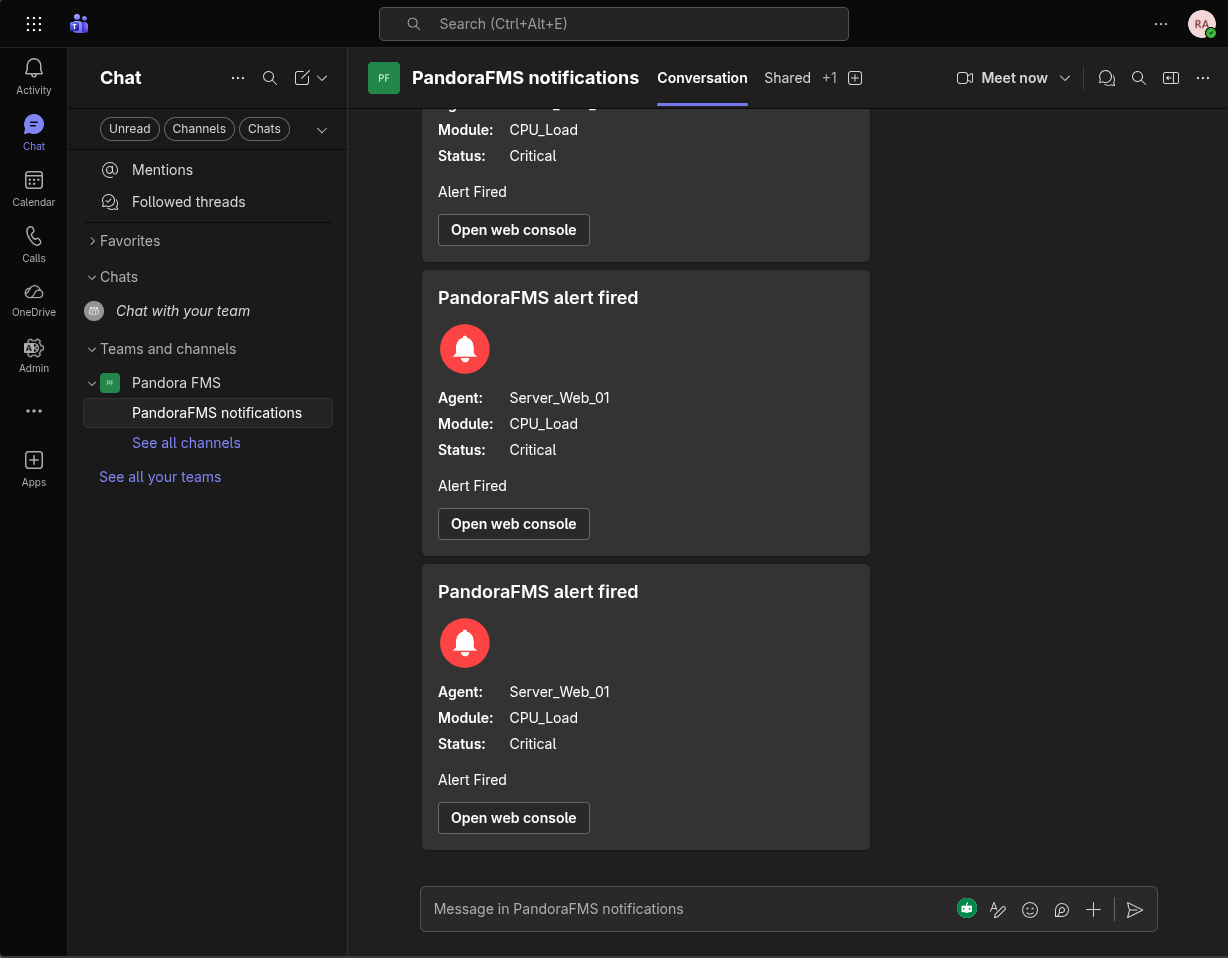
2. EjemploFull completoExample conwith personalizaciónCustomization
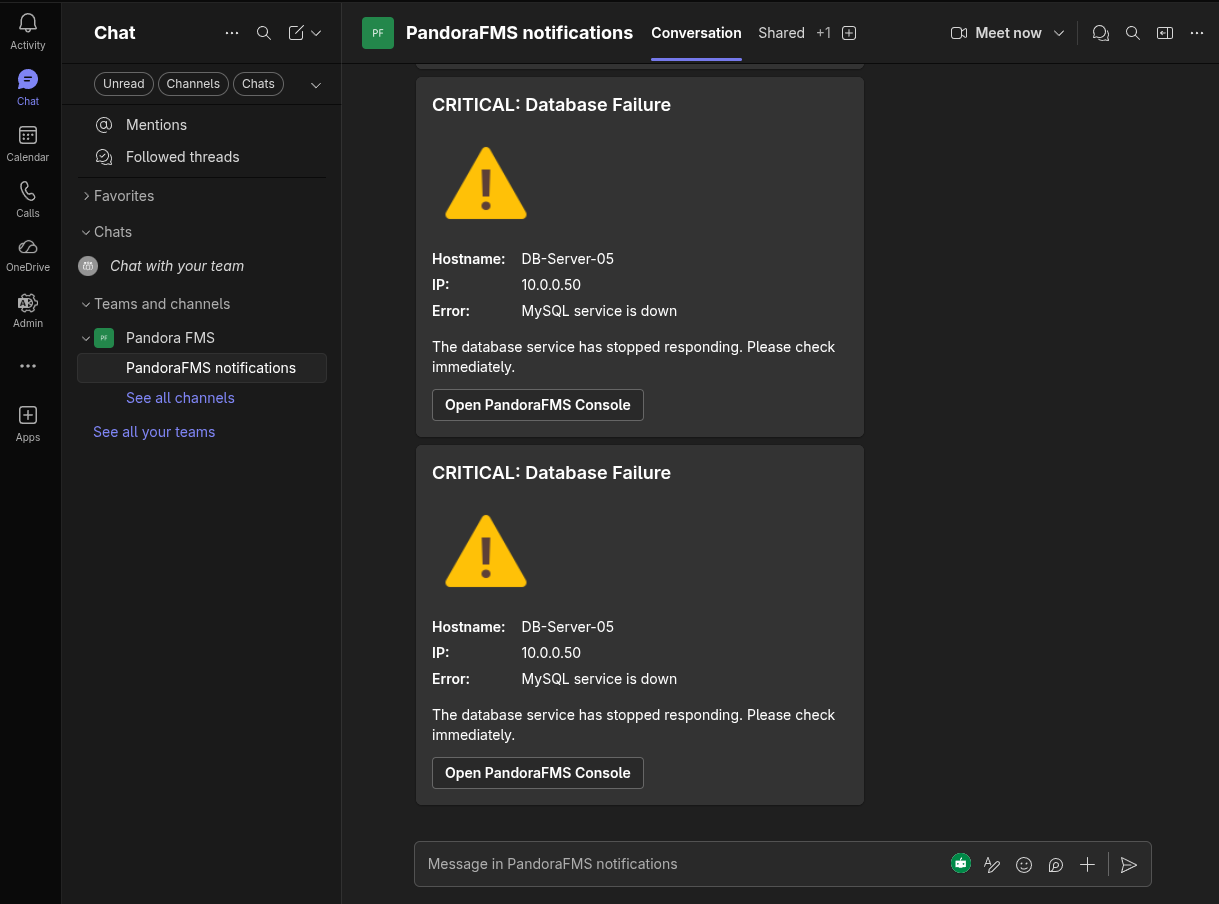
PersonalizandoCustomizing elthe título,title, ladescription, descripción,button, eland botónimage y el tamaño de la imagen:size:
./pandora-msteams-workflow \
  --url "https://tu-your-webhook-url" \
  --data "Hostname=DB-Server-05,IP=10.0.0.50,Error=MySQL service is down" \
  --alert_tittle "CRITICAL: Database Failure" \
  --alert_desc "The database service has stopped responding. Please check immediately." \
  --image "https://img.icons8.com/color/96/error.png" \
  --image_size "Large" \
  --button "https://tu-consola-pandora.your-pandora-console.com/index.php?sec=estado&sec2=lista_agentes" \
  --button_desc "Open PandoraFMS Console"
FuncionamientoInternal internoOperation delof Parámetro --data
El parámetrothe --data procesaParameter
una
The cadena--data deparameter textoprocesses ya latext conviertestring enand unaconverts listait deinto a list of "Facts" (hechos)within dentrothe de laTeams Adaptive Card de Teams.Card.
FormatoCorrectcorrecto:format:Nombre=Valor,OtroNombre=OtroValorName=Value,OtherName=OtherValueNota:Note:EvitaAvoidusarusingcomascommas (,)oorsignosequalsde igualsigns (=)dentrowithindevalues,losasvalores, ya que elthe scriptlosusesusathemcomoasdelimitadores.delimiters.