Configuring message filtering
The plugin makes use of different filters to filter messages.
Topic filtering
For topic filtering, the Filter_topic and Filter_topic_exact_match tags are used.
-
Filter_topic
Regular expression or exact text that must match the message topic for the filter to be satisfied. This is optional. By default it would match any topic.
-
Filter_topic_exact_match
Indicates whether what is specified in filter_topic will be treated as a regular expression (0) or as an exact text (1). It is optional. Default value is 0.
Examples
Using the Filter_topic and Filter_topic_exact_match filters we can choose the topic to subscribe to.
We can directly indicate the name of the topic or look for a regex pattern in it.
Suppose you have a MQTT topic called:
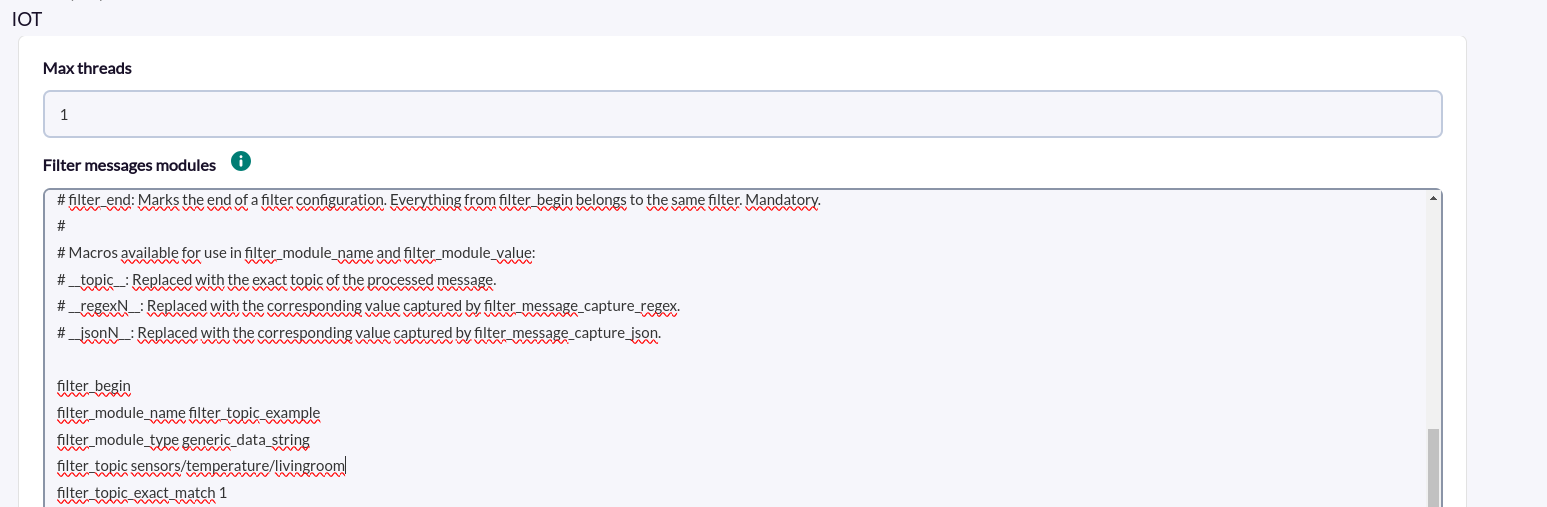
sensors/temperature/livingroomEXAMPLE 1 filter_topic_exact_match 1 (Exact text)
You could configure filter_topic by specifying the topic name.
filter_topic sensors/temperature/livingroomand set filter_topic_exact_match to 1, so that it searches only that topic.
filter_topic_exact_match 1If instead of specifying the complete topic name, we specify only a part of the topic:
filter_topic sensors/temperature/I would also agree.
EXAMPLE 2 filter_topic_exact_match 0 (Regular Expression)
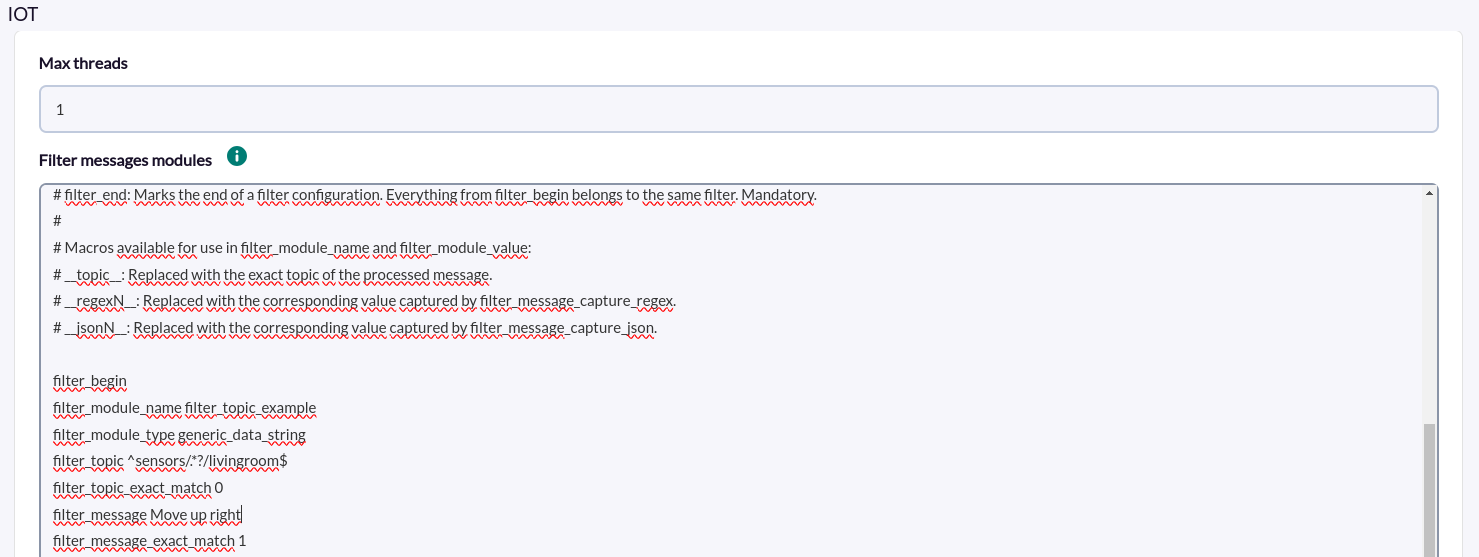
You could configure filter_topic by specifying a regular expression that matches the name of the topic you want to subscribe to. For example, the following, which would look to start with “sensors” and end with “livingroom”.
filter_topic ^sensors/.*?/livingroom$and set filter_topic_exact_match to 0, so that it filters by regular expression, instead of exact text.
filter_topic_exact_match 0
Message filtering
For topic filtering, the Filter_topic and Filter_topic_exact_match tags are used.
-
Filter_message
Regular expression or exact text that must match the message for the filter to be satisfied. This is optional. By default it would match any message.
-
FIlter_message_exact_match
Indicates whether what is specified in filter_message will be treated as a regular expression (0) or as an exact text (1). It is optional. Default value is 0.
Ejemplos
Using the filters Filter_message and Filter_message_exact_match we can filter the messages to be received.
We can indicate directly the content of the message or look for a regex pattern in it.
Suppose you have a message like this:
{"message":"Move up right",
"status":"active",
"datetime":"2025-02-11T14:30:54.260Z",
"data":{"yaw_rate":0.11466979980468749,
"pitch_rate":0.6159210205078126,
"yaw_direction":"right",
"pitch_direction":"up"}}
EXAMPLE filter_message_exact_match 1 (exact wording)
We could configure filter_message by specifying the message text.
filter_message Move up rightand set filter_topic_exact_match to 1, so that it searches only that topic.
filter_message_exact_match 1
filter_message_exact_match 1If instead of specifying the complete topic name, we specify only a part of the topic:
filter_message Move upIt would also match