Agents and modules generated by the plugin
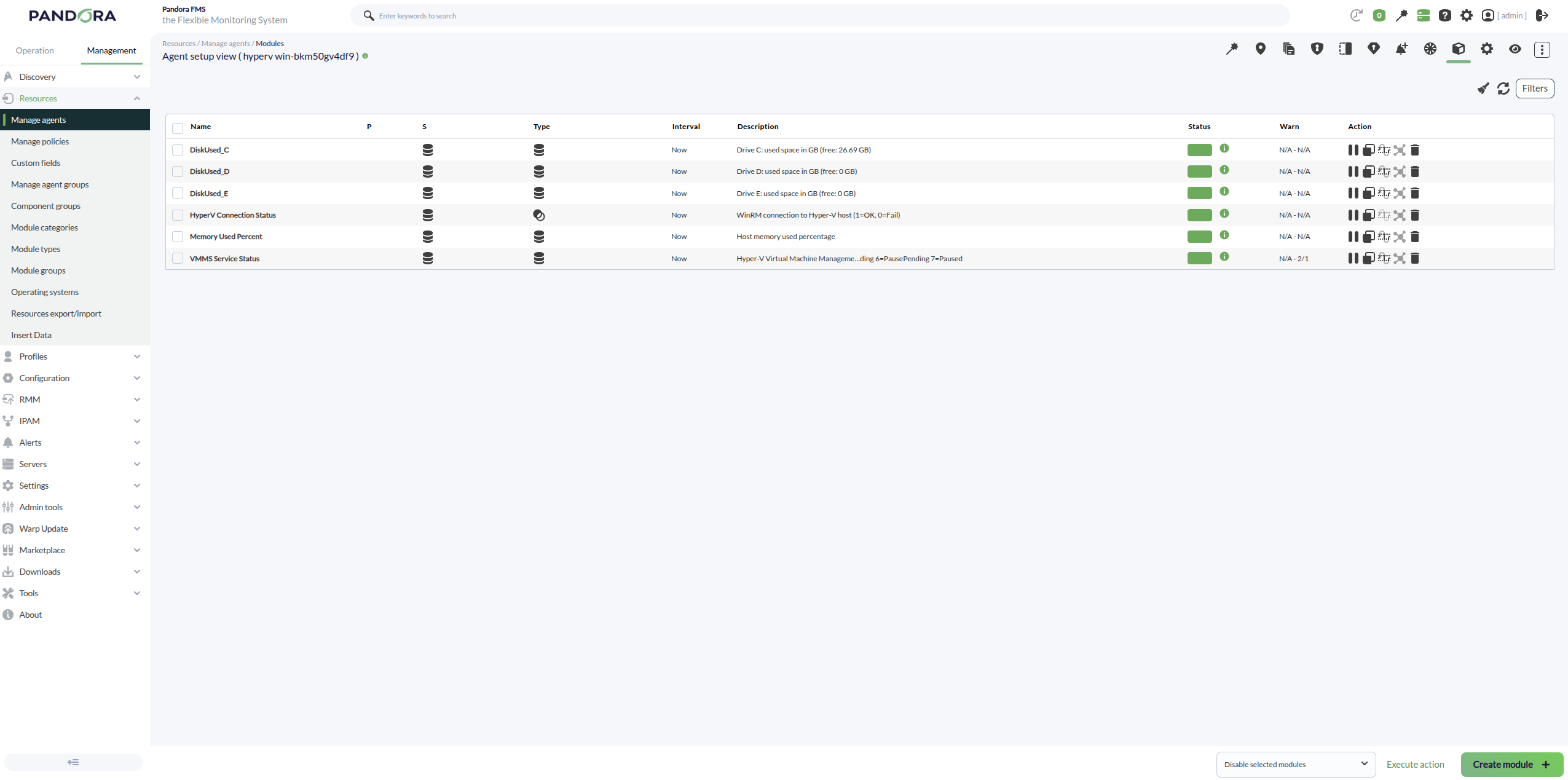
With the Scan hypervisor token the plugin creates:
- Agents created: 1 agent for the Hyper‑V host (the hypervisor). Its name is typically
HyperV <ComputerName>if an agent prefix is configured, or<ComputerName>if no prefix is provided. - Modules created (host agent):
- HyperV Connection Status (remote mode) / HyperV Local Status (local mode): execution/connectivity status of the discovery run.
- Host Memory Total (GB): total memory on the Hyper‑V host.
- Host Memory Free (GB): free/available memory on the Hyper‑V host.
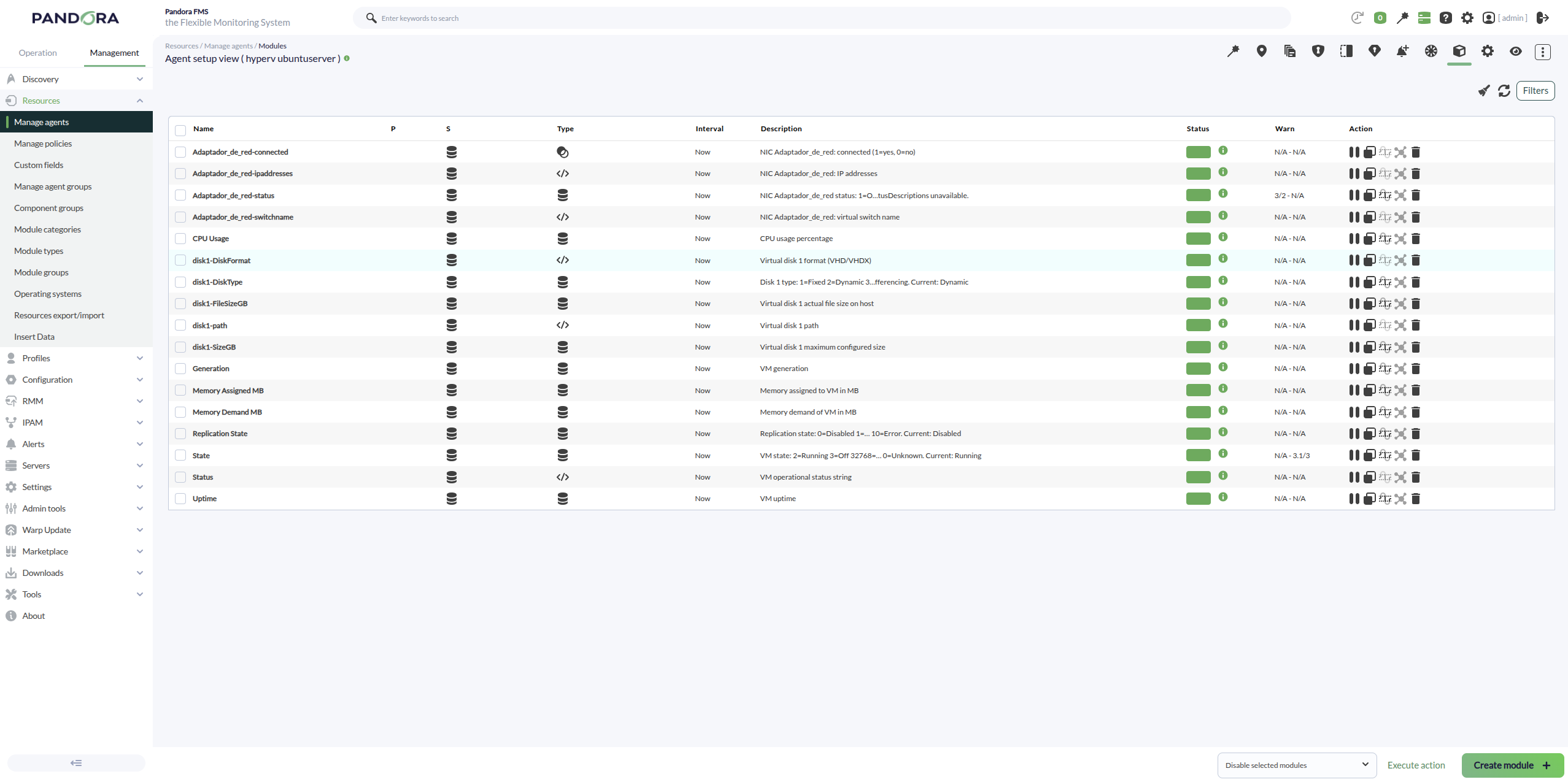
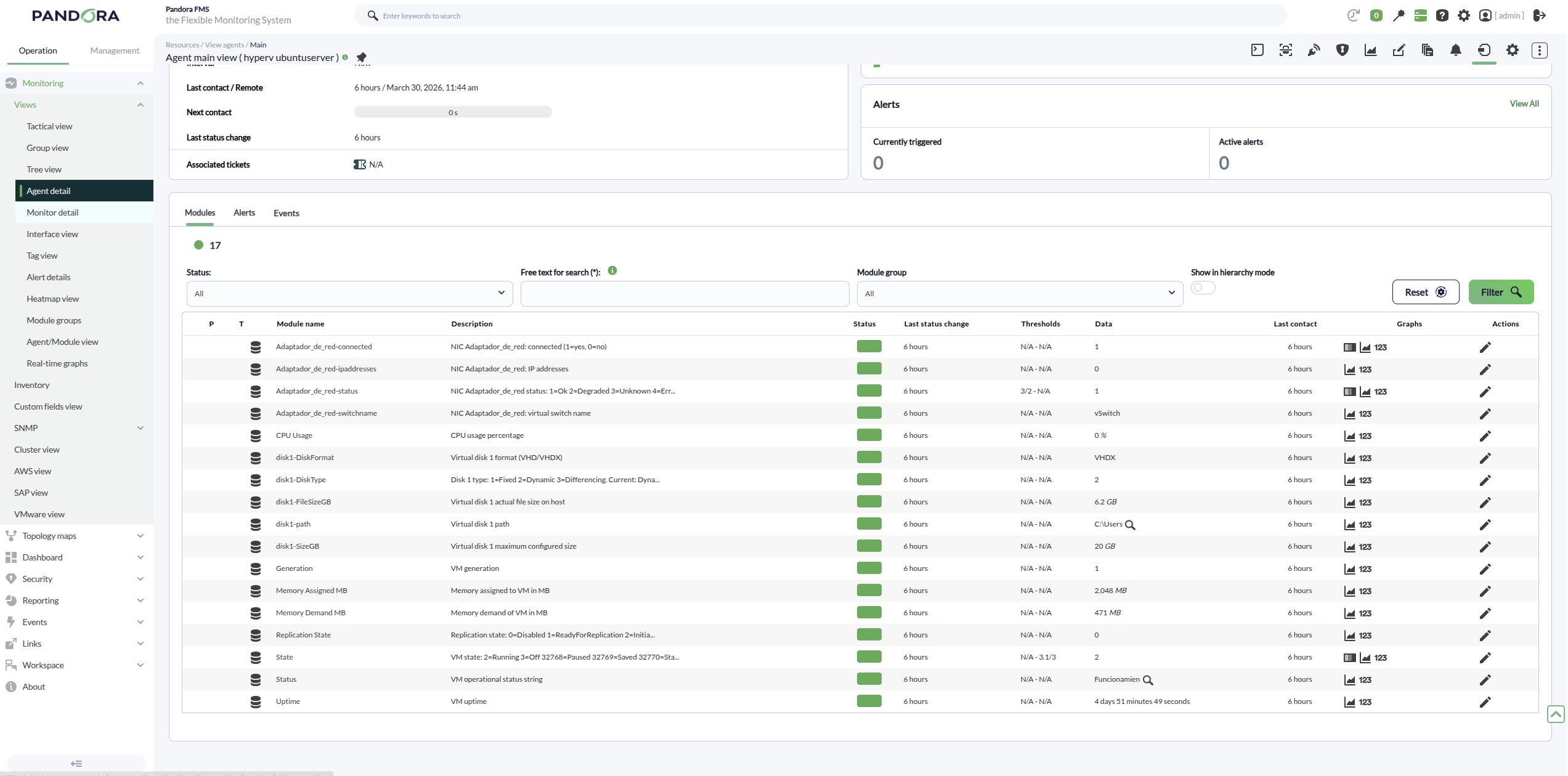
With the Scan VM token the plugin creates:
- Agents created: 1 agent per virtual machine discovered on the Hyper‑V host (e.g.,
HyperV <VMName>if an agent prefix is set, or<VMName>if no prefix is provided). - Modules created (per VM agent):
- State: VM numeric state.
- Status: VM operational status reported by Hyper‑V (string).
- Generation: VM generation.
- CPU usage percentage: VM CPU usage in percent (description cleaned, without “from Get‑VM”).
- Memory (when available): VM memory metrics (assigned/consumed/dynamic depending on what is exposed).
- Uptime: VM uptime in seconds.
With the Scan Networking token the plugin creates:
- Agents created: it does not create new agents; it adds networking modules to the already discovered VM agents (it requires the VM agents to exist).
- Modules created (per VM, per network adapter):
- Adapter connectivity/state modules (connected / disconnected).
- The associated Virtual Switch (vSwitch) information.
- MAC Address information (when exposed as a module/value in your version).
- Adapter status as reported by Hyper‑V.
- Multiple adapters with the same name: if a VM has 2+ NICs sharing the same
Name(e.g., “Network Adapter”), the plugin appends a suffix to avoid overwriting modules:..._1,..._2, etc. If the adapter name is unique, no numbering is added.
With the Scan Storage token the plugin creates:
- Agents created: it does not create new agents; it adds storage-related modules to the VM agents (and/or the hypervisor agent if your configuration includes host storage metrics).
- Modules created (per VM):
- Modules for disks/volumes reported for the VM (size/usage/status depending on the available data).
- When usage is reported per drive letter, module names follow the pattern
DiskUsed_<LETTER>(e.g.,DiskUsed_C,DiskUsed_D, …) instead of labels like “Disk C Used GB”.
- Purpose: to monitor disk usage and detect low space or abnormal growth on virtual machines.
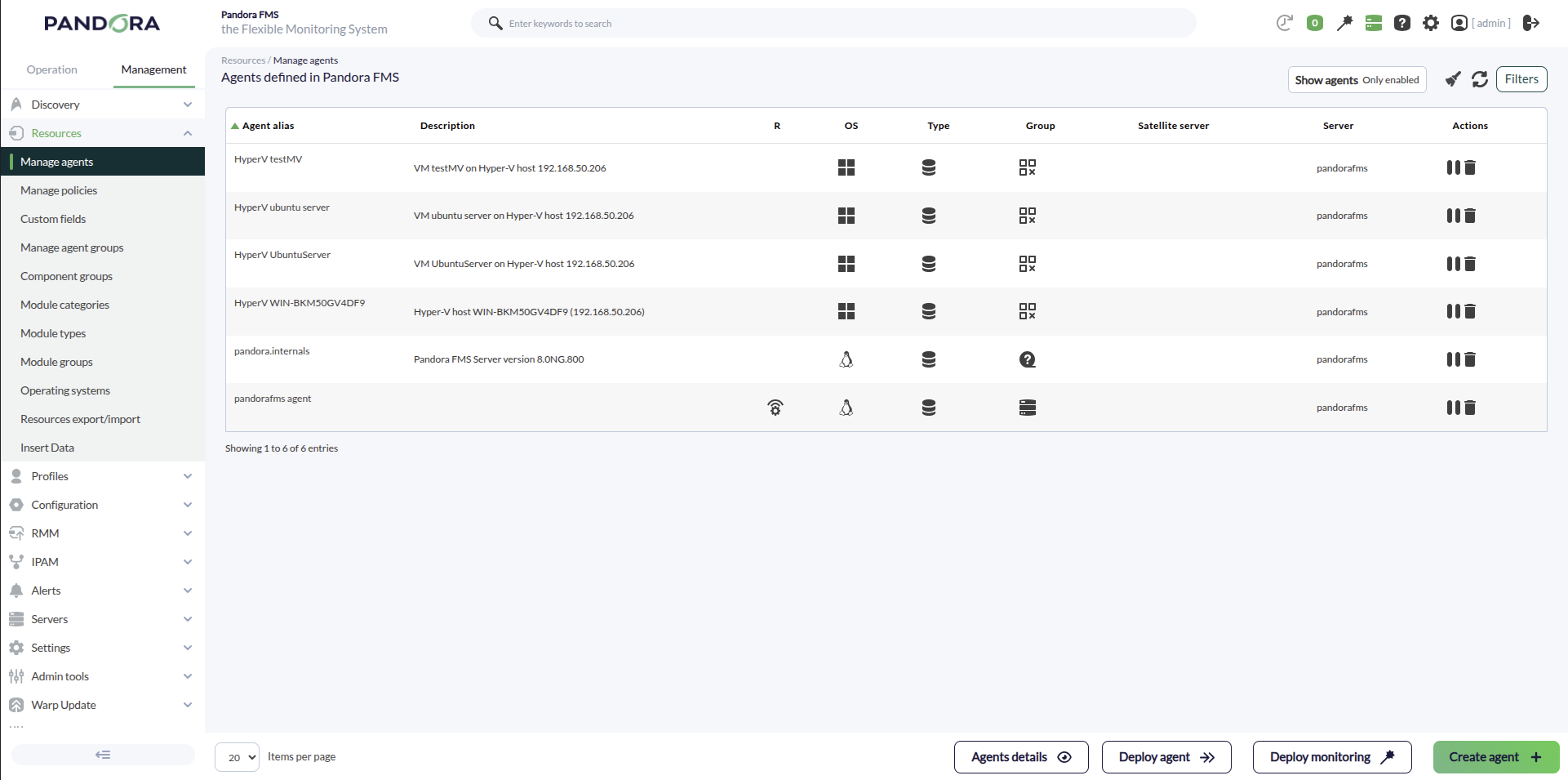
An example of agents created with the plugin would be the following:
The hypervisor host modules will be as follows:
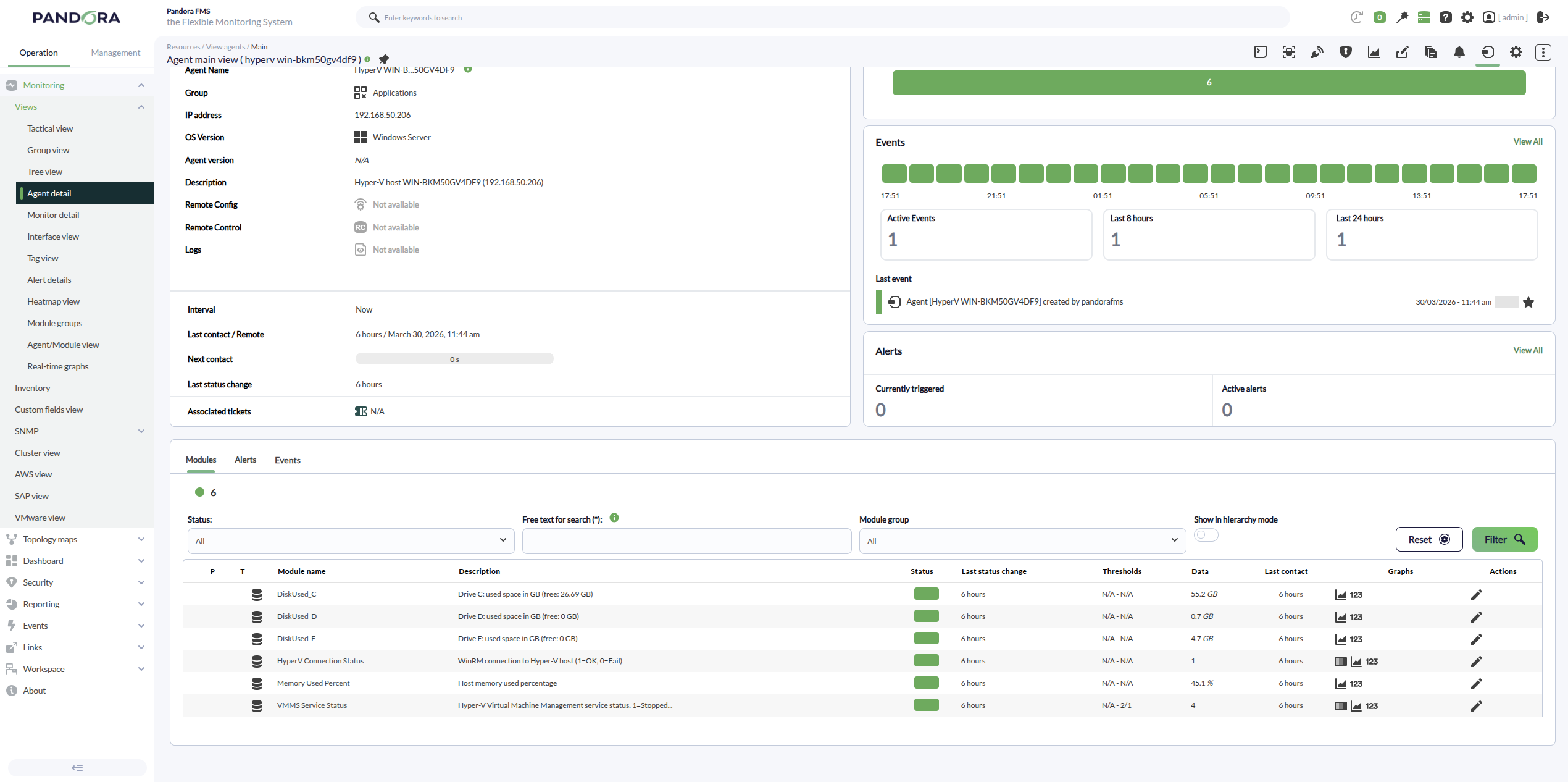
For a Windows VM, we can see that the following modules are created:
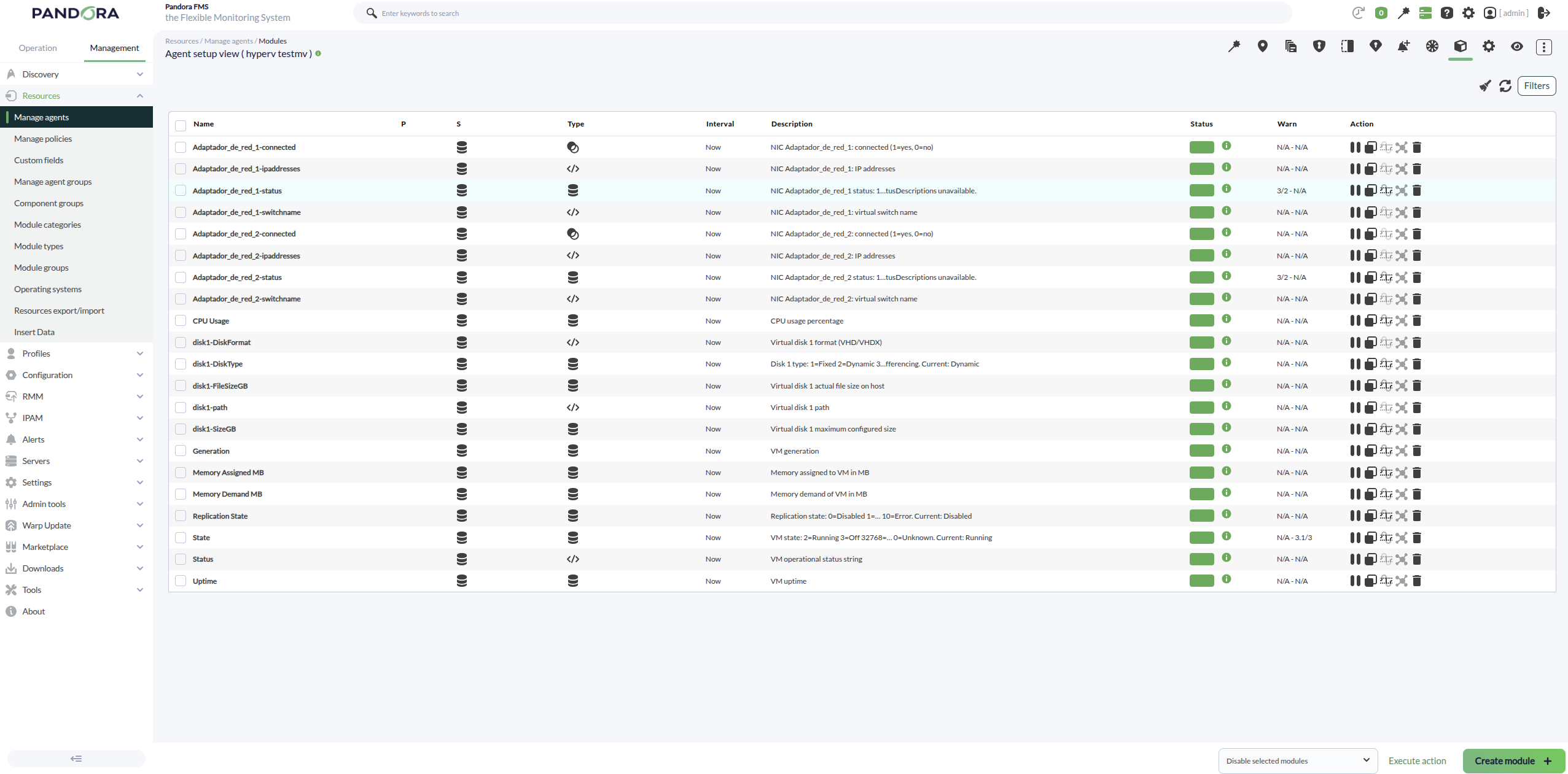
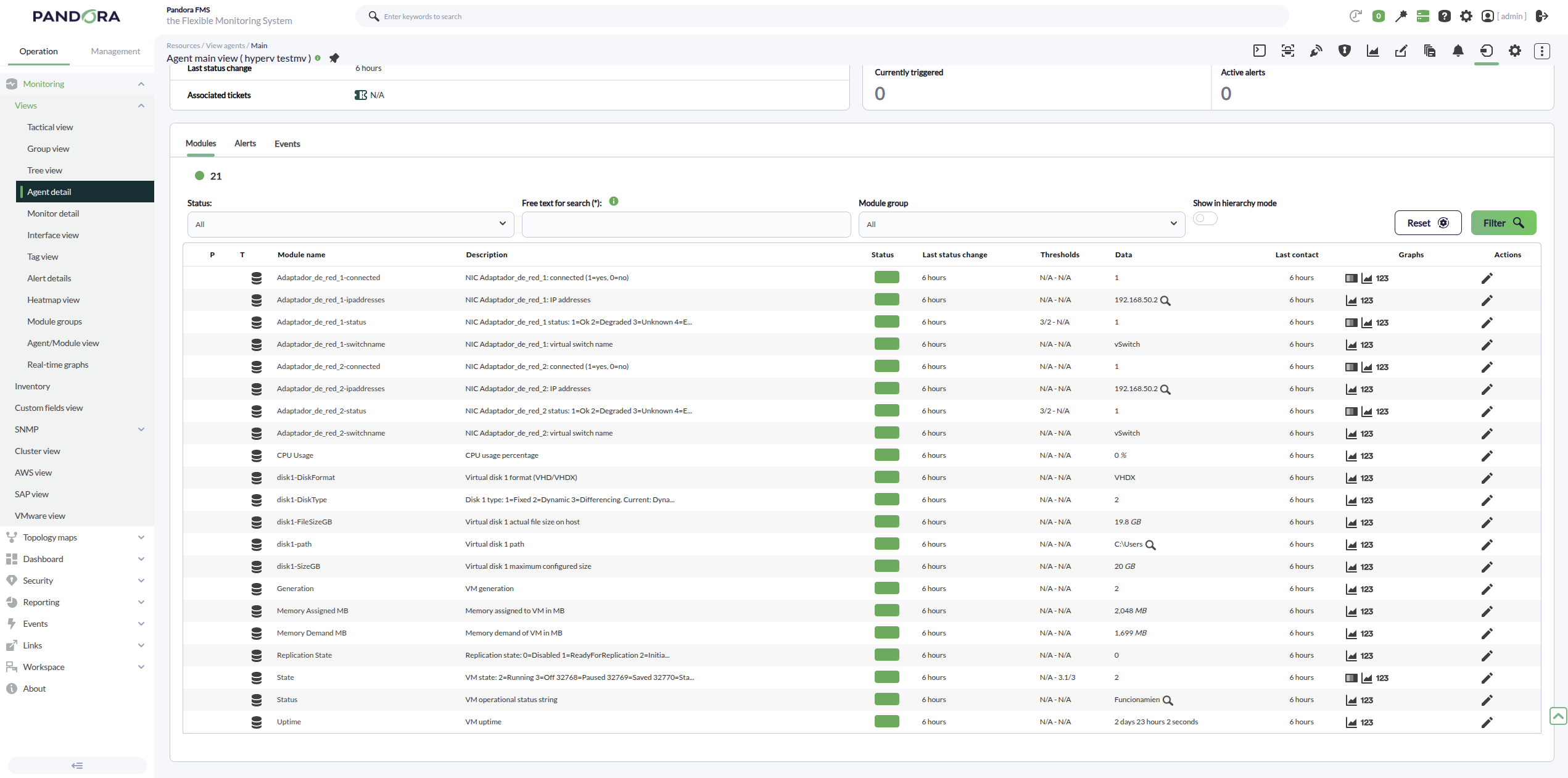
For an Ubuntu VM, we can see the following modules: