Discovery
This plugin can be integrated with Pandora FMS Discovery.
To do so, you must load the “.disco” package, which can be downloaded from the Pandora FMS library:
https://pandorafms.com/library/
Once loaded, Meraki environments can be monitored by creating Discovery tasks from the Management > Discovery > App section.
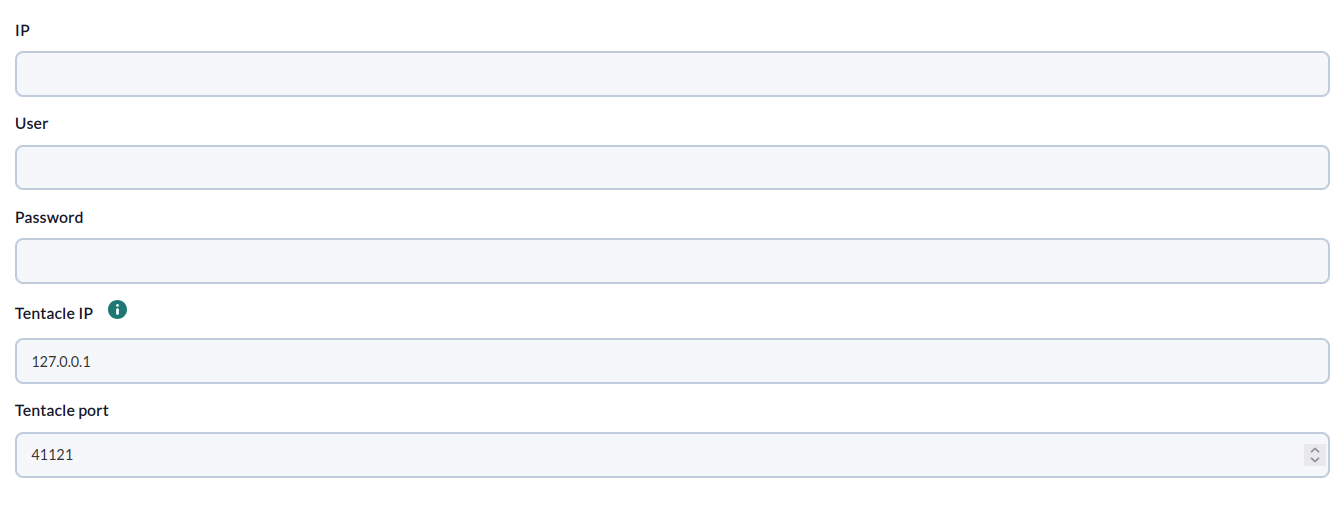
For each task, the following minimum information will be requested:
- IP: IP address of the hp one view environment
- User: User of the hp one view environment
- Password: Password of the user of the hp one view environment
- Tentacle IP: Tentacle IP
- Tentacle port: Tentacle Port
On the next page, we will be asked for the following:
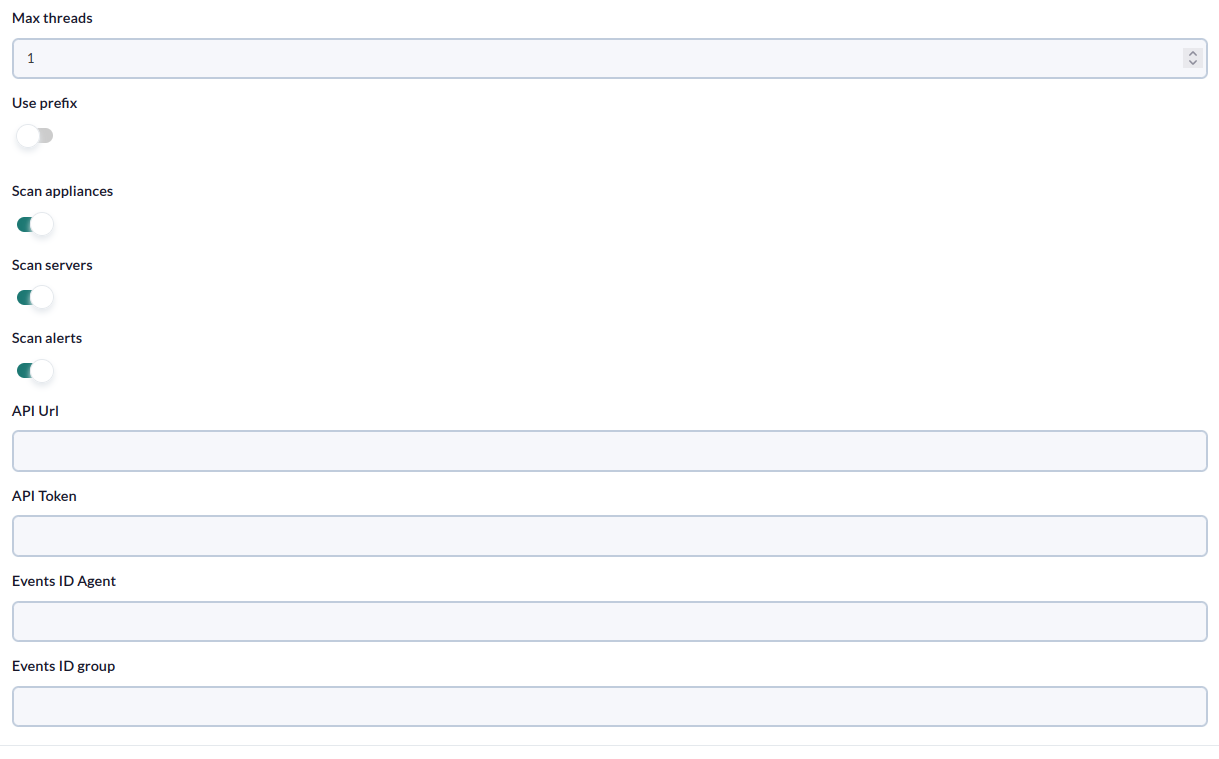
- Max Threads: Prefix for agents.
- Prefix: Prefix for modules.
- Scan appliances: Enable to create an appliance agent that will contain resource statistics.
- Scan servers: Enable to create an agent for each server.
- Scan alerts: Enable to enable the creation of events for each “active” or “locked” alert.
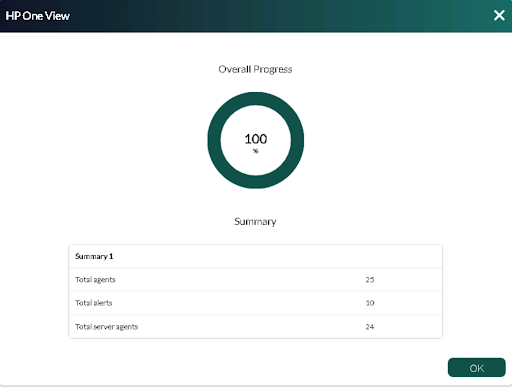
Successfully completed tasks will have an execution summary with the following information:
- Total agents : Total number of agents generated by the task.
- Total alerts: Total number of alerts created by the task.
- Total server agents: Total number of server agents generated by the task.