
17. Inventory
Pandora FMS allows you to keepmaintain an inventory of the devices monitored by Pandora FMS. It is possible to keep a list of the processor model, storage, running services, software installed on the equipment,computer, among other types of information.
The inventory is independent of the monitoring and can be obtained:
-• Remotely,usingthroughInventoryinventory Modules.
-• Locally, with the Pandora FMS EndPoint, throughagentAgentplugins.
YouWe maycan create yourour own Remote and Local inventory modules, but wethis doquick guide does not getgo into detail inon this quick guide.that.
Remote inventory
To assign this type of inventory to a remote agent, access agentthe editing,agent's edition and go to the Inventory tab.

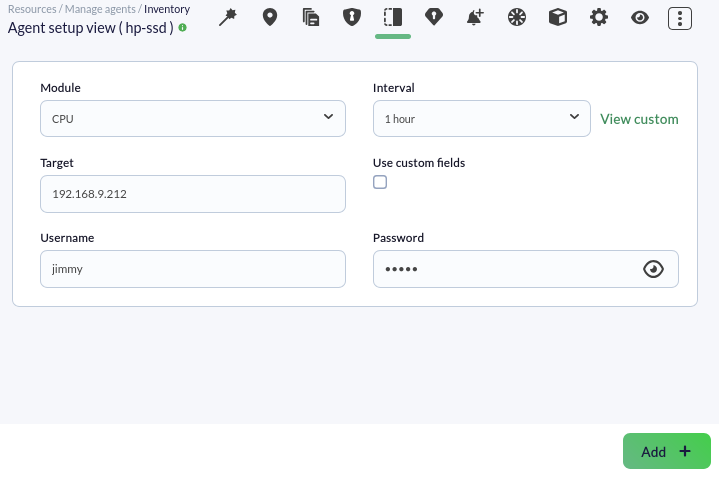
Fill in the fields with the following information:
- The type of inventory
youwewishwant to obtain, in this example the CPU model. - The
targetTarget IP, which in this case is 192.168.1.77.9.212. - The username and password of an existing user on the remote
machine.computer.
Optionally youwe maycan set a custom interval for the module execution and make use of customCustom fields.fields. Click Add.on the Add button.
The inventory module will have been applied and youwe will be able to perform actions such as deleting, editingediting, and forcing modulethe execution of the module by clicking on itstheir correspondingrespective icons.

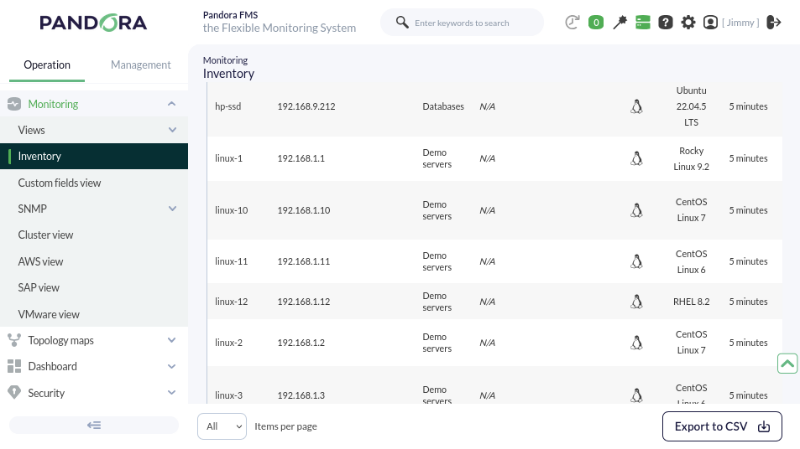
YouWe maycan see the data collected by the remote inventory module from Operation ->→ Monitoring ->→ Inventory.
Local Inventoryinventory
InventoryThese inventory data isare obtained through aan EndPoint,EndPoint; the configuration is a littlebit different depending on whether it is aan WindowsEndPoint for MS Windows® or Linux agent.
Linux®.
WindowsMS Windows®
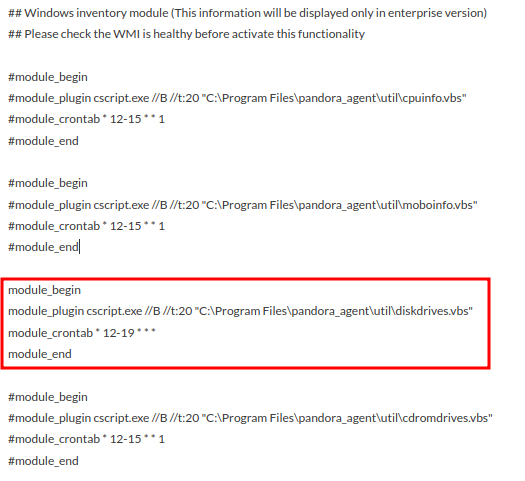
By default, there are some inventory templates in the agentEndPoint configuration file pandora_agent.; conf.confToto enable the local inventory modules,modules un-commentwe uncomment the corresponding code block, in this case we will collect the inventory from the available storage disks:disks will be collected:
DefineWe define the execution interval throughvia cron.
See the value returned by the EndPoint (DESKTOP-2GGIE80):

LinuxLinux®
In Linux,Linux® inventory modules are also defined in the pandora_agent.conf file, but unlike Windows,MS Windows®, here it is established by uncommenting a single line, specifying the inventory youwe wantwish to obtain.
The line means that an inventory plugin will be used, the 1 means that inventory data will be collected every 1 day (we set it to 0 if youwe want it to be collected inat everyeach agent execution), and the itemsobjects from which youwe want to collect inventory data:

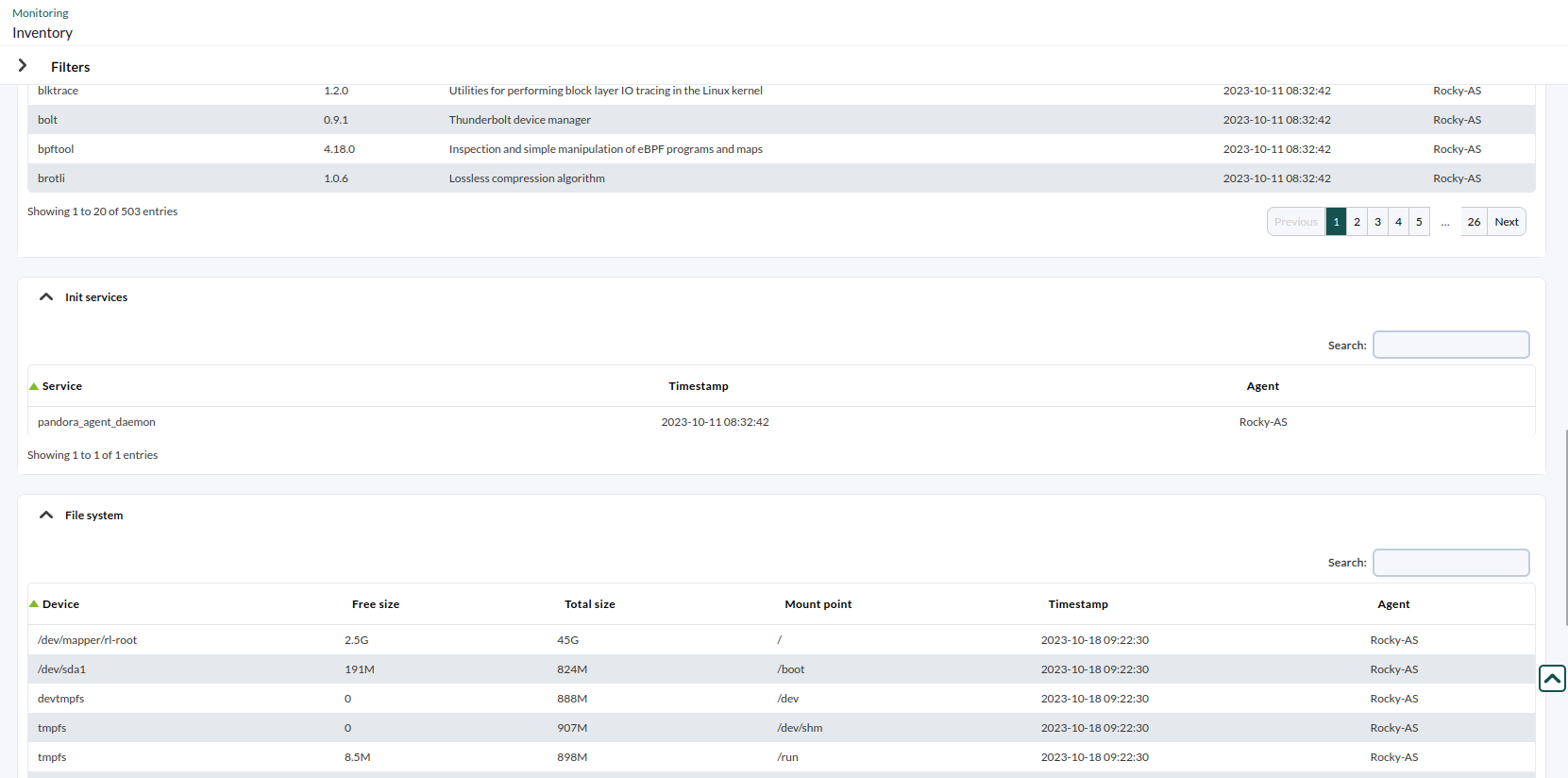
See the values returned by the EndPoint (Rocky-AS):
DidAre you not getachieving the expectedresults results?explained Goin tothis chapter? Access the help or support sections.section.