
12. How to use Pandora FMS plugins
Plugins allow Pandora FMS to retrieveobtain information that requires complex processing or that requires the use of complex systems or APIs. SomeExamples pluginof examplesplugins couldinclude be: MySQLMySQL® database monitoring.monitoring or packet loss between devices.
In thisThis quick guide we will show pluginexamples examplesof plugins that are included by default in Pandora FMS,FMS. but thereThere is also the possibility of beingcreating able to create yourour own server and agentEndPoint plugins.
plugins.
Server Plugins
Pandora FMS includes byseveral default a fewready-to-use plugins readyby todefault. beTo used, to seeview the server plugins registered in Pandora FMSFMS, go to Management ->→ Servers ->→ Plugins.Plugins. ThisThese kindtypes of pluginplugins only returnsreturn a single value.
These plugins are stored in the directory /usr/share/pandora_server/util/plugin/ directory and they are executed by the server.PFMS Server.
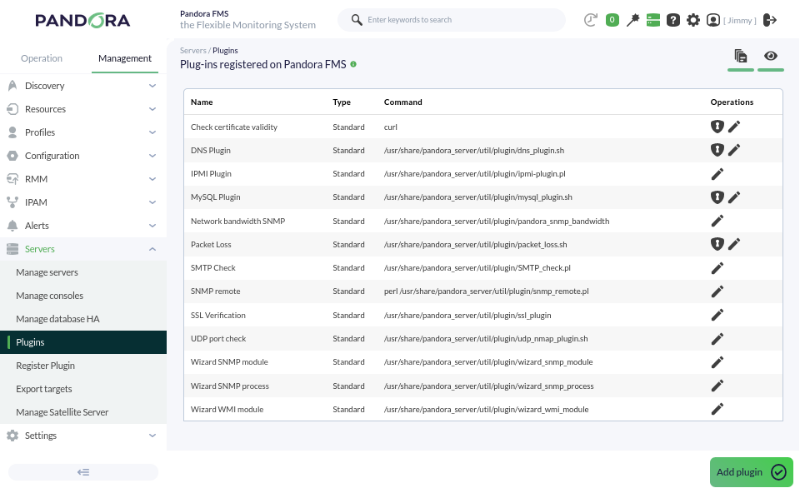
To make use ofthese this typetypes of plugin,plugins, the plugin server must be enabled in filethe /etc/pandora/pandora_server. file under the conf.confheavyserver 1 token.
To create a remote plugin remote-type module, access the agent editing,editor atand go to the Modules tab:
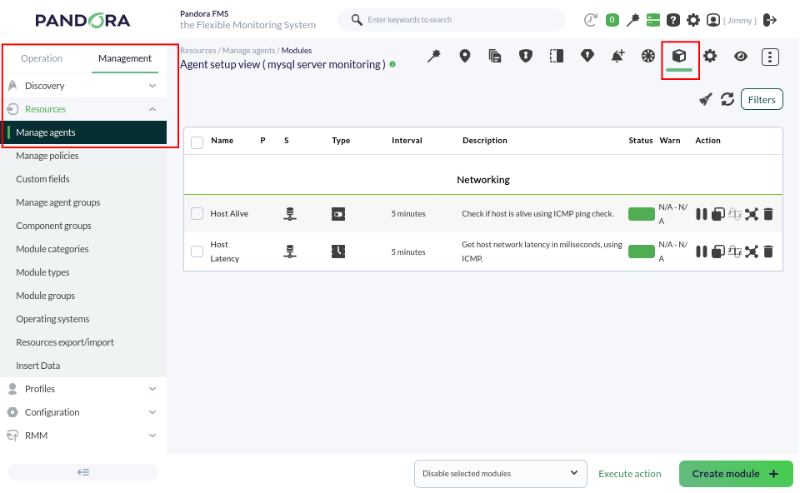
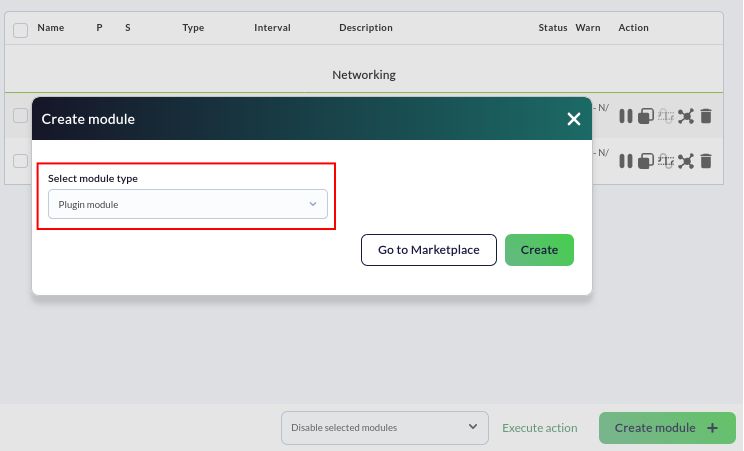
Create a plugin serverPlugin module.:
Generally speaking, itIt is generally configured in the same way as any other type of remote module. In this typemodule oftype, module,we therehave isa the Plugin drop-down,down whichmenu that allows youus to choose the plugin to be used.
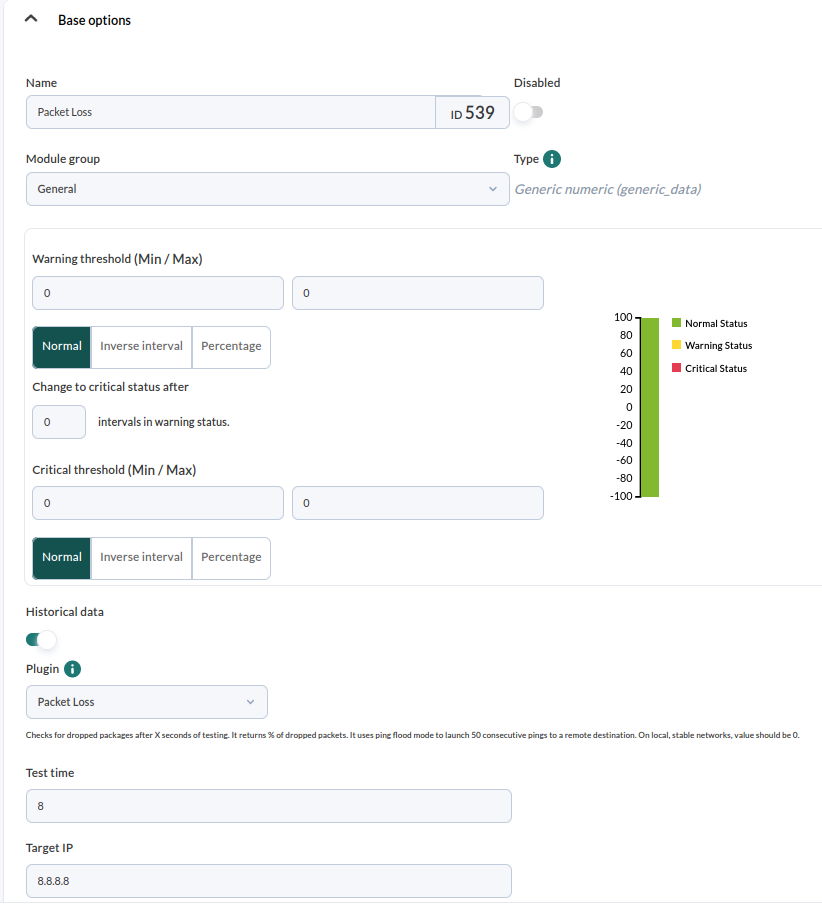
In this example, the Packet Loss plugin is used to check the amount of packets lost inover a period of time span between the server and the target.destination.
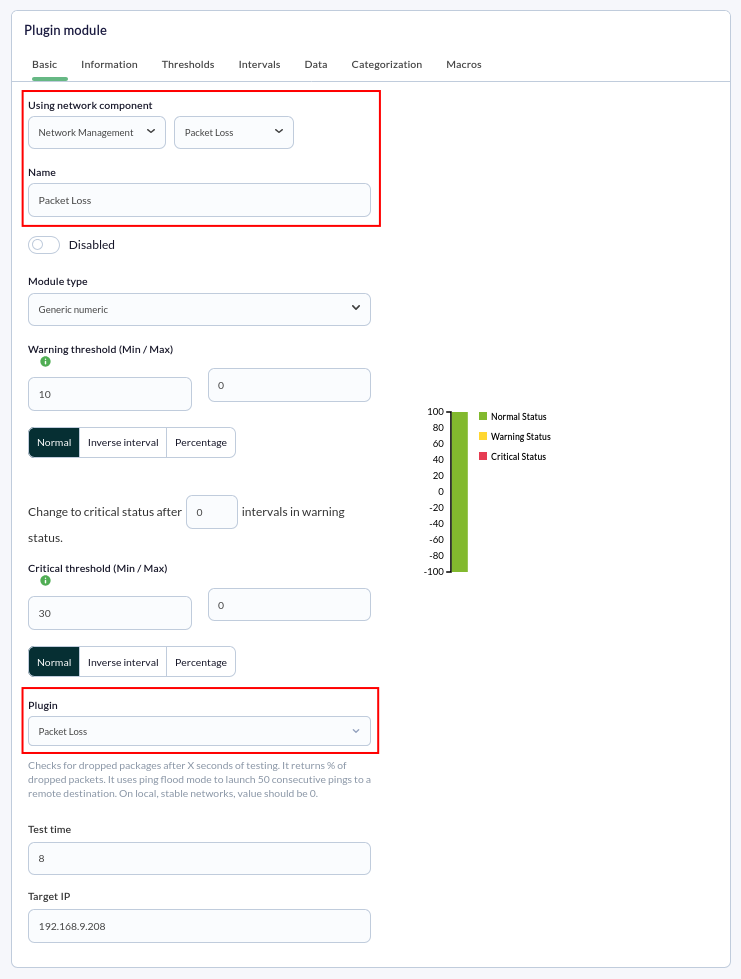
Fill in the fields with the necessary information,information; infor the case of the Packet Loss plugin,plugin, we define the test time and the target IP.
This is what the configured module looks like:
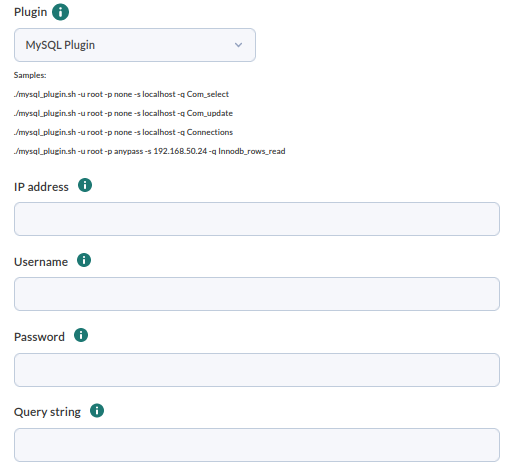
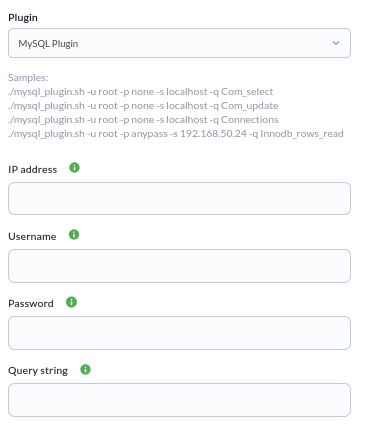
Depending on the plugin, you will have to fill in different specific fields, for example, for MySQL plugin define thedestination IP of MySQL server, the user name and password, and the data you wish to retrieve.
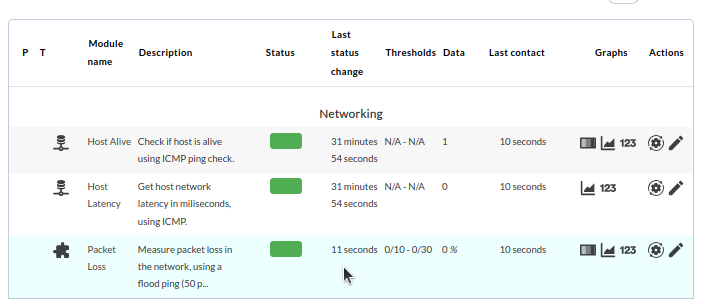
A few seconds after creating the module, the module and its obtained value will appear in the agent'sagent view:

Agent Plugins
LinuxGNU/Linux®
ThisThese typetypes of plugins are stored and executed from aan EndPoint and can return more than one value.value.
These plugins are stored in the local agent's /usr/share/pandora_agent/plugins/ directory of the local agent and are defined in the configuration file /etc/pandora/pandora_agent. configuration file.conf.conf
In the configuration file, someSome agent plugins are defined by default,default in the configuration file. In this exampleexample, a plugin called top.sh is used, which shows the processes runrunning inon the agent.
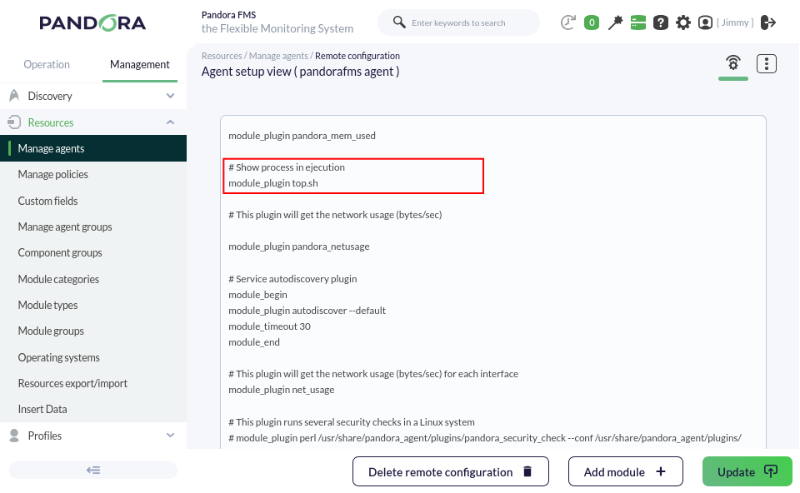
To see the created module and its value (or values, depending on the plugin)plugin), go to the EndPointAgent view (for the EndPoint) in the console.Web Console.
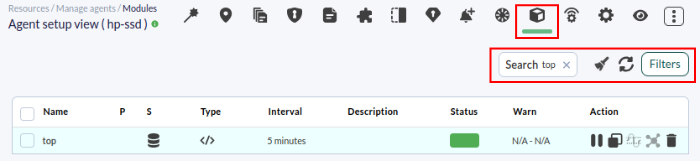
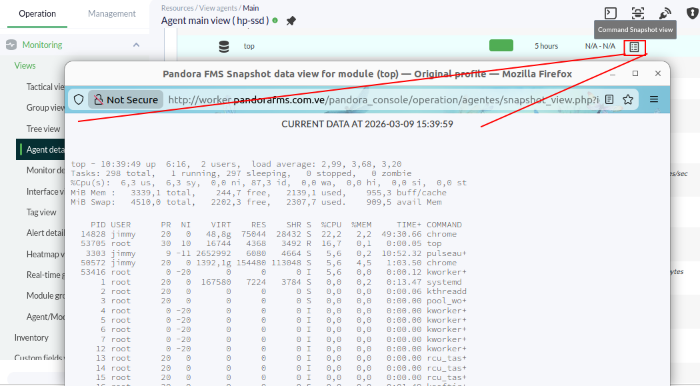
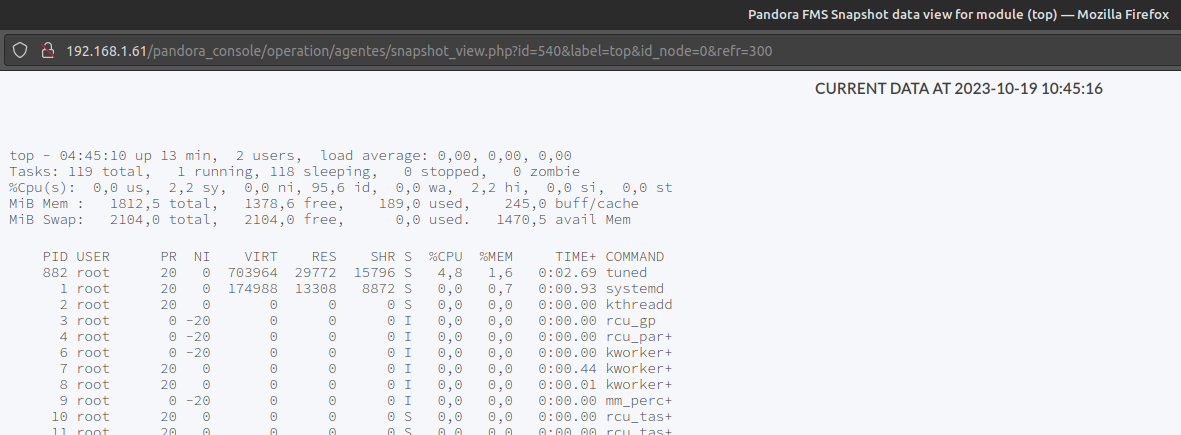
You may seeNotice that an icon with the shapeobtained of a sheet of paperdata is shown as obtaineda data,paper-sheet-shaped clickicon. Click on thisthat icon to seedisplay the list of processes retrievedextracted from the computer throughvia the agent plugin.plugin.
WindowsMS Windows®
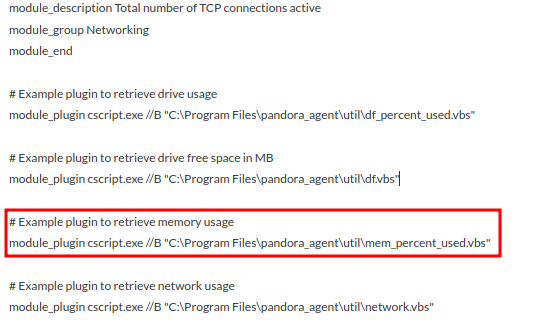
The pluginsPlugins are stored in the %ProgramFiles%\pandora_agent\util\ directory C:\Program Files "pandora_agent" and are defined in the %ProgramFiles%\pandora_agent\pandora_agent.conf configuration file C:\Program Files "pandora_agent" "pandora_agent.conf".file.
AsJust as in Linux,Linux®, there are some pluginexamples examplesof plugins defined in the configuration file.
DidAre you not getachieving the expectedresults results?explained Goin tothis chapter? Access the help or support sections.section.