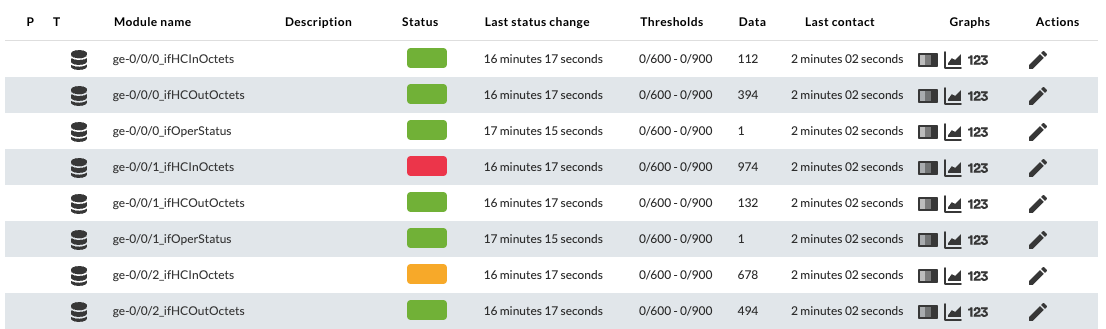
Configuration in PandoraFMS
To configure thethis plugin in PandoraFMS,Pandora theFMS, followingyou stepscan mustfollow bethese followed :
steps:
1. Upload the plugin to PandoraFMS,Pandora FMS, for example inat the following pathpath.:
/usr/share/pandora_server/util/plugin2. GoCreate toa server plugin in the pluginsPlugins section and create a new one:section.
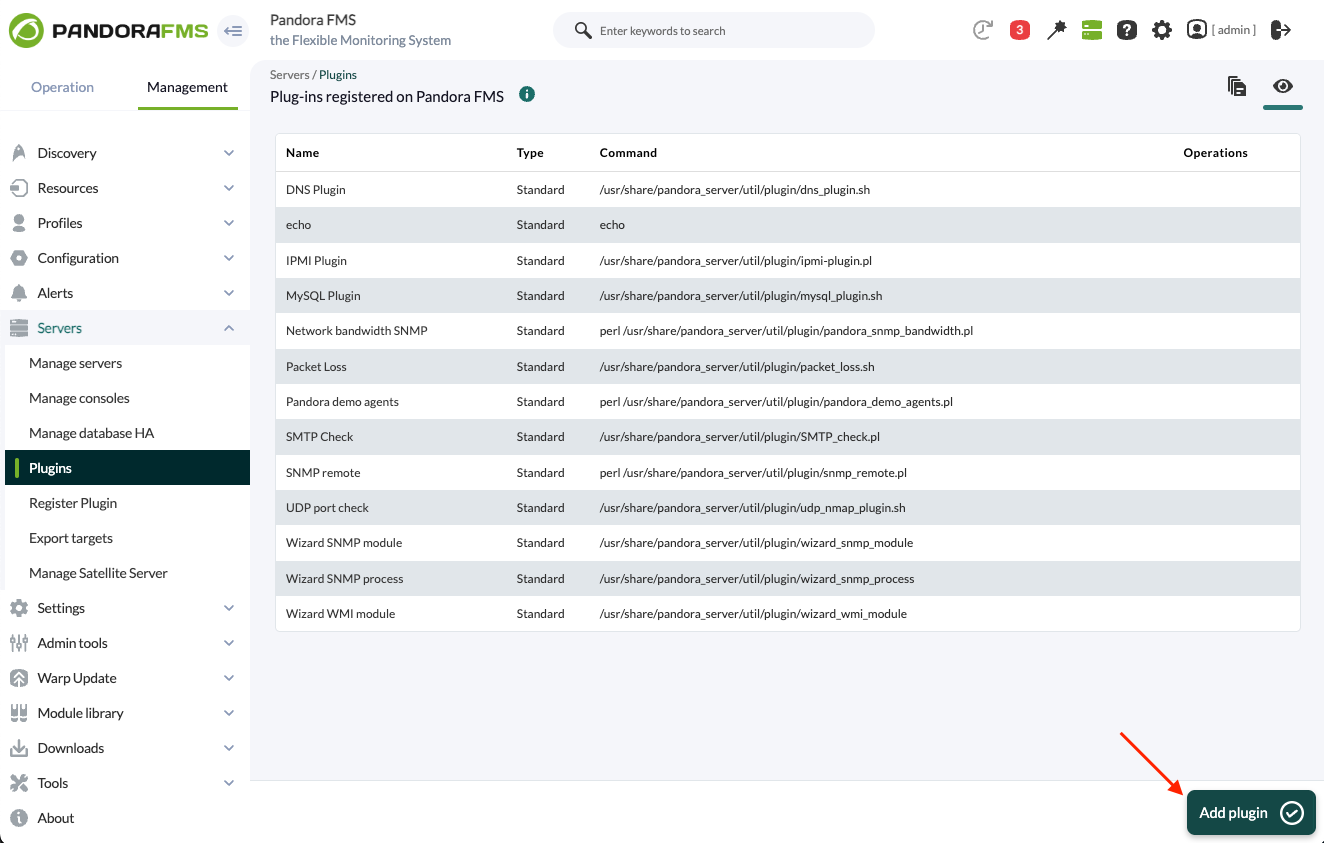
3.Name, Add name, description and timeout are added:timeout.
This plugin may take some time to execute, so it is recommended to configure a timeout of at least 20 seconds. It is possible that the global parameter ‘plugin_timeout’ of the pandora_server.conf should be adjusted as well.
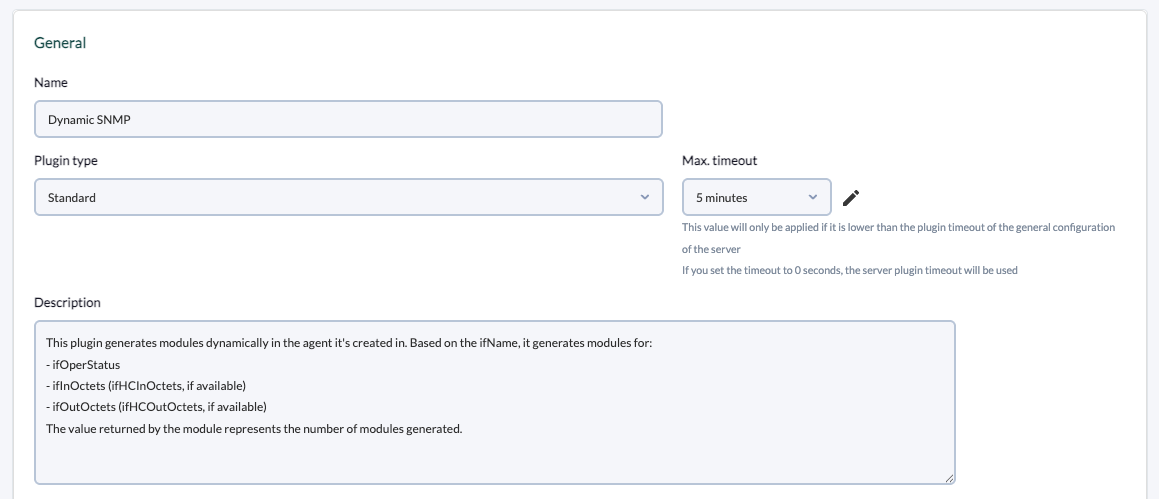
Description used in the example:
This plugin generates modules dynamically in the agent it's created in. Based on the ifName, it generates modules for:
- ifOperStatus
- ifInOctets (ifHCInOctets, if available)
- ifOutOctets (ifHCOutOctets, if available)
The value returned by the module represents the number of modules generated.
4. TheAdd the path to the plugin is added toin the command and the necessary parameters for its execution.
This example is configured for monitoring interfaces with SNMPv2, indicating filters for the executioninterfaces and status thresholds for the generated modules. The _agentname_ and _address_ server macros will be used to avoid having to manually indicate the agent name and IP address of the plugindevice arein added.each execution.
For each parameter a macro must be configured, the syntax of this macro being the following : _fieldx_, where x is the positional number of the parameter. Feel free to add any other parameter if needed.
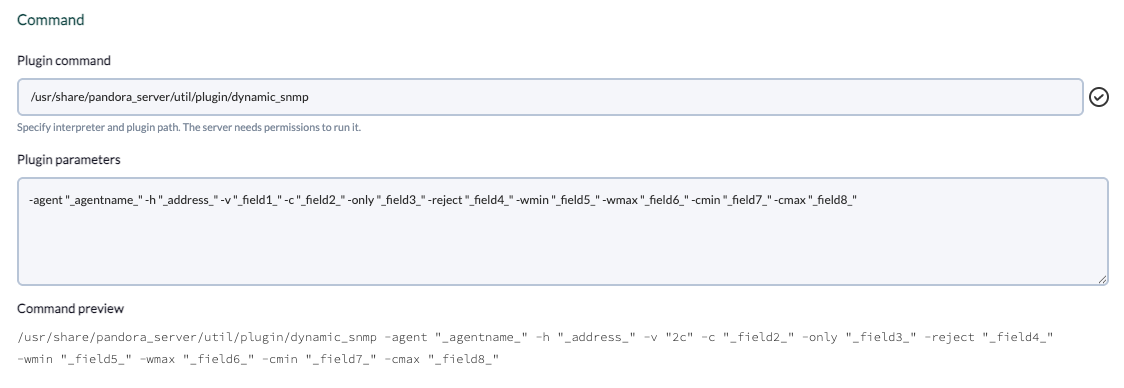
Plugin parameters used in the example:
-agent "_agentname_" -h "_address_" -v "_field1_" -c "_field2_" -only "_field3_" -reject "_field4_" -wmin "_field5_" -wmax "_field6_" -cmin "_field7_" -cmax "_field8_"5. TheConfigure previousthe macros areshown configured,above, adding in each one the valuedescription of the parameter in each one:parameter.
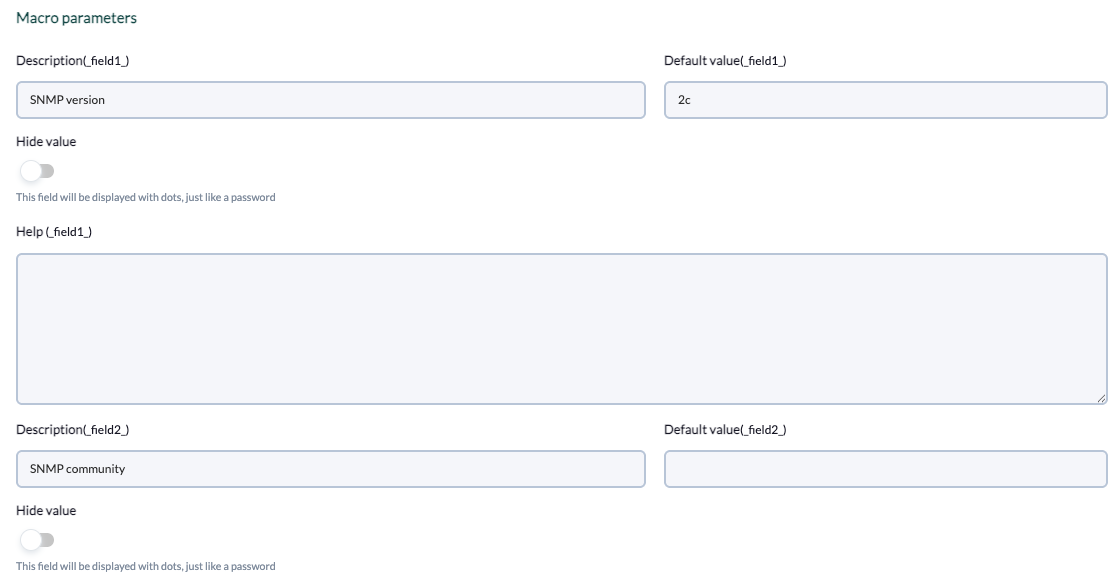
Fields included in the example:
- Field 1
- Description:
SNMP version - Default value:
2c
- Description:
- Field 2
- Description:
SNMP community
- Description:
- Field 3:
- Description:
Filter interfaces by name - Help:
Optional: allows filtering interfaces by name, separated by commas. For example: ‘ge,fe’, will only generate modules for interfaces whose name contains ‘ge’ or ‘fe’.
- Description:
- Field 4:
- Description:
Exclude interfaces by name - Help:
Optional: allows to exclude interfaces by name, separated by comma. For example: ‘ge,fe’ will generate modules for all available interfaces except if their name contains ‘ge’ or ‘fe’.
- Description:
- Field 5:
- Description:
Warning threshold (min) - Help:
Optional: Allows to specify the min threshold for Warning status in the generated modules.
- Description:
- Field 6:
- Description:
Warning threshold (max) - Help:
Optional: Allows to specify the max threshold for Warning status in the generated modules.
- Description:
- Field 7:
- Description:
Critical threshold (min) - Help:
Optional: Allows to specify the min threshold for Critical status in the generated modules.
- Description:
- Field 8:
- Description:
Critical threshold (max) - Help:
Allows to specify the max threshold for Critical status in the generated modules.
- Description:
6. Once configured, you shouldmust create a module in an agent that executeswill execute the plugin. In the modulesmodule menu of an agent weagent, create a newmodule of plugin typeserver module:type.
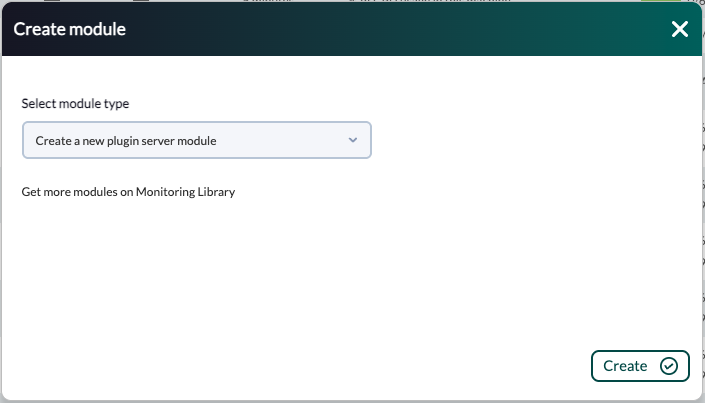
7. In the module configuration menu, weenter namea it,name, select the plugin configured before and clickfill onin "create".the required fields.
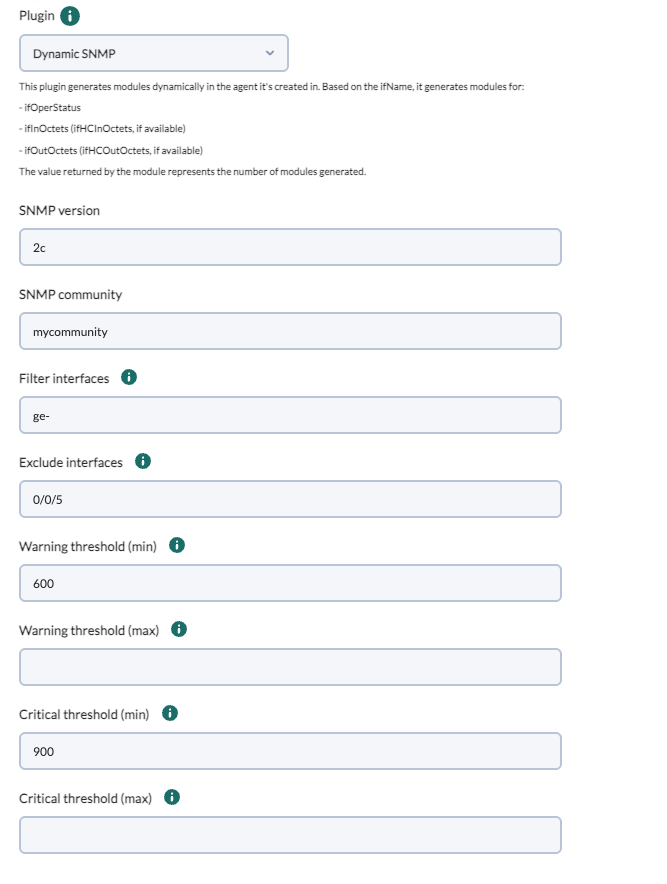
8. TheOnce agentthe module is created, the plugin will berun createdand withgenerate the modules orthat match the modulesspecified in the selected agent in the next execution of the plugin:filters.