
Discovery
This plugin can be integrated with Pandora FMS Discovery.
To do so, you must load the ".disco" package that you can download from the Pandora FMS Marketplace:
Once loaded, Apache services can be monitored by creating discovery tasks from the Management > Discovery > Application > Apache section.
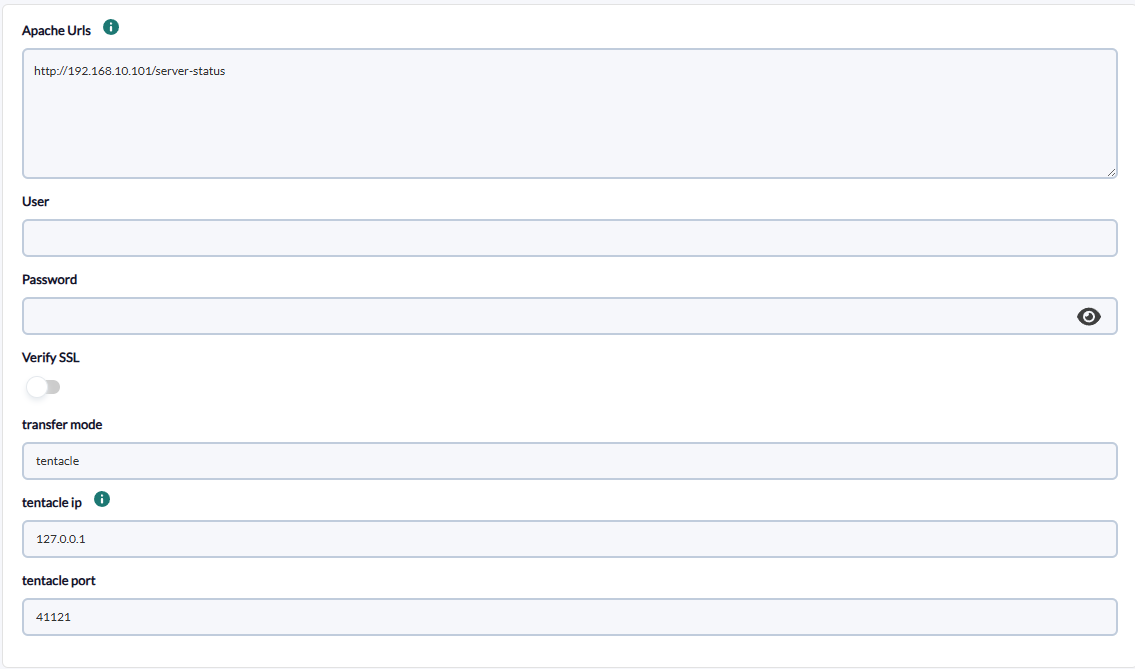
The following minimum data will be requested for each task:
Apache urls: apache server urlUser: server user if required, optionalPassword: server password if required, optionalVerify SSL: active if it is necessary to verify that the url has an SSL certificate; by default activeTentacle Mode: transfer mode name, optionalTentacle IP: tentacle ip, optionalTentacle port: tentacle port, optional- Module group: Select with groups for modules
On the next page we will be asked for the following :
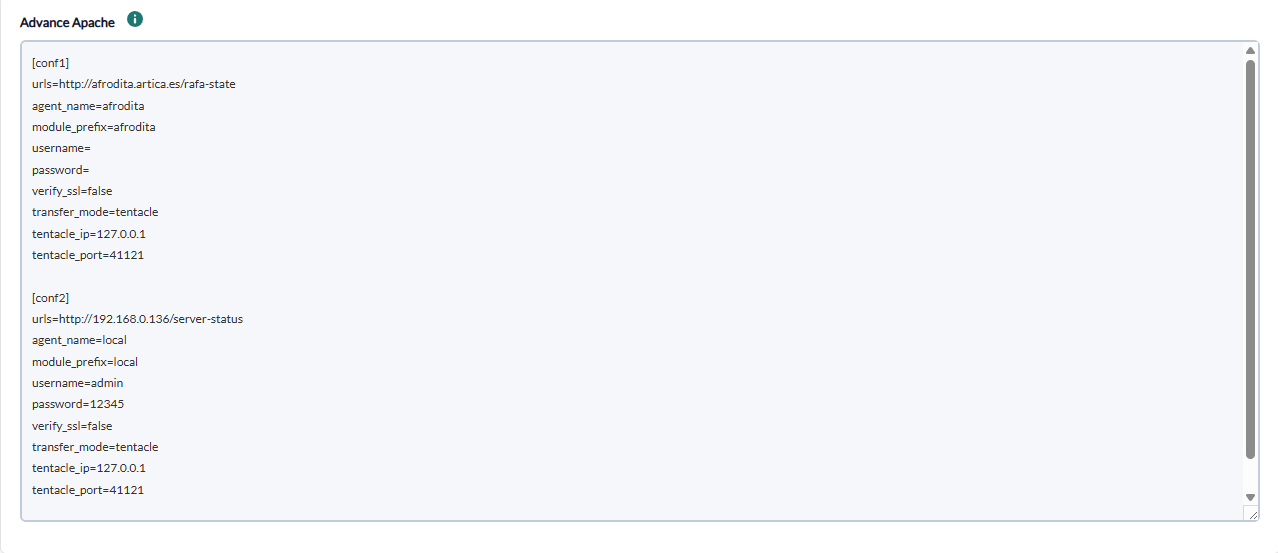
text area to add the configuration of each of the apache blocks to be monitored
Block: name of block example [conf] is required.Apache urls: apache server url, optionalAgent name: specific agent name, optionalModule Prefi: prefix for any moduleUser: server user if required, optionalPassword: server password if required, optionalVerify SSL: active if it is necessary to verify that the url has ssl certificate, by default activeUser-Agent: custom User-Agent header sent to Apache, optionalTentacle Mode: transfer mode name, optionalTentacle IP: tentacle ip, optionalTentacle port: tentacle port, optional
There is also a field to add a custom user agent at the task level.
Successfully completed tasks will have an execution summary with the following information:
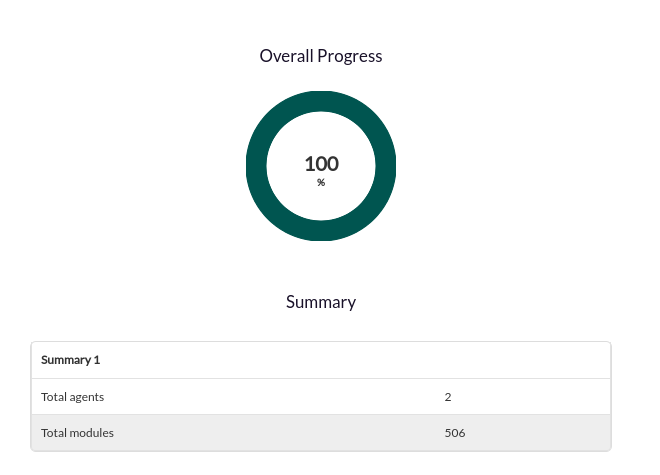
Total agents: Total number of agents generated by the taskTotal modules: Total number of modules generated by the task


