
Discovery
This plugin can be integrated with Pandora FMS Discovery.
To do so, you must load the ".disco" package that you can download from the Pandora FMS Marketplace:
Once loaded, Apache services can be monitored by creating discovery tasks from the Management > Discovery > Application > Apache section.
The following minimum data will be requested for each task:
- Apache urls: apache server url
- User: server user if required, optional
- Password: server password if required, optional
- Verify SSL: active if it is necessary to verify that the url has an SSL certificate; by default active
- Tentacle Mode: transfer mode name, optional
- Tentacle IP: tentacle ip, optional
- Tentacle port: tentacle port, optional
- Module group: Select with groups for modules
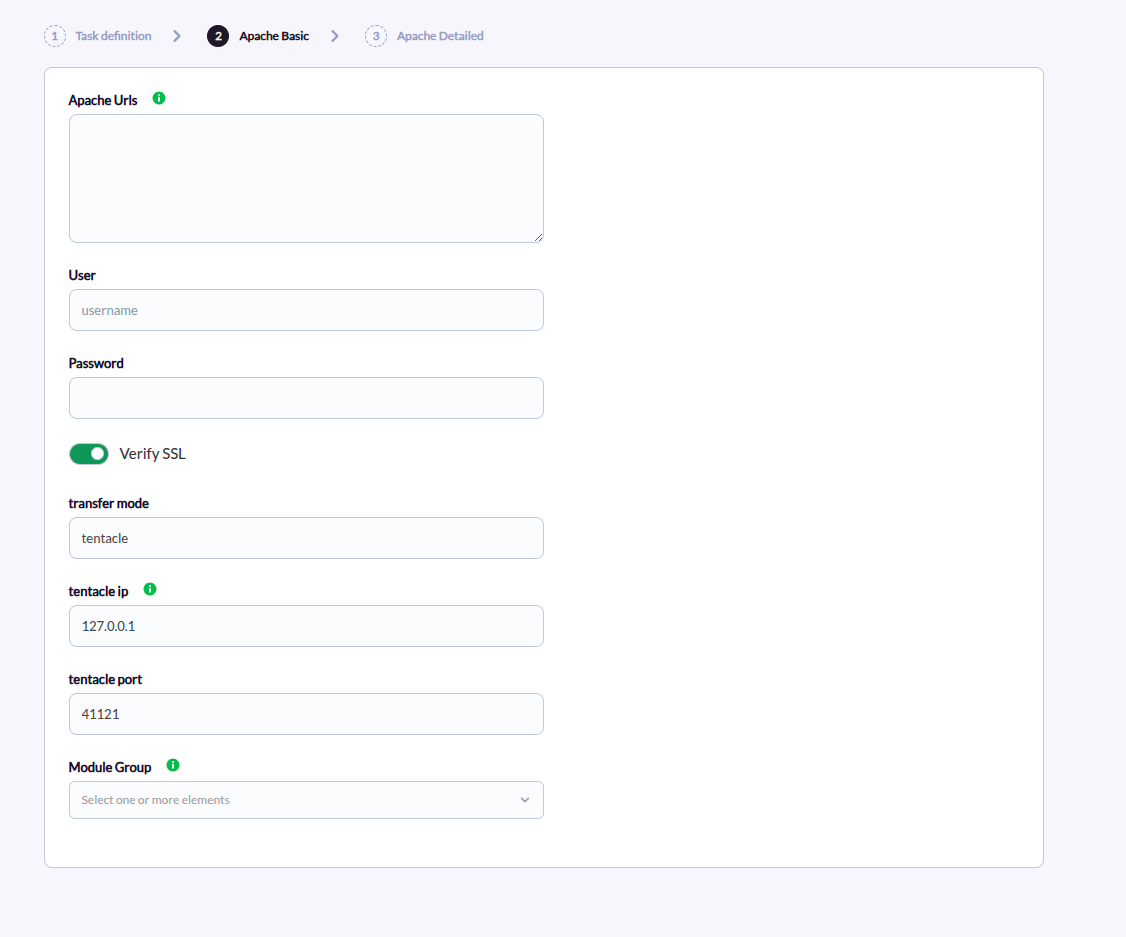
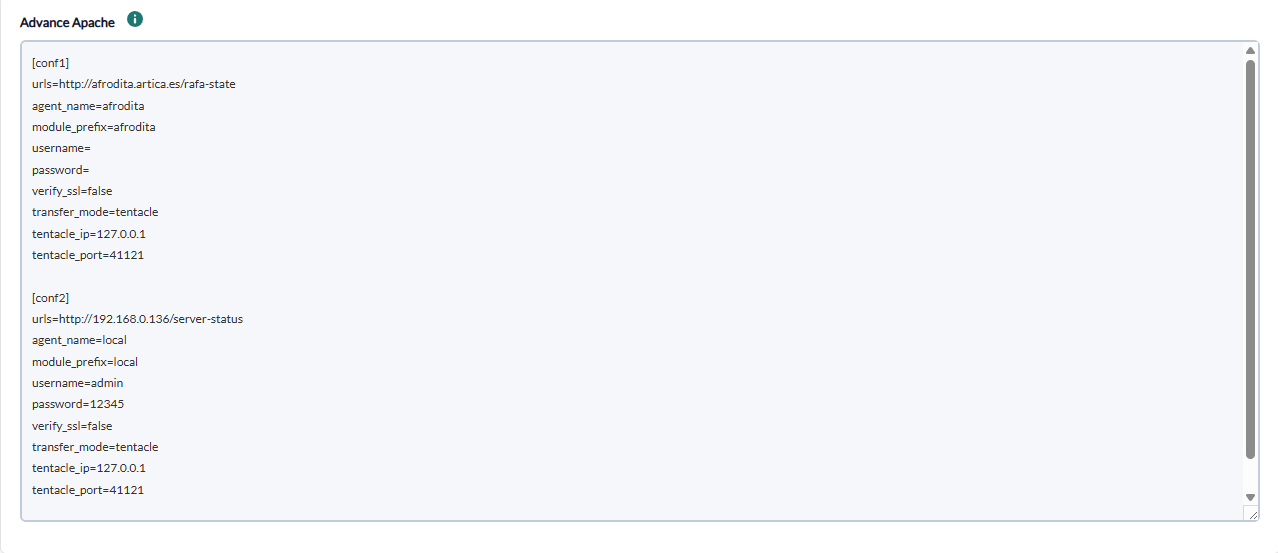
On the next page we will be asked for the following :
text area to add the configuration of each of the apache blocks to be monitored
- Block: name of block example [conf] is required.
- Apache urls: apache server url, optional
- Agent name: specific agent name, optional
- Module Prefi: prefix for any module
- User: server user if required, optional
- Password: server password if required, optional
- Verify SSL: active if it is necessary to verify that the url has ssl certificate, by default active
- User-Agent: custom User-Agent header sent to Apache, optional
- Tentacle Mode: transfer mode name, optional
- Tentacle IP: tentacle ip, optional
- Tentacle port: tentacle port, optional
There is also a field to add a custom user agent at the task level.
Successfully completed tasks will have an execution summary with the following information:
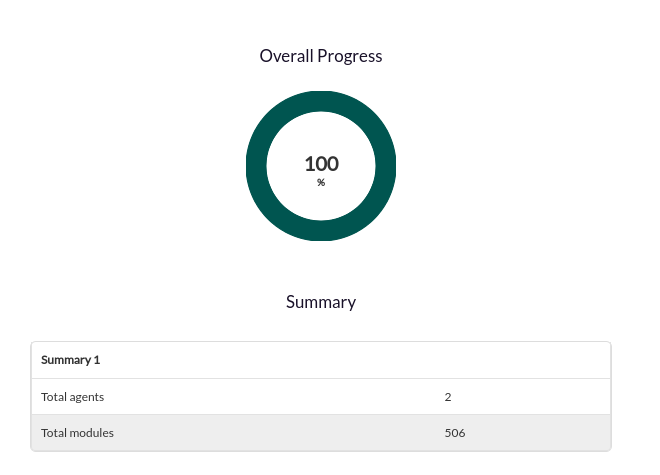
- Total agents: Total number of agents generated by the task
- Total modules: Total number of modules generated by the task