
Welcome to Pandora FMS Community › Forums › Community support › PandoraFMS 4.0.3, “ldaps://” and no anonymous ldap search
-
PandoraFMS 4.0.3, “ldaps://” and no anonymous ldap search
Posted by magulinb on January 31, 2013 at 14:28Hi,
I’m testing PandoraFMS 4.0.3 as my new monitoring solution and I need to integrate it with OpenLDAP auth. As far as I can see there is no option to bind to LDAP unless you do it anonymously. Of course my prod. OpenLDAP doesn’t allow anonymous queries. ¿Is there a way to configure no anonymous binds?
Other question I have is that I can see clear way to use “ldaps://” (again, my OpenLDAP only allows LDAPs on port 636).
Thanks,
MAGBmagulinb replied 13 years, 3 months ago 4 Members · 11 Replies -
11 Replies
-
 ::
::Hi,
I’m testing PandoraFMS 4.0.3 as my new monitoring solution and I need to integrate it with OpenLDAP auth. As far as I can see there is no option to bind to LDAP unless you do it anonymously. Of course my prod. OpenLDAP doesn’t allow anonymous queries. ¿Is there a way to configure no anonymous binds?
Other question I have is that I can see clear way to use “ldaps://” (again, my OpenLDAP only allows LDAPs on port 636).
Thanks,
MAGBSorry to hear this. Until now nobody ask for it, but it seems very reasonable feature, I’ll added as BUG in current 4.0.3/5.0 version to be implemented ASAP.
This has been added to our bug tracker with high priority. Thanks for sharing your problems with us!
https://sourceforge.net/tracker/?func=detail&aid=3605236&group_id=155200&atid=794852
-
-
::
Many thanks Sancho. I’ll keep an eye on it 🙂
We have commited to 4.0.3 SVN repository a modification for your problem. Is here attached:
Replace by your copy of /pandora_console/include/auth/ldap.php
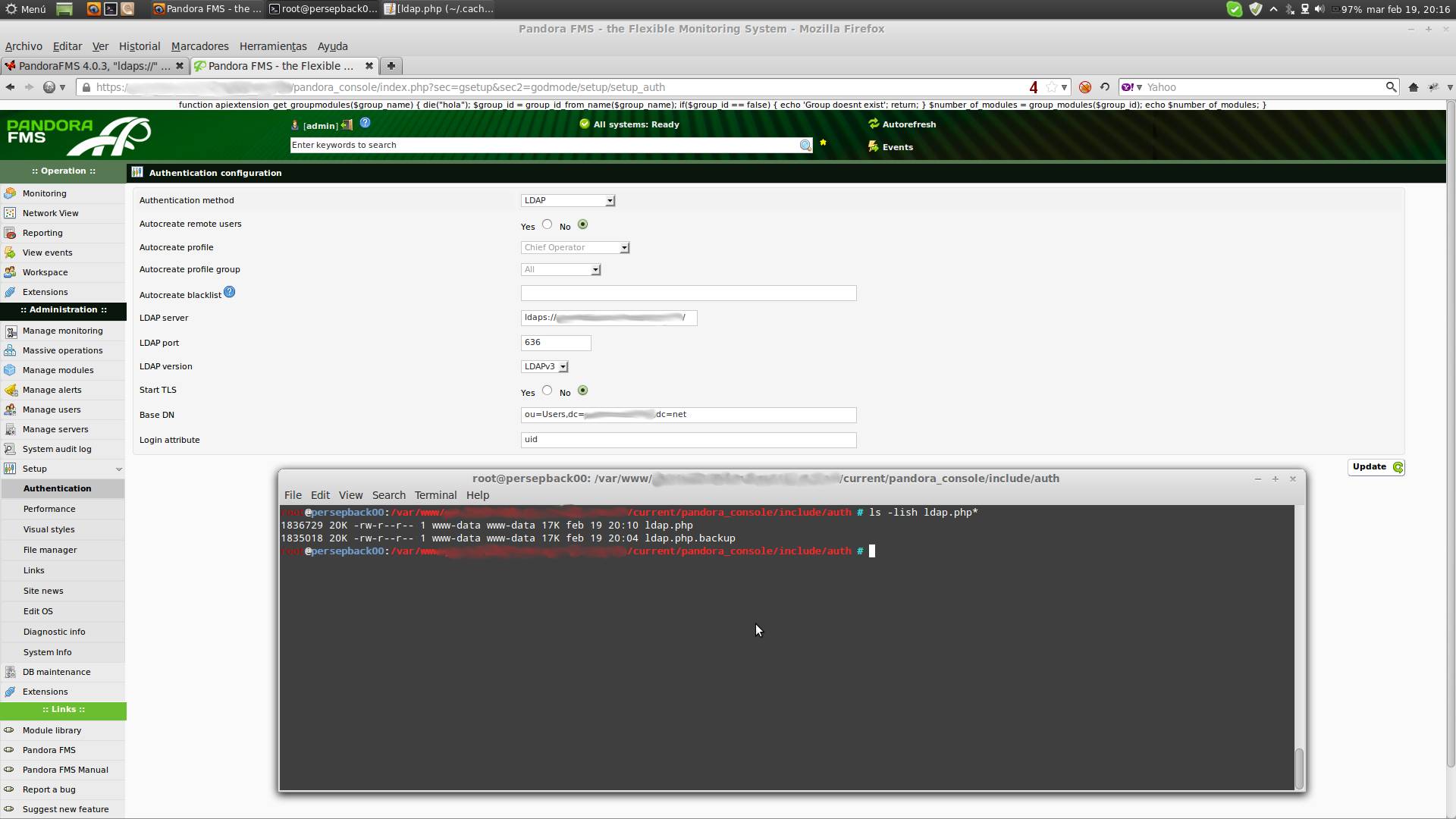
We cannot replicate your issue with LDAP/SSL, can you try to put there on the servername field:
ldaps://serverhost
And see if works fine with the new code ?
-
-
-
::
I expected 2 new user inputs in the config, an LDAP application user with its password, just to connect to the LDAP, search for the user (and optionally search for its groups or another kind of filters) and in case of finding it relogin with the user credentials. At least is the way I see other software works for this kind of scenarios.
I also did the test and I get “User not found in database or incorrect password”. I’ve tried with the full CN and also with the uid. Don’t know how to figure if the problem comes from the “ldaps://” of from other part (at this moment I don’t have a testing LDAP server in the lab).
Thanks!
-
::
I expected 2 new user inputs in the config, an LDAP application user with its password, just to connect to the LDAP, search for the user (and optionally search for its groups or another kind of filters) and in case of finding it relogin with the user credentials. At least is the way I see other software works for this kind of scenarios.
I also did the test and I get “User not found in database or incorrect password”. I’ve tried with the full CN and also with the uid. Don’t know how to figure if the problem comes from the “ldaps://” of from other part (at this moment I don’t have a testing LDAP server in the lab).
Thanks!
Our aproach is different. We dont use a super user with access to LDAP, we autenticate directly with LDAP, so we use the credentials passed in the login to the LDAP; so you only need to configure LDAP with the attributes you need to do the login, without provide any additional user/password for doing a pre-auth.
We remove the anonymous bind which could cause problems on some enviroments, but in this case, there is no other solution that authenticate in pandora with a user/password which exists in pandora (or activate the autocreation) and a valid pair of user/pass in your LDAP.
-
-
-
-





Log in to reply.