
Slack configuration: application creation
In the Pandora FMS libraries you can find the Slack connector CLI with complete and detailed information about the integration with this instant messaging platform. You should start by accessing the page
dedicated to the Slack API, identify yourselfyoursel f and use the "Create a custom app" option. Assign a name and select a workspace for the application and click on "Create app" option
Select “From scratch”

Assign a name and select a workspace for the application and click on "Create app".
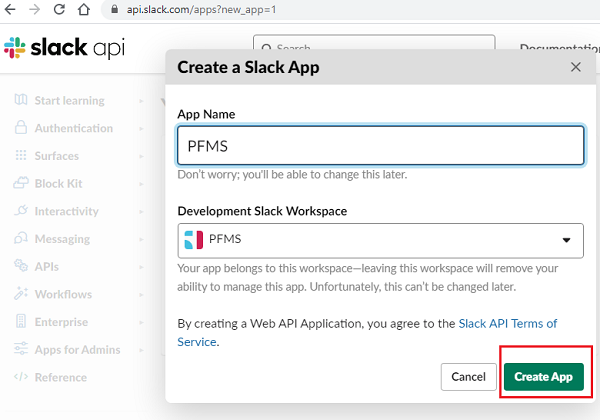
Now you must go to the configuration of the newly created application and activateset the scope.

The following API methods are allowed in User Token Scopes.
* chat:write
* files:write
After that, install the application and addgenerate Incomingan Webhooks.
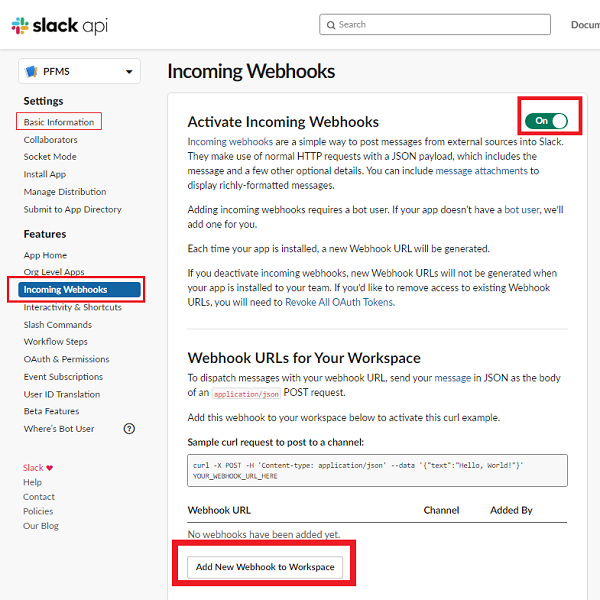
Define the channel through which the application messages will be sent.
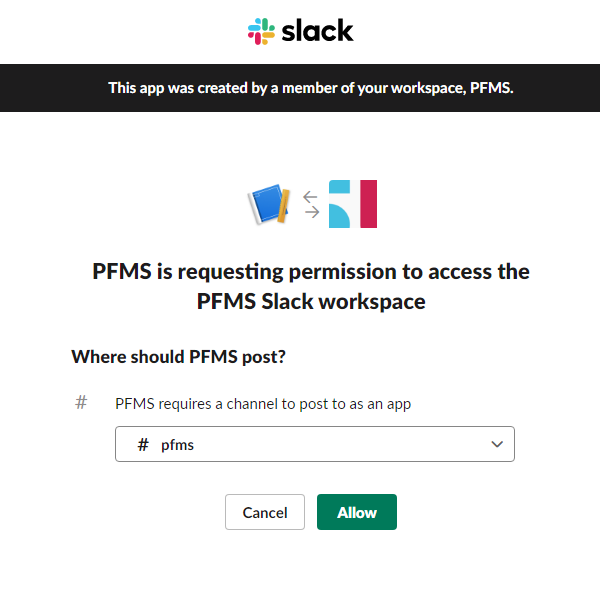
Select the desired channel and click Allow.
When you install the application, a User OAuth Token is generated, so copy this value.

The next step is the application permission settings in Slack.