
Pandora FMS configuration: creation of an alert command
First you must install the Slack connector CLI, which you can download from the Pandora FMS library. You must have the following utilities installed in the Pandora FMS server: python3 and python3-pip. With this last command you should install the Slack connector CLI requirements for Pandora FMS:
pip3 install -r requirements.txtIt is recommended to send a test message from the same command line. Be familiar with the mandatory parameters: the copied token, the channel name and the data to send.
-t TOKEN -c CHANNEL -d DATA.
For example:
python3 ./pandora-slack-cli.py.py -t <webhook-url> -c <channel id/name> -d "Data=5, Agent=Test, Module=Ping"Due to the flexibility of Pandora FMS, there are also additional parameters that allow, for example, the sending of graphs through the Pandora FMS external API.
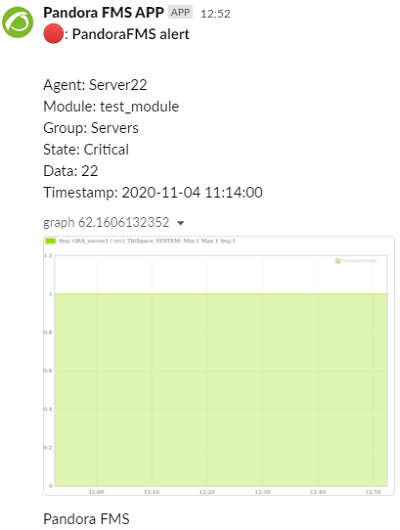
Take the time to learn these requirements. To create an alert command go to the Pandora FMS Web Console and click on Alerts -> CommandsCommands, ->You Create.can find “Pandora Slack”, so click on it.
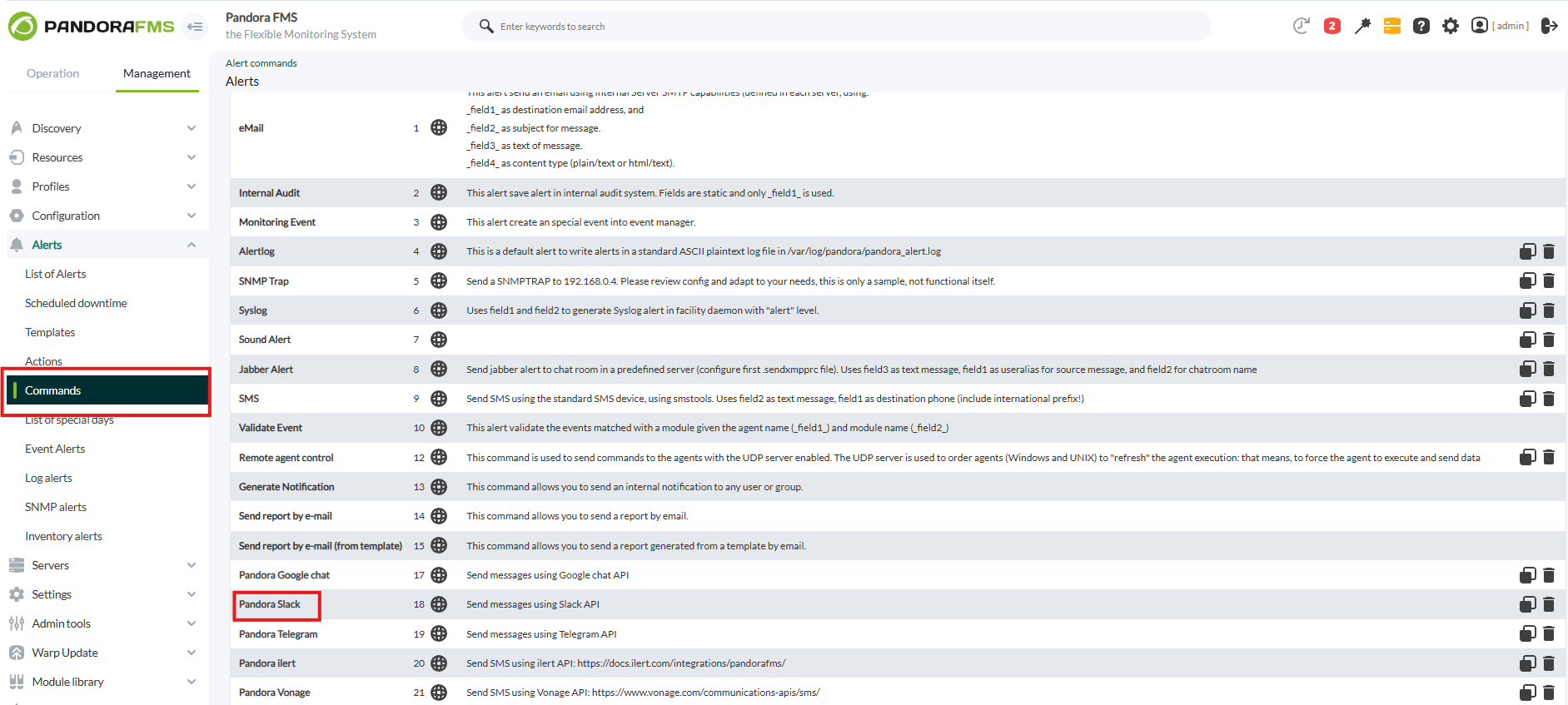
Configure
Set the eightUser fieldsOAuth requiredToken byyou thejust command;obtained in the test-execfileoption that accompaniesin the Slackcommand connector CLI you can obtain each of them. Pay attention to field number two, which must contain, in a hidden way, the token of the application created in Slack. Add the group that will be able to access the sending of alerts.field.
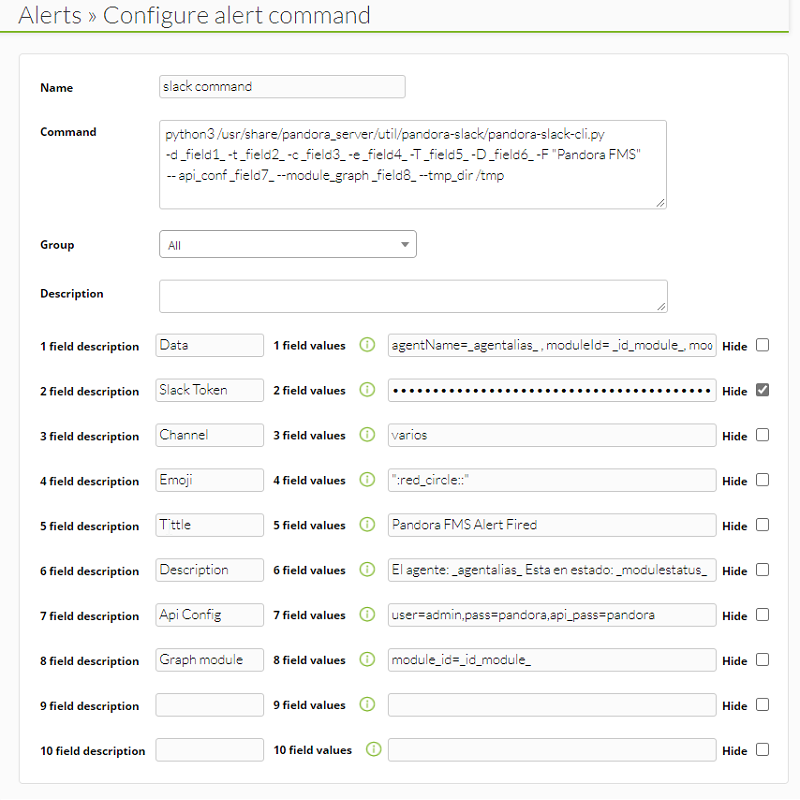

Click on the CreateUpdate button to save the alert command.