Discovery
This plugin can be integrated with Pandora FMS Discovery.
To do so, you must load the “.disco” package, which can be downloaded from the Pandora FMS library:
https://marketplace.pandorafms.com/
Once loaded, Prometheus instances Discovery tasks from the Management > Discovery > App section.
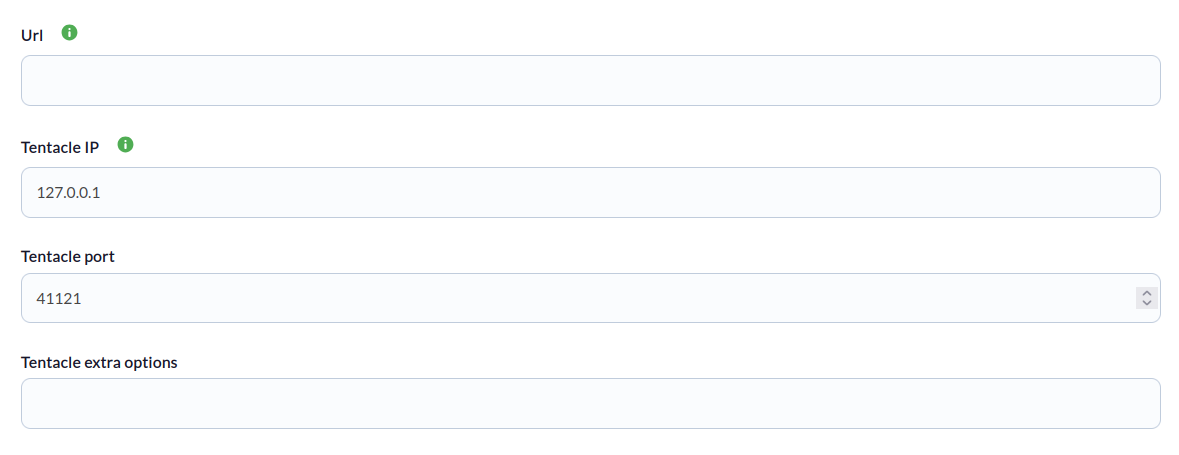
For each task, the following minimum information will be requested:
- Url: Prometheus instance URL
- Tentacle IP: Tentacle address
- Tentacle port: Tentacle port
- Tentacle extra options: Tentacle extra options
On the next page, we will be asked for the following:
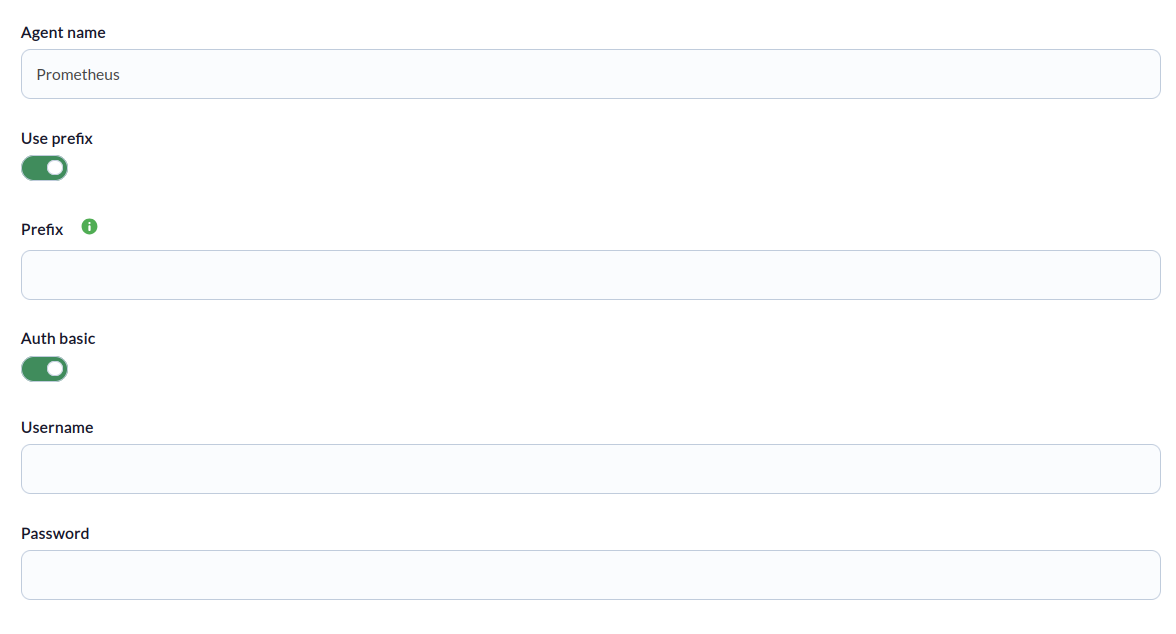
- Agent Name: Name for the principal agent
- Use prefix: Prefix for created agents
- Prefix: Prefix for created agents
- Auth basic: Enable for basic authentication check
- Username: User for the prometheus instance (only required if basic authentication is configured)
- Password: Password for the prometheus instance (only required if basic authentication is configured)
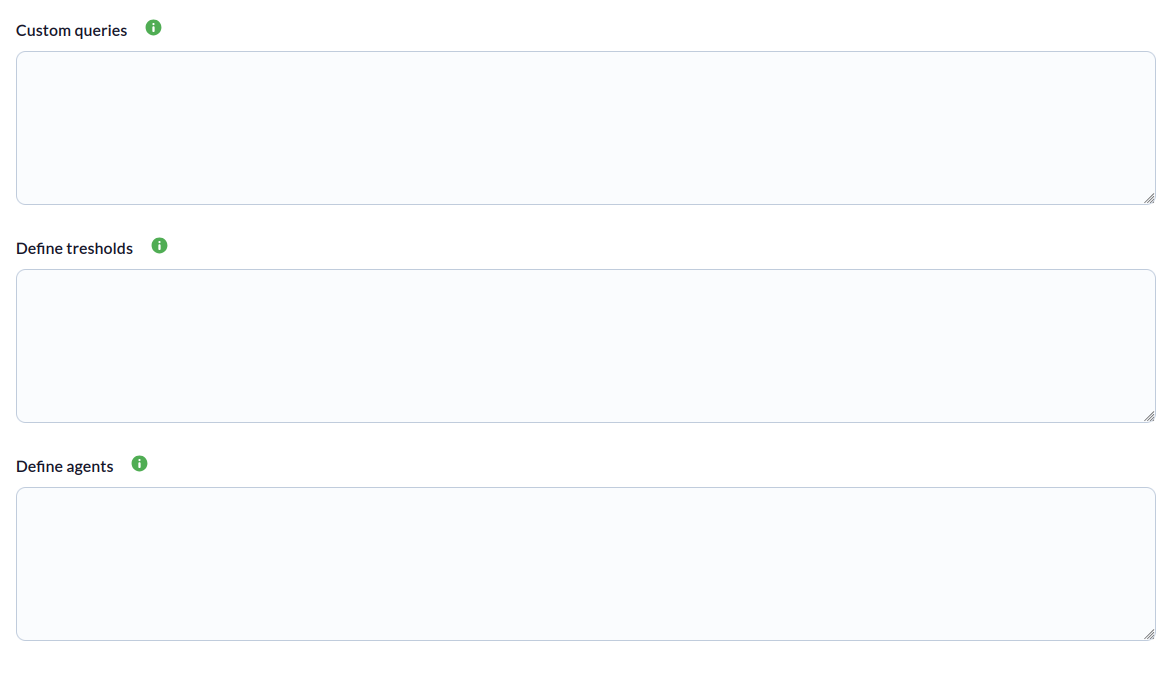
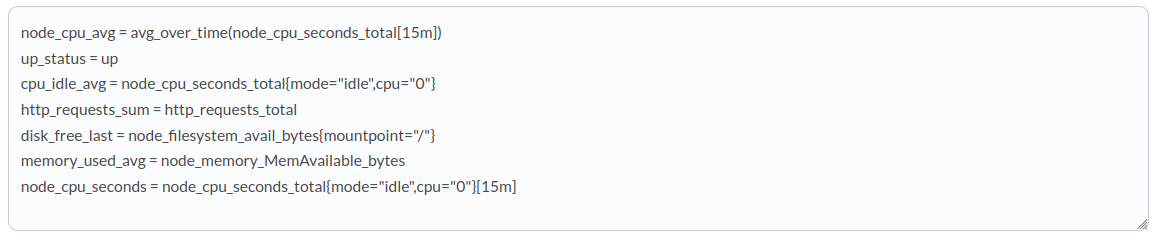
- Custom queries: Here you can define custom queries. The format is one query per line and is as follows: < Metric name > = < Custom query >. For example:
- Define tresholds: Here you can define the thresholds for the modules generated by custom queries. The format is a definition of thresholds per line and is as follows: < Desired thresholds in the module, separated by “|” >. For example:

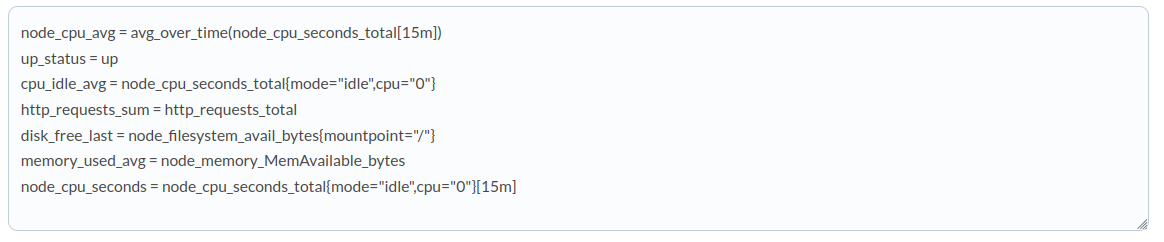
- Define agents: Here you can define the creation of agents for modules generated by custom queries. The format is one definition per line and is as follows: < Name of the new agent. All metrics that do not specify an agent will be included in the main agent >. For example:

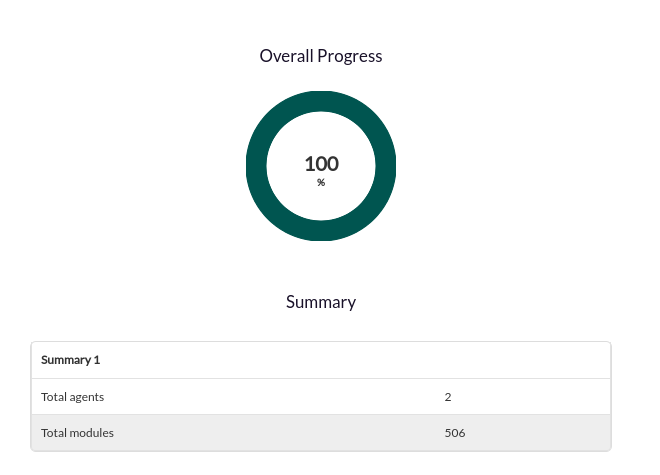
 Successfully completed tasks will have an execution summary with the following information:
- Total agents : Total number of agents generated by the task.
- Total modules: Total number of modules generated by the task.