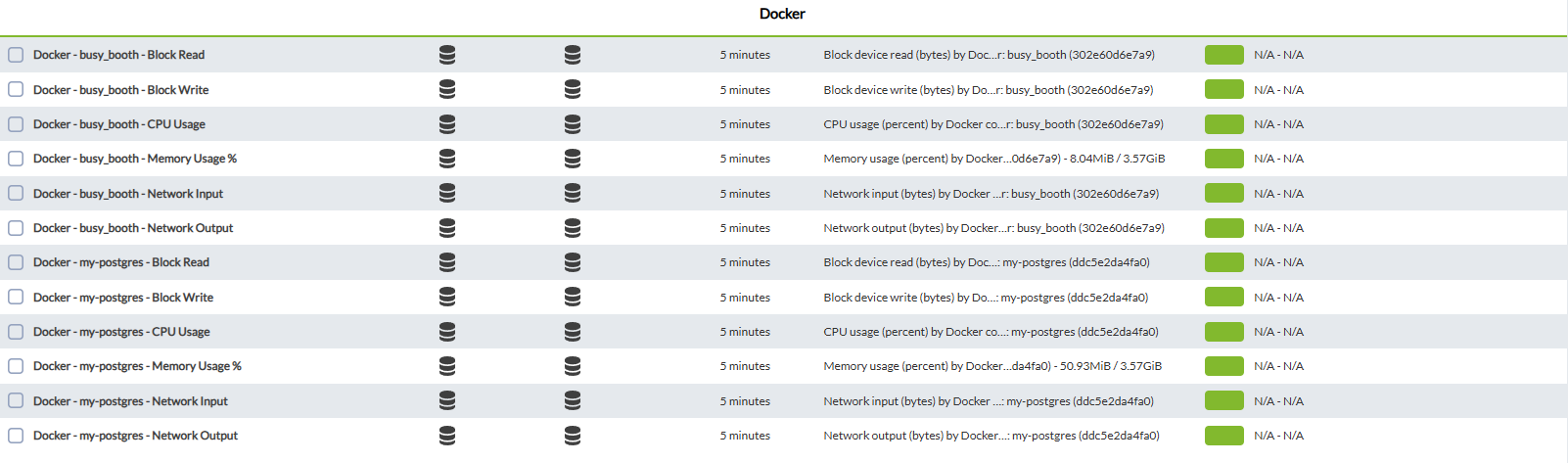
Modules generated by the plugin
HavingThe 2plugin modes,generates themodules defaultin two groups: per-GPU and global.
Per-GPU modules the(18 informationper of each container.GPU)
WeEach haveGPU toi add(0-indexed) inemits thethese plugin by clicking on the plugin tab

Then we add the new plugin and click on add

To finish, click on the update plugin button

This will successfully add the plugin.
Another way to add it is to go to the remote configuration tab

and add the plugin with the name module_plugin plus the location of the binary plus the conf file
Example
module_plugin /usr/share/pandora_agent/plugins/docker_stats --conf /usr/share/pandora_agent/plugins/docker_stats.conf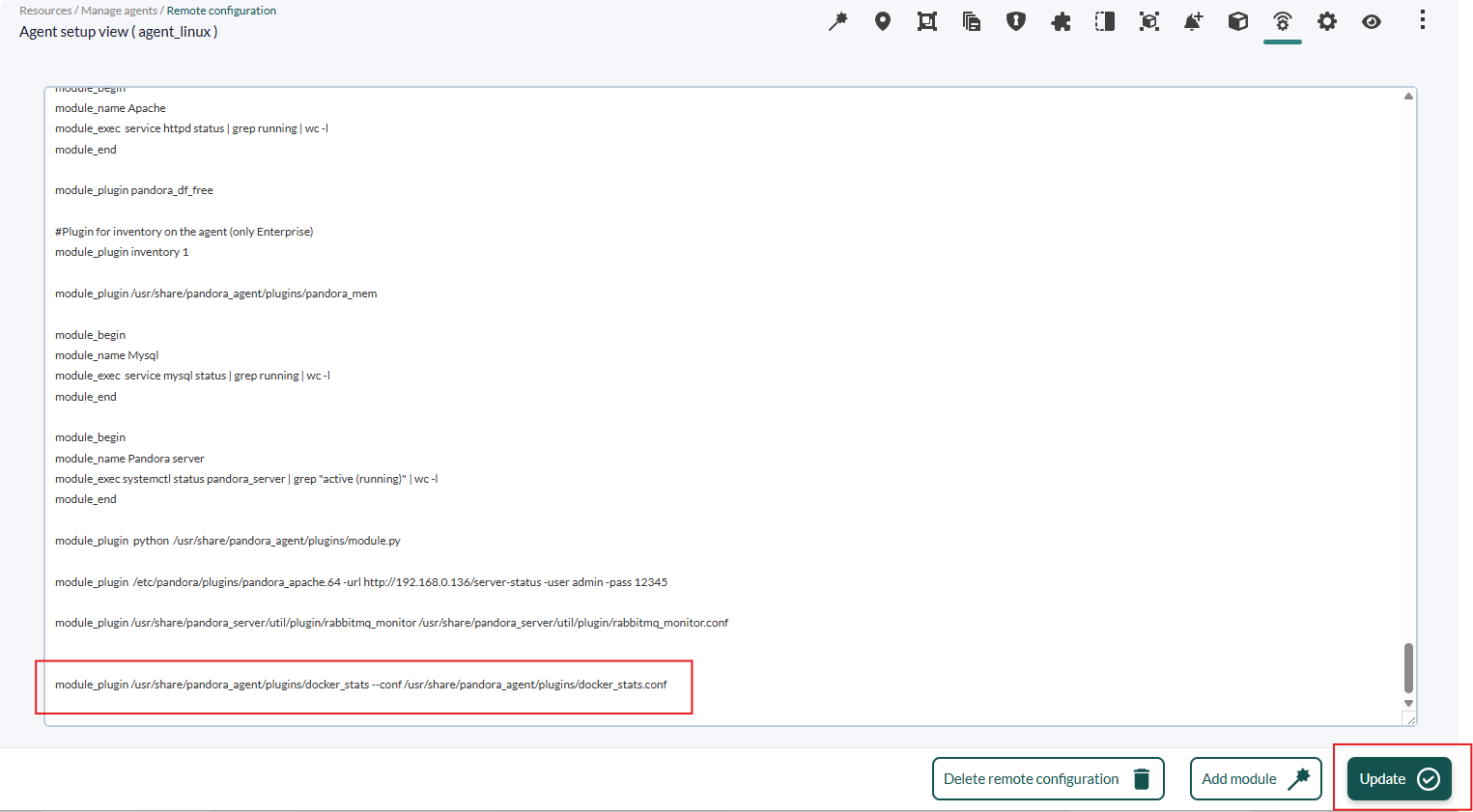
Finally, click on the update button to register the change.
Modules generated by Global modemodules:
| Module name | Type | Unit | Description |
|---|---|---|---|
GPU_<i>_Status |
generic_proc |
- | 1 if GPU detected, 0 if not |
GPU_<i>_Utilization |
generic_data |
% | GPU |
GPU_<i>_Throttle_Active |
generic_data |
- | Active throttle reason bitmask (decimal) |
GPU_<i>_Throttle_Reasons |
generic_data_string |
- | Comma-separated |
GPU_<i>_Memory_Controller_Utilization |
generic_data |
% | Memory controller utilization |
GPU_<i>_Memory_Used |
generic_data |
MiB | Used memory |
GPU_<i>_Memory_Free |
generic_data |
MiB | Free memory |
GPU_<i>_Memory_Total |
generic_data |
MiB | Total |
GPU_<i>_Memory_Used_Percent |
generic_data |
% | Used/total * 100, rounded to 1dp |
GPU_<i>_Temperature |
generic_data |
°C | GPU |
GPU_<i>_Power_Draw |
generic_data |
W | Current |
GPU_<i>_Power_Limit |
generic_data |
W | Power limit |
GPU_<i>_Fan_Speed |
generic_data |
% | Fan speed (omitted with --include-fan=false) |
GPU_<i>_Graphics_Clock |
generic_data |
MHz | Graphics clock frequency |
GPU_<i>_Performance_State |
generic_data_string |
- | P-state label (e.g. P0) |
GPU_<i>_Performance_State_Number |
generic_data |
PNumber | P-state numeric value |
GPU_<i>_Critical_Errors |
generic_data |
- | Uncorrected ECC error count (0 = NORMAL, 1+ = CRITICAL) |
GPU_<i>_Name |
generic_data_string |
- | GPU model name |
Global modules (3 total)
| Module name | Type | Description |
|---|---|---|
GPU_Count |
generic_proc |
Number of |
GPU_Driver_Version |
generic_data_string |
NVIDIA driver version |
GPU_CUDA_Version |
generic_data_string |
Maximum supported CUDA version |
Threshold policy
| Module | Normal | Warning | Critical |
|---|---|---|---|
| Temperature | [0, 69] | [70, 89] | [90, 110] |
| Memory_Used_Percent | [0, 69] | [70, 84] | [85, 100] |
| Critical_Errors | 0 | (none) | [1, 1000000] |
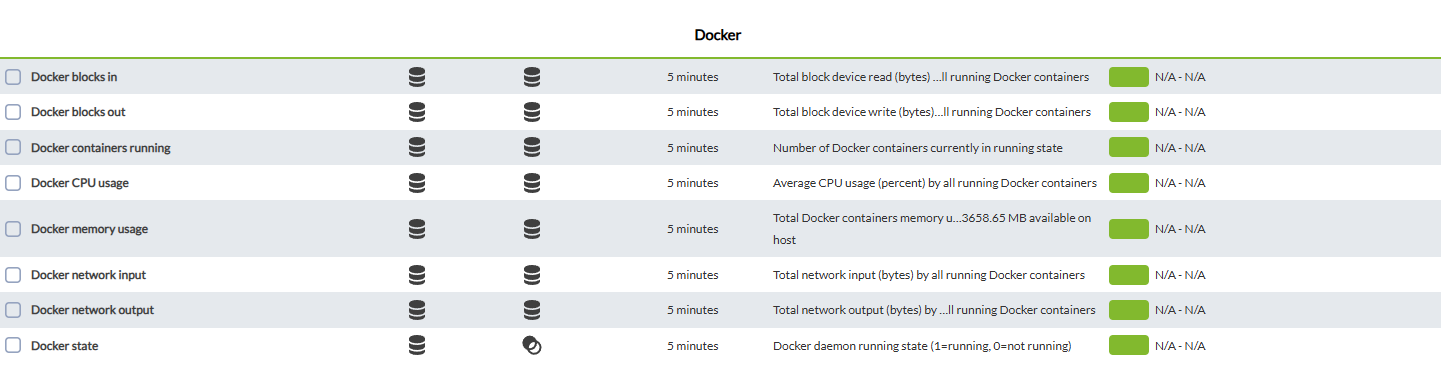
Modules generated by container mode