
Download Pandora FMS EndPoint
This document shows the step by step for Pandora FMS Enterprise software agentEndPoint installation on Windows Server 2019.
The procedure is the same for Windows Server 2008, 2012 in 64 Bit editions.
For previous editions, it is only necessary to use the 32 Bit agent available in the download page.
PandoraFMSPandora FMS installed in this example (172.16.75.20)
Windows Server 2019 Limipia installation (172.16.75.161) must have Internet access to download the agent.EndPoint.
Microsoft EDGE browser used to follow exactly the same steps of this guide.
Download the agentEndPoint from the download page https://pandorafms.org/features/free-download-monitoring-software/com/en/downloads/, choose 64Bit64 Bits as shown in the following image

Wait for the download to finish.
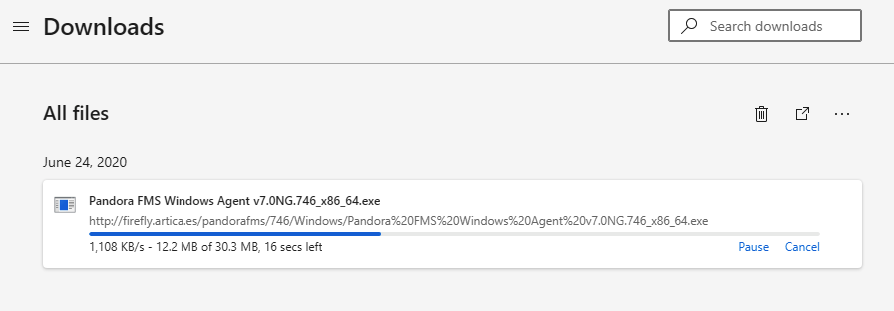
If you get an error from the package, confirm keep as we know it is safe keep ENTER.

Select Show more.
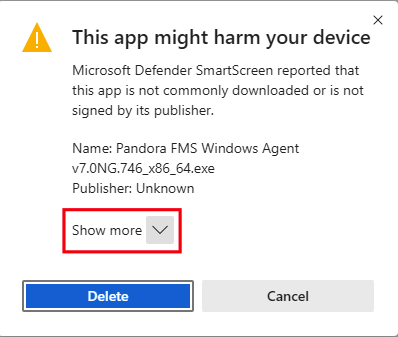
Select Keep anyway.

Select Show in folder.
