
Discovery
This plugin can be integrated with Pandora FMS Discovery.
To do so, you must load the ".disco" package that you can download from the Pandora FMS library:
https://pandorafms.com/library/mysql-discovery/
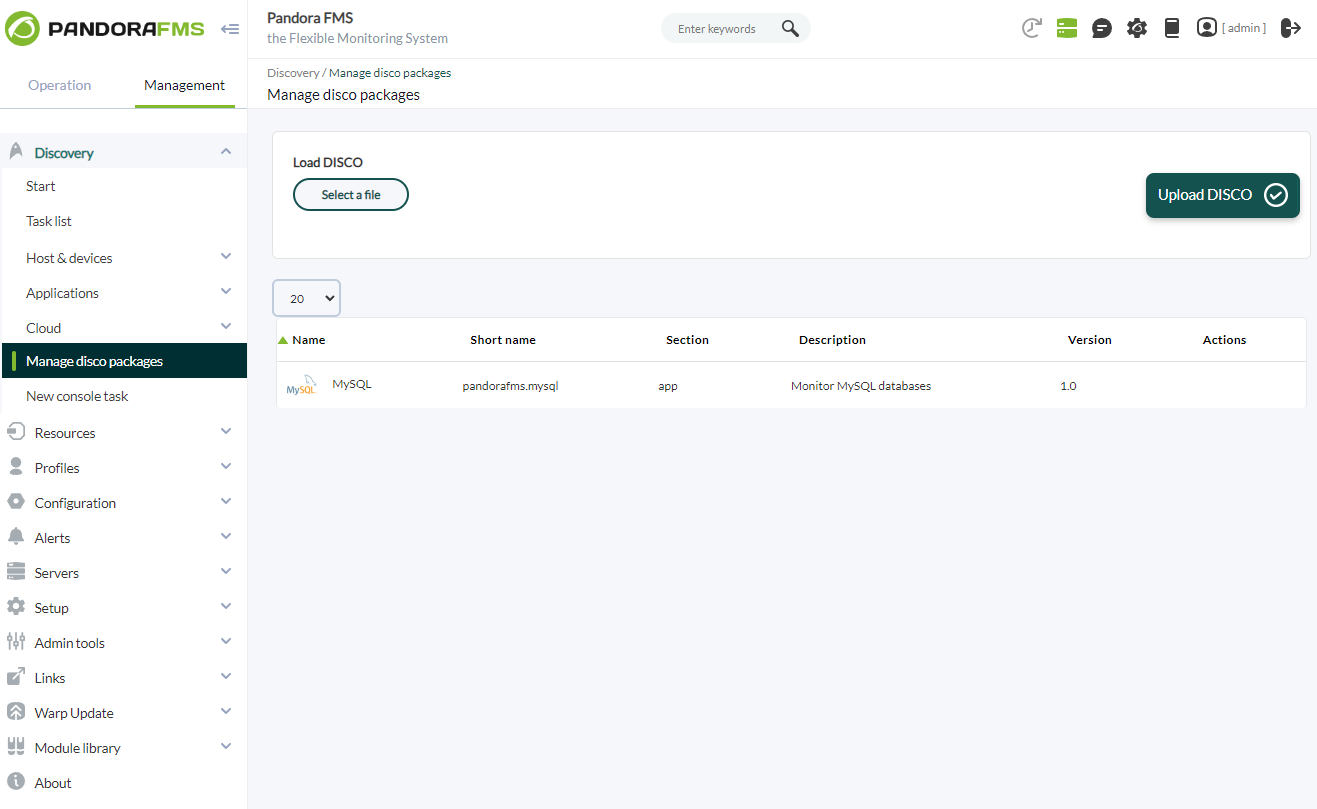
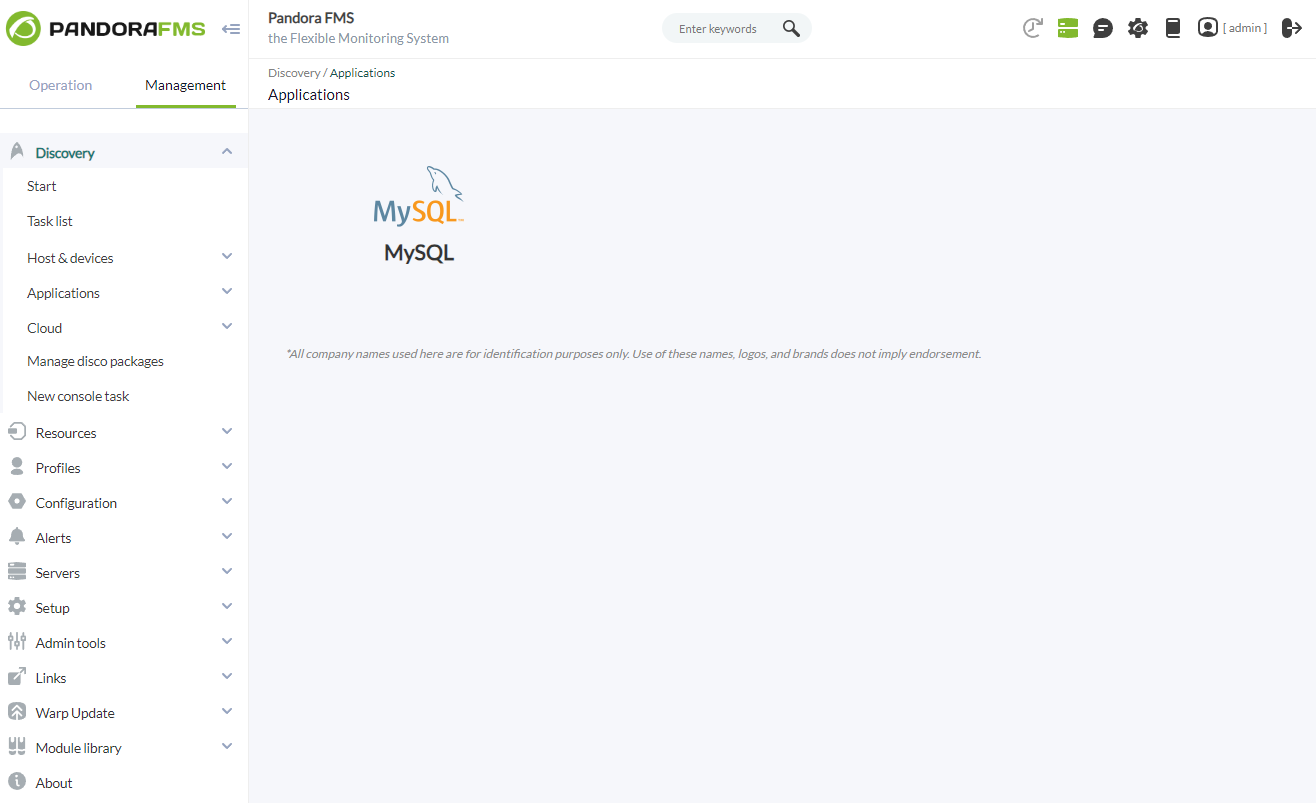
Once loaded, MySQL environments can be monitored by creating Discovery tasks from the Management > Discovery > Applications section..
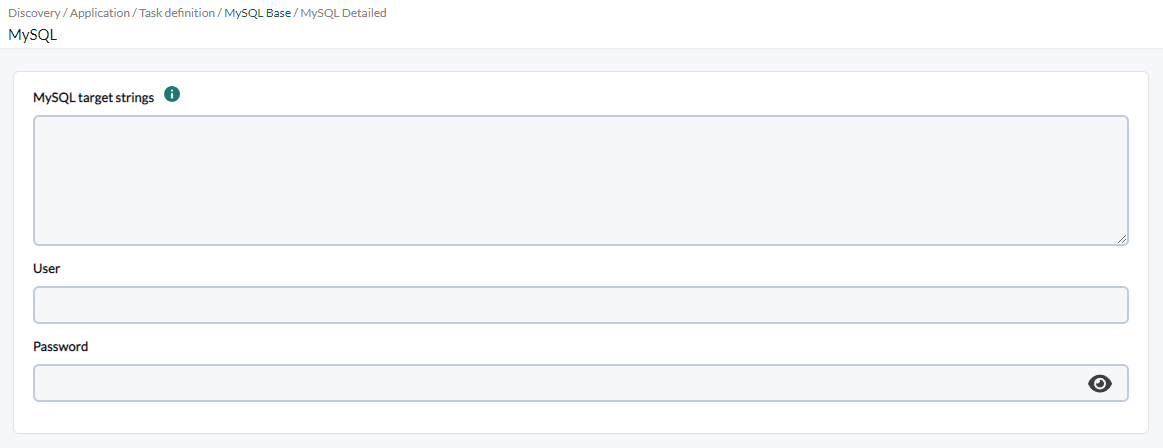
The following minimum data will be requested for each task:
- MySQL target
string:string: List of MySQL targets to be monitored by the task. It will be a comma or line separated list. Each target database can be defined with the format IP:PORT or IP. User:User: User of connection to the target databases.Password:Password: Password of the specified user.
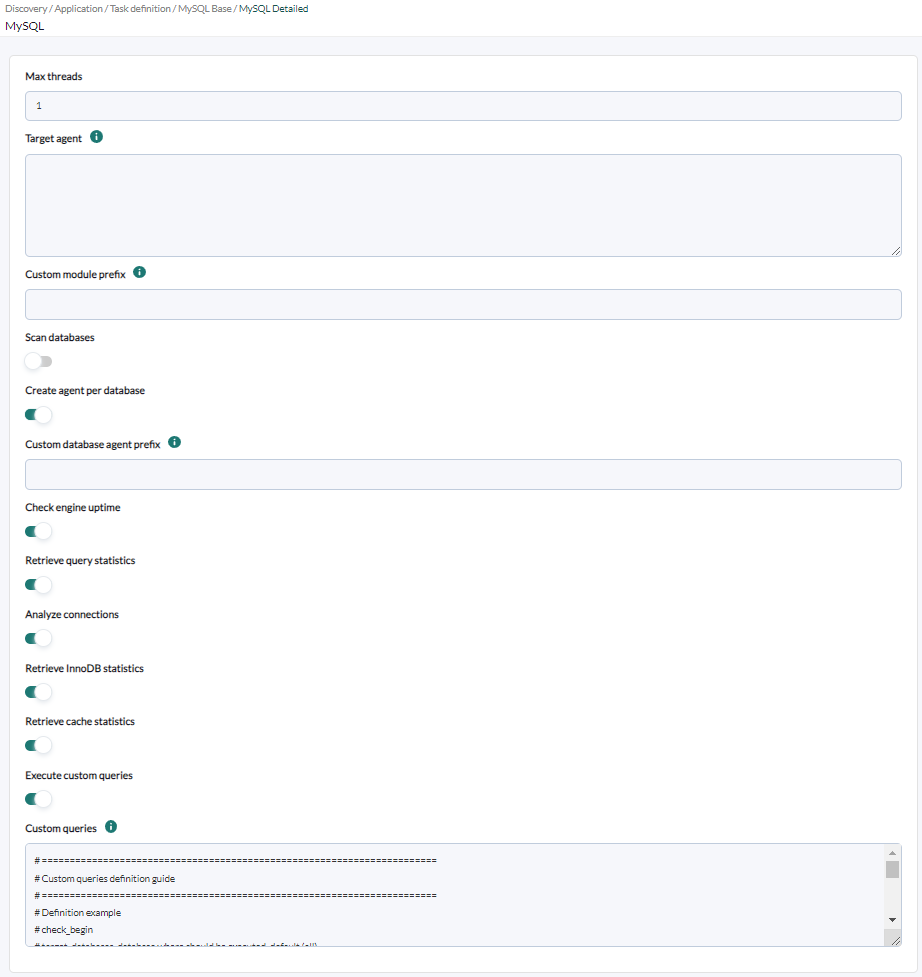
You can also adjust the task configuration to customize the desired monitoring:
- Max
threads:threads: To optimize execution time, you can configure multiple threads to monitor the task's agents. Keep in mind that configuring multiple threads may increase the CPU usage of the task. - Target
agent:agent: List of target agents for the MySQL targets to monitor. In other words, these are the names under which agents for each defined target in the task will be generated. It should be a comma-separated or newline-separated list. The position of the names in the list should match the position of the MySQL targets in their list, meaning the first name will be used for the first target, and so on. If the list is separated by lines, blank lines will be ignored. If no agent name is specified for a target, its IP or FQDN will be used as the agent name. - Custom module
prefix:prefix: Text included as a prefix for all generated module names. It's useful for locating modules generated by the task or distinguishing them from others. - Scan
databases:databases: If activated, it will monitor the various databases of each MySQL target. - Create agent per
database:database: If activated, a separate agent will be created for each database of each MySQL target. Enabling database monitoring is necessary for this to work. - Custom database agent
prefix:prefix: Text included as a prefix for the names generated for individual agents of each database of each MySQL target. It's useful for locating agents generated by the task or distinguishing them from others. - Check engine
uptime:uptime: If activated, it will monitor the uptime of the targets. - Retrieve query
statistics:statistics: If activated, it will monitor query statistics. - Analyze
connections:connections: If activated, it will monitor connections. - Retrieve InnoDB
statistics:statistics: If activated, it will monitor InnoDB statistics. - Retrieve cache
statistics:statistics: If activated, it will monitor cache statistics. - Execute custom
queries:queries: If activated, it will allow executing custom queries for each MySQL target and each database. - Custom
queries:queries: Configuration block to define the custom queries to be executed. Each query will generate a new module for each agent in the task.
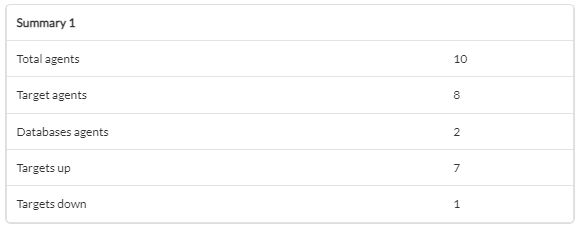
Successfully completed tasks will have an execution summary with the following information:
- Total agents: Total number of agents generated by the task.
- Target agents: Total number of agents generated by the task for the defined targets.
- Databases agents: Total number of agents generated by the task for the discovered databases.
- Targets up: Total number of targets successfully connected to.
- Targets down: Total number of targets that could not be connected to.
Tasks that are not completed successfully will have an execution summary recording the errors that occurred.