
8. Web Monitoring
For this lastfinal exampleexample, we will use the Pandora FMS web server componentcomponent, thatwhich performsis used for basic HTTP and HTTPS basic monitoring. This element allows us to makeperform simple or slightly more complex web checks (in severalvarious cases), using low-level calls. It is useful tofor seeensuring whether yourour pages areremain stillonline, alive, verifyverifying that youwe maycan takeperform a series of steps (for example, filling inout certain forms), and/or checking that they contain a certainspecific word. BesidesIn addition to verifying that they work, youwe maycan measure the total time they take.take.
To create this type of module, we must choose athe webWeb servermodule type moduleduring forthe module creation.
process:
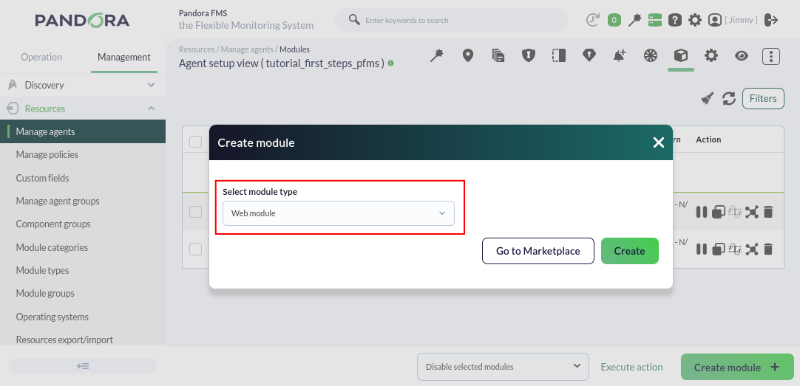
Once youwe click the Create, youbutton, we will see a form where towe must fill in the necessary fields to be able to monitor a website. The most important thing will be to choosechoosing the type of check.
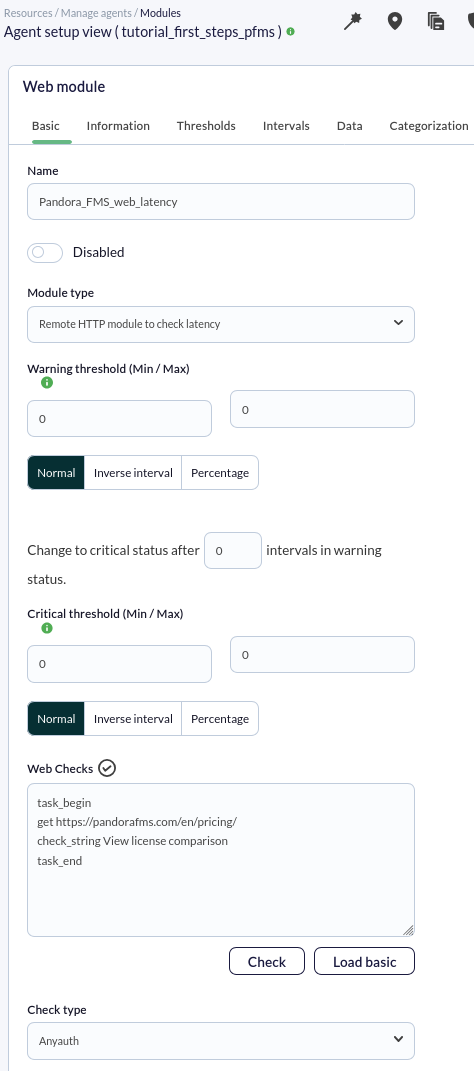
Here weWe are going to create a module that willallows allowus to check thea website's loading time ofand aensure webit that must containcontains the wordphrase "View license comparison".
To do this, we will select the module type Remote HTTP module to check latency, which will allow us to see the number of seconds the server takes to respond.

In this case, we will make only one request and verify that the response returns a specific phrase; to do this, we will add the following code to the Web checks box:
task_begin
get https://pandorafms.com/en/pricing/
check_string View license comparison
task_end
The check will appear as follows:
As always, after a few seconds, we will have received some data from this module—in this case, the number of seconds it takes for the serverrequest to respond.
complete:
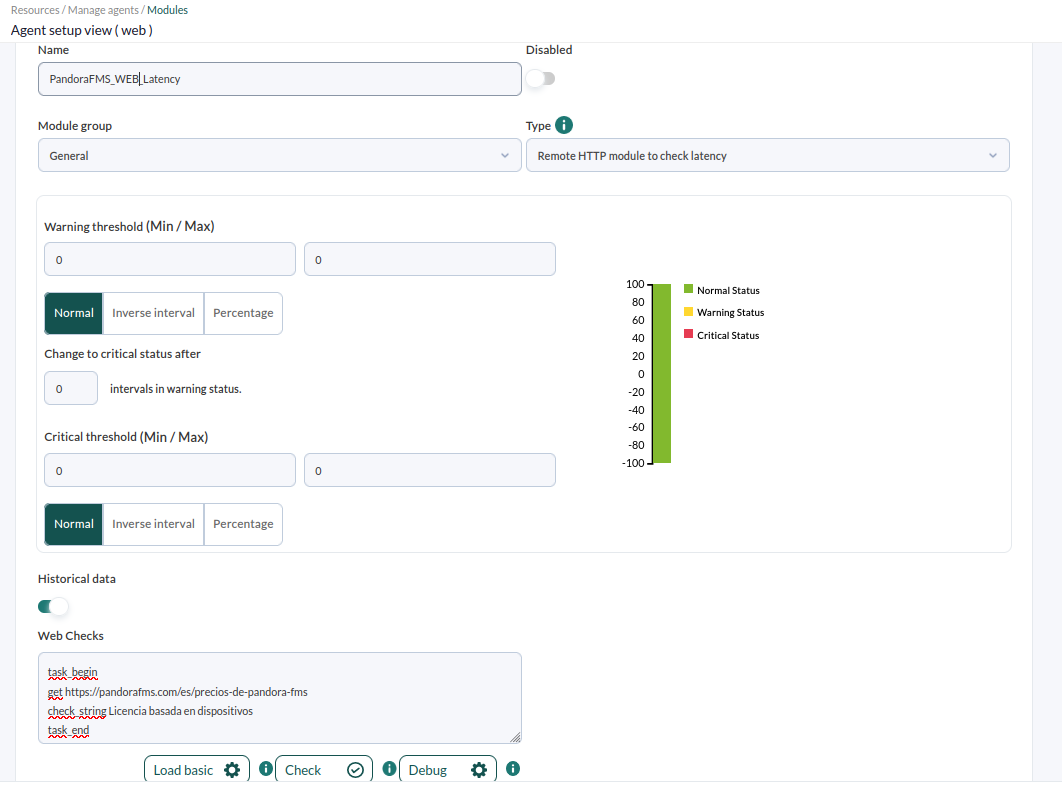
The code that you have to add to the web checks' box is intuitive, in this case we will make only one request and we will check that the response returns a sentence:
task_beginget https://pandorafms.com/prices/check_string License based on devicestask_end
The checkup will be as follows:
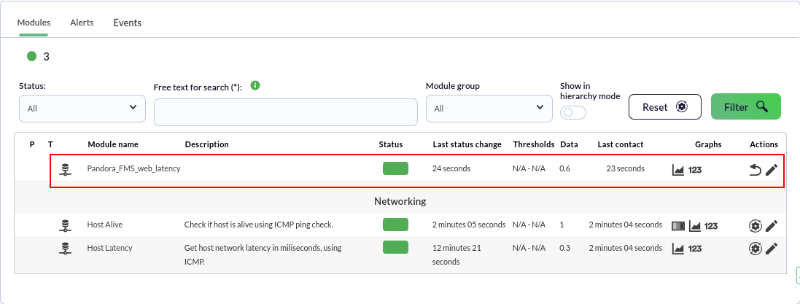
As always, after a few seconds, you will have already received some data from this module, in this case, the seconds it takes for the request to be completed:

Pandora FMS also offers the possibility of monitoring complex web transactions thanks to the Web User Web Experience, which which is a more advanced feature than this one.functionality.
DidAre you not getachieving the expectedresults results?explained Goin tothis chapter? Access the help or support sections.section.