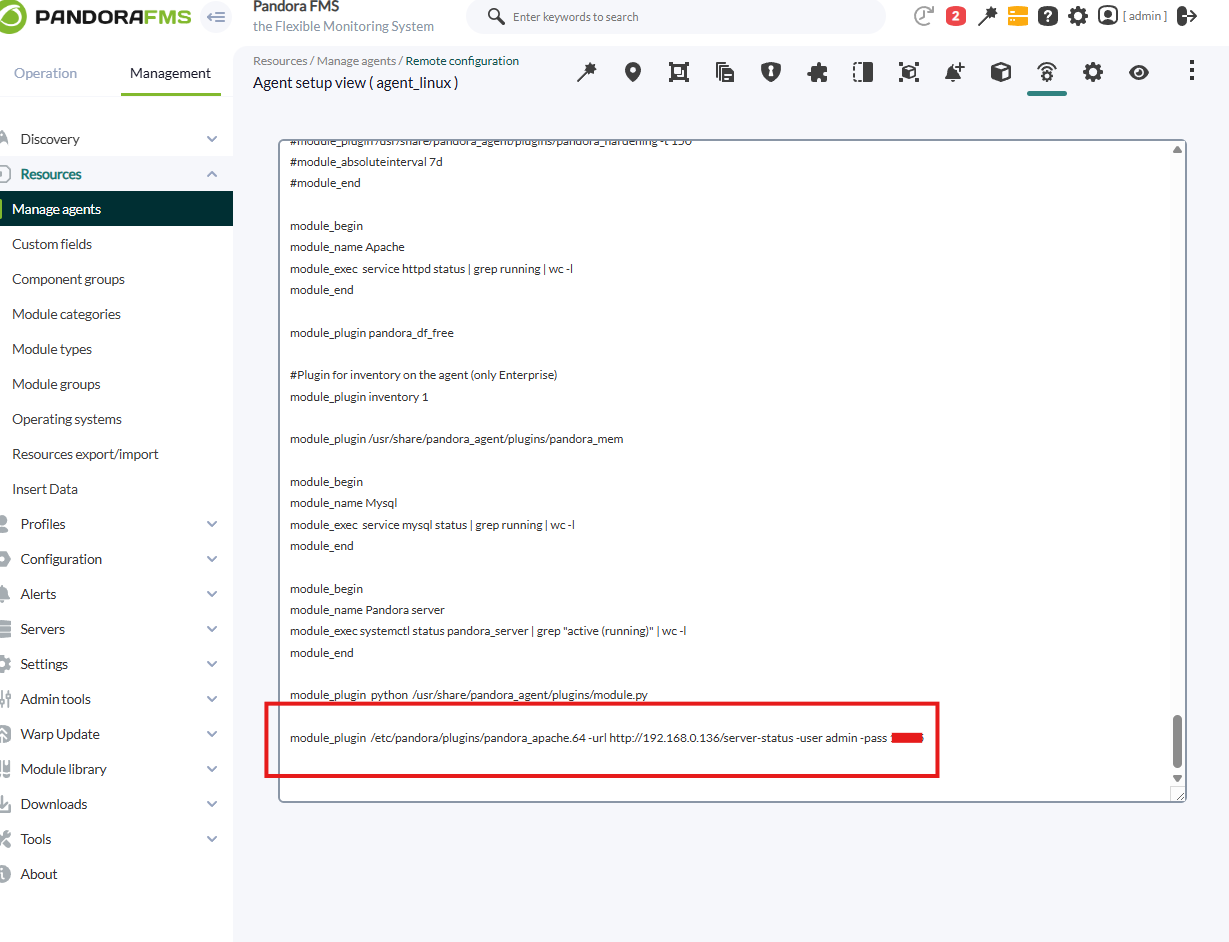
Pandora Configuration
In the pandora terminal, once downloaded, we will move it to the /etc/pandora/plugins folder, which is where we place the agent plugins.
We will give permissions to the file with :
chmod 755 pandora_apacheThen we will go to the pandora agent, located in /etc/pandora, open the conf and at the bottom we put :
module_plugin /etc/pandora/plugins/pandora_apache -url (apache_url_to_server_status) -user (user) -pass (password)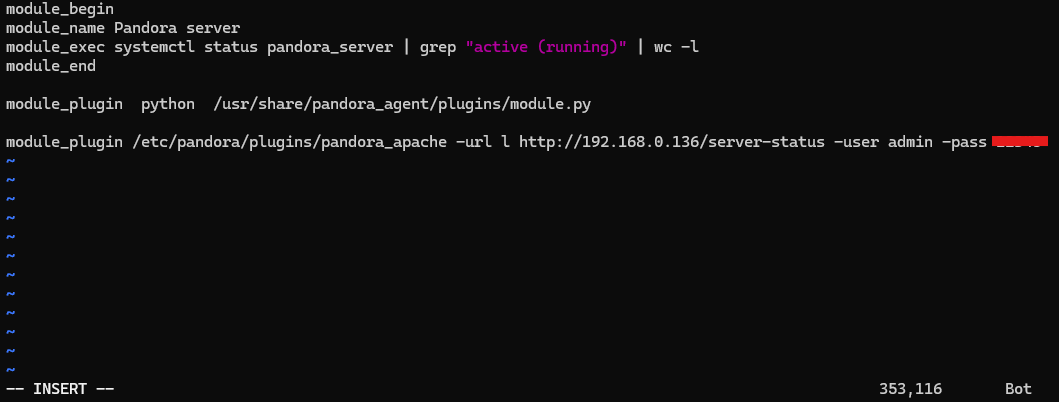
In the enterprise version we will be able to do it by remote configuration.