Welcome to Pandora FMS Community!

Find answers, ask questions, and connect with our community around the world.

Bienvenido a la comunidad de Pandora FMS Forums Community support Advanced troubleshooting hyperlink redirects nothing in «view events».

  • hyperlink redirects nothing in «view events».

    Posted by thusitha on noviembre 11, 2013 at 16:04

    hi
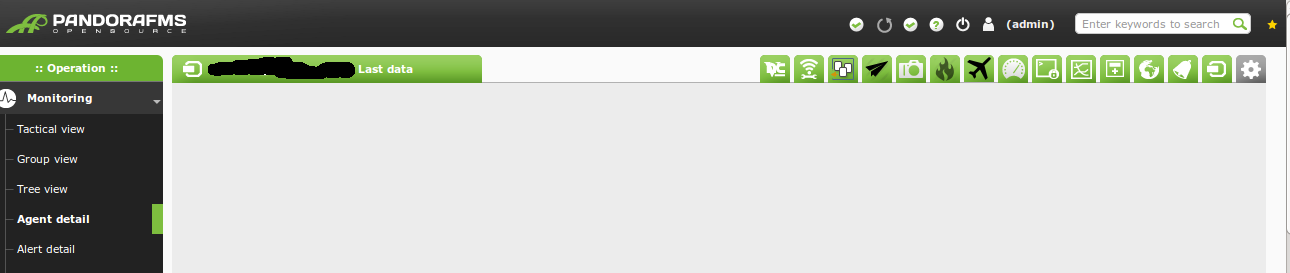
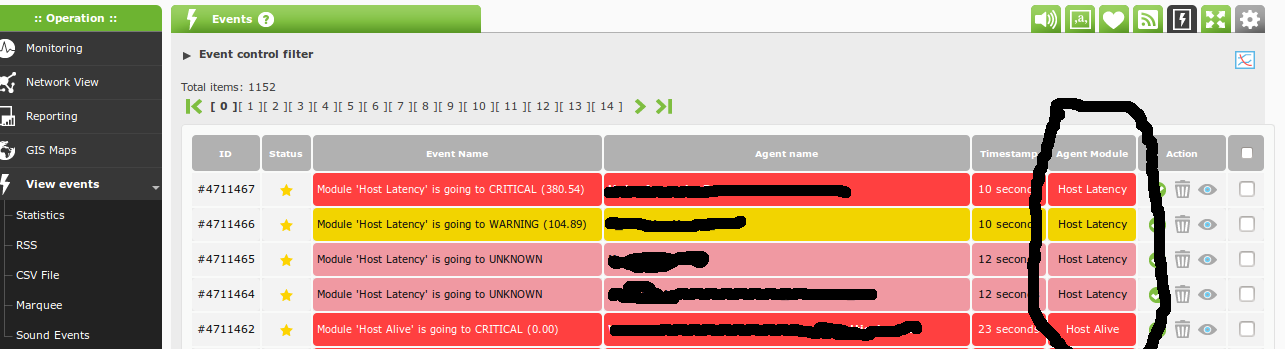
    I’m using Pandora FMS v5.0 – Build PC131111 and today I adds «Agents module» as a custom field in manage events tab and update it.And it appeared in «View events» page and shows the agent modules (module names )as hyper links for those events related.(attachment-view_event_page.png) But the thing is, when I click those links , it redirects to a «Agents details» page and shows nothing.(attachment-agent_detail_page.png) .In end of the url, says index.php?sec=estado&sec2=operation/agentes/ver_agente&id_agente=xxxx&tab=data So what is tab=data  and why it shows nothing? .I think this will check soon.
    thanks
    😀
    thusitha replied 12 years, 9 months ago 2 Members · 3 Replies
  • 3 Replies
  • Mario

    Administrator
    noviembre 11, 2013 at 16:43
    1188 Karma points
    Community rank: tentacle_master_icon Tentacle Master
    Like it
    Up
    0
    Down
    Drop it
    ::

    Thanks for the input.

    We are going to fix it.

  • thusitha

    Member
    noviembre 12, 2013 at 08:11
    36 Karma points
    Community rank: tentacle-noob-1 Tentacle noob
    Like it
    Up
    0
    Down
    Drop it
    ::

    OK.
    Thank you for quick reply . Hopes it will fix soon. 🙂

  • thusitha

    Member
    noviembre 13, 2013 at 09:38
    36 Karma points
    Community rank: tentacle-noob-1 Tentacle noob
    Like it
    Up
    0
    Down
    Drop it
    ::

    hi,
    It was fixed.

    2013-11-12  Sergio Martin

            * operation/events/events.build_table.php
            operation/agentes/estado_monitores.php
            operation/agentes/ver_agente.php: Fixed old link in
            module name in events list. Incident #369

    thanks.

Log in to reply.