Zammad plugin
Plugin to create, edit or delete tickets in zammad with pandora.
- Introduction
- Compatibility matrix
- Pre requisites
- Configuration
- Parameters
- Create ticket
- Update ticket
- Delete ticket
Introduction
Plugin to manage tickets in Zammad, you can create, delete and update tickets.
Compatibility matrix
| Systems where it has been tested |
CentOS 7, Fedora |
| Systems where it should work |
Any linux system |
Pre requisites
Required:
- Enable basic or API token authentication
- * Python3
- * Module requests
* In the binary version of the plugin it is not necessary to install these dependencies, since they are already included in the plugin.
Configuration
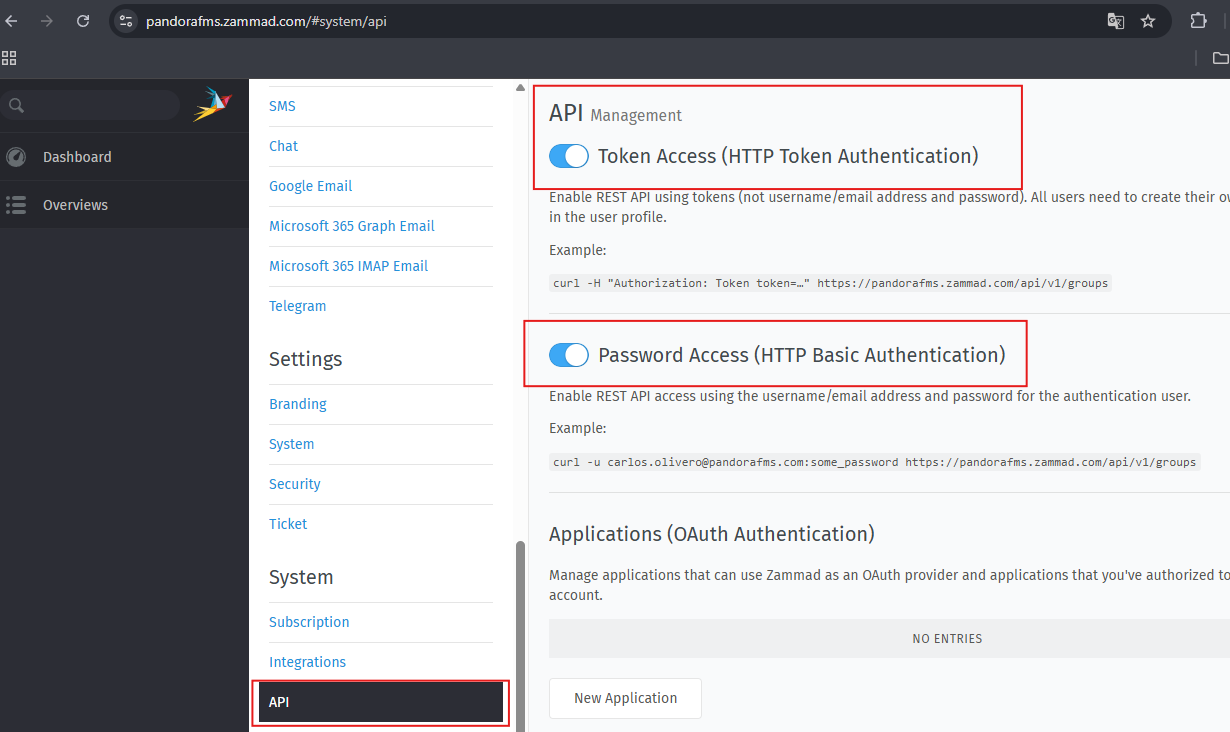
Authentication by token ( Access Token ) or basic ( Access Password ) must be enabled by clicking on Manage and then on API.
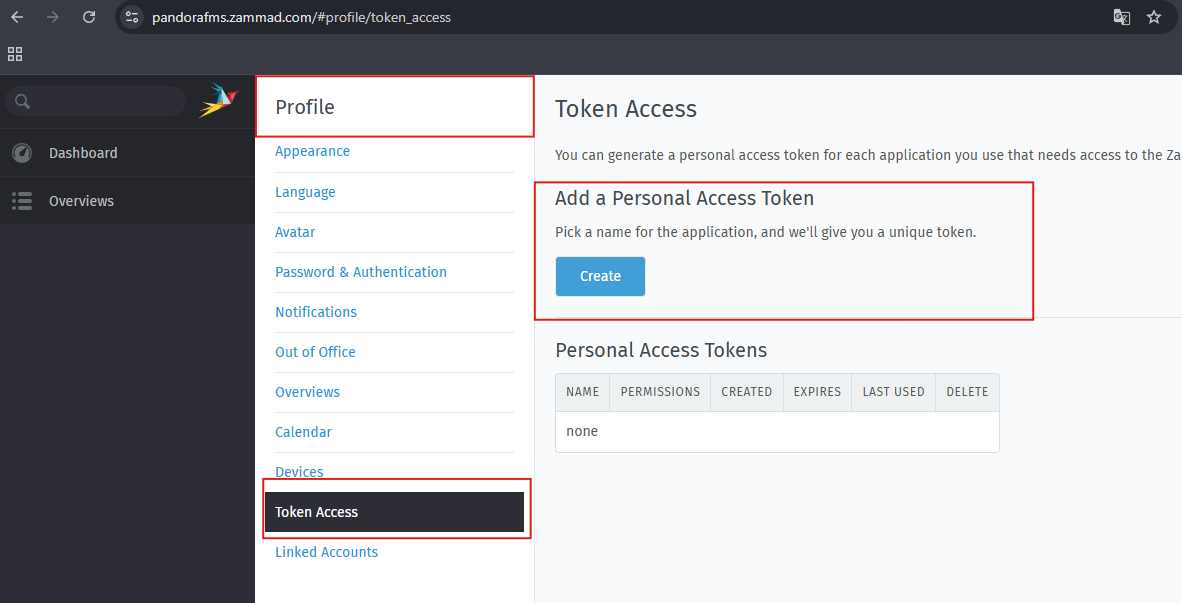
The token is created by clicking Profile and then Access token:
For it to work you will have to set ticket.agent to permissions.
Parameters
Parameter
| Method | -m | get,post,put o delete |
| host | -i, --ip | name site zammad |
| user | -us | name user (email) |
| password | -p | pass API |
| token | -t | token API |
| ticket name | -tn | name ticket |
| ticket comment | -tb | content ticket |
| ticket id | -id | id ticket |
| ticket status | -ts | state |
| ticket priority | -tp | priority |
| ticket type | -tt | type |
| ticket group | -tg | group |
| ticket subject | -tsub | subject |
| ticket customer | -tc | customer (the customer as such is the e-mail address of the registered customer) |
| ticket note | -tnote | note |
Methods
Get to list, post to create ticket, put to update ticket and delete to delete ticket.
Create ticket
Necessary arguments
-m (post)
-i (host)
-us y -p o -t (user and password or token only depending on authentication)
-tn (name ticket)
-tg (name group)
-tp (priority)
-ts (status)
-tsub (subject)
-tb (content)
-tt (type)
-tc (customer)
-tnote (note)
Example manual execution :
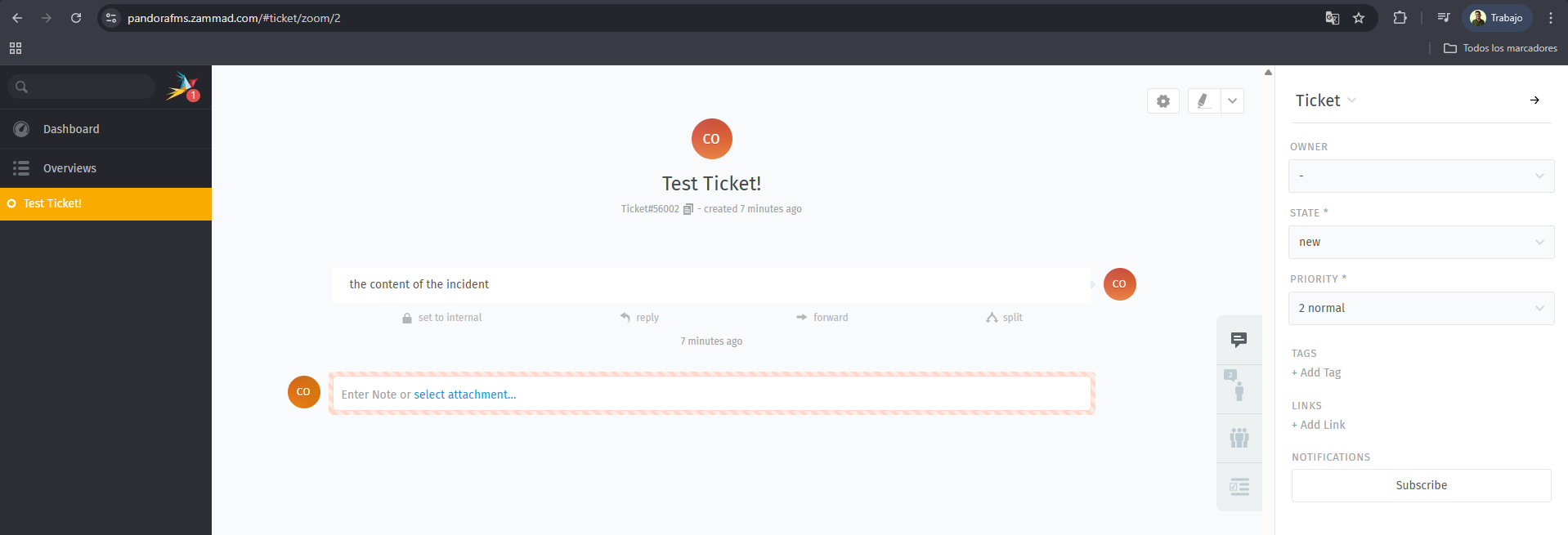
./pandora_zammad -m post -i pandoraplugin -t <token> -tn "Test Ticket!" -tg Users -tp 3 -tt note -ts 2 -tsub subject -tb "The content of the incident" -tnote nota -tc <customer>In the argument -i (host) I have put pandoraplugin because the name of my site is : https://pandoraplugin.zammad.com/
The ticket will be created:
Update ticket
Necessary arguments
-m (put)
-i (host)
-us y -p o -t (username and password or token only, depending on authentication)
-id (id ticket)
-tn (name ticket)
-tg (name group)
-tp (priority)
-ts (status)
-tsub (subject)
-tb (content)
-tt (type)
-tc (customer)
-tnote (note)
Example manual execution :
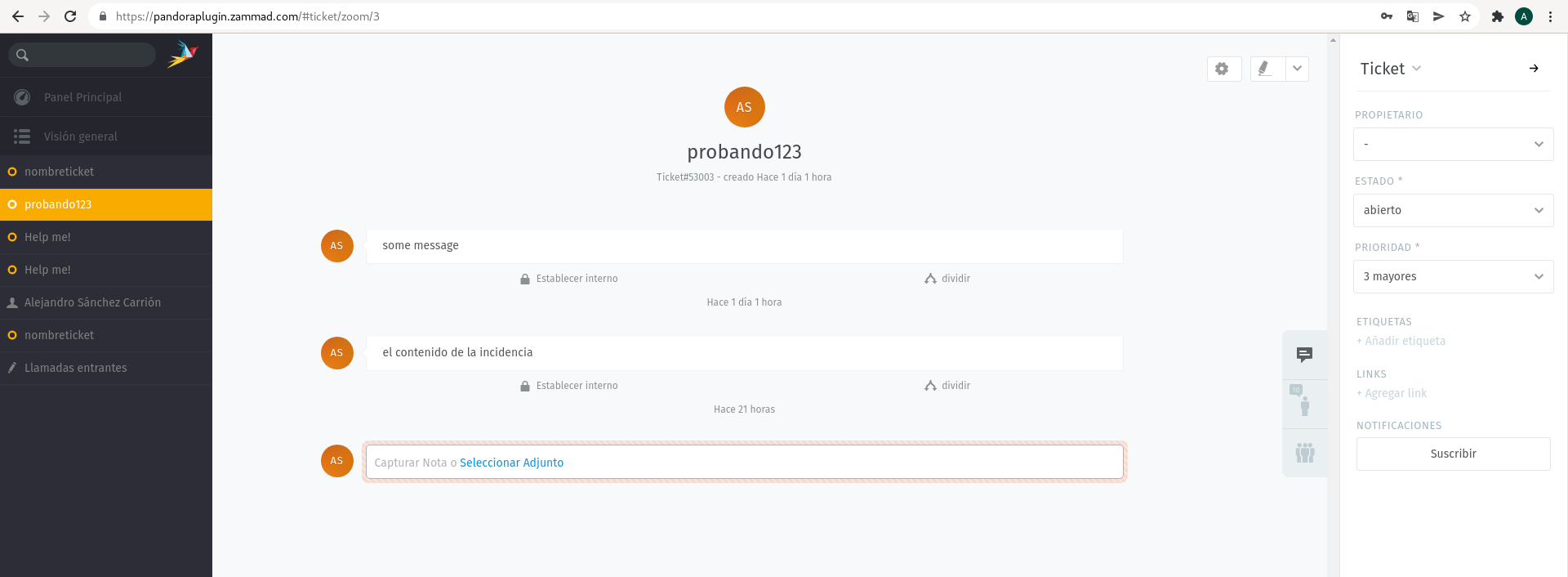
./pandora_zammad -m put -id 3 -i pandoraplugin -t <token> -tn probando123 -tg Users -tp 3 -tt note -ts 2 -tsub <subject> -tb "the content of the incident" -tnote note -tc <email>The ticket will be updated with that id:
Delete ticket
The ticket will be deleted by searching by id.
Example with manual execution.
./pandora_zammad -m delete -i pandoraplugin -t <token> -id 13