Advanced features
Pandora FMS offers more advanced features designed for managing large environments with many agents and modules.
Monitoring Policies
The monitoring policy system proposed in Pandora FMS allows the management of large environments through the propagation of different tool elements in a centralized and homogeneous way within the same installation.
This functionality is designed for environments where you want to monitor a series of devices using the same modules, alerts, and other features.
Thanks to policies, we can avoid having to manually set up each individual monitoring task and instead execute the entire process on a large scale by quickly applying a policy.
Some of the operations that a policy can perform are:
- Create/Delete/Duplicate a policy.
- Add/Remove one or more agents to a policy.
- Create/Edit/Delete a module within a policy.
- Create/Edit/Delete an alert within a policy.
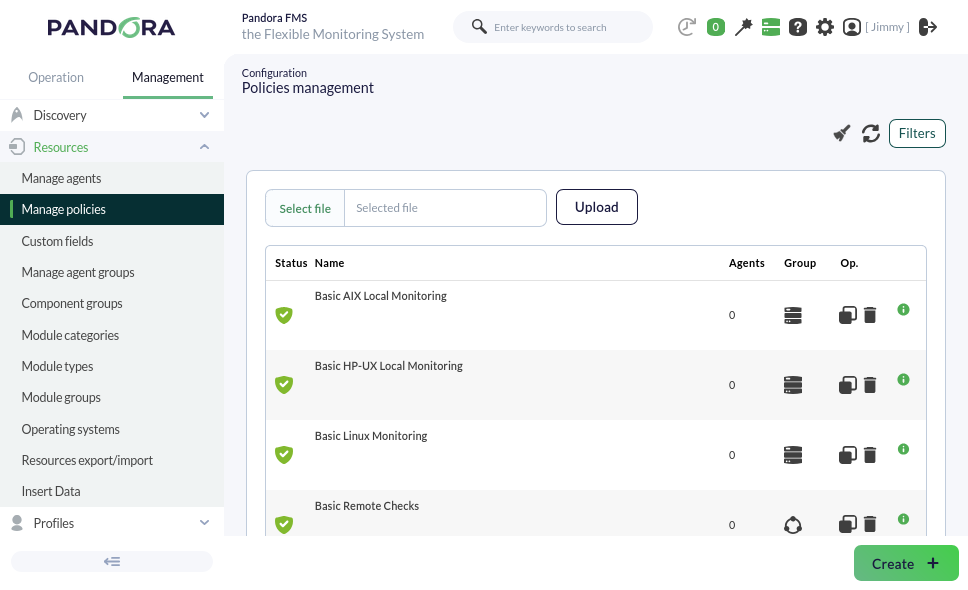
Scenario: a complex environment where we have groupings of devices depending on their role (servers, routers…); within this environment, you want to perform certain specific monitoring tasks for each group of devices as well as some global monitoring tasks. By applying monitoring policies, we can manage monitoring homogeneously, being able to introduce modules simultaneously without having to create them manually on each of the different devices.
Bulk Operations
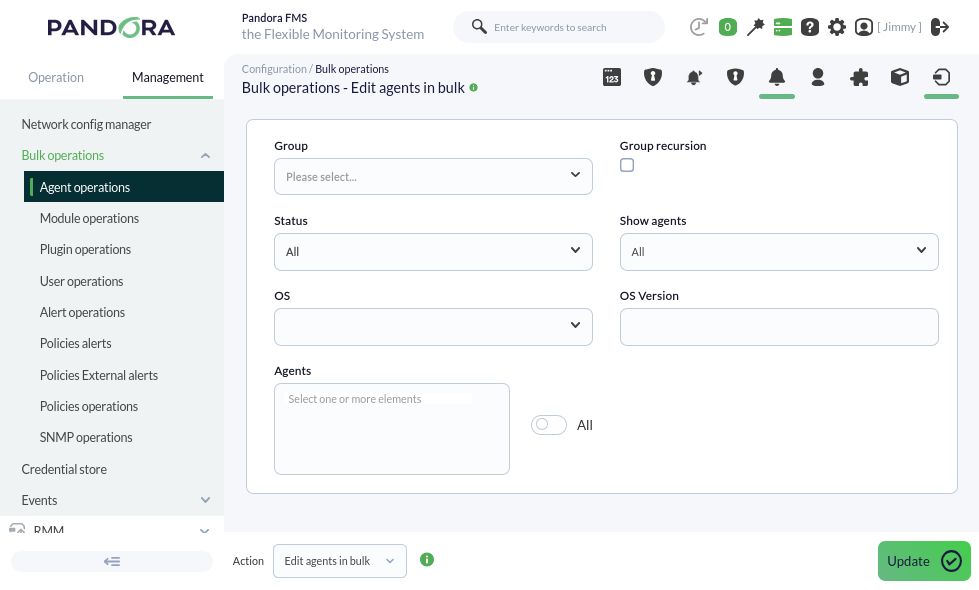
In Pandora FMS, it is possible to massively manage different elements of the tool. This functionality becomes important in environments with a high volume of monitoring. It is a complementary feature to policies for performing specific manual changes on large volumes of data.
Massive operations can be performed on the following elements, among others:
- Agents: existing agents can be edited or deleted.
- Modules: existing modules can be edited, copied, or deleted.
- Alerts: alerts can be added, deleted, enabled, or disabled for existing modules.
- Policies: alerts or modules can be added to or deleted from existing policies.
Metaconsole
The Metaconsole (Command Center) is a special Web Console where different Pandora FMS installations can be visualized, synchronized, and managed in a centralized and unified way. Thanks to this functionality, it is not necessary to manage each monitoring node independently; instead, they can be managed from a single place, allowing for virtually unlimited horizontal scalability.
The Metaconsole offers the user almost all the functionalities that a normal Pandora FMS installation provides. You can manage agents, modules, alerts, policies, etc., for each of the Pandora FMS installations included within the Metaconsole.
This functionality is designed for large work environments with multiple Pandora FMS installations. It is a way to provide a single point of access for a user to manage all their machines or to offer a single console that can provide service to different companies and/or users.
Take, for example, a company with branches around the world that has a Pandora FMS server in each country where it operates, potentially having more than 10 different servers. Thanks to this functionality, we could manage all other servers belonging to the company from a single server.
This is a very advanced Pandora FMS functionality, which is recommended to be used once the corresponding training has been completed.
Historical database
Pandora FMS, by default, deletes data older than 45 days from the database (this value can be configured).
Thanks to this functionality, it is possible to generate reports or graphs with old data without having to occupy this space in the main database.
It is also useful for preserving data for long-term SLAs.
Satellite Server
The Satellite Server is a server installed separately from the main one, used to explore and remotely monitor new systems unreachable by the Pandora FMS server and where we cannot install agents either.
It is an autonomous server that does not require a connection to the Pandora FMS database. It sends all data as XML, functioning similarly to an EndPoint in broker mode or an Export Server.
By connecting a Satellite Server version 785 to a Pandora FMS Server version 785, you can access it through that Web Console transparently to easily create and integrate the agents from both servers.
Data backup
This functionality is one of the most critical and important features of Pandora FMS.
A backup is a security copy where we store all tool data and configurations so that, in the event of a failure, we can recover our installation without losing any previously collected data.
Therefore, Pandora FMS provides the user with a simple tool to perform periodic database backups from the Web Console.
Separate backups must be made for directories and files of the PFMS Server and its Web Console:
- PFMS Server plugins, located in
/usr/share/pandora_server. - Remote configurations for EndPoints (their respective agents are in the database) located in
/var/spool/pandora/data_in/. - Custom images and other resources such as collections, all located in
/var/www/html/pandora_console.
In the extreme case of recovering from a serious failure, the essential procedure to bring the Pandora FMS Server back online is to perform a clean installation from scratch and then use the backup files to recover everything. There are details such as the fact that EndPoints will deliver all their accumulated data at once during the PFMS Server failure and special considerations for SLA reports: For all of these (and more), please contact our support department for proper advice.