Use in Pandora FMS
The Telegram® plugin is fully integrated into Pandora FMS version 800.
The default script is located at: /usr/share/pandora_server/util/pandora-telegram-cli.py. However, any location can be used as long as the PFMS Server has access to it.
You must ensure that all dependencies are installed, check this, run:
python3 pandora-telegram-cli.pyYou will get a response similar to this:

If there is an error, the dependencies must be reinstalled:
pip3 install -r requirements.txtTelegram alert command
To verify the installation of its command, use the Management → Alerts→Commands menu and enter the search key in Filter:
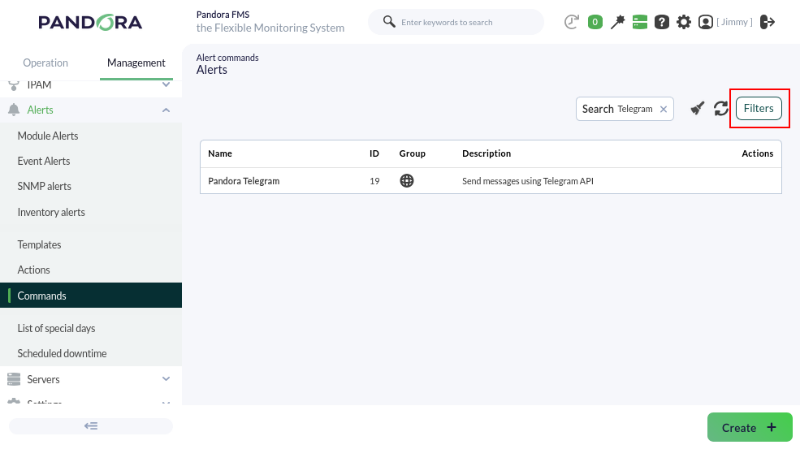
This command does not allow editing or deletion, so it is considered read-only and is used by the system. Therefore, you must go to the general settings to save the token obtained in the previous topic.
Managements → Settings → System settings → General setup → Alerts configuration menu:
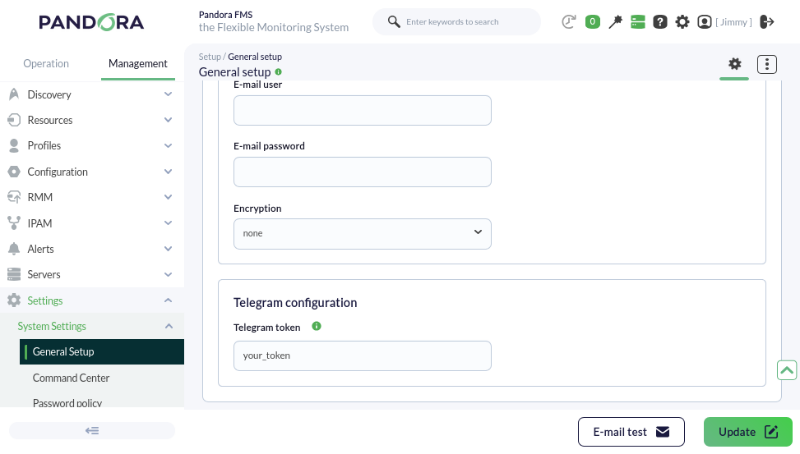
The field displays the token in plain text. Take the necessary precautions to prevent third parties from viewing it.
When finished, click the Update button to save the Telegram token in the database.
Telegram action command
Go to the Management→Alerts→ Actions menu and in Filter select Pandora Telegram in the Command field. The alert actions that use the Pandora Telegram command will be displayed:
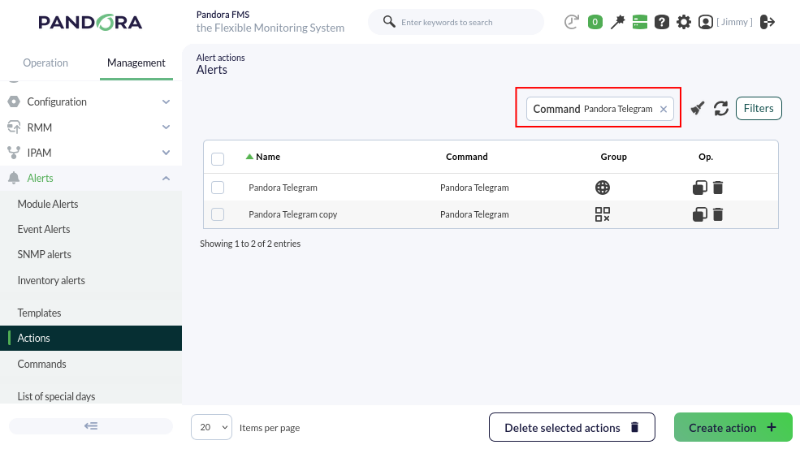
You may:
- Use the default action when installing Pandora FMS.
- Copy the previous action and customize it as needed. It may be the case that several groups of agents use different alert actions configured according to each case.
- Create an action based on the Telegram alert command (read-only).
For any of the three cases, the Chat ID must always be configured, obtained as indicated in the previous topic.
Whether editing, copying and editing, or creating, the configuration process is similar:
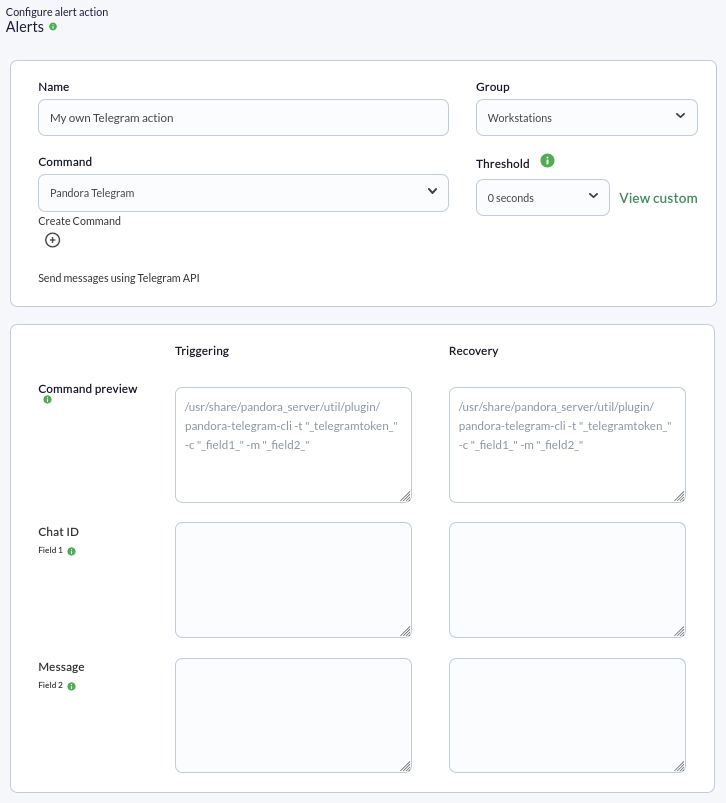
- Indicate and select the name and group as appropriate.
- Ensure that Pandora Telegram is selected in Command list.
- In Chat ID, enter the corresponding identifier. This field does not accept macros; only enter the identifier.
- In the Message field for Triggering, if it is empty, insert
[PANDORA] Alert FIRED on _agent_ / _module_ / _timestamp_ / _data_. See the other macros available to insert more information. - In the Message field for Recovery, if it is empty, insert
[PANDORA] Alert RECOVERED on _agent_ / _module_ / _timestamp_ / _data_. See the other macros available to insert more information. - Press the Create button if you are creating an alert action or (Update if you are editing) to save the parameters.
Click Create. Once you have created this alert action, it can be included in a policy, a template, or Module.
If additional information is required, please visit the documentation for the plugin.