# SingleStore

# Introducción

**Ver**. 22-02-2023

Plugin para monitorizar bases de datos y el server global de SingleStore.

<div id="bkmrk-tipo%3A-plug-in-de-ser"><div>**Tipo**: Plug-in de servidor</div></div>

# Matriz de compatibilidad

<table border="1" id="bkmrk-sistemas-donde-se-ha" style="height: 70px;"><tbody><tr style="height: 35px;"><td style="width: 233.976px; height: 35px;">**Sistemas donde se ha probado**</td><td style="width: 330.99px; height: 35px;">CentOS 7, Fedora, rocky linux

</td></tr><tr style="height: 35px;"><td style="width: 233.976px; height: 35px;">**Sistemas donde debería funcionar**</td><td style="width: 330.99px; height: 35px;">Cualquier sistema linux

</td></tr></tbody></table>

# Pre requisitos

- Tener el **Data Server** de Pandora FMS habilitado
- Tener el **Plugin Server** de Pandora FMS habilitado

# Parámetros

**Parámetros**

<table border="1" id="bkmrk-%C2%A0-%C2%A0-%C2%A0-%C2%A0-%C2%A0-%C2%A0-%C2%A0-%C2%A0-%C2%A0-%C2%A0-"><tbody><tr><td>--database</td><td>Nombre de la base de datos.</td></tr><tr><td>--host</td><td>Ip del host.</td></tr><tr><td>--agent\_name</td><td>Nombre del agente.</td></tr><tr><td>--agent\_alias</td><td>Alias del agente</td></tr><tr><td>--use\_alias\_as\_name</td><td>Usar el alias del agente como nombre</td></tr><tr><td>--module\_prefix</td><td>Se utiliza para ponerle un prefijo a los módulos</td></tr><tr><td>--port</td><td>Port de la base de datos</td></tr><tr><td>--user</td><td>Nombre de usuario</td></tr><tr><td>--password</td><td>Password</td></tr><tr><td>--database</td><td>Nombre de la base de datos</td></tr><tr><td>--list\_databases</td><td>Para listar todas las bases de datos, se activa usandolo con 1 (--list\_databases 1)</td></tr></tbody></table>

**Parámetros configuración pandora**

<div id="bkmrk---tentacle_port-puer"><svg class="svg-icon" data-icon="link" role="presentation" viewbox="0 0 24 24" xmlns="http://www.w3.org/2000/svg"></svg><div><table border="1" id="bkmrk-par%C3%A1metro-descripci%C3%B3" style="font-family: -apple-system, BlinkMacSystemFont, 'Segoe UI', Oxygen, Ubuntu, Roboto, Cantarell, 'Fira Sans', 'Droid Sans', 'Helvetica Neue', sans-serif; font-size: 14px;"><tbody><tr><td>--tentacle\_port</td><td>Puerto de tentacle.Por defecto 41121(opcional)</td></tr><tr><td>--tentacle\_address</td><td>Ip del servidor tentacle al que mandar los datos(opcional)</td></tr><tr><td>-g,--group</td><td>Grupo de destino de Pandora FMS (opcional)</td></tr><tr><td>--data\_dir</td><td>Directorio de datos de Pandora FMS. **Por defecto** es /var/spool/pandora/data\_in/ (opcional)</td></tr><tr><td>--as\_agent\_plugin</td><td>Es opcional, si quieres que el plugin sea de agente y te meta los módulos en el agente de pandora, ejecuta esto con un 1 (opcional)</td></tr></tbody></table>

</div></div>

# Ejecución manual

```
./pandora_singlestore --host <host> --user <user> --password <password> --database <database> --port <port> [ --agent_alias <agent_alias> ] [ --use_alias_as_name <use_alias_as_name> ] [ --as_agent_plugin <as_agent_plugin> ] [ --module_prefix <module_prefix> ] [ --tentacle_port <tentacle_port> ] [ --tentacle_address <tentacle_address> ] [ -g <group> ] [ --data_dir <data dir> ]
```

[![image-1677062430944.png](https://pandorafms.com/guides/public/uploads/images/gallery/2023-02/scaled-1680-/image-1677062430944.png)](https://pandorafms.com/guides/public/uploads/images/gallery/2023-02/image-1677062430944.png)

Se pueden listar las bases de datos con --list\_databases 1:

[![image-1677062480887.png](https://pandorafms.com/guides/public/uploads/images/gallery/2023-02/scaled-1680-/image-1677062480887.png)](https://pandorafms.com/guides/public/uploads/images/gallery/2023-02/image-1677062480887.png)

# Configuración en PandoraFMS

**Como plugin de servidor**

**Instalación manual**

Iremos a servidores &gt; plugins:

[![image-1629974405286.png](https://pandorafms.com/guides/public/uploads/images/gallery/2021-08/scaled-1680-/image-1629974405286.png)](https://pandorafms.com/guides/public/uploads/images/gallery/2021-08/image-1629974405286.png)

Pinchamos en añadir:

[![image-1629974430627.png](https://pandorafms.com/guides/public/uploads/images/gallery/2021-08/scaled-1680-/image-1629974430627.png)](https://pandorafms.com/guides/public/uploads/images/gallery/2021-08/image-1629974430627.png)

Le ponemos en nombre y la descripción que se prefiera.

Metemos como comando la ejecución con la ruta del plugin:

```
/path pandora_singlestore.py
```

<p class="callout info align-center">Recuerda que la ruta recomendada para el uso de los plugins de servidor es: /usr/share/pandora\_server/util/plugin/</p>

Y en parámetros del plugin introduciremos estos seguidos de la macro "\_field\_ &lt;N&gt;\_", son obligatorios los parámetros de conexion, --host, --user, --password y --database.

<p class="callout warning">Recuerda que puedes ponerle un prefijo personalizado a l agente de la base de datos con el parámetro --agent\_name, si no se usa por defecto sera SingleStore. En el agente de la base de datos se quedara con el siguiente nombre: &lt;prefijo usado con --agent\_name. nombre de la base de datos&gt;, el agente para el server global se quedará &lt;prefijo usado con --agent\_name. Global\_server&gt;.</p>

Una vez hecho esto, daremos a "crear".

Una vez hecho esto, solo queda llamarlo por lo que iremos a la vista de algún agente y crearemos un módulo de complementos:

[![image-1646741530197.png](https://pandorafms.com/guides/public/uploads/images/gallery/2022-03/scaled-1680-/image-1646741530197.png)](https://pandorafms.com/guides/public/uploads/images/gallery/2022-03/image-1646741530197.png)
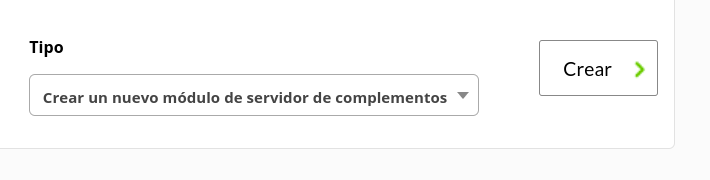
Le daremos un nombre y en el apartado "plugin" pondremos el que acabamos de configurar.

Una vez hecho esto, damos a crear.

Si el modulo se muestra con 1, quiere decir que se esta ejecutando correctamente.

# Módulos generados por el plugin

El plugin creará dos agentes, uno con datos de la base de datos, con los siguientes módulos:

<table border="1" id="bkmrk-.database_conexion-." style="border-collapse: collapse; width: 100%;"><tbody><tr><td style="width: 100%;">.database\_conexion</td></tr><tr><td style="width: 100%;">.database\_online</td></tr><tr><td style="width: 100%;">.commit\_count</td></tr><tr><td style="width: 100%;">.provision\_file</td></tr><tr><td style="width: 100%;">.oldest\_living\_snapshot</td></tr><tr><td style="width: 100%;">.newest\_snapshot</td></tr></tbody></table>

Y un agente con datos del global server con los siguientes módulos:

<table border="1" id="bkmrk-aborted_clients-abor" style="border-collapse: collapse; width: 100%; height: 870px;"><tbody><tr style="height: 29px;"><td style="width: 100%; height: 29px;"><div><div>Aborted_connects</div></div></td></tr><tr style="height: 29px;"><td style="width: 100%; height: 29px;"><div><div>Bytes_received</div></div></td></tr><tr style="height: 29px;"><td style="width: 100%; height: 29px;"><div><div>Bytes_sent</div></div></td></tr><tr style="height: 29px;"><td style="width: 100%; height: 29px;"><div><div>Connections</div></div></td></tr><tr style="height: 29px;"><td style="width: 100%; height: 29px;"><div><div>Max_used_connections</div></div></td></tr><tr style="height: 29px;"><td style="width: 100%; height: 29px;"><div><div>Queries</div></div></td></tr><tr style="height: 29px;"><td style="width: 100%; height: 29px;"><div><div>Questions</div></div></td></tr><tr style="height: 29px;"><td style="width: 100%; height: 29px;"><div><div>Threads_cached</div></div></td></tr><tr style="height: 29px;"><td style="width: 100%; height: 29px;"><div><div>Threads_connected</div></div></td></tr><tr style="height: 29px;"><td style="width: 100%; height: 29px;"><div><div>Threads_created</div></div></td></tr><tr style="height: 29px;"><td style="width: 100%; height: 29px;"><div><div>Threads_running</div></div></td></tr><tr style="height: 29px;"><td style="width: 100%; height: 29px;"><div><div>Uptime</div></div></td></tr><tr style="height: 29px;"><td style="width: 100%; height: 29px;"><div><div>Total_server_memory</div></div></td></tr><tr style="height: 29px;"><td style="width: 100%; height: 29px;"><div><div>Total_io_pool_memory</div></div></td></tr><tr style="height: 29px;"><td style="width: 100%; height: 29px;"><div><div>Free_io_pool_memory</div></div></td></tr><tr style="height: 29px;"><td style="width: 100%; height: 29px;"><div><div>Alloc_thread_stacks</div></div></td></tr><tr style="height: 29px;"><td style="width: 100%; height: 29px;"><div><div>Malloc_active_memory</div></div></td></tr><tr style="height: 29px;"><td style="width: 100%; height: 29px;"><div><div>Alloc_variable_cached_buffers</div></div></td></tr><tr style="height: 29px;"><td style="width: 100%; height: 29px;"><div><div>Average_garbage_collection_duration</div></div></td></tr><tr style="height: 29px;"><td style="width: 100%; height: 29px;"><div><div>Inflight_async_compilations</div></div></td></tr><tr style="height: 29px;"><td style="width: 100%; height: 29px;"><div><div>License_capacity</div></div></td></tr><tr style="height: 29px;"><td style="width: 100%; height: 29px;"><div><div>Maximum_cluster_capacity</div></div></td></tr><tr style="height: 29px;"><td style="width: 100%; height: 29px;"><div><div>Query_compilation_failures</div></div></td></tr><tr style="height: 29px;"><td style="width: 100%; height: 29px;"><div><div>Query_compilations</div></div></td></tr><tr style="height: 29px;"><td style="width: 100%; height: 29px;"><div><div>Seconds_until_expiration</div></div></td></tr><tr style="height: 29px;"><td style="width: 100%; height: 29px;"><div><div>Ssl_accept_renegotiates</div></div></td></tr><tr style="height: 29px;"><td style="width: 100%; height: 29px;"><div><div>Ssl_accepts</div></div></td></tr><tr><td style="width: 100%;"><div><div><div><div>Ssl_finished_accepts</div></div></div></div></td></tr><tr><td style="width: 100%;"><div><div><div><div>Ssl_finished_connects</div></div></div></div></td></tr><tr><td style="width: 100%;"><div><div><div><div>Used_cluster_capacity</div></div></div></div></td></tr><tr><td style="width: 100%;"><div><div><div><div>Used_instance_license_units</div></div></div></div></td></tr><tr style="height: 29px;"><td style="width: 100%; height: 29px;"><div><div>Ssl_client_connects</div></div></td></tr><tr style="height: 29px;"><td style="width: 100%; height: 29px;"><div><div>Ssl_connect_renegotiates</div></div></td></tr></tbody></table>