# Configuration in Pandora FMS

**As server plugin**

**Manual installation**

Go to Servers &gt; Plugins:

[![image-1629974405286.png](https://pandorafms.com/guides/public/uploads/images/gallery/2021-08/scaled-1680-/image-1629974405286.png)](https://pandorafms.com/guides/public/uploads/images/gallery/2021-08/image-1629974405286.png)

Click add:

[![image-1629974430627.png](https://pandorafms.com/guides/public/uploads/images/gallery/2021-08/scaled-1680-/image-1629974430627.png)](https://pandorafms.com/guides/public/uploads/images/gallery/2021-08/image-1629974430627.png)

Enter the name and description of your choosing.

Enter as command the execution with the plugin's path:

<div id="bkmrk-1-%2Fpath-pandora_sing"><div><textarea readonly="readonly" spellcheck="false" tabindex="0"></textarea></div><div><div><div><div><div><div>```
```

</div><div></div><div></div><div><div></div></div><div><div><div><div>1</div></div>```
<span role="presentation">/path pandora_singlestore.py</span>
```

</div></div></div></div></div></div><div></div><div><div></div></div></div><div><svg height="16" viewbox="0 0 24 24" width="16" xmlns="http://www.w3.org/2000/svg"></svg></div></div><p class="callout info align-center">Remember that the recommended path for server plugin use is: /usr/share/pandora\_server/util/plugin/</p>

And in plugin parameters enter those followed up by the macro "\_field\_ &lt;N&gt;\_", connection parameters are mandatory, --host, --user, --password and --database.

<p class="callout warning">Remember you may add a custom prefix to the database agent with the parameter --agent\_name, if not used, it will be SingleStore by default. the database agent will keep the following name: &lt;prefix used with --agent\_name. database name&gt;, the agent for the global server will stay as &lt;prefix used with --agent\_name. Global\_server&gt;.</p>

Once done, click "Create".

Once finished you just need to call it, so go to any agent view and create a plugin module:

[![image-1646741530197.png](https://pandorafms.com/guides/public/uploads/images/gallery/2022-03/scaled-1680-/image-1646741530197.png)](https://pandorafms.com/guides/public/uploads/images/gallery/2022-03/image-1646741530197.png)
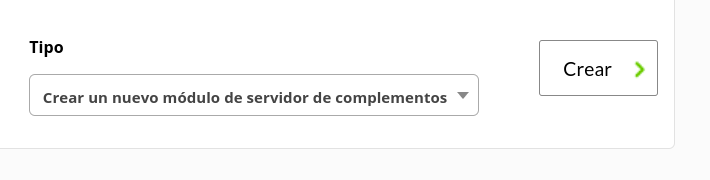
Give it a name and in the plugin section enter the one you just configured.

Afterwards click Create.

If the module shows 1, it means it is being properly run.