# Singlestore

# Introduction

**Version**. 22-02-2023

Plugin to monitor SingleStore databases and global servers.

<div id="bkmrk-type%3A-server-plugin."><div>**Type**: Server plugin.</div></div>

# Compatibility Matrix

<table border="1" id="bkmrk-sistemas-donde-se-ha"><tbody><tr><td>**Systems where it has been tested**</td><td>CentOS 7, Fedora, Rocky Linux

</td></tr><tr><td>**Systems where it should work**</td><td>Any Linux system

</td></tr></tbody></table>

# Pre-requisites

- Have Pandora FMS **Data Server** enabled.
- Have Pandora FMS **Plugin Server** enabled.

# Parameters

**Parameters**

<table border="1" id="bkmrk-%C2%A0-%C2%A0-%C2%A0-%C2%A0-%C2%A0-%C2%A0-%C2%A0-%C2%A0-%C2%A0-%C2%A0-" style="height: 319px;"><tbody><tr style="height: 29px;"><td style="height: 29px; width: 149.359px;">--database</td><td style="height: 29px; width: 538.438px;">Database name</td></tr><tr style="height: 29px;"><td style="height: 29px; width: 149.359px;">--host</td><td style="height: 29px; width: 538.438px;">Host IP</td></tr><tr style="height: 29px;"><td style="height: 29px; width: 149.359px;">--agent\_name</td><td style="height: 29px; width: 538.438px;">Agent name</td></tr><tr style="height: 29px;"><td style="height: 29px; width: 149.359px;">--agent\_alias</td><td style="height: 29px; width: 538.438px;">Agent alias</td></tr><tr style="height: 29px;"><td style="height: 29px; width: 149.359px;">--use\_alias\_as\_name</td><td style="height: 29px; width: 538.438px;">Use the agent alias as a name</td></tr><tr style="height: 29px;"><td style="height: 29px; width: 149.359px;">--module\_prefix</td><td style="height: 29px; width: 538.438px;">It is used to add a prefix to modules</td></tr><tr style="height: 29px;"><td style="height: 29px; width: 149.359px;">--port</td><td style="height: 29px; width: 538.438px;">Database port</td></tr><tr style="height: 29px;"><td style="height: 29px; width: 149.359px;">--user</td><td style="height: 29px; width: 538.438px;">Username</td></tr><tr style="height: 29px;"><td style="height: 29px; width: 149.359px;">--password</td><td style="height: 29px; width: 538.438px;">Password</td></tr><tr style="height: 29px;"><td style="height: 29px; width: 149.359px;">--database</td><td style="height: 29px; width: 538.438px;">Database name</td></tr><tr style="height: 29px;"><td style="height: 29px; width: 149.359px;">--list\_databases</td><td style="height: 29px; width: 538.438px;">To list all databases. It is enabled by using it with 1 (--list\_databases 1)</td></tr></tbody></table>

**Pandora FMS configuration parameters**

<table border="1" id="bkmrk-par%C3%A1metro-descripci%C3%B3"><tbody><tr><td>--tentacle\_port</td><td>Tentacle port. By default 41121 (optional)</td></tr><tr><td>--tentacle\_address</td><td>IP of the Tentacle server to send the data to (optional)</td></tr><tr><td>-g,--group</td><td>Pandora FMS target group (optional)</td></tr><tr><td>--data\_dir</td><td>Pandora FMS data directory. **By default** it is /var/spool/pandora/data\_in/ (optional)</td></tr><tr><td>--as\_agent\_plugin</td><td>It is optional, if you wish for the plugin to belong to an agent and add Pandora FMS agent modules, execute that with 1 (optional)</td></tr></tbody></table>

# Manual execution

<div id="bkmrk-.%2Fpandora_singlestor"><div><div><div><div><div><div><div>```
<span role="presentation">./pandora_singlestore --host <host> --user <user> --password <password> --database <database> --port <port> [ --agent_alias <agent_alias> ] [ --use_alias_as_name <use_alias_as_name> ] [ --as_agent_plugin <as_agent_plugin> ] [ --module_prefix <module_prefix> ] [ --tentacle_port <tentacle_port> ] [ --tentacle_address <tentacle_address> ] [ -g <group> ] [ --data_dir <data dir> ]</span>
```

</div></div></div></div></div></div><div></div><div><div></div></div></div><div><svg height="16" viewbox="0 0 24 24" width="16" xmlns="http://www.w3.org/2000/svg"></svg></div></div>[![image-1677062430944.png](https://pandorafms.com/guides/public/uploads/images/gallery/2023-02/scaled-1680-/image-1677062430944.png)](https://pandorafms.com/guides/public/uploads/images/gallery/2023-02/image-1677062430944.png)

Databases can be listed through --list\_databases 1:

<div id="bkmrk--0"><div><svg class="svg-icon" data-icon="link" role="presentation" viewbox="0 0 24 24" xmlns="http://www.w3.org/2000/svg"></svg></div></div>[![image-1677062480887.png](https://pandorafms.com/guides/public/uploads/images/gallery/2023-02/scaled-1680-/image-1677062480887.png)](https://pandorafms.com/guides/public/uploads/images/gallery/2023-02/image-1677062480887.png)

# Configuration in Pandora FMS

**As server plugin**

**Manual installation**

Go to Servers &gt; Plugins:

[![image-1629974405286.png](https://pandorafms.com/guides/public/uploads/images/gallery/2021-08/scaled-1680-/image-1629974405286.png)](https://pandorafms.com/guides/public/uploads/images/gallery/2021-08/image-1629974405286.png)

Click add:

[![image-1629974430627.png](https://pandorafms.com/guides/public/uploads/images/gallery/2021-08/scaled-1680-/image-1629974430627.png)](https://pandorafms.com/guides/public/uploads/images/gallery/2021-08/image-1629974430627.png)

Enter the name and description of your choosing.

Enter as command the execution with the plugin's path:

<div id="bkmrk-1-%2Fpath-pandora_sing"><div><textarea readonly="readonly" spellcheck="false" tabindex="0"></textarea></div><div><div><div><div><div><div>```
```

</div><div></div><div></div><div><div></div></div><div><div><div><div>1</div></div>```
<span role="presentation">/path pandora_singlestore.py</span>
```

</div></div></div></div></div></div><div></div><div><div></div></div></div><div><svg height="16" viewbox="0 0 24 24" width="16" xmlns="http://www.w3.org/2000/svg"></svg></div></div><p class="callout info align-center">Remember that the recommended path for server plugin use is: /usr/share/pandora\_server/util/plugin/</p>

And in plugin parameters enter those followed up by the macro "\_field\_ &lt;N&gt;\_", connection parameters are mandatory, --host, --user, --password and --database.

<p class="callout warning">Remember you may add a custom prefix to the database agent with the parameter --agent\_name, if not used, it will be SingleStore by default. the database agent will keep the following name: &lt;prefix used with --agent\_name. database name&gt;, the agent for the global server will stay as &lt;prefix used with --agent\_name. Global\_server&gt;.</p>

Once done, click "Create".

Once finished you just need to call it, so go to any agent view and create a plugin module:

[![image-1646741530197.png](https://pandorafms.com/guides/public/uploads/images/gallery/2022-03/scaled-1680-/image-1646741530197.png)](https://pandorafms.com/guides/public/uploads/images/gallery/2022-03/image-1646741530197.png)
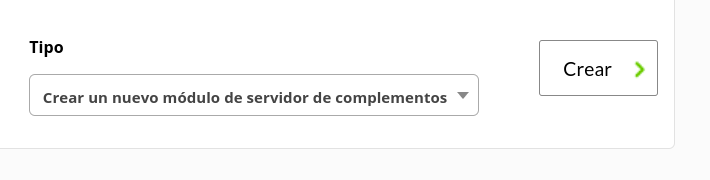
Give it a name and in the plugin section enter the one you just configured.

Afterwards click Create.

If the module shows 1, it means it is being properly run.

# Modules generated by the plugin

The plugin will create two agents, one with data from the database with the following modules:

<table border="1" id="bkmrk-.database_conexion-."><tbody><tr><td>.database\_conexion</td></tr><tr><td>.database\_online</td></tr><tr><td>.commit\_count</td></tr><tr><td>.provision\_file</td></tr><tr><td>.oldest\_living\_snapshot</td></tr><tr><td>.newest\_snapshot</td></tr></tbody></table>

An an agent with the global server data with the following modules:

<table border="1" id="bkmrk-aborted_clients-abor"><tbody><tr><td><div><div>Aborted_connects</div></div></td></tr><tr><td><div><div>Bytes_received</div></div></td></tr><tr><td><div><div>Bytes_sent</div></div></td></tr><tr><td><div><div>Connections</div></div></td></tr><tr><td><div><div>Max_used_connections</div></div></td></tr><tr><td><div><div>Queries</div></div></td></tr><tr><td><div><div>Questions</div></div></td></tr><tr><td><div><div>Threads_cached</div></div></td></tr><tr><td><div><div>Threads_connected</div></div></td></tr><tr><td><div><div>Threads_created</div></div></td></tr><tr><td><div><div>Threads_running</div></div></td></tr><tr><td><div><div>Uptime</div></div></td></tr><tr><td><div><div>Total_server_memory</div></div></td></tr><tr><td><div><div>Total_io_pool_memory</div></div></td></tr><tr><td><div><div>Free_io_pool_memory</div></div></td></tr><tr><td><div><div>Alloc_thread_stacks</div></div></td></tr><tr><td><div><div>Malloc_active_memory</div></div></td></tr><tr><td><div><div>Alloc_variable_cached_buffers</div></div></td></tr><tr><td><div><div>Average_garbage_collection_duration</div></div></td></tr><tr><td><div><div>Inflight_async_compilations</div></div></td></tr><tr><td><div><div>License_capacity</div></div></td></tr><tr><td><div><div>Maximum_cluster_capacity</div></div></td></tr><tr><td><div><div>Query_compilation_failures</div></div></td></tr><tr><td><div><div>Query_compilations</div></div></td></tr><tr><td><div><div>Seconds_until_expiration</div></div></td></tr><tr><td><div><div>Ssl_accept_renegotiates</div></div></td></tr><tr><td><div><div>Ssl_accepts</div></div></td></tr><tr><td><div><div><div><div>Ssl_finished_accepts</div></div></div></div></td></tr><tr><td><div><div><div><div>Ssl_finished_connects</div></div></div></div></td></tr><tr><td><div><div><div><div>Used_cluster_capacity</div></div></div></div></td></tr><tr><td><div><div><div><div>Used_instance_license_units</div></div></div></div></td></tr><tr><td><div><div>Ssl_client_connects</div></div></td></tr><tr><td><div><div>Ssl_connect_renegotiates</div></div></td></tr></tbody></table>