You can also use the command `ip address show` .
[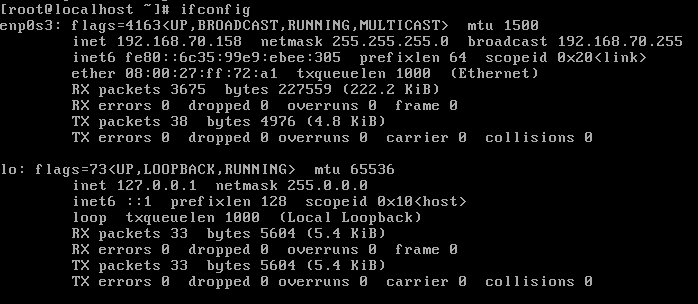](https://pandorafms.com/guides/public/uploads/images/gallery/2023-08/f-step-2.png) In the case of this screenshot, the IP address of the system is `192.168.70.158`. Once you know the IP address of the Pandora FMS system, you can access it from outside the virtual machine, which is always the most convenient. It can be done via SSH or via HTTP. Use the root password (superuser) that you established in the installation configuration (**DBROOTPASS**). Open a web browser (Google Chrome® and Mozilla Firefox® are recommended) and type the following address in the address bar, consisting of the IP address (`x.x.x.x`) you obtained from the server: ```file http://x.x.x.x/pandora_console ``` In the above example it would be ```file http://192.168.70.158/pandora_console ``` If everything is correct, you will access to the Pandora FMS Console welcome screen, similar to this one: [](https://dokuwiki.pandorafms.com/manual/!development/_detail/wiki/wiki/pandora_login.png?id=es%3Aquickguides%3Ageneral_quick_guide_cloud "wiki:wiki:pandora_login.png")[](https://pandorafms.com/guides/public/uploads/images/gallery/2023-08/pandora-login.png)Use the default credentials: user `admin` and password `pandora`/`Pandor4!` .
Once you have reached this point, you have a complete Pandora FMS installation ready to start using it.