Plugin Docker
Docker statistics monitoring plugin
- Introduction
- Compatibility matrix
- Prerequisites
- Configuration
- Manual execution
- Scheduled execution
- Modules generated by the plugin
Introduction
Ver. 230821
This agent plugin is used to monitor the statistics of a Docker environment.
Type: mixed plugin
Compatibility matrix
This plugin has been developed using Docker version 18.03.1-ce, build 9ee9f40.
Prerequisites
- Requires to be launched from a machine with docker installed.
- It can be launched from remote machines using docker_machine.
Configuration
General plugin settings
## Launch a pre-command before invoke docker commands
docker = Docker
## Module interval
module_interval = 1
## Module_tags = docker,stats
module_group = Docker
## Execution mode
## global: Will generate modules that summarize the performance of all Docker containers as a whole.
## container: It will generate individual modules for each running container (CPU, Memory, Net In/Out, Block In/Out per container).
mode = global
docker
Location of the complete docker binary, if it exists in the system PATH you can leave the default value ‘docker’.
module_interval
Is a multiplicative factor of the agent interval value. It defines the interval of module execution. It will prevent the modules from going unknown if we have to the plugin execution interval is greater than the agent one.
module_group
Defines the module group in which the modules generated by the plugin will be classified. It should be previously defined in Pandora FMS.
mode
It will generate modules that summarize the performance of all the Docker containers as a whole and container It will generate individual modules for each container in execution (CPU, Memory, Net In/Out, Block In/Out by container).
Manual execution
To run the plug-in, configure the configuration file according to the instructions above preceding.
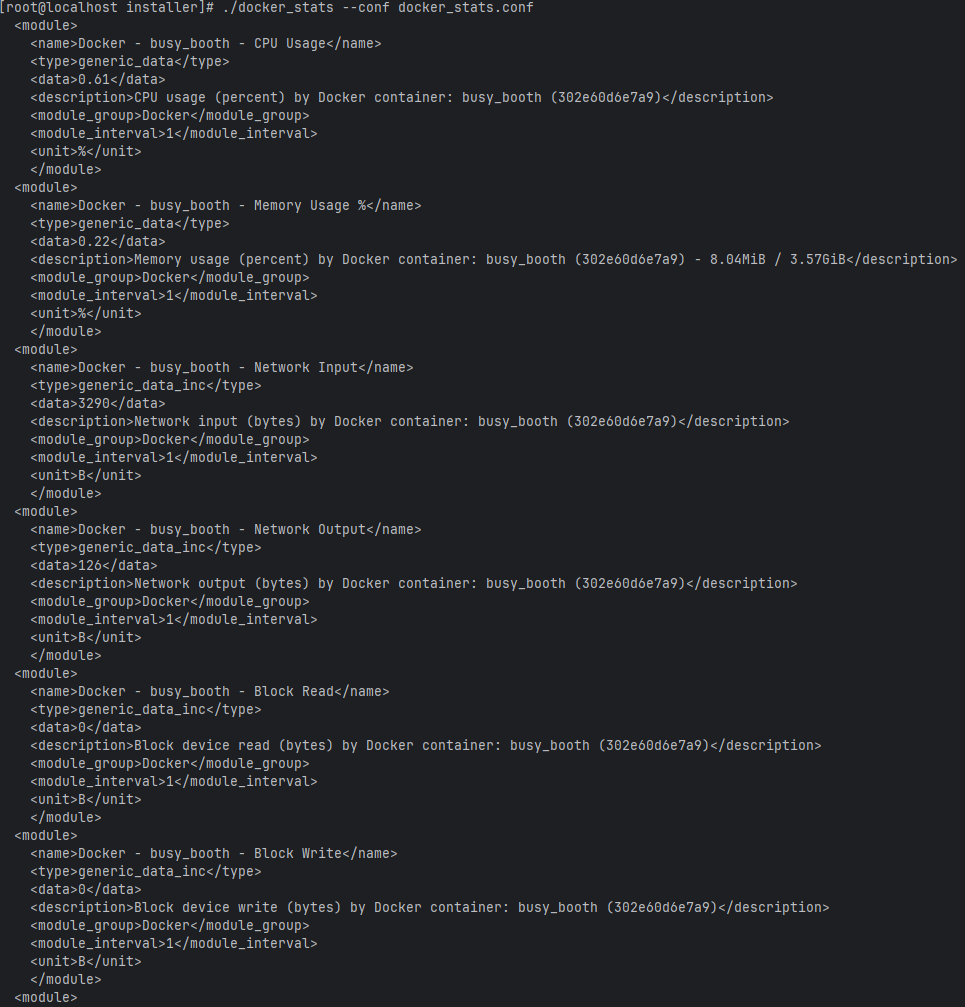
./docker_stats --conf docker_stats.confWhen executed as an agent plugin, it will return an XML:
Scheduled execution
It can be executed as module_plugin in an agent, or from the system cron.
Modules generated by the plugin
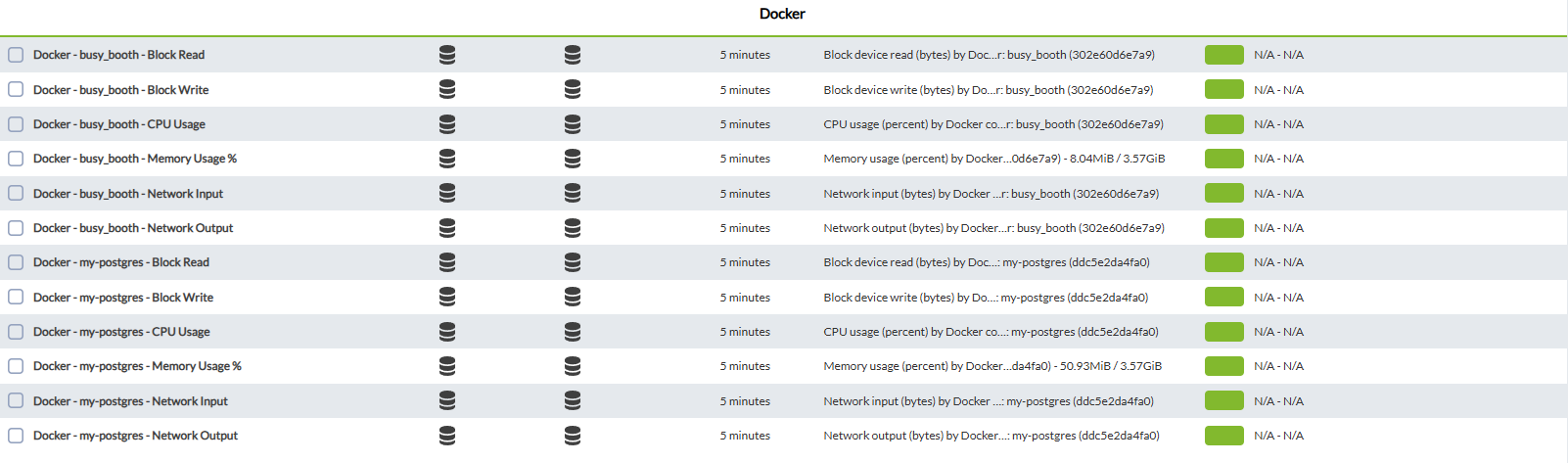
Having 2 modes, the default global mode will combine the information of all active containers, while in the container mode, it separates in different modules the information of each container.
We have to add in the plugin by clicking on the plugin tab

Then we add the new plugin and click on add

To finish, click on the update plugin button

This will successfully add the plugin.
Another way to add it is to go to the remote configuration tab

and add the plugin with the name module_plugin plus the location of the binary plus the conf file
Example
module_plugin /usr/share/pandora_agent/plugins/docker_stats --conf /usr/share/pandora_agent/plugins/docker_stats.conf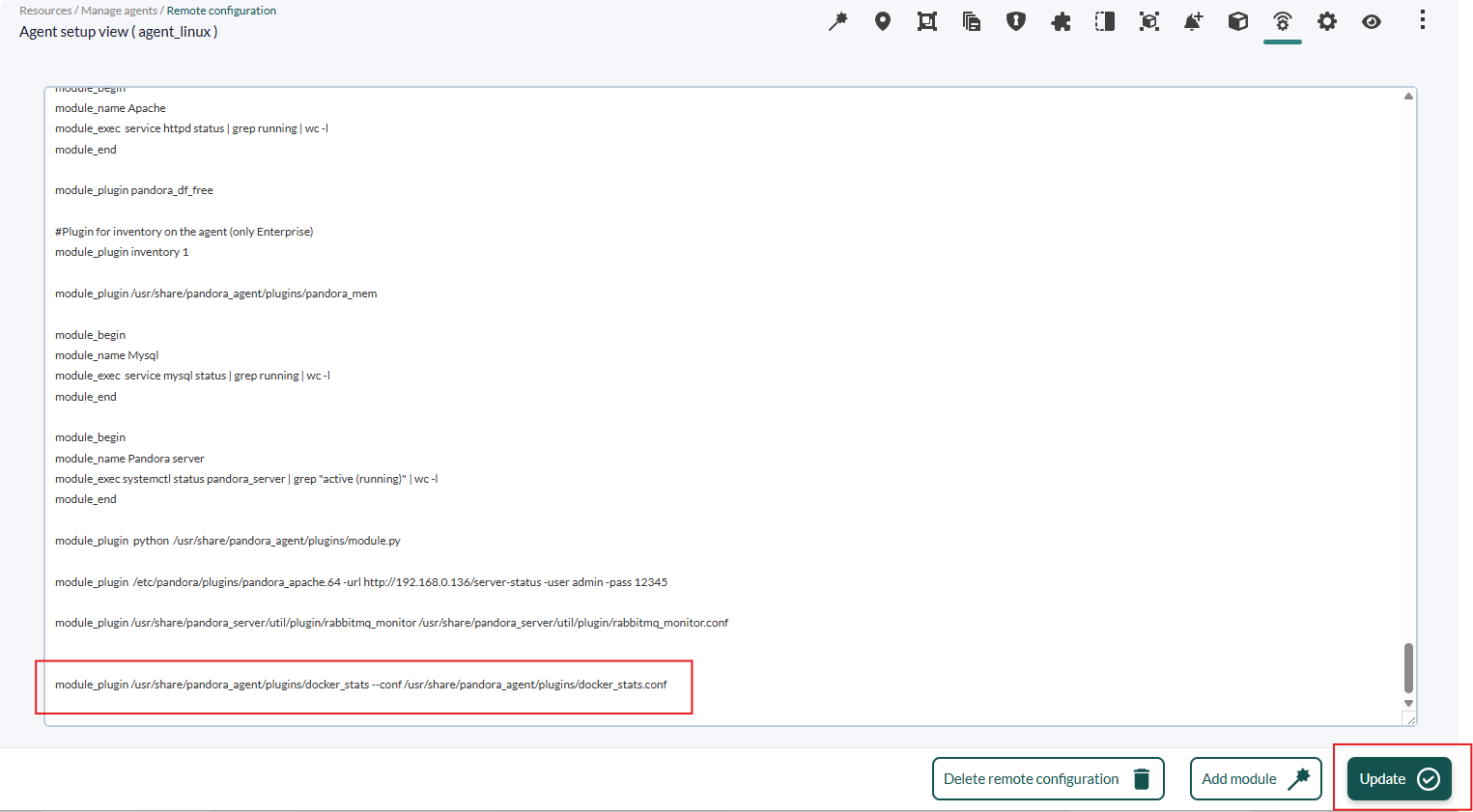
Finally, click on the update button to register the change.
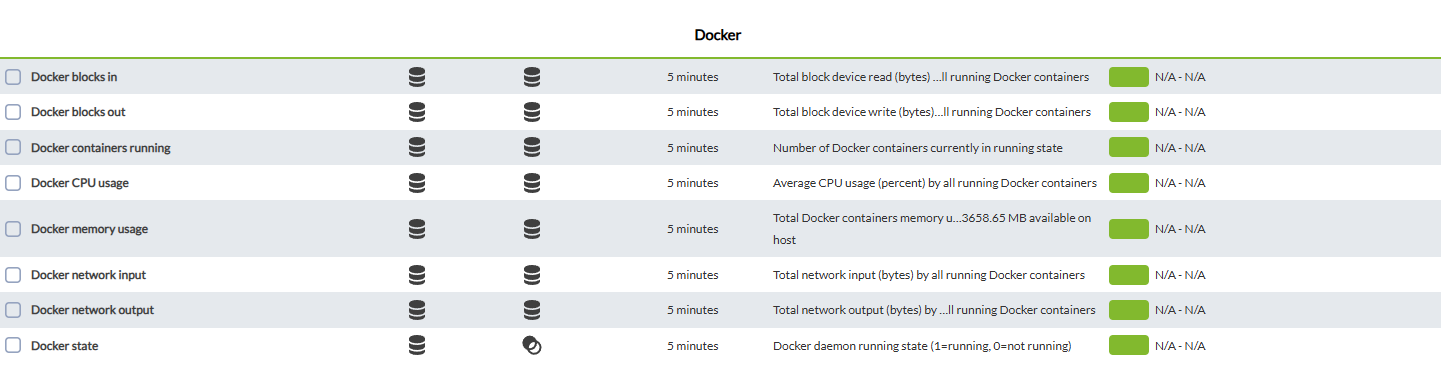
Modules generated by Global mode
| Docker blocks in | Docker writing blocks |
| Docker blocks in | Docker writing blocks Incremental |
| Docker blocks out | Docker reading blocks |
| Docker blocks out | Docker reading blocks Incremental |
| Docker cpu usage | Docker CPU usage |
| Docker memory usage | Docker RAM usage |
| Docker network input | Docker input traffic |
| Docker network input Incremental | Docker input traffic Incremental |
| Docker network output | Docker output traffic |
| Docker network output | Docker output traffic Incremental |
| Docker State | 1 if the docker is active 0 if it is not active |
| Docker Container running | Number of active containers |
Modules generated by container mode