# Manual execution
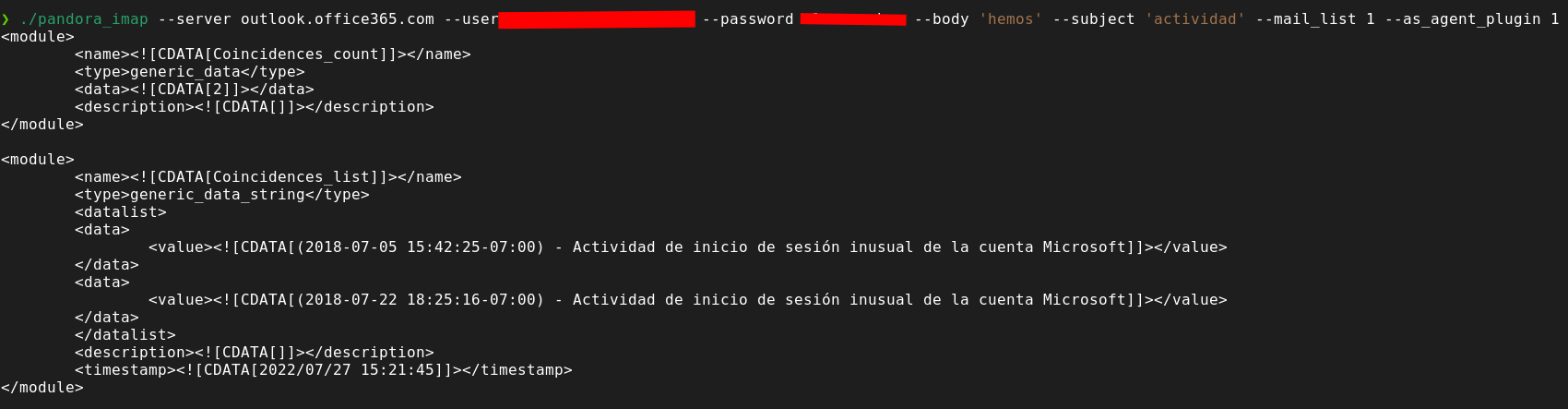
The plugin creates an agent with two modules for each execution, one with the number of emails that match the filtering and another with the list of these emails. The filtering parameters are the following:
`--subject`
`--body`
`--from_mail`
`--date`
You can filter by any of these or you can combine them as follows:
subject + body
subject + body + from\_mail
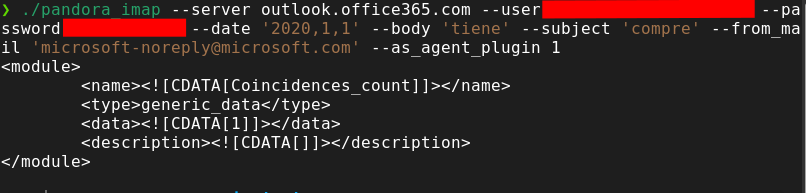
subject + body + from\_mail + date
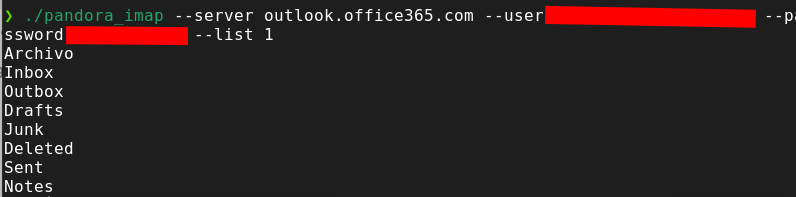
You can select mails from any mailbox (inbox by default), to see a list of the mailboxes of the mail you can use the parameter
`--list 1`
The user and password will only need to be entered the first time, in a manual execution, then a file will be created that will store the encrypted credentials and the plugin will read them from this file.
``
```
python3 pandora_imap.py --server --user --password --list 1
```
[](https://pandorafms.com/guides/public/uploads/images/gallery/2022-07/image-1658928329496.png)
```
python3 pandora_imap.py --server --user --password --subject --body --as_agent_plugin 1
```
**Manual execution example**
[](https://pandorafms.com/guides/public/uploads/images/gallery/2022-07/image-1658928348665.png)
**Example help menu** [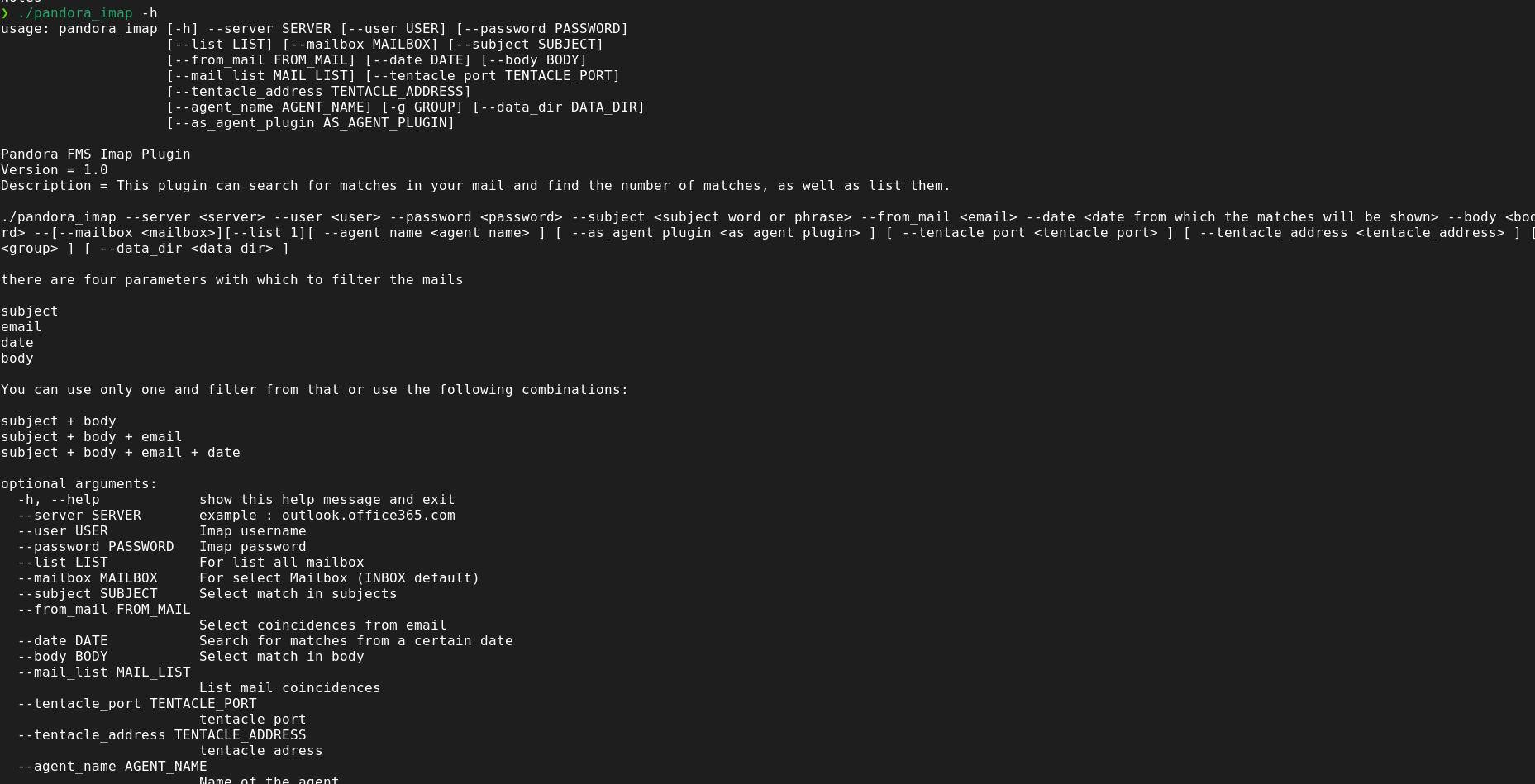](https://pandorafms.com/guides/public/uploads/images/gallery/2022-07/image-1658928383815.png)
**Example with all filters**
[](https://pandorafms.com/guides/public/uploads/images/gallery/2022-07/image-1658928418619.png)