# Discovery
This plugin can be integrated with Pandora FMS Discovery.
To do so, you must load the ".disco" package that you can download from the Pandora FMS library:
[https://pandorafms.com/library/](https://pandorafms.com/library/)
[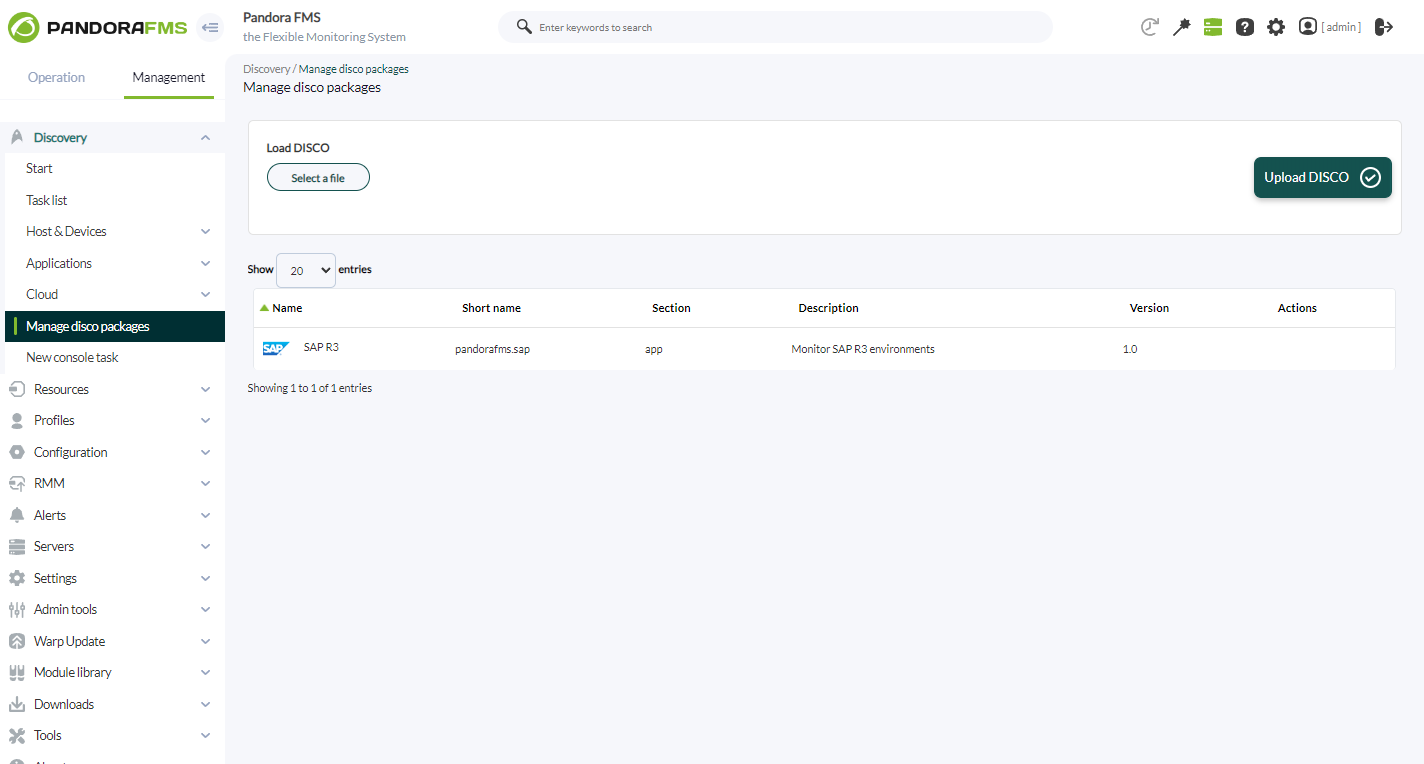](https://pandorafms.com/guides/public/uploads/images/gallery/2024-10/xsrsap1.png)
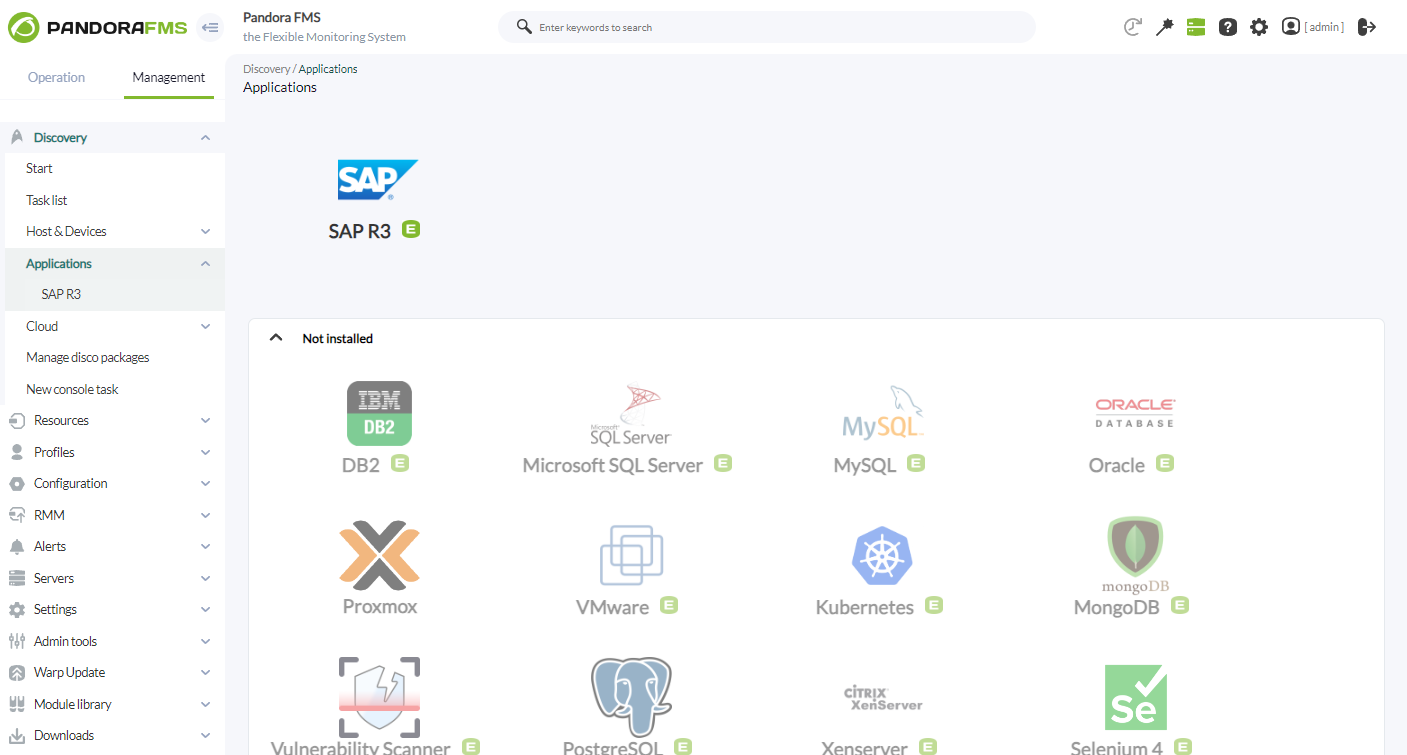
Once loaded, SAP environments can be monitored by creating Discovery tasks from the Management > Discovery > Applications section.
[](https://pandorafms.com/guides/public/uploads/images/gallery/2024-10/ZgXsap2.png)
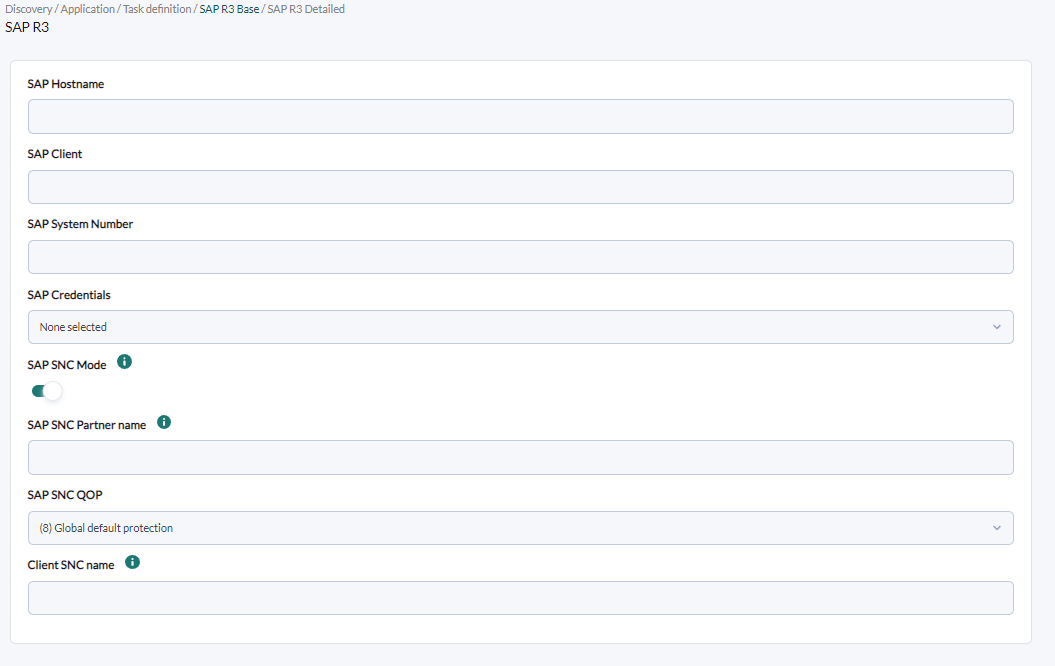
The following minimum data will be requested for each task:
- **SAP Hostname**:IP or FQDN of the SAP environment to monitor.
- **SAP Client**: SAP client/commander to monitor.
- **SAP System Number**: Number of the SAP system to monitor.
- **SAP Credentials**: SAP credentials to connect to the environment to monitor. These credentials will be created in the Pandora FMS console credentials store.
- **SAP SNC Mode**: Enables connection via SNC.
- **SAP SNC Partner name**: A valid SAP server SNC name, which is equal to Distinguished Name(DN) of SAP server PSE.
- **SAP SNC QOP**: It is a parameter that defines the level of security applied in communication between SAP systems using Secure Network Communications (SNC).
- **Client SNC name**: A valid client SNC name, which is equal to Distinguished Name(DN) of client PSE.
[](https://pandorafms.com/guides/public/uploads/images/gallery/2024-10/yoYsap3.png)
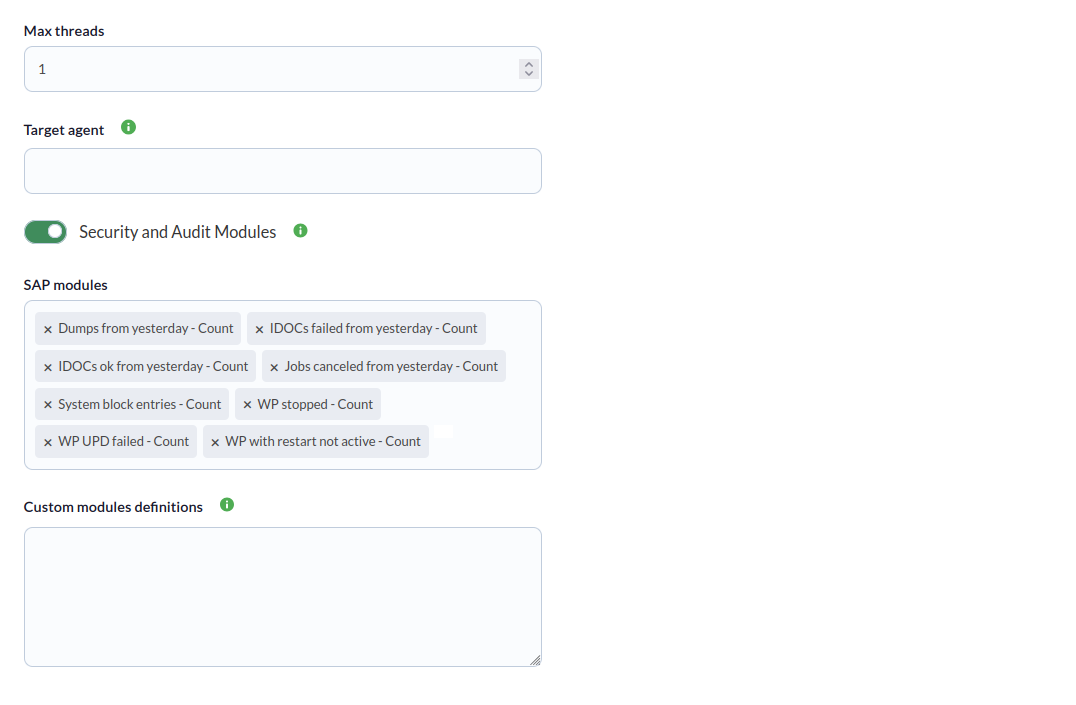
You can also adjust the task configuration to customize the desired monitoring:
- **Max threads**: to optimize execution time, multiple threads may be configured to monitor the task modules. Keep in mind that configuring multiple threads may increase the task CPU usage.
- **Target agent:** Name of the target agent in which the indicated modules will be created. If no agent name is specified, the SAP Hostname will be used instead.
- **Security and Audit Modules: **This token enables monitoring of the security and authoring modules. The modules included in this set are listed in the "Plugin modules" section of this manual.
- **SAP modules**: From a list of predefined modules, the elements to be monitored in the SAP environment can be selected.
- **Custom modules definitions**: Custom modules definition block. Each line of the block will be a module to monitor, indicating for each case name, data type and SAP plugin parameters to obtain the data. Each line must have the format:
`;;`
Example:
`SAP info;generic_data_string;-m 120`
[](https://pandorafms.com/guides/public/uploads/images/gallery/2026-03/Cvscaptura-desde-2026-03-26-17-05-05.png)
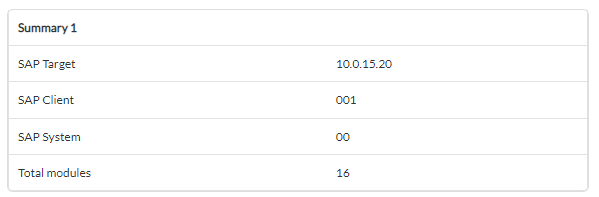
Tasks that are successfully completed will have an execution summary with the following information:
- **SAP Target**: Monitored SAP target environment.
- **SAP Client**: Monitored SAP client/commander.
- **SAP System**: Number of monitored SAP system.
- **Total modules**: Total modules generated for the target SAP environment.
[](https://pandorafms.com/guides/public/uploads/images/gallery/2024-10/1Rcsap5.png)
Tasks that are not completed successfully will have an execution summary recording the errors that occurred.