**NOTE: This guide is under construction.**
[](https://pandorafms.com/guides/public/uploads/images/gallery/2020-12/telegramlogo.png) # Introduction Telegram bots CLI connector for use in Pandora FMS alerts. # Compatibility matrix - Python3 for source code - Linux x64 for compiled # Requirements The requirements are as follows: - A Telegram account to create the bot - Add the bot to the notification group - Get the group id - (only for source code) Have python3 installed on the Pandora server with the module: request.< /li> # Configuration ## Creation of the BOT in Telegram From a Telegram account you must write* /start* to the user **BotFather** ([https://telegram.me/botfather](https://telegram.me/botfather)) to create a bot. It will return us a series of parameters and instructions that we can make for the creation and manipulation of bots. [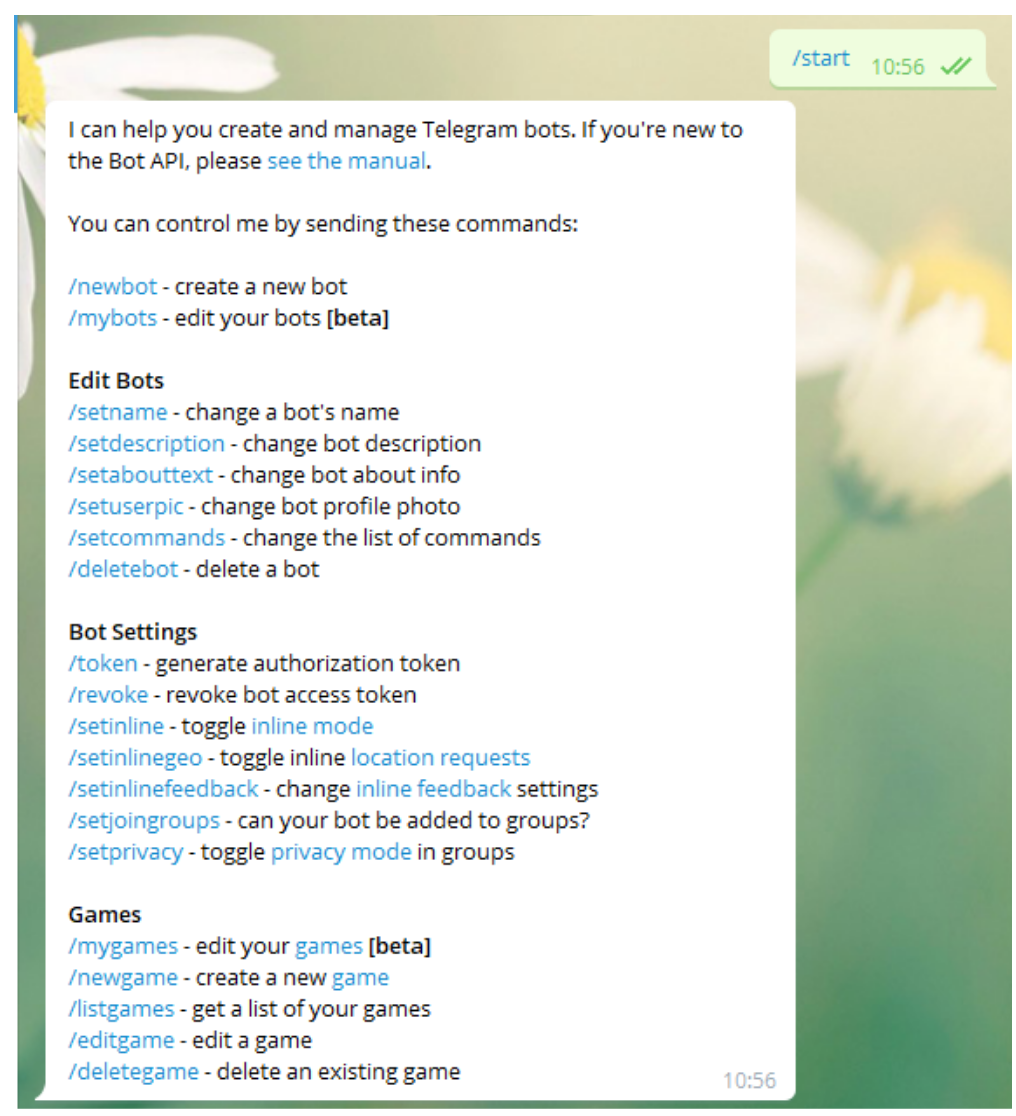](https://pandorafms.com/guides/public/uploads/images/gallery/2020-12/image-1608158507569.png) We will use the option ***/newbot*** with which we will create a new bot.[ ](https://pandorafms.com/guides/public/uploads/images/gallery/2020-12/image-1608158507569.png)It will ask us the name we want to give our bot, in my case I have selected ***Pandora\_FMS\_Test\_bot*** you can put the one you prefer. Now it will ask us for a user ID for the bot, this has to end in \_bot, in this case I will use the same. ***Pandora\_FMS\_Test\_bot*** Now it will return us The information about our bot and some instructions for its administration, we will copy and save the API token with which we will authenticate ourselves as that bot [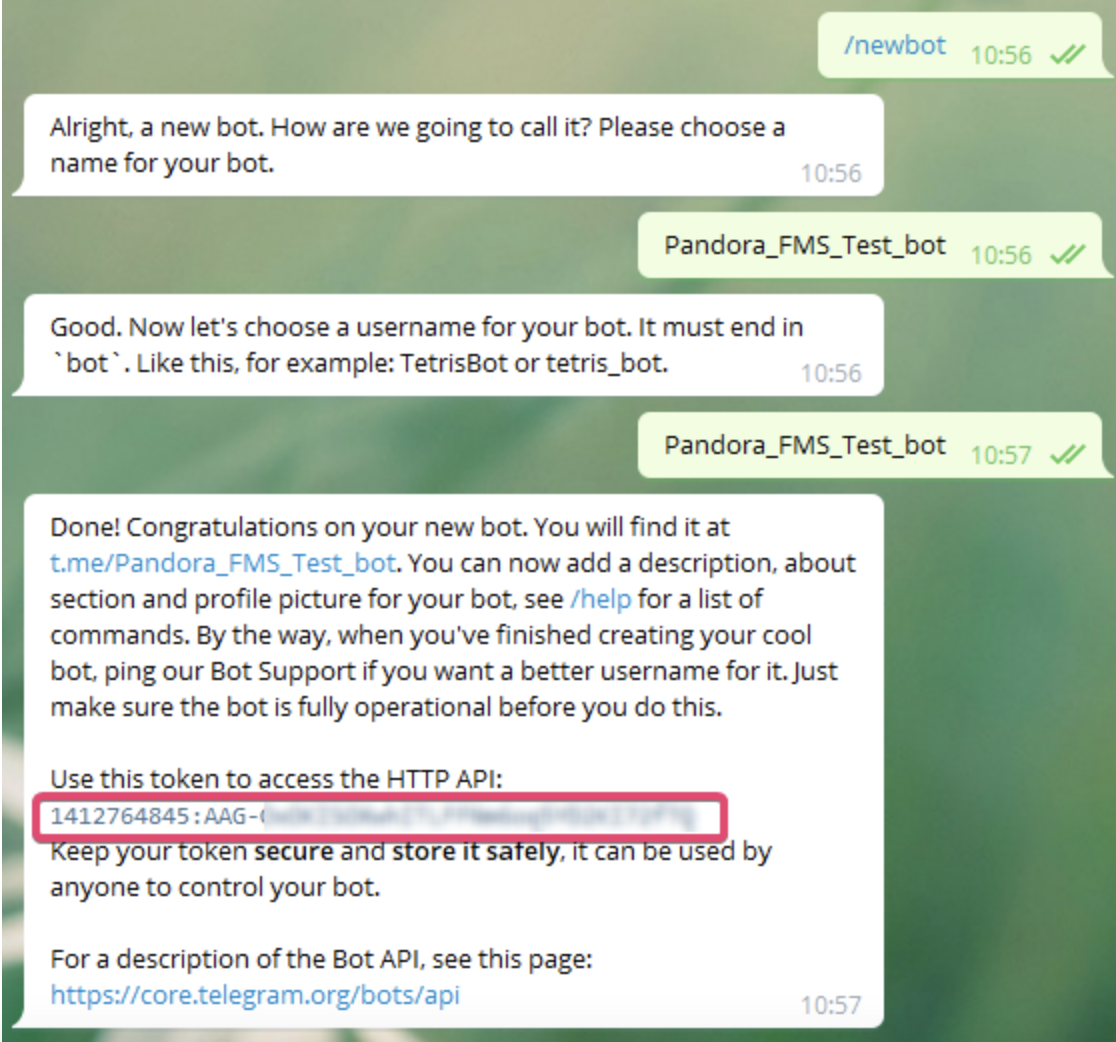](https://pandorafms.com/guides/public/uploads/images/gallery/2021-01/pandorafms-ntelegram01.png) # Create a group and add the bot To create a group from Telegram simply click on create group and select the users that will be in that group is important that one of those users is our bot to be able to send messages to that specific group also we can simply add the bot to an existing group. [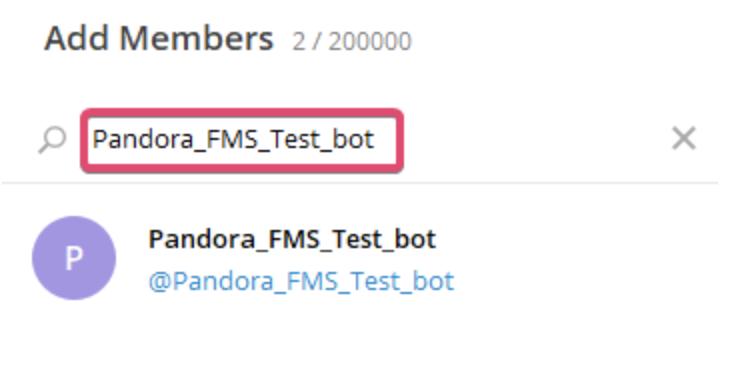](https://pandorafms.com/guides/public/uploads/images/gallery/2021-01/pandorantelegram02.png) # Get the group id to send messages from the CLI Now we need to obtain the id of the group in which we have added our bot, there are different ways to do it, but the simplest is to add another bot that extracts that information very easily **GetIDs Bot** ([https://t.me/getidsbot](https://pandorafms.com/guides/public/https:%20/t.me/%20getidsbot)). We add it to the group that we want to know the id of and it will give us a series of instructions for its use. But just adding it will give us more. The information we need is the group id. [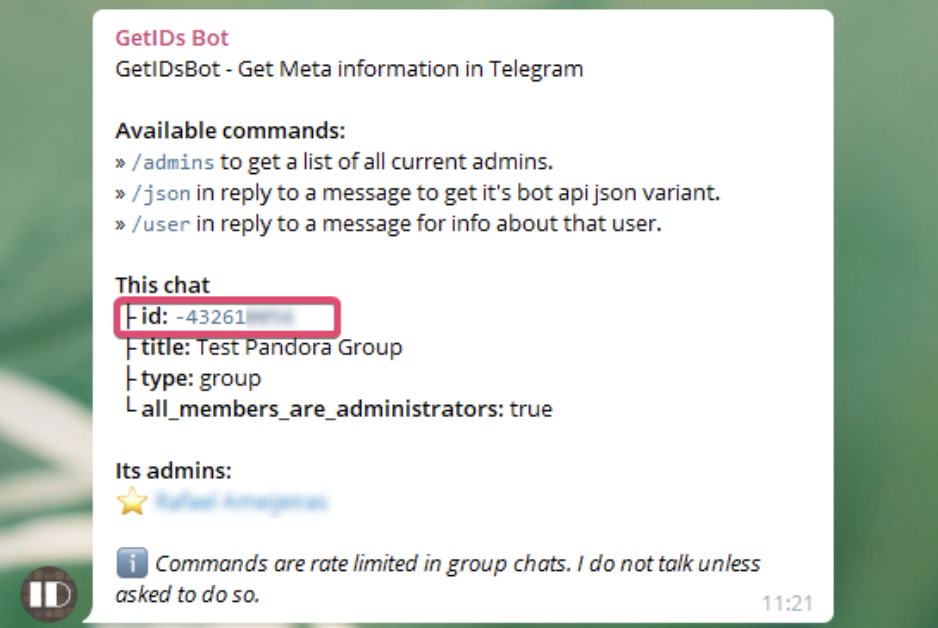](https://pandorafms.com/guides/public/uploads/images/gallery/2021-01/pandorafms-ntelegram03.png) Once we have the group id, we copy and save it, we can eliminate this bot from the group if we want, it has already fulfilled the objective of giving us the id.