# Configuration
## Création du BOT dans Telegram
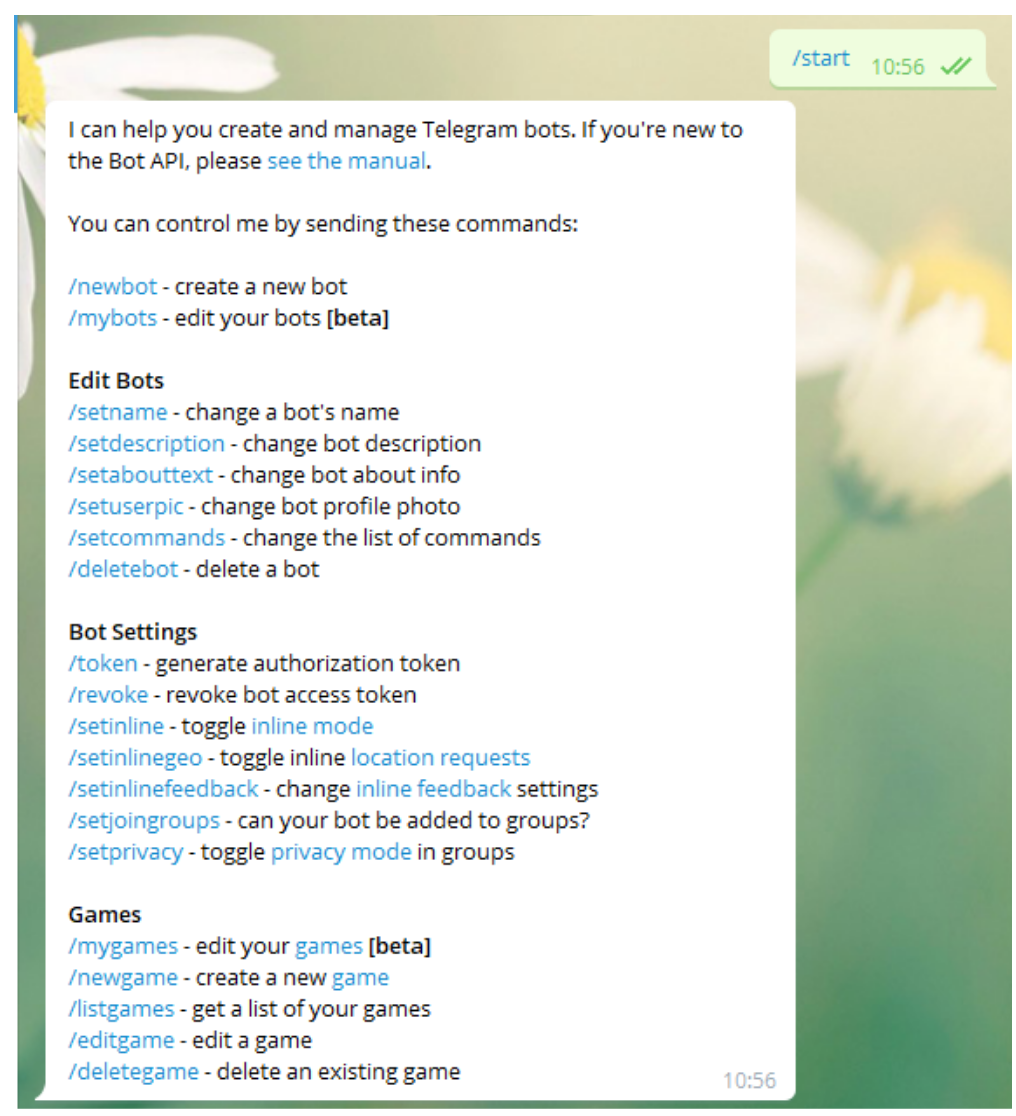
Depuis un compte Telegram, vous devez écrire* /start* à l'utilisateur **BotFather** ([https://telegram.me/botfather](https://telegram.me/botfather)) pour créer un bot.
Cela nous rendra une série de paramètres et d'instructions que nous pouvons créer pour la création et la manipulation de robots.
[](https://pandorafms.com/guides/public/uploads/images/gallery/2020-12/image-1608158507569.png)
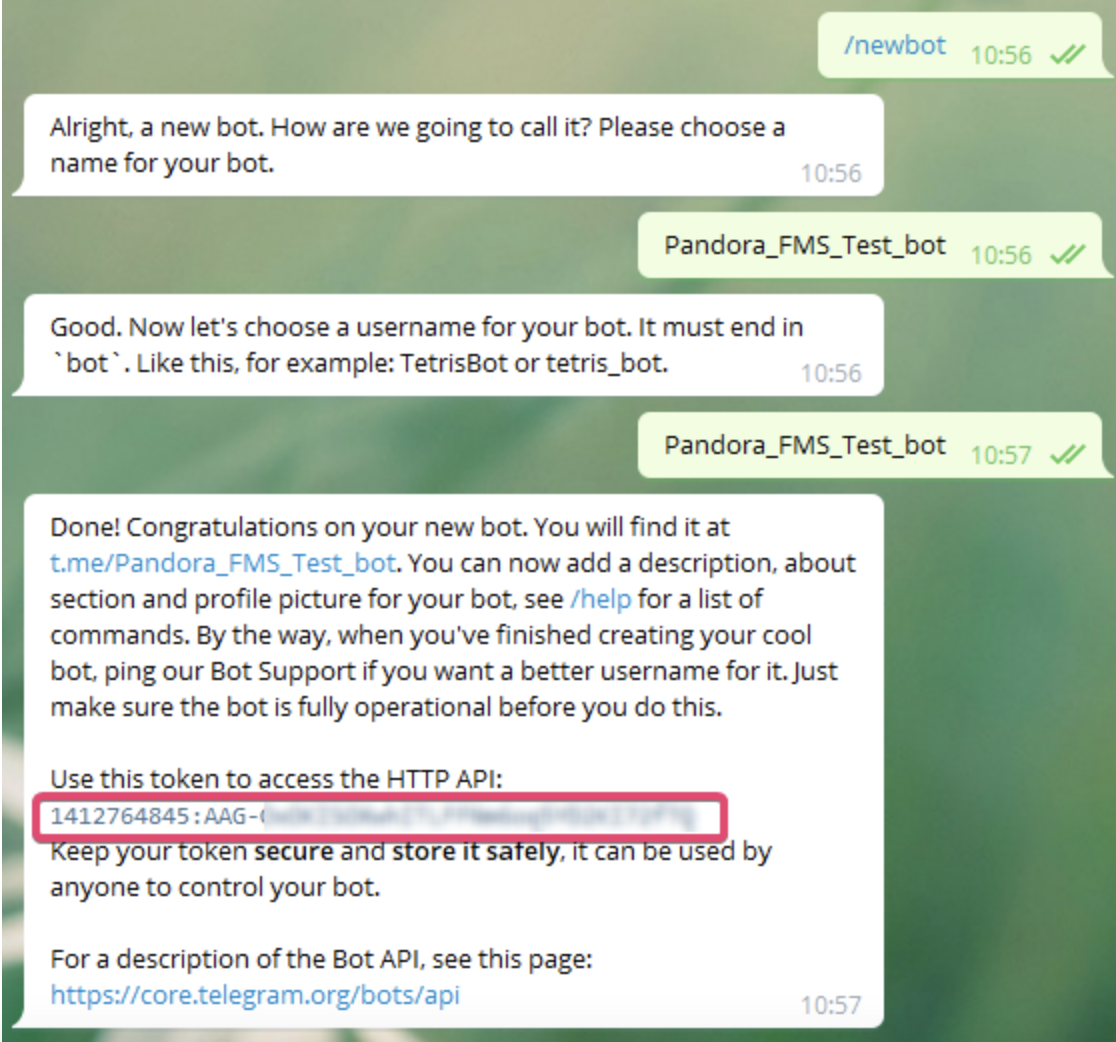
Nous utiliserons l'option ***/newbot*** avec lequel nous allons créer un nouveau bot.[ ](https://pandorafms.com/guides/public/uploads/images/gallery/2020-12/image-1608158507569.png)Il nous demandera le nom que nous voulons donner à notre bot, dans mon cas j'ai sélectionné ***Pandora\_FMS\_Test\_bot*** vous pouvez mettre celui que vous préférez.
Maintenant, il nous demandera un identifiant utilisateur pour le bot, cela doit se terminer par \_bot, dans ce cas j'utiliserai la même chose. ***Pandora\_FMS\_Test\_bot***
Maintenant, cela nous rendra Les informations sur notre bot et quelques instructions pour son administration, nous copierons et enregistrerons le jeton API avec lequel nous nous authentifierons en tant que bot
[](https://pandorafms.com/guides/public/uploads/images/gallery/2021-01/pandorafms-ntelegram01.png)