# Configuración
## Creación del BOT en Telegram
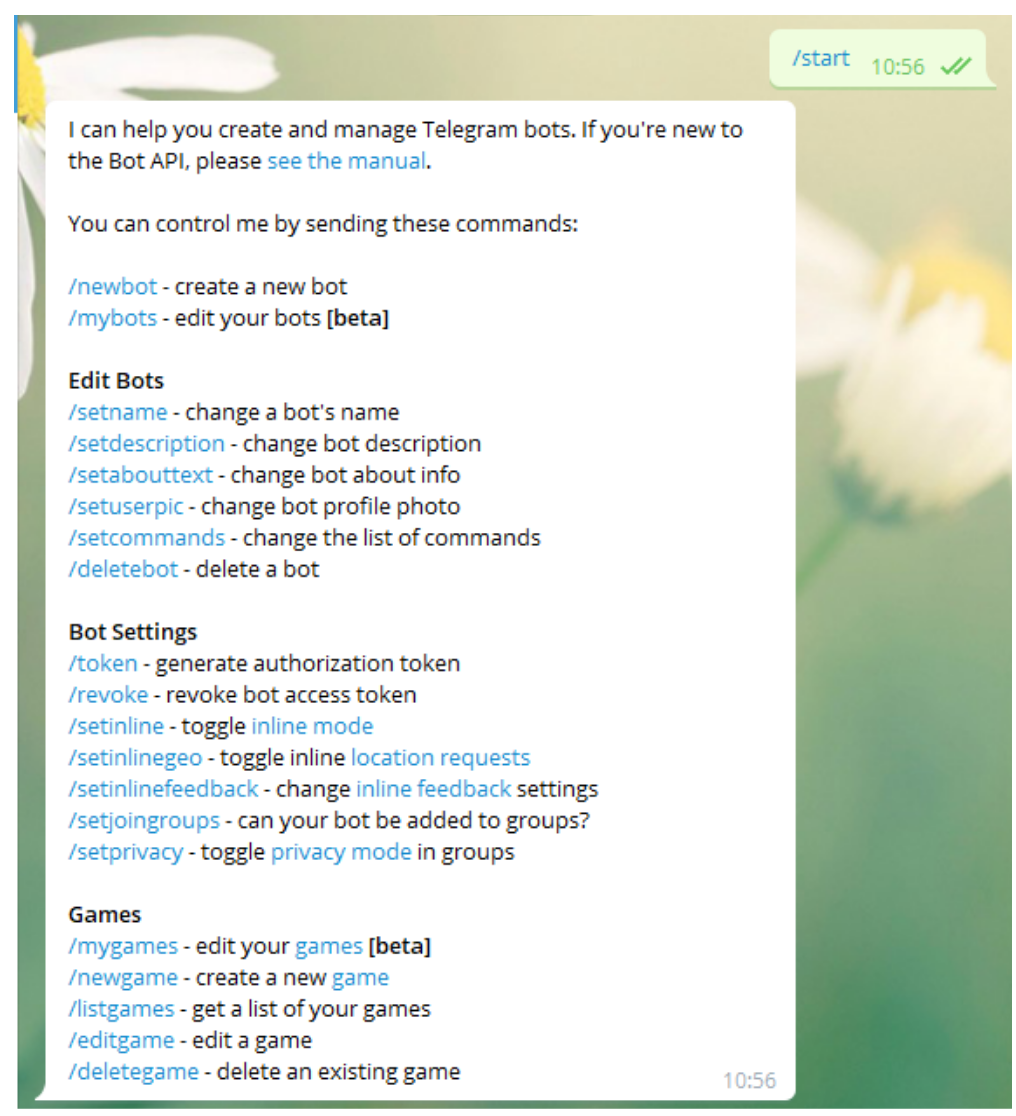
Desde una cuenta de Telegram se debe escribir* /start* al usuario **BotFather** ([https://telegram.me/botfather](https://telegram.me/botfather)) para crear un bot.
Nos devolverá una serie de parámetros e instrucciones que podemos hacer para la creación y manipulación de bots.
[](https://pandorafms.com/guides/public/uploads/images/gallery/2020-12/image-1608158507569.png)
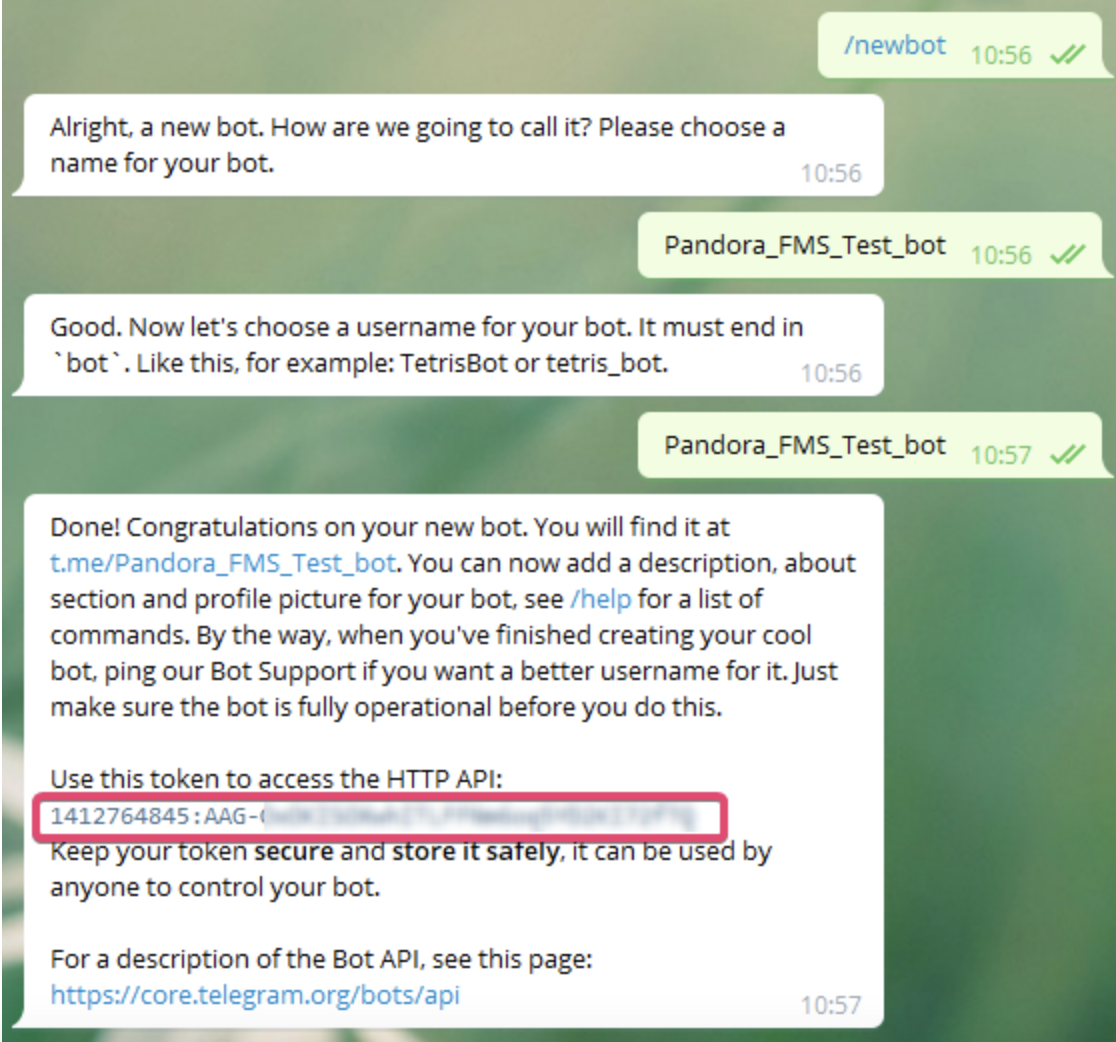
Nosotros utilizaremos la opción ***/newbot*** con la que crearemos un nuevo bot.[ ](https://pandorafms.com/guides/public/uploads/images/gallery/2020-12/image-1608158507569.png)Nos preguntará el nombre que queramos poner a nuestro bot, en mi caso he seleccionado ***Pandora\_FMS\_Test\_bot*** tu puedes poner el que prefieras.
Ahora nos pedira un id de usuario para el bot este tiene que terminar en \_bot en este caso utilizaré el mismo. ***Pandora\_FMS\_Test\_bot***
Ahora nos devolverá la información de nuestro bot y algunas instrucciones para su administración, nosotros copiaremos y guardaremos el API token que es con el que nos autenticaremos como ese bot
[](https://pandorafms.com/guides/public/uploads/images/gallery/2021-01/pandorafms-ntelegram01.png)
[< ANTERIOR](https://pandorafms.com/guides/public/books/notificaciones-en-pandorafms-19c/page/telegram) [SIGUIENTE >](https://pandorafms.com/guides/public/books/notificaciones-en-pandorafms-19c/page/crear-un-grupo-y-anadir-el-bot)