MS Teams Configuration: Creating an Authorization URL
Microsoft Teams has replaced the classic "Incoming Webhooks" with Workflows (based on Power Automate). Follow these steps to get your URL directly from a channel:
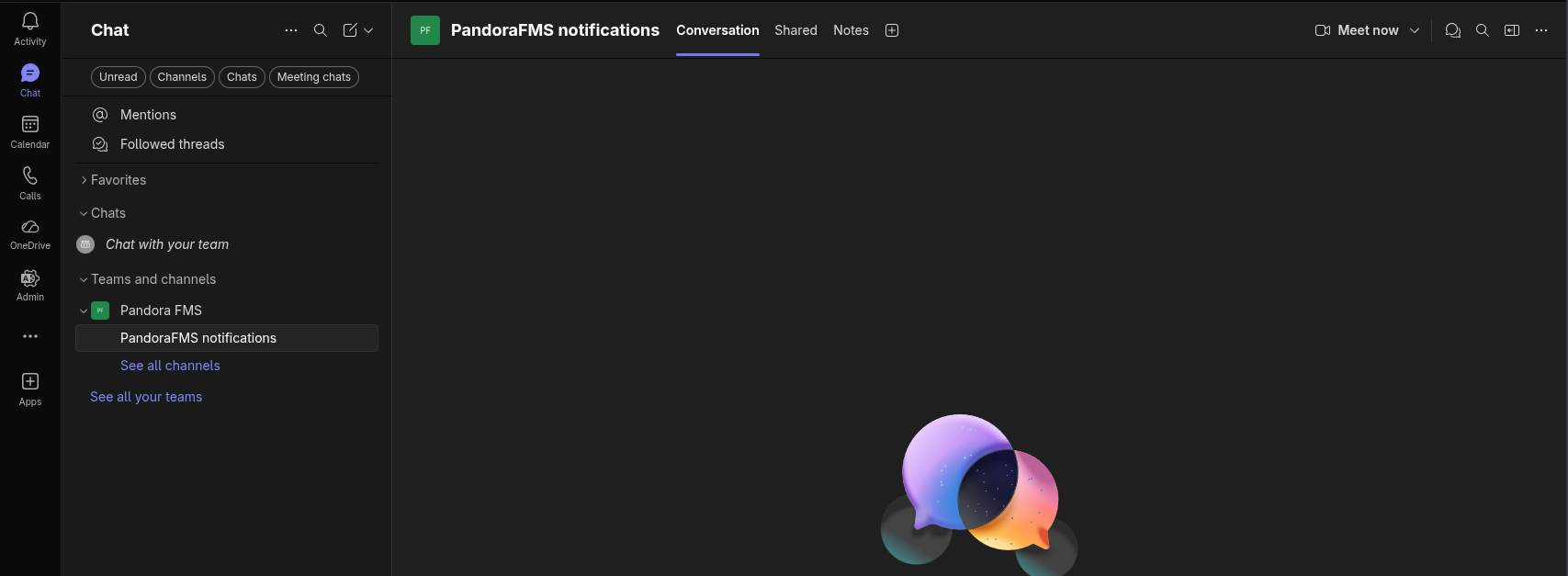
- Select the Channel: Go to the specific team and channel where you want to receive Pandora FMS notifications.

- Access Workflows:
- Haz clic en los tres puntos (
...) junto al nombre del canal. - Selecciona la opción Workflows
- Haz clic en los tres puntos (
- Create a New Workflow:
-
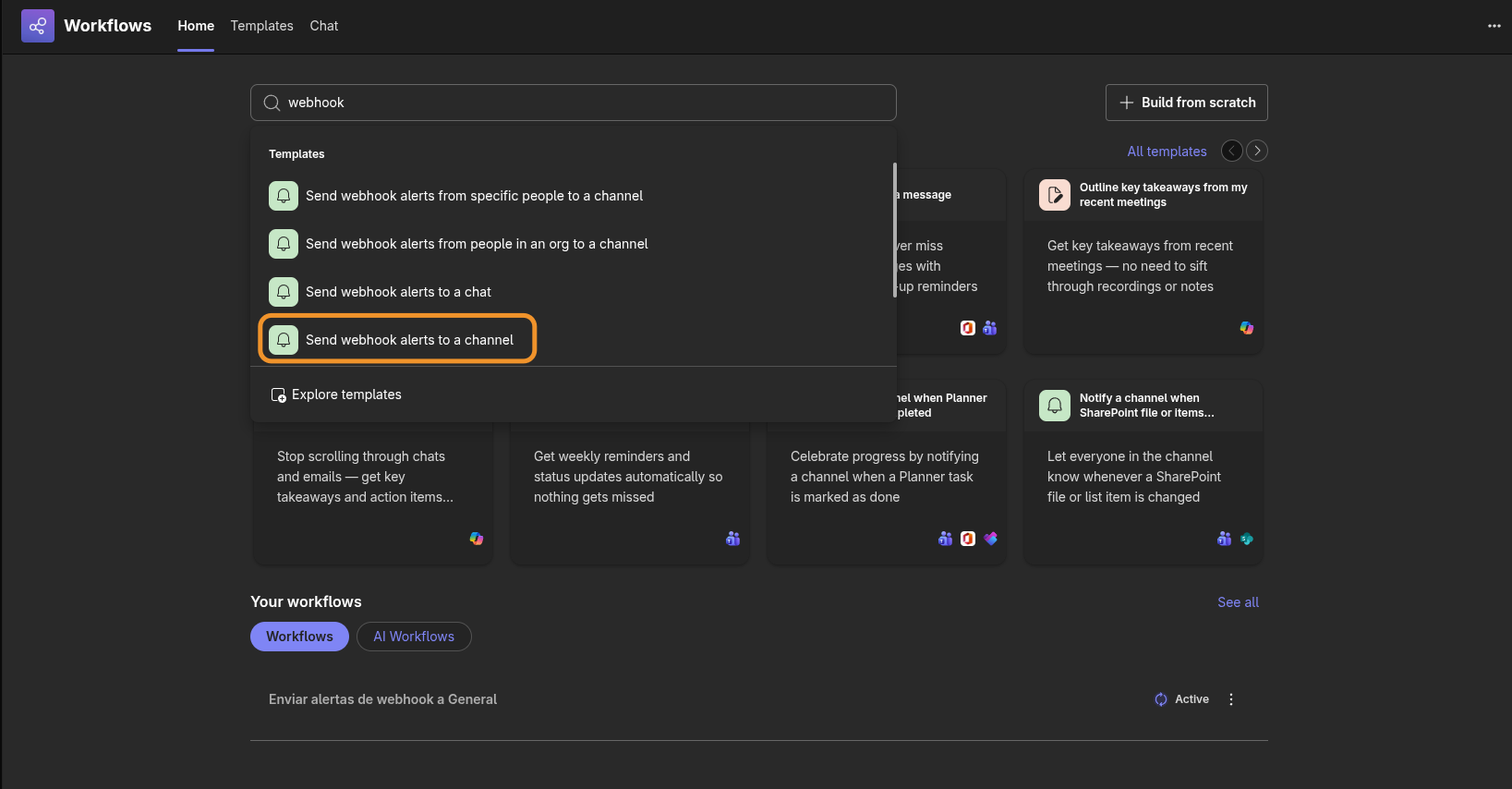
Click the + New workflow or Create button.
-
In the template search box, type:
"Send webhook alerts to channel" -
Select the template with that exact name.

-
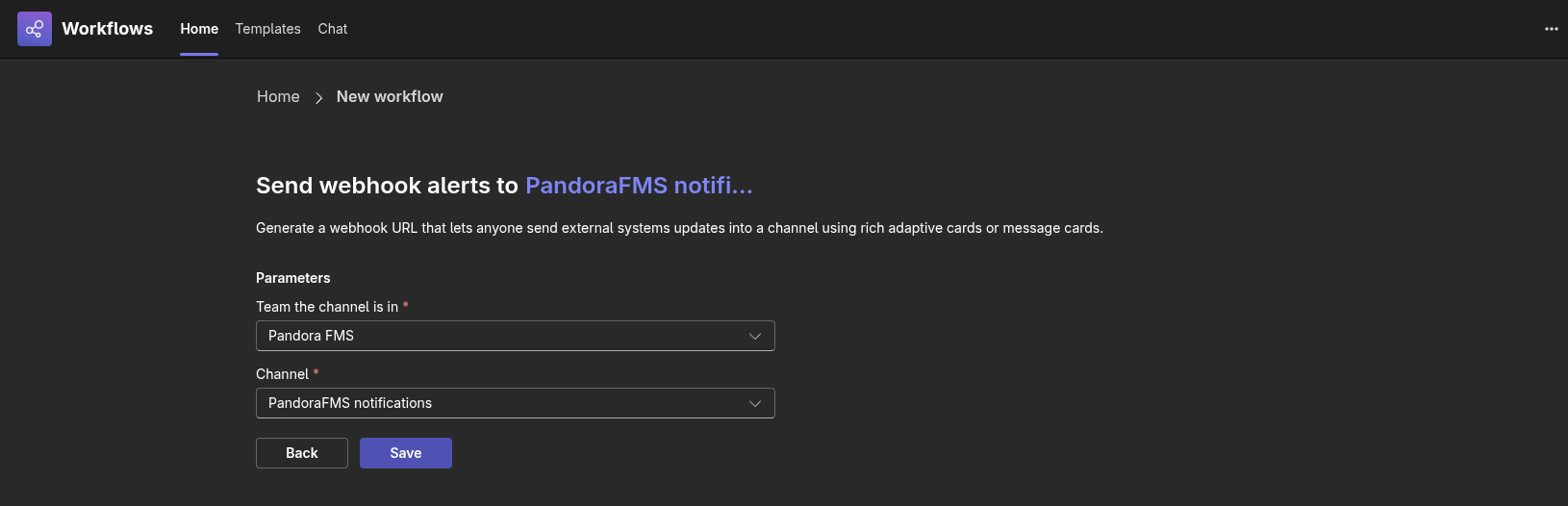
- Configure the Flow:
- Select a group and channel to send the message to.

- Click Save.
- Select a group and channel to send the message to.
- Get the URL:
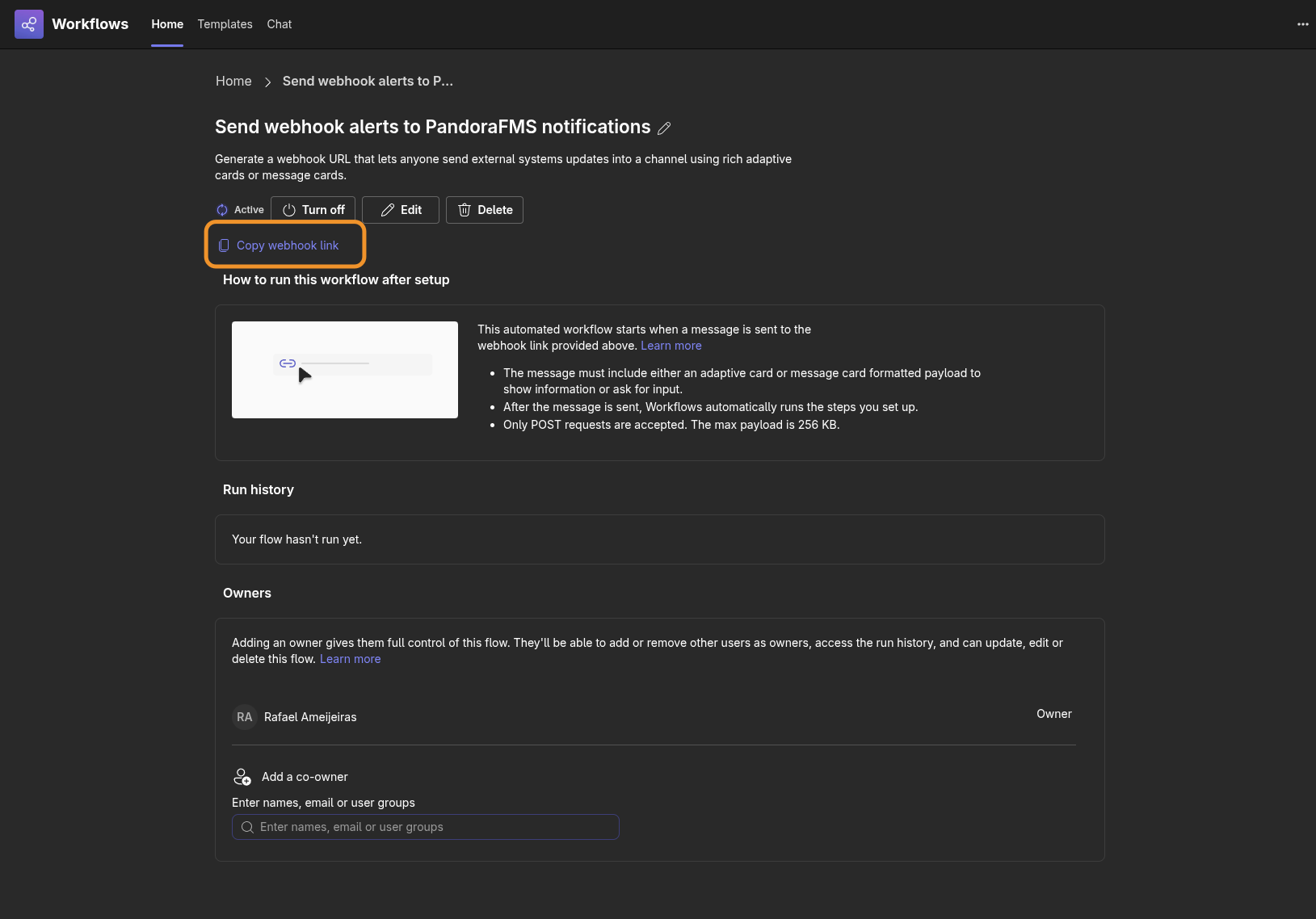
- Once created, a confirmation screen will appear.

- Copy the URL that appears by clicking the Copy webhook link button. This is the URL you should use in the
-uor--urlparameter of the script.
- Once created, a confirmation screen will appear.
- Finish: Everything is now configured; you can return to the chat window.
Note: If you need to retrieve the URL later, you can go to the Workflows app in the Teams sidebar, enter Manage workflows, and edit the corresponding flow.