# Kafka

# Introducción

**Ver**. 11-10-2022

El plugin obtiene métricas sobre el rendimiento del productor y del consumidor

Esto es portado desde el productor de Java, para más detalles ver:  
  
[https://kafka.apache.org/documentation/#consumer\_monitoring](https://kafka.apache.org/documentation/#consumer_monitoring)  
[https://kafka.apache.org/documentation/#producer\_monitoring](https://kafka.apache.org/documentation/#producer_monitoring)

<div id="bkmrk-tipo%3A-plug-in-de-ser"><div>**Tipo**: Plug-in de servidor</div></div>

# Matriz de compatibilidad

<table border="1" id="bkmrk-sistemas-donde-se-ha" style="width: 642px;"><tbody><tr><td style="width: 234px;">**Sistemas donde se ha probado**</td><td style="width: 408px;">Rocky linux

</td></tr><tr><td style="width: 234px;">**Sistemas donde debería funcionar**</td><td style="width: 408px;">Cualquier sistema linux

</td></tr></tbody></table>

# Pre requisitos

- Tener el **Data Server** de Pandora FMS habilitado
- Tener el **Plugin Server** de Pandora FMS habilitado

# Parámetros

<table border="1" id="bkmrk-par%C3%A1metro-descripci%C3%B3" style="width: 884px; height: 363.533px;"><tbody><tr style="height: 29.6333px;"><td style="width: 177px; height: 29.6333px;">**Parámetro**</td><td style="width: 707px; height: 29.6333px;">**Descripción**</td></tr><tr style="height: 80.0333px;"><td style="width: 177px; height: 80.0333px;">--bootstrap\_servers</td><td style="width: 707px; height: 80.0333px;">Cadena 'host\[:port\]' (o lista de cadenas 'host\[:port\]') que el productor debe contactar para arrancar los metadatos del clúster inicial. Esta no tiene que ser la lista completa de nodos. Solo necesita tener al menos un corredor que responda a una solicitud de API de metadatos. El puerto predeterminado es 9092. Si no se especifica ningún servidor, el puerto predeterminado será localhost:9092.</td></tr><tr style="height: 29.6333px;"><td style="width: 177px; height: 29.6333px;">--topics</td><td style="width: 707px; height: 29.6333px;">Lista de topics separados por coma</td></tr><tr style="height: 29.6333px;"><td style="width: 177px; height: 29.6333px;">--topic\_regex</td><td style="width: 707px; height: 29.6333px;">Regex para suscripción (sobrescribe `--topics`)</td></tr><tr style="height: 29.6333px;"><td style="width: 177px; height: 29.6333px;">--agent\_prefix</td><td style="width: 707px; height: 29.6333px;">Prefijo para el nombre de los agentes creados</td></tr><tr style="height: 29.6333px;"><td style="width: 177px; height: 29.6333px;">--module\_prefix</td><td style="width: 707px; height: 29.6333px;">Prefijo para el nombre de los módulos creados</td></tr><tr style="height: 29.6333px;"><td style="width: 177px; height: 29.6333px;">--transfer\_mode</td><td style="width: 707px; height: 29.6333px;">Modo de envío (`tentacle` por defecto)</td></tr><tr style="height: 29.6333px;"><td style="width: 177px; height: 29.6333px;">--tentacle\_ip</td><td style="width: 707px; height: 29.6333px;">IP del servidor Tentacle (default: 127.0.0.1)</td></tr><tr><td style="width: 177px;">--tentacle\_port</td><td style="width: 707px;">Puerto Tentacle (default: 41121)</td></tr><tr style="height: 46.4333px;"><td style="width: 177px; height: 46.4333px;">--verbose</td><td style="width: 707px; height: 46.4333px;">Activa debug</td></tr></tbody></table>

# Ejecución manual

```
./pandora_kafka \
  --bootstrap_servers <ip:port[,ip:port,...]> \
  [ --topics <topic1,topic2,...> ] \
  [ --topic_regex <regex_pattern> ] \
  [ --agent_prefix <prefix> ] \
  [ --module_prefix <prefix> ] \
  [ --transfer_mode <tentacle|local> ] \
  [ --tentacle_ip <ip> ] \
  [ --tentacle_port <port> ] \
  [ --verbose ]
```

Por ejemplo :

```
./pandora_kafka \
  --bootstrap_servers kafka1:9092,kafka2:9092 \
  --topic_regex "^prod-.*" \
  --agent_prefix KAFKA_ \
  --module_prefix METRIC_ \
  --transfer_mode tentacle \
  --tentacle_ip 10.0.0.20 \
  --tentacle_port 41121 \
  --verbose
```

# Configuración en PandoraFMS

**Como plugin de servidor**

**Instalación manual**

Iremos a servidores &gt; plugins:

[![image-1629974405286.png](https://pandorafms.com/guides/public/uploads/images/gallery/2021-08/scaled-1680-/image-1629974405286.png)](https://pandorafms.com/guides/public/uploads/images/gallery/2021-08/image-1629974405286.png)

Pinchamos en añadir:

[![image-1629974430627.png](https://pandorafms.com/guides/public/uploads/images/gallery/2021-08/scaled-1680-/image-1629974430627.png)](https://pandorafms.com/guides/public/uploads/images/gallery/2021-08/image-1629974430627.png)

Le ponemos en nombre y la descripción que se prefiera.

Metemos como comando la ejecución con la ruta del plugin:

```
/path_pandora_kafka
```

<p class="callout info align-center">Recuerda que la ruta recomendada para el uso de los plugins de servidor es: /usr/share/pandora\_server/util/plugin/</p>

Y en parámetros del plugin introduciremos estos seguidos de la macro "\_field&lt;N&gt;\_", el obligatorio para que funcione es --conf.

<p class="callout warning">Aunque no es obligatorio, es muy recomendable el uso del parámetro --agent\_alias , ya que nos permite personalizar el nombre del agente que contendrá los módulos creados para cada consulta personalizada. También es recomendable usar el parámetro --module\_prefix ya que este nos permitirá asignar un prefijo a los módulos, lo que puede ser útil para reconocerlos más rápido y diferenciarlos si creamos varias ejecuciones para bases de datos diferentes.</p>

Una vez hecho esto, daremos a "crear".

Una vez hecho esto, solo queda llamarlo por lo que iremos a la vista de algún agente y crearemos un módulo de complementos:

[![image-1646741530197.png](https://pandorafms.com/guides/public/uploads/images/gallery/2022-03/scaled-1680-/image-1646741530197.png)](https://pandorafms.com/guides/public/uploads/images/gallery/2022-03/image-1646741530197.png)
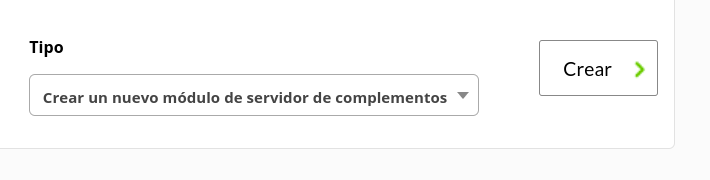
Le daremos un nombre y en el apartado "plugin" pondremos el que acabamos de configurar.

Una vez hecho esto, damos a crear.

Si el modulo se muestra con 1, quiere decir que se esta ejecutando correctamente.

# Módulos generados por el plugin

El plugin creará un agente con un nombre personalizable con el parámetro `--agent_alias` o con nombre "Kafka" por defecto que contendrá todos los módulos de la ejecución.

[![image-1665505347992.png](https://pandorafms.com/guides/public/uploads/images/gallery/2022-10/scaled-1680-/image-1665505347992.png)](https://pandorafms.com/guides/public/uploads/images/gallery/2022-10/image-1665505347992.png)

**Módulos**

 ***<span style="text-decoration: underline;">Producer</span>***

*<span style="text-decoration: underline;">kafka-metrics-count</span>*

<table border="1" id="bkmrk-count" style="border-collapse: collapse; width: 100%;"><tbody><tr><td style="width: 100%;">count</td></tr></tbody></table>

<span style="text-decoration: underline;">*producer-metrics*</span>

<table border="1" id="bkmrk-connection-close-rat" style="border-collapse: collapse; width: 100%; height: 986px;"><tbody><tr style="height: 29px;"><td style="width: 100%; height: 29px;">connection-close-rate</td></tr><tr style="height: 29px;"><td style="width: 100%; height: 29px;">connection-creation-rate</td></tr><tr style="height: 29px;"><td style="width: 100%; height: 29px;">select-rate</td></tr><tr style="height: 29px;"><td style="width: 100%; height: 29px;">io-wait-time-ns-avg</td></tr><tr style="height: 29px;"><td style="width: 100%; height: 29px;">io-wait-ratio</td></tr><tr style="height: 29px;"><td style="width: 100%; height: 29px;">io-time-ns-avg</td></tr><tr style="height: 29px;"><td style="width: 100%; height: 29px;">io-ratio</td></tr><tr style="height: 29px;"><td style="width: 100%; height: 29px;">connection-count</td></tr><tr style="height: 29px;"><td style="width: 100%; height: 29px;">network-io-rate</td></tr><tr style="height: 29px;"><td style="width: 100%; height: 29px;">outgoing-byte-rate</td></tr><tr style="height: 29px;"><td style="width: 100%; height: 29px;">request-rate</td></tr><tr style="height: 29px;"><td style="width: 100%; height: 29px;">request-size-avg</td></tr><tr style="height: 29px;"><td style="width: 100%; height: 29px;">request-size-max</td></tr><tr style="height: 29px;"><td style="width: 100%; height: 29px;">incoming-byte-rate</td></tr><tr style="height: 29px;"><td style="width: 100%; height: 29px;">response-rate</td></tr><tr style="height: 29px;"><td style="width: 100%; height: 29px;">request-latency-avg</td></tr><tr style="height: 29px;"><td style="width: 100%; height: 29px;">request-latency-max</td></tr><tr style="height: 29px;"><td style="width: 100%; height: 29px;">bufferpool-wait-ratio</td></tr><tr style="height: 29px;"><td style="width: 100%; height: 29px;">batch-size-avg</td></tr><tr style="height: 29px;"><td style="width: 100%; height: 29px;">batch-size-max</td></tr><tr style="height: 29px;"><td style="width: 100%; height: 29px;">compression-rate-avg</td></tr><tr style="height: 29px;"><td style="width: 100%; height: 29px;">record-queue-time-avg</td></tr><tr style="height: 29px;"><td style="width: 100%; height: 29px;">record-queue-time-max</td></tr><tr style="height: 29px;"><td style="width: 100%; height: 29px;">produce-throttle-time-avg</td></tr><tr style="height: 29px;"><td style="width: 100%; height: 29px;">produce-throttle-time-max</td></tr><tr style="height: 29px;"><td style="width: 100%; height: 29px;">record-send-rate</td></tr><tr style="height: 29px;"><td style="width: 100%; height: 29px;">records-per-request-avg</td></tr><tr style="height: 29px;"><td style="width: 100%; height: 29px;">byte-rate</td></tr><tr style="height: 29px;"><td style="width: 100%; height: 29px;">record-retry-rate</td></tr><tr style="height: 29px;"><td style="width: 100%; height: 29px;">record-error-rate</td></tr><tr style="height: 29px;"><td style="width: 100%; height: 29px;">record-size-max</td></tr><tr style="height: 29px;"><td style="width: 100%; height: 29px;">record-size-avg</td></tr><tr style="height: 29px;"><td style="width: 100%; height: 29px;">requests-in-flight</td></tr><tr style="height: 29px;"><td style="width: 100%; height: 29px;">metadata-age</td></tr></tbody></table>

<span style="text-decoration: underline;">*producer-node-metrics.node-&lt;node&gt;*</span>

<table border="1" id="bkmrk-outgoing-byte-rate-r" style="border-collapse: collapse; width: 100%; height: 232px;"><tbody><tr style="height: 29px;"><td style="width: 100%; height: 29px;">outgoing-byte-rate</td></tr><tr style="height: 29px;"><td style="width: 100%; height: 29px;">request-rate</td></tr><tr style="height: 29px;"><td style="width: 100%; height: 29px;">request-size-avg</td></tr><tr style="height: 29px;"><td style="width: 100%; height: 29px;">request-size-max</td></tr><tr style="height: 29px;"><td style="width: 100%; height: 29px;">incoming-byte-rate</td></tr><tr style="height: 29px;"><td style="width: 100%; height: 29px;">response-rate</td></tr><tr style="height: 29px;"><td style="width: 100%; height: 29px;">request-latency-avg</td></tr><tr style="height: 29px;"><td style="width: 100%; height: 29px;">request-latency-max</td></tr></tbody></table>

**<span style="text-decoration: underline;">*Consumer*</span>**

*<span style="text-decoration: underline;">kafka-metrics-count</span>*

<table border="1" id="bkmrk-count-0" style="border-collapse: collapse; width: 100%;"><tbody><tr><td style="width: 100%;">count</td></tr></tbody></table>

<span style="text-decoration: underline;">*consumer-metrics*</span>

<table border="1" id="bkmrk-connection-close-rat-0" style="border-collapse: collapse; width: 100%; height: 986px;"><tbody><tr style="height: 29px;"><td style="width: 100%; height: 29px;">connection-close-rate</td></tr><tr style="height: 29px;"><td style="width: 100%; height: 29px;">connection-creation-rate</td></tr><tr style="height: 29px;"><td style="width: 100%; height: 29px;">select-rate</td></tr><tr style="height: 29px;"><td style="width: 100%; height: 29px;">io-wait-time-ns-avg</td></tr><tr style="height: 29px;"><td style="width: 100%; height: 29px;">io-wait-ratio</td></tr><tr style="height: 29px;"><td style="width: 100%; height: 29px;">io-time-ns-avg</td></tr><tr style="height: 29px;"><td style="width: 100%; height: 29px;">io-ratio</td></tr><tr style="height: 29px;"><td style="width: 100%; height: 29px;">connection-count</td></tr><tr style="height: 29px;"><td style="width: 100%; height: 29px;">network-io-rate</td></tr><tr style="height: 29px;"><td style="width: 100%; height: 29px;">outgoing-byte-rate</td></tr><tr style="height: 29px;"><td style="width: 100%; height: 29px;">request-rate</td></tr><tr style="height: 29px;"><td style="width: 100%; height: 29px;">request-size-avg</td></tr><tr style="height: 29px;"><td style="width: 100%; height: 29px;">request-size-max</td></tr><tr style="height: 29px;"><td style="width: 100%; height: 29px;">incoming-byte-rate</td></tr><tr style="height: 29px;"><td style="width: 100%; height: 29px;">response-rate</td></tr><tr style="height: 29px;"><td style="width: 100%; height: 29px;">request-latency-avg</td></tr><tr style="height: 29px;"><td style="width: 100%; height: 29px;">request-latency-max</td></tr></tbody></table>

<span style="text-decoration: underline;">*consumer-node-metrics.node-&lt;node&gt;*</span>

<table border="1" id="bkmrk-outgoing-byte-rate-r-0" style="border-collapse: collapse; width: 100%; height: 232px;"><tbody><tr style="height: 29px;"><td style="width: 100%; height: 29px;">outgoing-byte-rate</td></tr><tr style="height: 29px;"><td style="width: 100%; height: 29px;">request-rate</td></tr><tr style="height: 29px;"><td style="width: 100%; height: 29px;">request-size-avg</td></tr><tr style="height: 29px;"><td style="width: 100%; height: 29px;">request-size-max</td></tr><tr style="height: 29px;"><td style="width: 100%; height: 29px;">incoming-byte-rate</td></tr><tr style="height: 29px;"><td style="width: 100%; height: 29px;">response-rate</td></tr><tr style="height: 29px;"><td style="width: 100%; height: 29px;">request-latency-avg</td></tr><tr style="height: 29px;"><td style="width: 100%; height: 29px;">request-latency-max</td></tr></tbody></table>

<span style="text-decoration: underline;">*consumer-fetch-manager-metrics*</span>

<table border="1" id="bkmrk-fetch-size-avg-fetch" style="border-collapse: collapse; width: 100%; height: 319px;"><tbody><tr style="height: 29px;"><td style="width: 100%; height: 29px;">fetch-size-avg</td></tr><tr style="height: 29px;"><td style="width: 100%; height: 29px;">fetch-size-max</td></tr><tr style="height: 29px;"><td style="width: 100%; height: 29px;">bytes-consumed-rate</td></tr><tr style="height: 29px;"><td style="width: 100%; height: 29px;">records-per-request-avg</td></tr><tr style="height: 29px;"><td style="width: 100%; height: 29px;">records-consumed-rate</td></tr><tr style="height: 29px;"><td style="width: 100%; height: 29px;">fetch-latency-avg</td></tr><tr style="height: 29px;"><td style="width: 100%; height: 29px;">fetch-latency-max</td></tr><tr style="height: 29px;"><td style="width: 100%; height: 29px;">fetch-rate</td></tr><tr style="height: 29px;"><td style="width: 100%; height: 29px;">records-lag-max</td></tr><tr style="height: 29px;"><td style="width: 100%; height: 29px;">fetch-throttle-time-avg</td></tr><tr style="height: 29px;"><td style="width: 100%; height: 29px;">fetch-throttle-time-max</td></tr></tbody></table>

*<span style="text-decoration: underline;">consumer-coordinator-metrics</span>*

<table border="1" id="bkmrk-heartbeat-response-t" style="border-collapse: collapse; width: 100%; height: 377px;"><tbody><tr style="height: 29px;"><td style="width: 100%; height: 29px;">heartbeat-response-time-max</td></tr><tr style="height: 29px;"><td style="width: 100%; height: 29px;">heartbeat-rate</td></tr><tr style="height: 29px;"><td style="width: 100%; height: 29px;">join-time-avg</td></tr><tr style="height: 29px;"><td style="width: 100%; height: 29px;">join-time-max</td></tr><tr style="height: 29px;"><td style="width: 100%; height: 29px;">join-rate</td></tr><tr style="height: 29px;"><td style="width: 100%; height: 29px;">sync-time-avg</td></tr><tr style="height: 29px;"><td style="width: 100%; height: 29px;">sync-time-max</td></tr><tr style="height: 29px;"><td style="width: 100%; height: 29px;">sync-rate</td></tr><tr style="height: 29px;"><td style="width: 100%; height: 29px;">last-heartbeat-seconds-ago</td></tr><tr style="height: 29px;"><td style="width: 100%; height: 29px;">commit-latency-avg</td></tr><tr style="height: 29px;"><td style="width: 100%; height: 29px;">commit-latency-max</td></tr><tr style="height: 29px;"><td style="width: 100%; height: 29px;">commit-rate</td></tr><tr style="height: 29px;"><td style="width: 100%; height: 29px;">assigned-partitions</td></tr></tbody></table>