# Informix

# Introduction

Ver. 09-01-2023

Plugin to remotely pull metrics data from informix.  
  
Type: Server plug-in

# Compatibility matrix

<table border="1" id="bkmrk-sistemas-donde-se-ha" style="height: 70px;"><tbody><tr style="height: 35px;"><td style="width: 234px; height: 35px;">**Systems where tested**</td><td style="width: 330.983px; height: 35px;">CentOS 7, Fedora, rocky linux

</td></tr><tr style="height: 35px;"><td style="width: 234px; height: 35px;">**Systems where it should work**</td><td style="width: 330.983px; height: 35px;">Any linux system

</td></tr></tbody></table>

# Pre requisites

- Pandora FMS Data Server enabled
- Pandora FMS Plugin Server enabled
- Have python3 installed
- have the ibm\_db library installed

# Parameters

**Parameters**

<table border="1" id="bkmrk-%C2%A0-%C2%A0-%C2%A0-%C2%A0-%C2%A0-%C2%A0-%C2%A0-%C2%A0-%C2%A0-%C2%A0-" style="height: 232px; width: 921px;"><tbody><tr style="height: 29px;"><td style="height: 29px; width: 158px;">--database</td><td style="height: 29px; width: 763px;">Name of the database.</td></tr><tr style="height: 29px;"><td style="height: 29px; width: 158px;">--hostname</td><td style="height: 29px; width: 763px;">Ip or host.</td></tr><tr style="height: 29px;"><td style="width: 158px; height: 29px;">--agent\_name</td><td style="width: 763px; height: 29px;">Name of agent.</td></tr><tr style="height: 29px;"><td style="height: 29px; width: 158px;">--agent\_alias</td><td style="height: 29px; width: 763px;">Agent's alias</td></tr><tr style="height: 29px;"><td style="width: 158px; height: 29px;">--use\_alias\_as\_name</td><td style="width: 763px; height: 29px;">Use agent alias as name</td></tr><tr style="height: 29px;"><td style="width: 158px; height: 29px;">--module\_prefix</td><td style="width: 763px; height: 29px;">It is used to prefix the modules with</td></tr><tr style="height: 29px;"><td style="height: 29px; width: 158px;">--port</td><td style="height: 29px; width: 763px;">Default 9089</td></tr><tr><td style="width: 158px;">--uid</td><td style="width: 763px;">User name</td></tr><tr><td style="width: 158px;">--password</td><td style="width: 763px;">Password</td></tr><tr style="height: 29px;"><td style="height: 29px; width: 158px;">--database</td><td style="height: 29px; width: 763px;">Database name</td></tr></tbody></table>

**Pandora configuration parameters**

<table border="1" id="bkmrk-par%C3%A1metro-descripci%C3%B3"><tbody><tr><td style="width: 161.997px;">--tentacle\_port</td><td style="width: 643.993px;">Tentacle port (default 41121) (optional)</td></tr><tr><td style="width: 161.997px;">--tentacle\_address</td><td style="width: 643.993px;">Ip of the tentacle server to send the data to (optional)</td></tr><tr><td style="width: 161.997px;">-g,--group</td><td style="width: 643.993px;">Pandora FMS target group (optional)</td></tr><tr><td style="width: 161.997px;">--data\_dir</td><td style="width: 643.993px;">Pandora FMS data directory. By default it is /var/spool/pandora/data\_in/ (optional)</td></tr><tr><td style="width: 161.997px;">--as\_agent\_plugin</td><td style="width: 643.993px;">It is optional, if you want the plugin to be an agent plugin and put the modules in the pandora agent, execute this with a 1 (optional)</td></tr></tbody></table>

# Manual execution

```
python3 pandora_informix.py --hostname <host> --port <port> --uid <user> --database <database> --password <password> --conf <path conf> --as_agent_plugin 1
```

# Configuration in PandoraFMS

As server plugin

Manual installation

Go to servers &gt; plugins:

[![image-1629974405286.png](https://pandorafms.com/guides/public/uploads/images/gallery/2021-08/scaled-1680-/image-1629974405286.png)](https://pandorafms.com/guides/public/uploads/images/gallery/2021-08/image-1629974405286.png)

Click on add:

[![image-1629974430627.png](https://pandorafms.com/guides/public/uploads/images/gallery/2021-08/scaled-1680-/image-1629974430627.png)](https://pandorafms.com/guides/public/uploads/images/gallery/2021-08/image-1629974430627.png)

We put in name and the description that is preferred.

We put as command the execution with the path of the plugin:

<div id="bkmrk-%2Fpath_pandora_inform"><div><textarea readonly="readonly" spellcheck="false" style="position: absolute; bottom: -1em; padding: 0px; width: 1px; height: 1em; outline: none;" tabindex="0" wrap="off"></textarea></div><div><div><div><div><div><div><div>```
<span role="presentation">/path_pandora_informix.py</span>
```

</div></div></div></div></div></div><div></div></div></div><p class="callout info align-center">Remember that the recommended path for the use of the server plugins is: /usr/share/pandora\_server/util/plugin/</p>

And in plugin parameters we will introduce these followed by the macro "\_field&lt;N&gt;\_", the connection parameters --hostname, --uid, --database and --password are mandatory. The default port is 9089 but it can be changed.

<p class="callout warning">Remember that you can give a custom name to the agents with the --agent\_name parameter</p>

Once this is done, we will click on "create".

Once this is done, the only thing left to do is to call it, so we will go to some agent's view and create an add-in module:

[![image-1646741530197.png](https://pandorafms.com/guides/public/uploads/images/gallery/2022-03/scaled-1680-/image-1646741530197.png)](https://pandorafms.com/guides/public/uploads/images/gallery/2022-03/image-1646741530197.png)
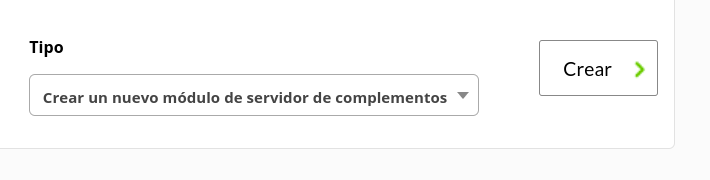
We will give it a name and in the section "plugin" we will put the one we have just configured.

Once this is done, click on create.

If the module is shown with 1, it means that it is running correctly.

# Modules generated by the plugin

The plugin will create an agent, with a custom name and the following modules:

<div id="bkmrk-dbspace-i%2Fo"><div>**<span style="color: #6a9955;">Dbspace I/O</span>**</div></div><div id="bkmrk-"></div><div id="bkmrk-fname-dreads-dwrites"><table border="1" style="border-collapse: collapse; width: 100%;"><tbody><tr><td style="width: 100%;">fname</td></tr><tr><td style="width: 100%;">dreads</td></tr><tr><td style="width: 100%;">dwrites</td></tr></tbody></table>

</div><div id="bkmrk--0"></div><div id="bkmrk-dbspace-usage"><div><div><span style="color: #6a9955;">Dbspace usage</span></div></div></div><div id="bkmrk--1"></div><div id="bkmrk-nchunks-total-used-p"><table border="1" style="border-collapse: collapse; width: 100%; height: 116px;"><tbody><tr style="height: 29px;"><td style="width: 100%; height: 29px;">nchunks</td></tr><tr style="height: 29px;"><td style="width: 100%; height: 29px;">total</td></tr><tr style="height: 29px;"><td style="width: 100%; height: 29px;">used</td></tr><tr style="height: 29px;"><td style="width: 100%; height: 29px;">pct\_used</td></tr></tbody></table>

</div><div id="bkmrk--2"></div><div id="bkmrk-checking-tables-i%2Fo"><div><div><span style="color: #6a9955;">Checking tables I/O</span></div></div></div><div id="bkmrk--3"></div><div id="bkmrk-tabnames-diskreads-d"><table border="1" style="border-collapse: collapse; width: 100%;"><tbody><tr><td style="width: 100%;">tabnames</td></tr><tr><td style="width: 100%;">diskreads</td></tr><tr><td style="width: 100%;">diskwrites</td></tr></tbody></table>

</div><div id="bkmrk--4"></div><div id="bkmrk-session-statistics"><div><div><span style="color: #6a9955;">Session statistics</span></div></div></div><div id="bkmrk--5"></div><div id="bkmrk-hostname-logint_time"><table border="1" style="border-collapse: collapse; width: 100%;"><tbody><tr><td style="width: 100%;">hostname</td></tr><tr><td style="width: 100%;">logint\_time</td></tr><tr><td style="width: 100%;">s\_state</td></tr></tbody></table>

</div><div id="bkmrk--6"></div><div id="bkmrk-session-profile"><div><div><span style="color: #6a9955;">Session profile</span></div></div></div><div id="bkmrk--7"></div><div id="bkmrk-access-locksheld-seq"><table border="1" style="border-collapse: collapse; width: 100%; height: 145px;"><tbody><tr style="height: 29px;"><td style="width: 100%; height: 29px;">access</td></tr><tr style="height: 29px;"><td style="width: 100%; height: 29px;"><div><div><span style="color: #000000;">locksheld</span></div></div></td></tr><tr style="height: 29px;"><td style="width: 100%; height: 29px;">seqscans</td></tr><tr style="height: 29px;"><td style="width: 100%; height: 29px;">total\_sorts</td></tr><tr style="height: 29px;"><td style="width: 100%; height: 29px;">dsksorts</td></tr></tbody></table>

</div>