InfluxDB
Plugin for monitoring InfluxDB
- Introduction
- Compatibility matrix
- Pre requisites
- Configuration
- General parameters
- Specific parameters
- Manual execution
- Configuration in Pandora
- Modules generated by the plugin
Introduction
Ver. 08-12-2021
With this plug-in can see InfluxDB stats
Compatibility matrix
| Systems where it has been tested |
CentOS 7, Fedora, Debian |
| Systems where it should work |
Any linux system |
Pre requisites
Required:
- Python3 installed
- The influx db module installed.
- Have Pandora FMS Data Server enabled.
- Have Pandora FMS Plugin Server enabled.
Configuration
Python 3.
CentOS o fedora
yum install python3Debian
apt-get install python3PIP
CentOS o fedora
yum install python3-pipDebian
apt install python3-pip
Influxdb library
pip3 install influxdb
The plugin will take the stats that can be viewed by executing the query: "show stats". :
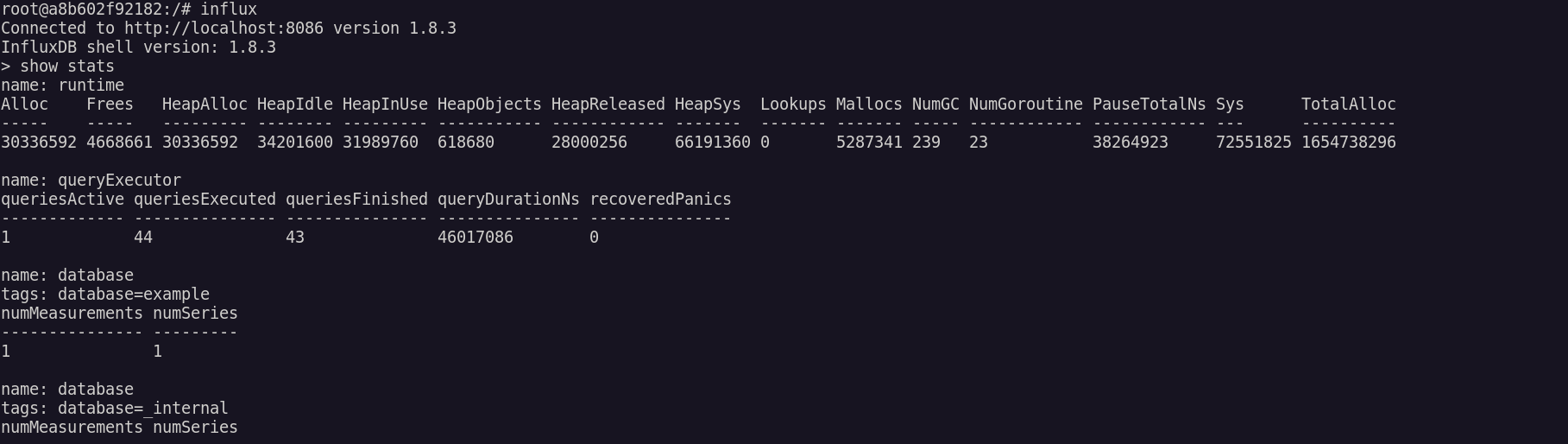
According to InfluxDB documentation:
https://docs.influxdata.com/platform/monitoring/influxdata-platform/tools/show-stats/
General parameters
python3 pandora_influxdb.py --host <name host> --port <number port> --user <user -- password <password> [ -g <group> ] [ --data_dir <data dir> ] [ --as_agent_plugin 1]If the execution is correct we will see a 1.

Specific parameters
The plugin have this parameters:
| Parameter | Description |
| --host <host> | hostname (required) |
| --port <puerto> | Port number (8086 default) |
| --user <user> | Username (if needed) |
| --password <password> | Password (if needed) |
| -g GROUP, --group GROUP | Pandora FMS target group (optional) |
| --data_dir DATA_DIR | Pandora FMS data directory. By default it is /var/spool/pandora/data_in/ (optional) |
| --as_agent_plugin | It's optional, if you want the plugin to be an agent plugin and put the modules in the pandora agent, execute this with a 1 (optional) |
Manual execution
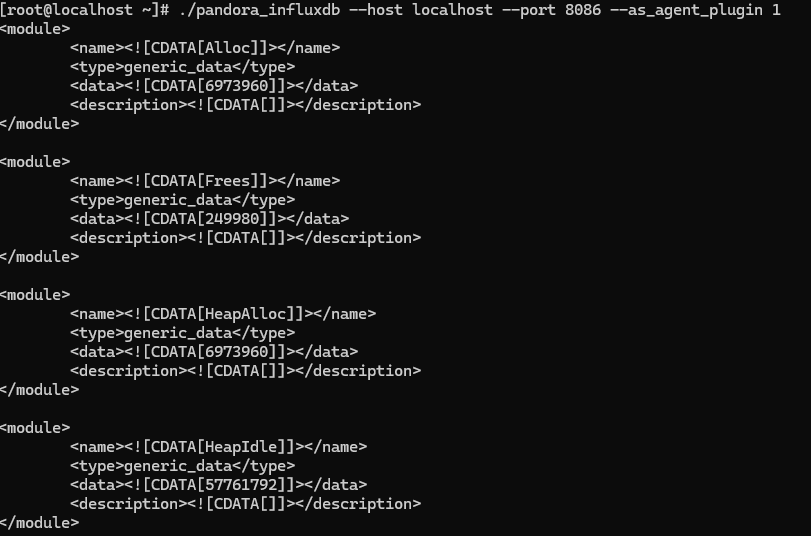
If executed correctly we will see a 1 .

With as_agent_plugin set to 1 we will see the xml via terminal.
Configuration in Pandora
Installation from the console
To register the plugin, from the console, go to the "register plugin" section.
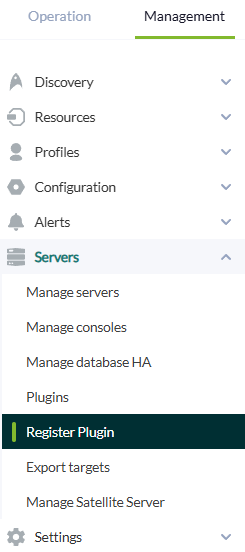
Click on select file.
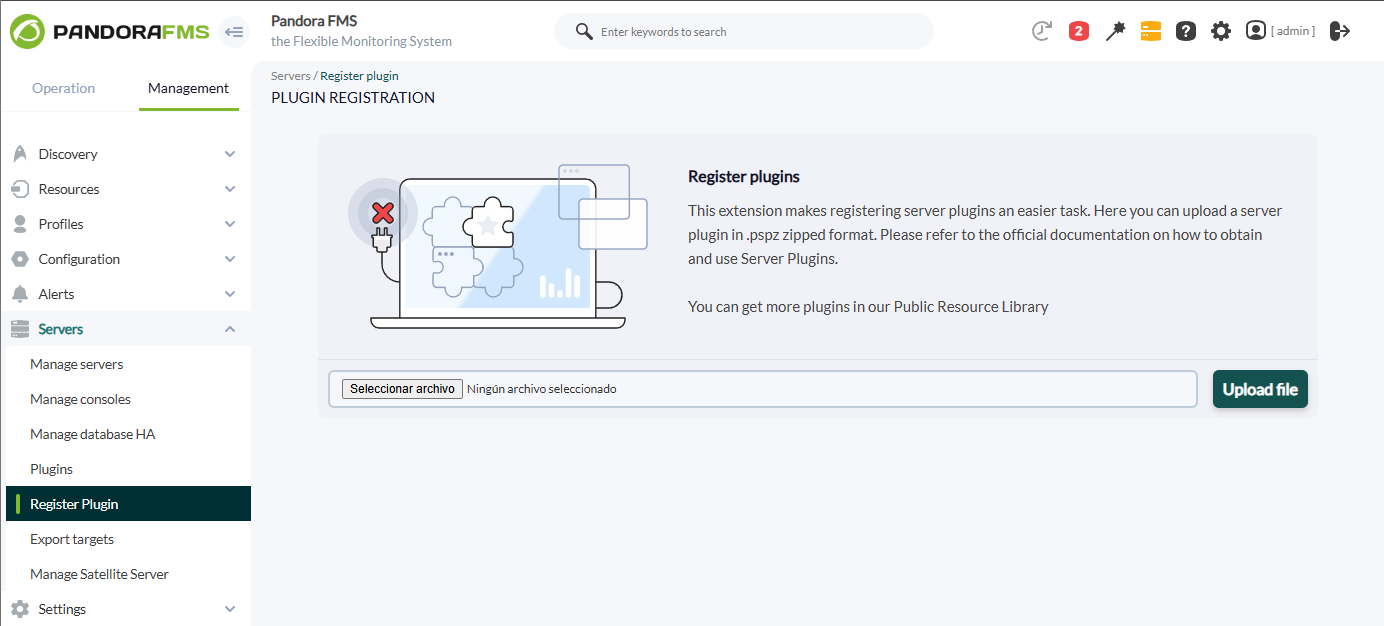
Select the pspz2 file that contains the plugin

A message will be displayed indicating that you have successfully registered.

Once the plugin is registered, we will see it in the plugins section.
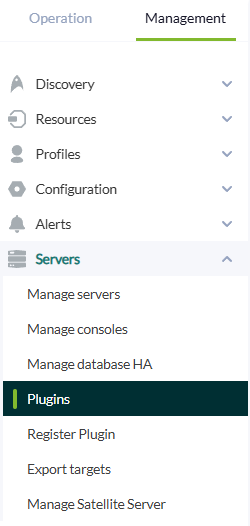
Clicking on the plugin title will take you to the plugin menu.

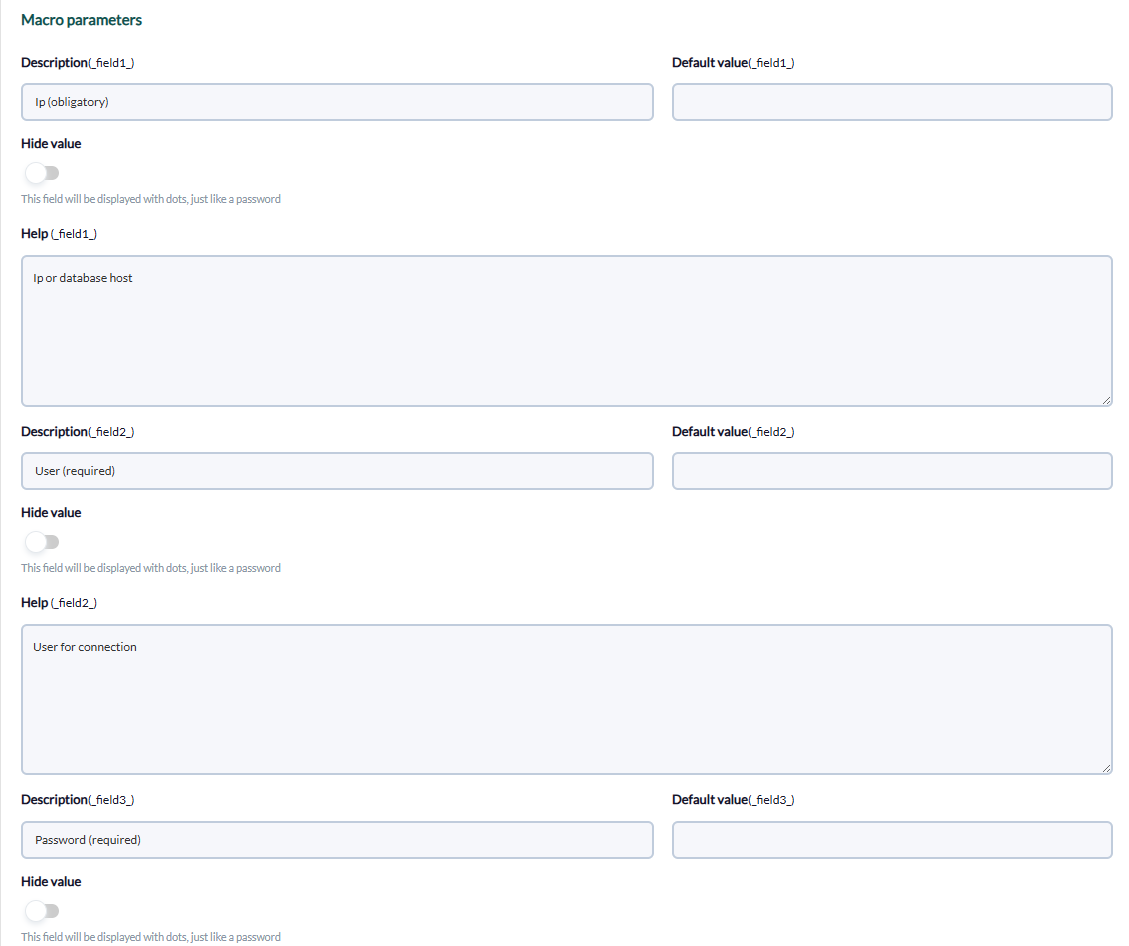
In macros will appear all those that have the plugin, remember that not all are obligatory, only those that are specified.
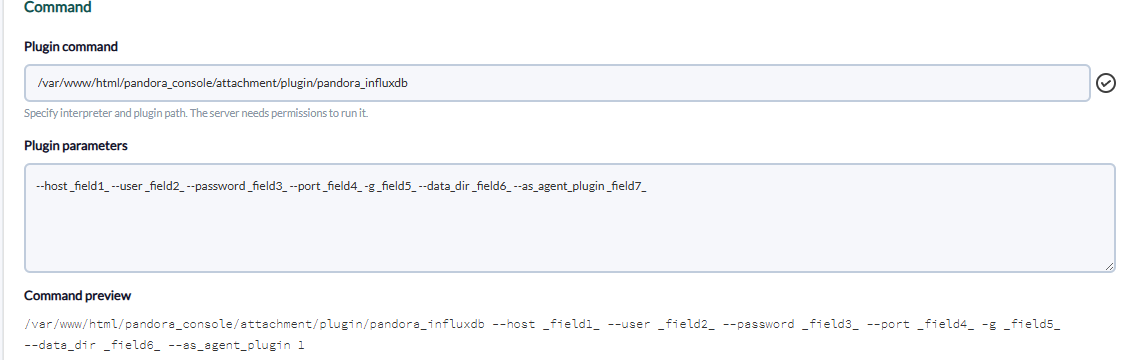
Below you can assign the required value to each variable.
Modules generated by the plugin
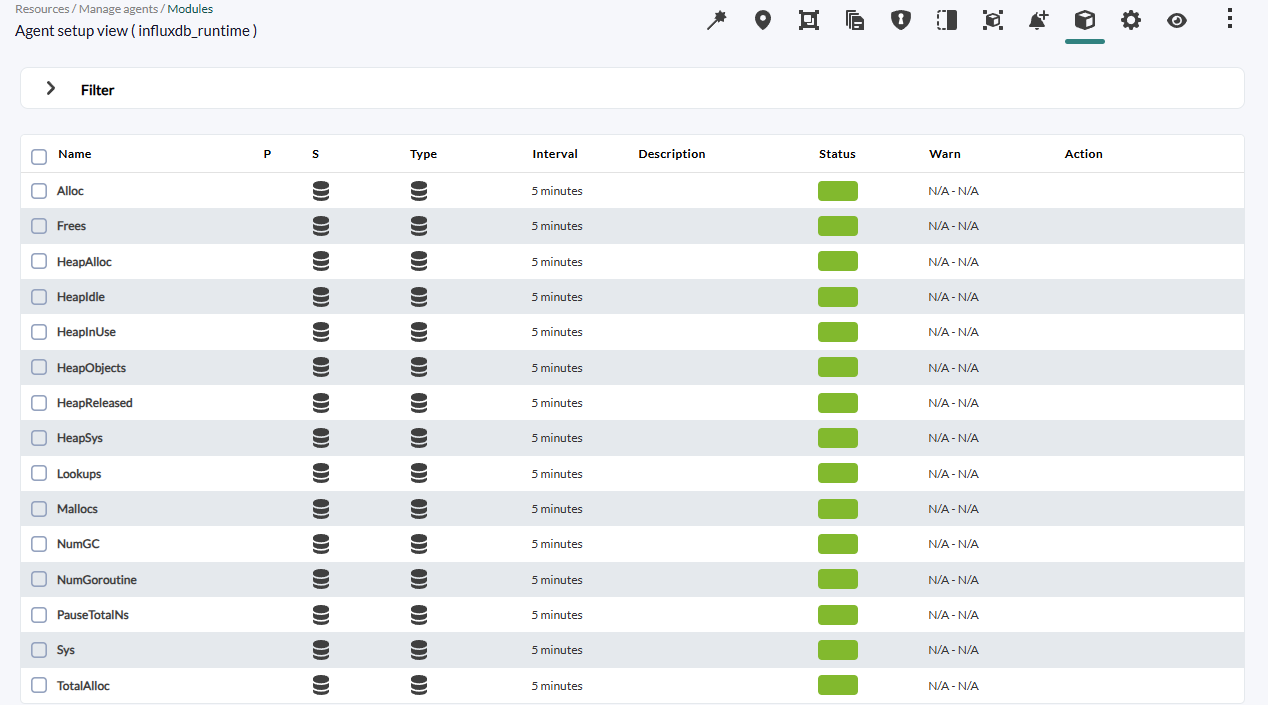
The following agents will be created with the following modules :
INFLUXDB_Runtime
| Alloc |
| Frees |
| HeapAlloc |
| HeapIdle |
| HeapInUse |
| HeapObjects |
| HeapReleased |
| HeapSys |
| Lookups |
| Mallocs |
| NumGC |
| NumGOroutine |
| PauseTotalNS |
| Sys |
| TotalAlloc |
INFLUXDB_queryExecutor
| queriesActive |
| queriesExecuted |
| queriesFInished |
| queryDurationNs |
| recoveredPanics |
INFLUXDB_Httpd
| authFail |
| clientError |
| fluxQueryReq |
| fluxQueryReqDurationNS |
| pingReq |
| PointWrittenDropped |
| PointWrittenFail |
| PointWrittenOK |
| PromReadReq |
| PromWriteReq |
| queryReq |
| queryReqDurationNS |
| queryRespBytes |
| recoveredPanics |
| req |
| reqActive |
| reqDurationNS |
| serverError |
| statusReq |
| ValuesWrittenOK |
| writeReq |
| writeReqActive |
| writeReqBytes |
| writeReqDurationNS |
INFLUXDB_Write
| pointReq |
| poinReqLocalr |
| req |
| subWriteDrop |
| subWriteOk |
| WriteDrop |
| WriteError |
| WriteOk |
| WriteTimeout |
INFLUXDB_Subscriber_cq
| createFailures |
| pointsWritten |
| queryFail |
| queryOk |
| writeFailures |
Agents
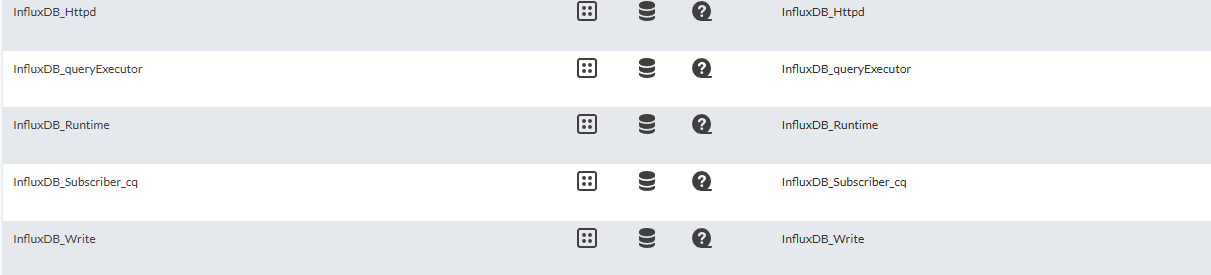
Modules (influxDB_Runtime)