Hyper-V Windows
This document describes the functionality of HyperV.exe for Windows in PandoraFMS.
- Introduction
- Compatibility matrix
- Prerequisites
- Parameters and configuration
- Manual execution
- Agents and modules generated by the plugin
Introduction
The Hyper-V plugin for Pandora FMS discovers the Hyper-V host and its virtual machines, collecting status and performance metrics (CPU, memory, network, and storage) to create the corresponding monitoring modules. It can run in local mode on the Hyper-V server itself, generating a JSON with the definition of agents and modules for later use.
Compatibility matrix
| Systems where it has been tested |
Windows Server 2022 (Hyper-V) running the plugin in local mode. |
| Systems where it works |
Local mode: Windows Server with Hyper-V (and PowerShell) where the .exe / script is executed. |
Prerequisites
- Connectivity to Hyper-V from Pandora
The plugin is a binary that contains the dependencies packaged, so no installation of any kind of dependency is required for its use.
- Permissions
Configure WinRMEnable-PSRemoting -Force -SkipNetworkProfileCheckwinrm quickconfig -forcewinrm set winrm/config/service/auth '@{Basic="true"}'winrm set winrm/config/service '@{AllowUnencrypted="true"}'winrm set winrm/config/service '@{MaxTimeoutms="600000"}'
Allow HTTP 401reg add "HKLM\SOFTWARE\Microsoft\Windows\CurrentVersion\Policies\System" /v LocalAccountTokenFilterPolicy /t REG_DWORD /d 1 /f
Allow WinRM FirewallNew-NetFirewallRule -DisplayName "WinRM HTTP In" -Direction Inbound -Protocol TCP -LocalPort 5985 -Action Allow -Profile Any -Force
Restart servicesRestart-Service WinRM -ForceStart-Service vmms
Check allwinrm get winrm/config/service/authGet-VM
- Install the hv-kvp-daemon service on VMs with Linux systems so that they report all modules.
Parameters and configuration
Parameters
| --help | Message with the parameters |
| --confg | Path to the configuration file |
| --execute_local | Parameter to indicate that it will be executed from the Hyper-V host itself and not from the Pandora server. |
| --save_file |
Parameter that requires --execute_local in order to be used. This parameter will save the JSON output to a file |
Configuration file (--conf)
agent_prefix = HyperV
agents_group_id = 2
scan_vm = 1
scan_networking = 1
scan_storage = 0
scan_hypervisor = 1
Manual execution
The format for executing the plugin is as follows:
.\pandora_hyperV.exe --conf < ruta del .conf > --execute_localExample:
.\pandora_hyperV.exe --conf pandora_hyperv.conf --execute_localExample getting .txt with JSON
.\pandora_hyperV.exe --conf pandora_hyperv.conf --execute_local --save_fileExample output JSON:
[
  {
    "agent_data": {
      "agent_name": "HyperV WIN-BKM50GV4DF9",
      "agent_alias": "HyperV WIN-BKM50GV4DF9",
      "os": "Windows",
      "os_version": "Windows Server",
      "interval": 300,
      "id_group": 2,
      "address": "WIN-BKM50GV4DF9",
      "description": "Hyper-V host WIN-BKM50GV4DF9 (WIN-BKM50GV4DF9)"
    },
    "module_data": [
      {
        "name": "HyperV Local Status",
        "type": "generic_proc",
        "data": 1,
        "description": "Hyper-V plugin running locally (1=OK, 0=Fail)"
      }
    ]
  },
  {
    "agent_data": {
      "agent_name": "HyperV ubuntu server",
      "agent_alias": "HyperV ubuntu server",
      "os": "Windows",
      "os_version": "Windows",
      "interval": 300,
      "id_group": 2,
      "address": "WIN-BKM50GV4DF9",
      "description": "VM ubuntu server on Hyper-V host WIN-BKM50GV4DF9"
    },
    "module_data": [
      {
        "name": "State",
        "type": "generic_data",
        "data": 3,
        "description": "VM state: 2=Running 3=Off 32768=Paused 32769=Saved 32770=Starting 32771=Stopping 32772=Pausing 32773=Resuming 32774=Saving 32775=FastSaved 0=Unknown. Current: Off",
        "min_critical": 3,
        "max_critical": 3.1
      }
    ]
  }
]
Agents and modules generated by the plugin
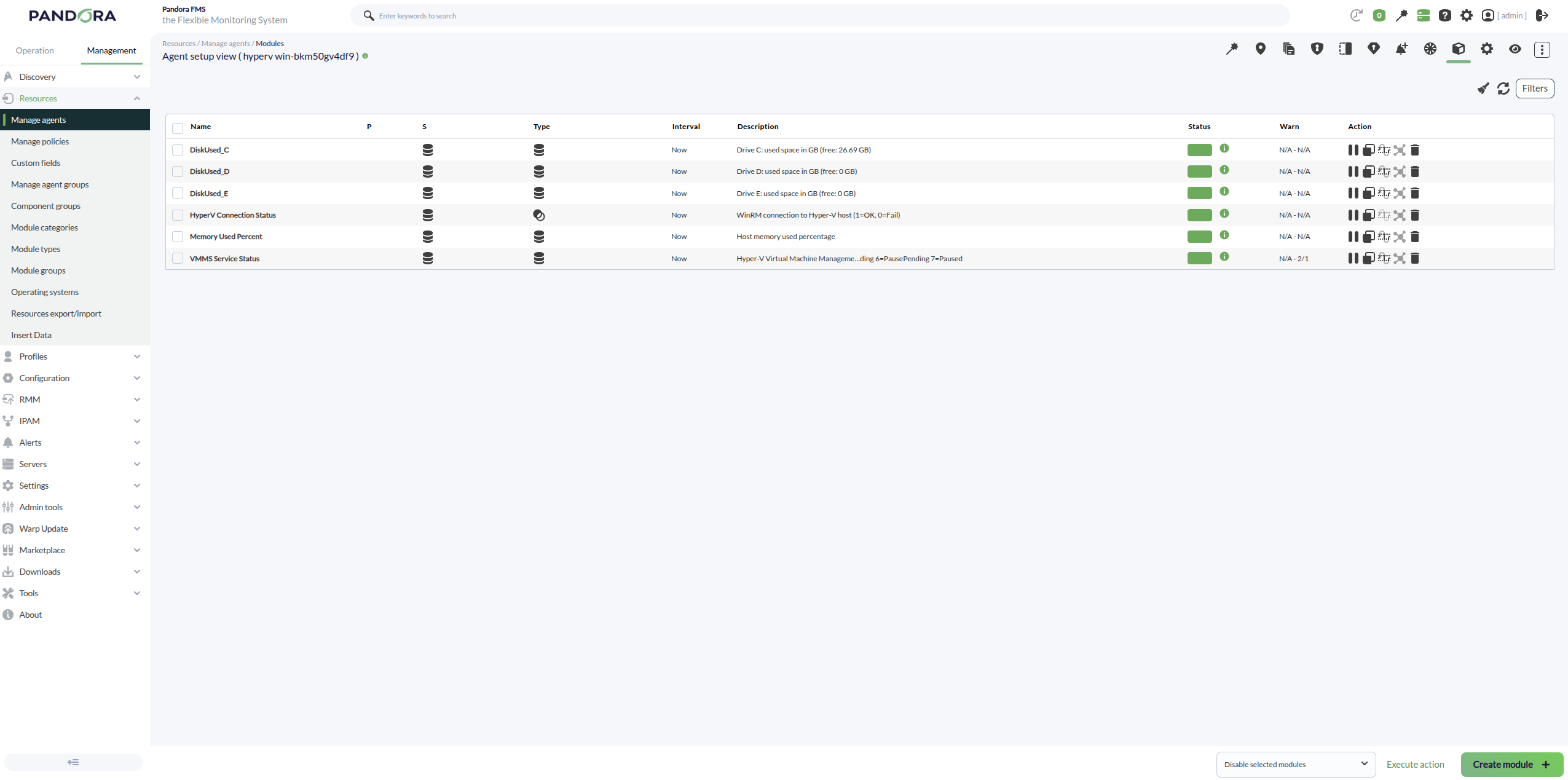
With the Scan hypervisor token the plugin creates:
- Agents created: 1 agent for the Hyper‑V host (the hypervisor). Its name is typically
HyperV <ComputerName>if an agent prefix is configured, or<ComputerName>if no prefix is provided. - Modules created (host agent):
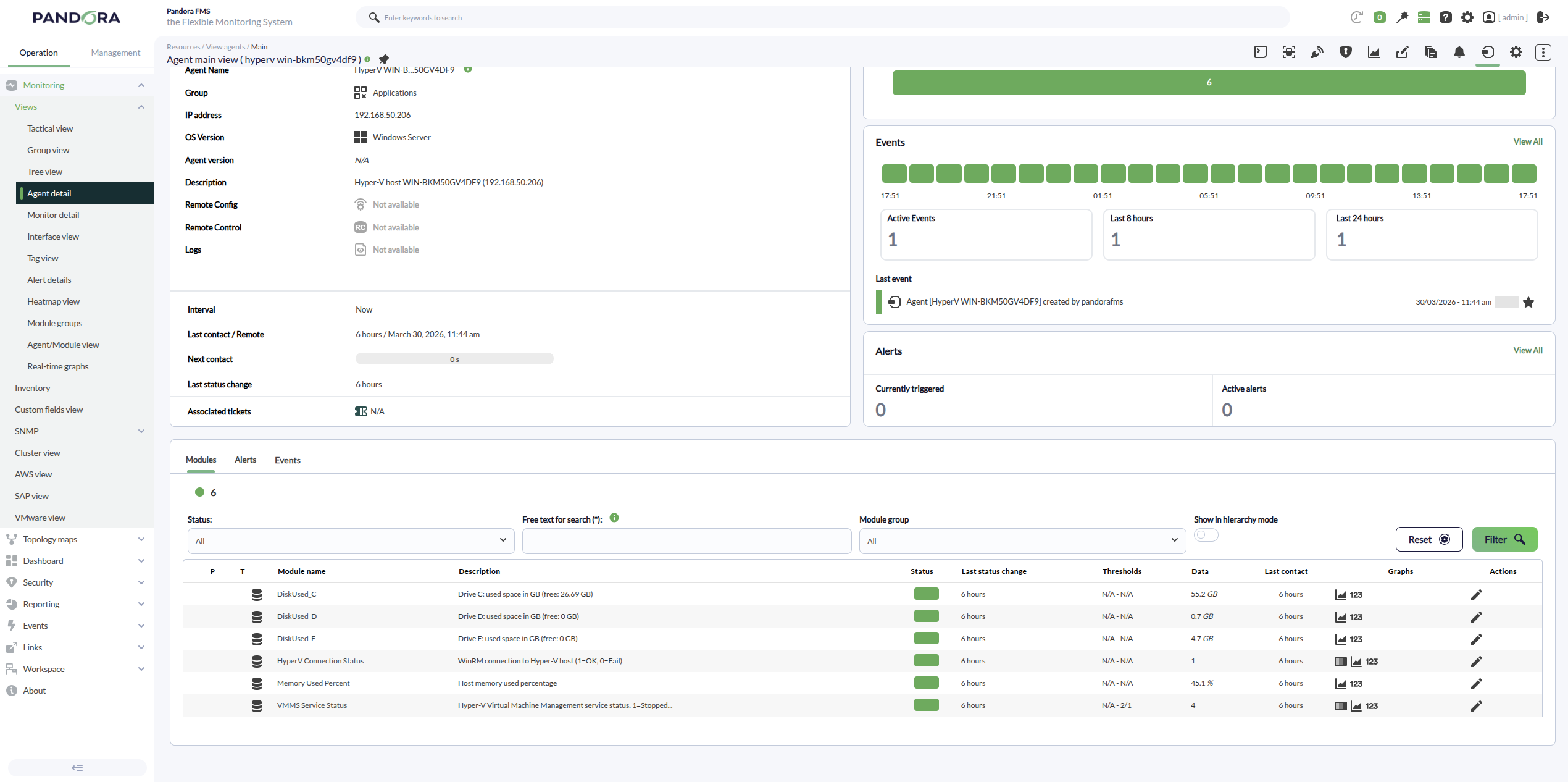
- HyperV Connection Status (remote mode) / HyperV Local Status (local mode): execution/connectivity status of the discovery run.
- Host Memory Total (GB): total memory on the Hyper‑V host.
- Host Memory Free (GB): free/available memory on the Hyper‑V host.
With the Scan VM token the plugin creates:
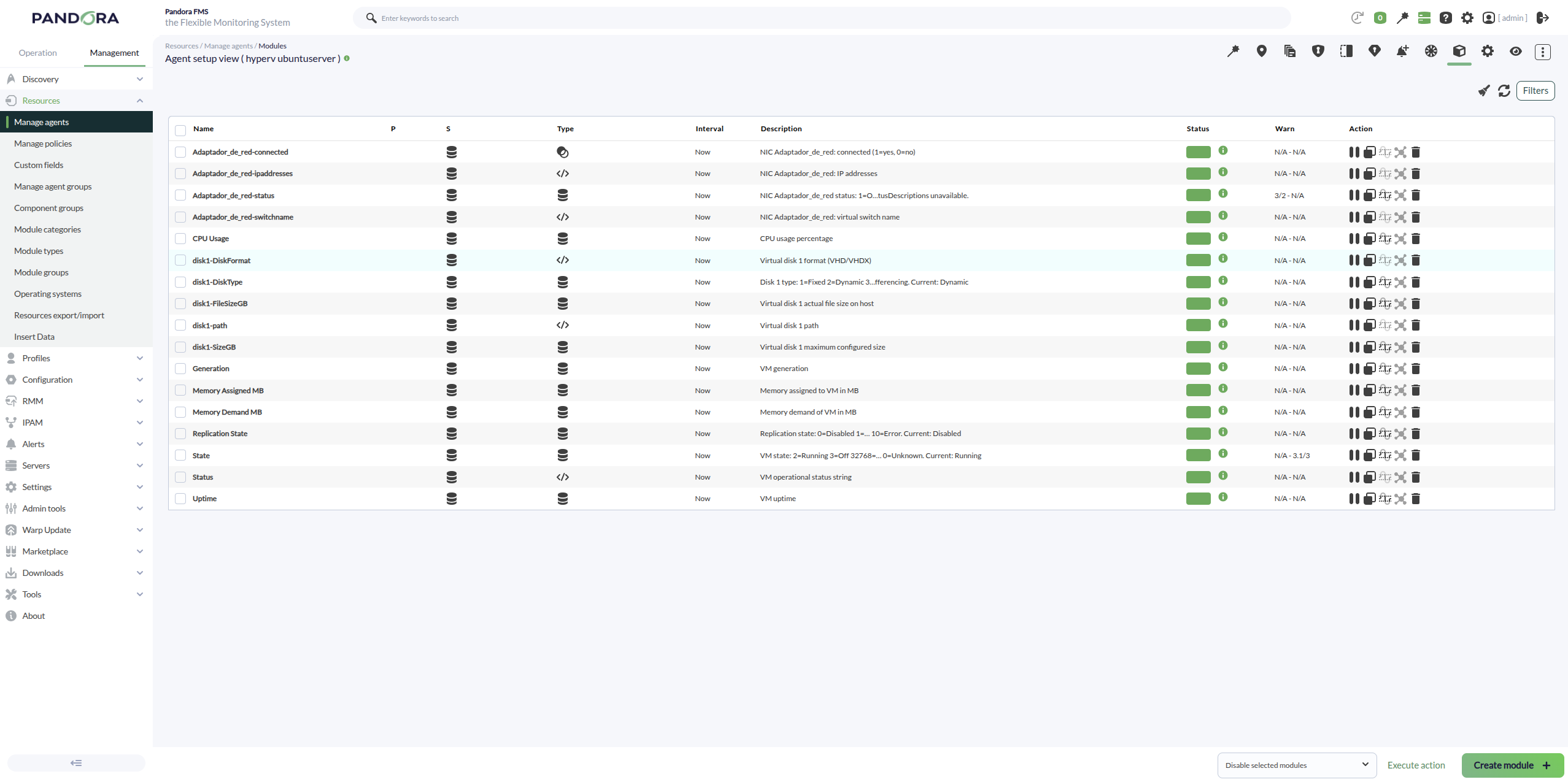
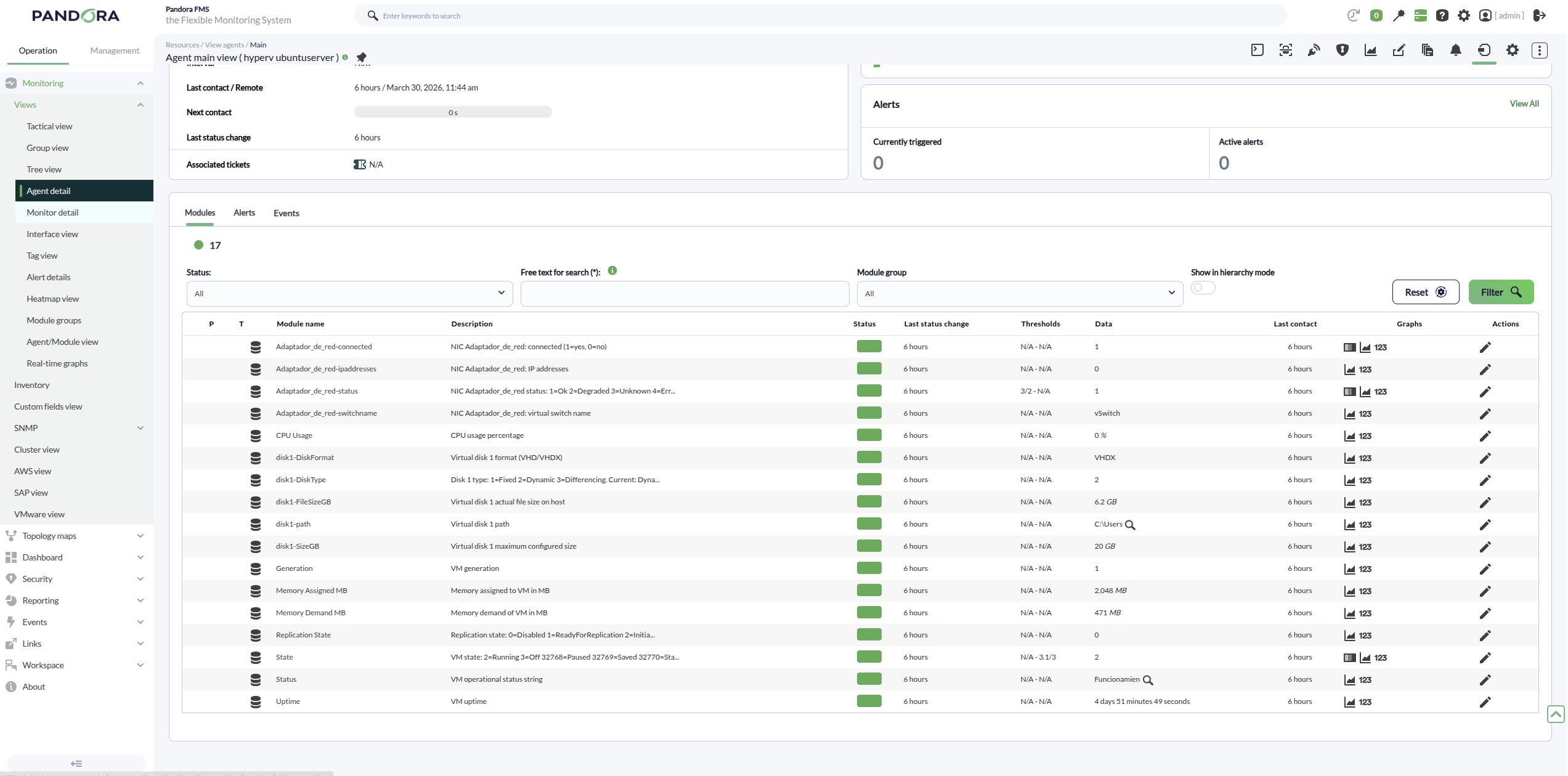
- Agents created: 1 agent per virtual machine discovered on the Hyper‑V host (e.g.,
HyperV <VMName>if an agent prefix is set, or<VMName>if no prefix is provided). - Modules created (per VM agent):
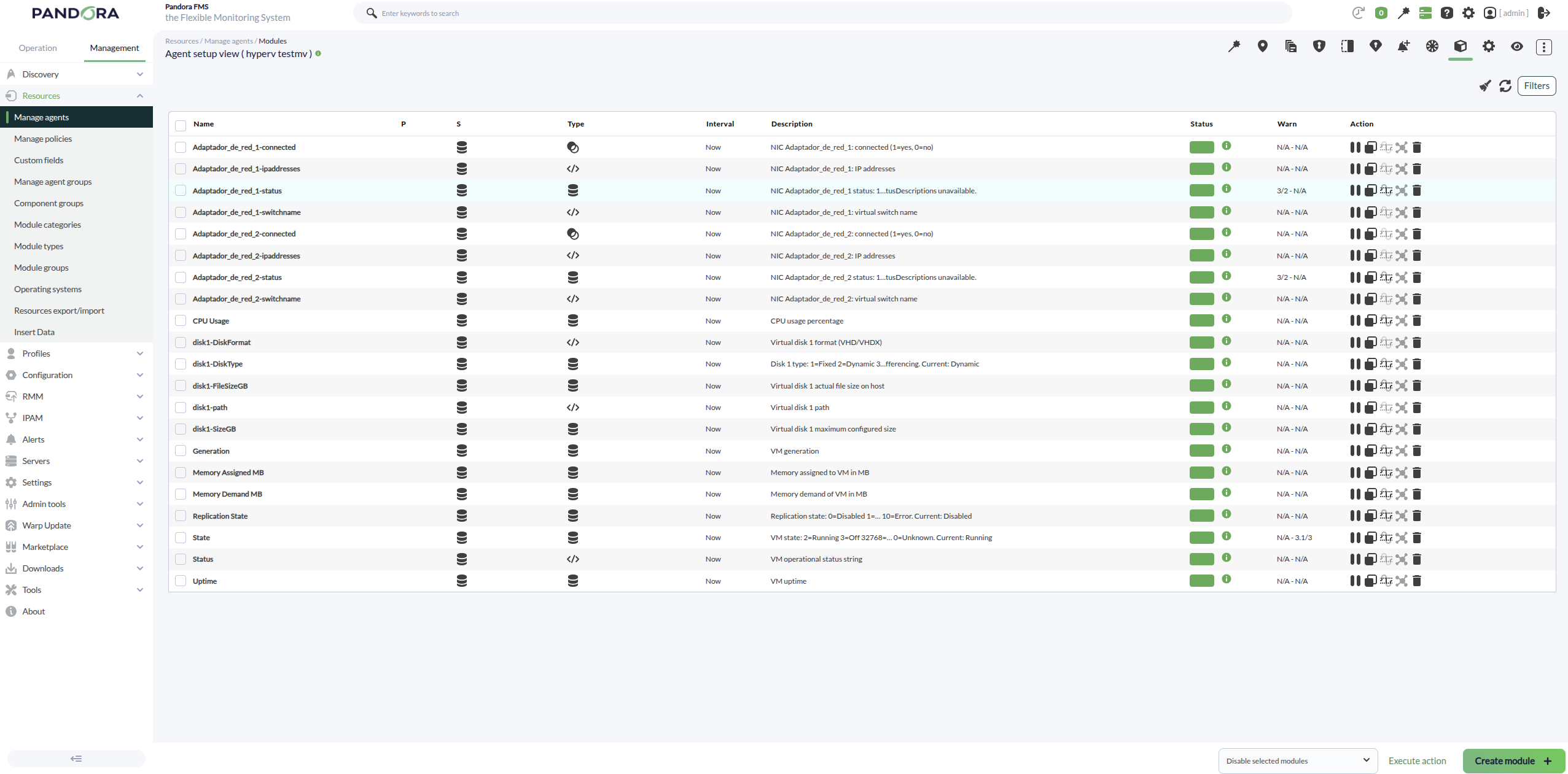
- State: VM numeric state.
- Status: VM operational status reported by Hyper‑V (string).
- Generation: VM generation.
- CPU usage percentage: VM CPU usage in percent (description cleaned, without “from Get‑VM”).
- Memory (when available): VM memory metrics (assigned/consumed/dynamic depending on what is exposed).
- Uptime: VM uptime in seconds.
With the Scan Networking token the plugin creates:
- Agents created: it does not create new agents; it adds networking modules to the already discovered VM agents (it requires the VM agents to exist).
- Modules created (per VM, per network adapter):
- Adapter connectivity/state modules (connected / disconnected).
- The associated Virtual Switch (vSwitch) information.
- MAC Address information (when exposed as a module/value in your version).
- Adapter status as reported by Hyper‑V.
- Multiple adapters with the same name: if a VM has 2+ NICs sharing the same
Name(e.g., “Network Adapter”), the plugin appends a suffix to avoid overwriting modules:..._1,..._2, etc. If the adapter name is unique, no numbering is added.
With the Scan Storage token the plugin creates:
- Agents created: it does not create new agents; it adds storage-related modules to the VM agents (and/or the hypervisor agent if your configuration includes host storage metrics).
- Modules created (per VM):
- Modules for disks/volumes reported for the VM (size/usage/status depending on the available data).
- When usage is reported per drive letter, module names follow the pattern
DiskUsed_<LETTER>(e.g.,DiskUsed_C,DiskUsed_D, …) instead of labels like “Disk C Used GB”.
- Purpose: to monitor disk usage and detect low space or abnormal growth on virtual machines.
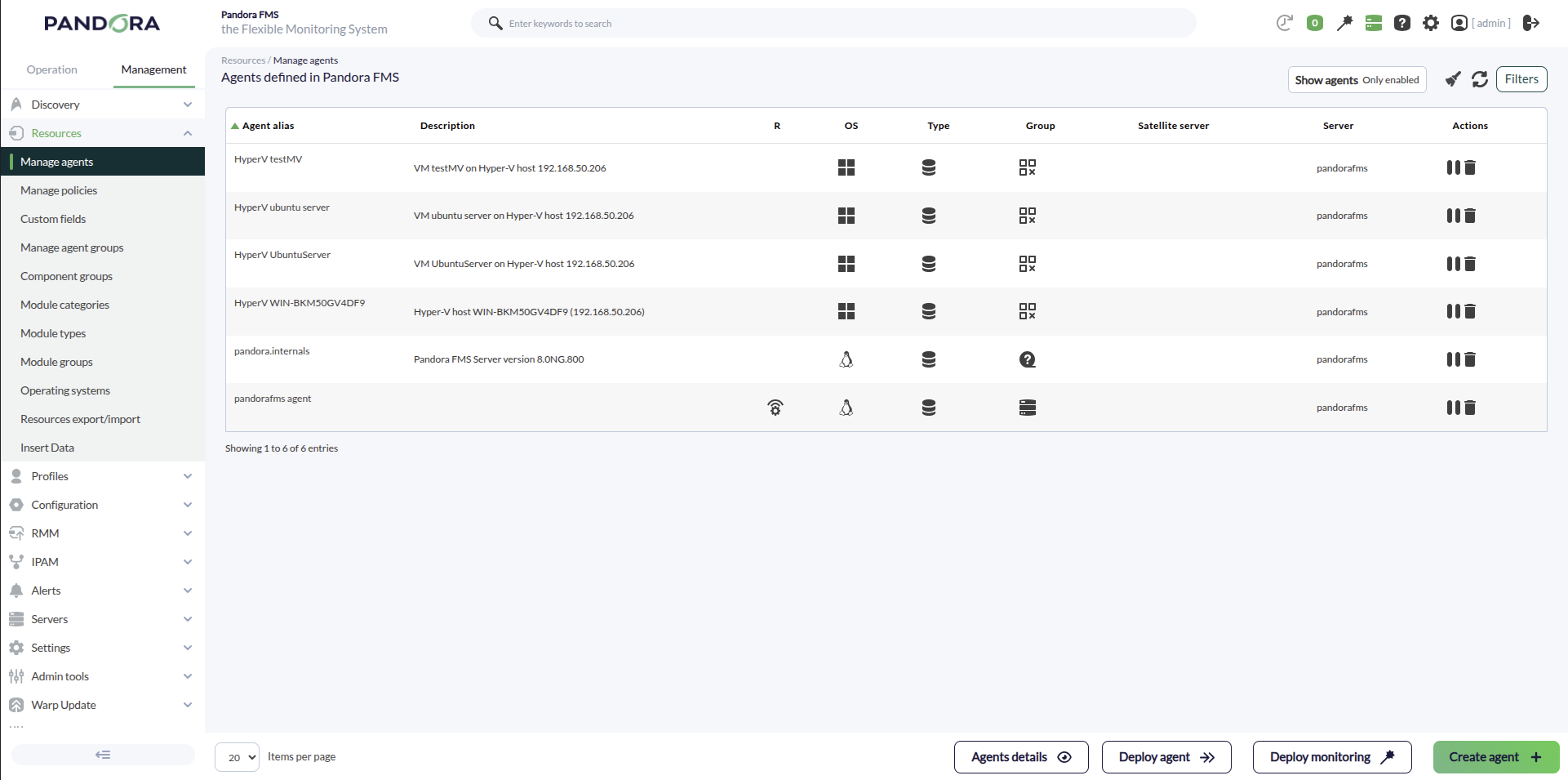
An example of agents created with the plugin would be the following:
The hypervisor host modules will be as follows:
For a Windows VM, we can see that the following modules are created:
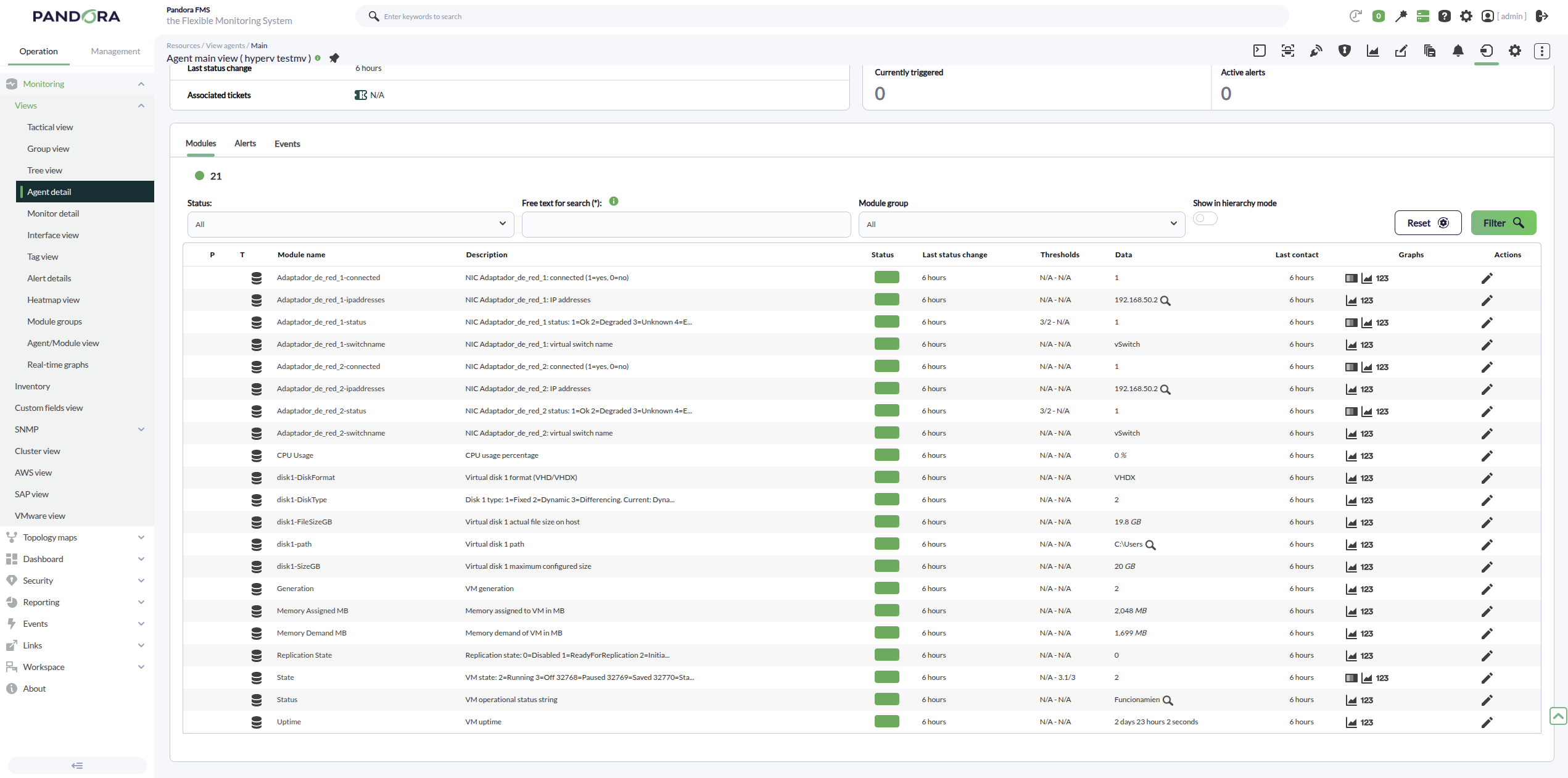
For an Ubuntu VM, we can see the following modules: