Hyper-V
This document describes the HyperV functionality of PandoraFMS discovery.
- Introduction
- Compatibility matrix
- Prerequisites
- Parameters and configuration
- Manual execution
- Discovery
- Agents and modules generated by the plugin
Introduction
The Hyper-V plugin for Pandora FMS discovers the Hyper-V host and its virtual machines, collecting status and performance metrics (CPU, memory, network, and storage) to create the corresponding monitoring modules. It can run in remote mode or in local mode on the Hyper-V server itself, generating a JSON with the definition of agents and modules for later use.
Compatibility matrix
| Systems where it has been tested |
Windows Server (Hyper-V) running the plugin in local mode; Pandora FMS Server on Linux running the plugin in remote mode. |
| Systems where it works |
Remote mode: any Linux system with connectivity to the Hyper-V host and plugin dependencies. Local mode: Windows Server with Hyper-V (and PowerShell) where the .exe / script is executed. |
Prerequisites
- Connectivity to Hyper-V from Pandora
The plugin is a binary that contains the dependencies packaged, so no installation of any kind of dependency is required for its use.
- Permissions
Configure WinRMEnable-PSRemoting -Force -SkipNetworkProfileCheckwinrm quickconfig -forcewinrm set winrm/config/service/auth '@{Basic="true"}'winrm set winrm/config/service '@{AllowUnencrypted="true"}'winrm set winrm/config/service '@{MaxTimeoutms="600000"}'
Allow HTTP 401reg add "HKLM\SOFTWARE\Microsoft\Windows\CurrentVersion\Policies\System" /v LocalAccountTokenFilterPolicy /t REG_DWORD /d 1 /f
Allow WinRM FirewallNew-NetFirewallRule -DisplayName "WinRM HTTP In" -Direction Inbound -Protocol TCP -LocalPort 5985 -Action Allow -Profile Any -Force
Depending on the version of Windows Server, the -Force parameter may cause an error, and the command must be executed without that parameter.
Restart servicesRestart-Service WinRM -ForceStart-Service vmms
Check allwinrm get winrm/config/service/authGet-VM
Its necessary to install the hv-kvp-daemon service on VMs with Linux systems so that they report all modules.
Parameters and configuration
Parameters
| --help | Message with the parameters |
| --confg | Path to the configuration file |
| --execute_local | Parameter to indicate that it will be executed from the Hyper-V host itself and not from the Pandora server. |
| --save_file |
Parameter that requires --execute_local in order to be used. This parameter will save the JSON output to a file |
Configuration file (--conf)
agent_prefix = HyperV
agents_group_id = 2
scan_vm = 1
scan_networking = 1
scan_storage = 0
scan_hypervisor = 1
Manual execution
The format for executing the plugin is as follows:
.\pandora_hyperV.exe --conf < ruta del .conf > --execute_localExample:
.\pandora_hyperV.exe --conf pandora_hyperv.conf --execute_localExample getting .txt with JSON
.\pandora_hyperV.exe --conf pandora_hyperv.conf --execute_local --save_fileExample output JSON:
[
  {
    "agent_data": {
      "agent_name": "HyperV WIN-BKM50GV4DF9",
      "agent_alias": "HyperV WIN-BKM50GV4DF9",
      "os": "Windows",
      "os_version": "Windows Server",
      "interval": 300,
      "id_group": 2,
      "address": "WIN-BKM50GV4DF9",
      "description": "Hyper-V host WIN-BKM50GV4DF9 (WIN-BKM50GV4DF9)"
    },
    "module_data": [
      {
        "name": "HyperV Local Status",
        "type": "generic_proc",
        "data": 1,
        "description": "Hyper-V plugin running locally (1=OK, 0=Fail)"
      }
    ]
  },
  {
    "agent_data": {
      "agent_name": "HyperV ubuntu server",
      "agent_alias": "HyperV ubuntu server",
      "os": "Windows",
      "os_version": "Windows",
      "interval": 300,
      "id_group": 2,
      "address": "WIN-BKM50GV4DF9",
      "description": "VM ubuntu server on Hyper-V host WIN-BKM50GV4DF9"
    },
    "module_data": [
      {
        "name": "State",
        "type": "generic_data",
        "data": 3,
        "description": "VM state: 2=Running 3=Off 32768=Paused 32769=Saved 32770=Starting 32771=Stopping 32772=Pausing 32773=Resuming 32774=Saving 32775=FastSaved 0=Unknown. Current: Off",
        "min_critical": 3,
        "max_critical": 3.1
      }
    ]
  }
]
Discovery
This plugin can be integrated with Pandora FMS Discovery.
To do so, you must upload the “.disco” package, which can be downloaded from the Pandora FMS library:
https://pandorafms.com/library/
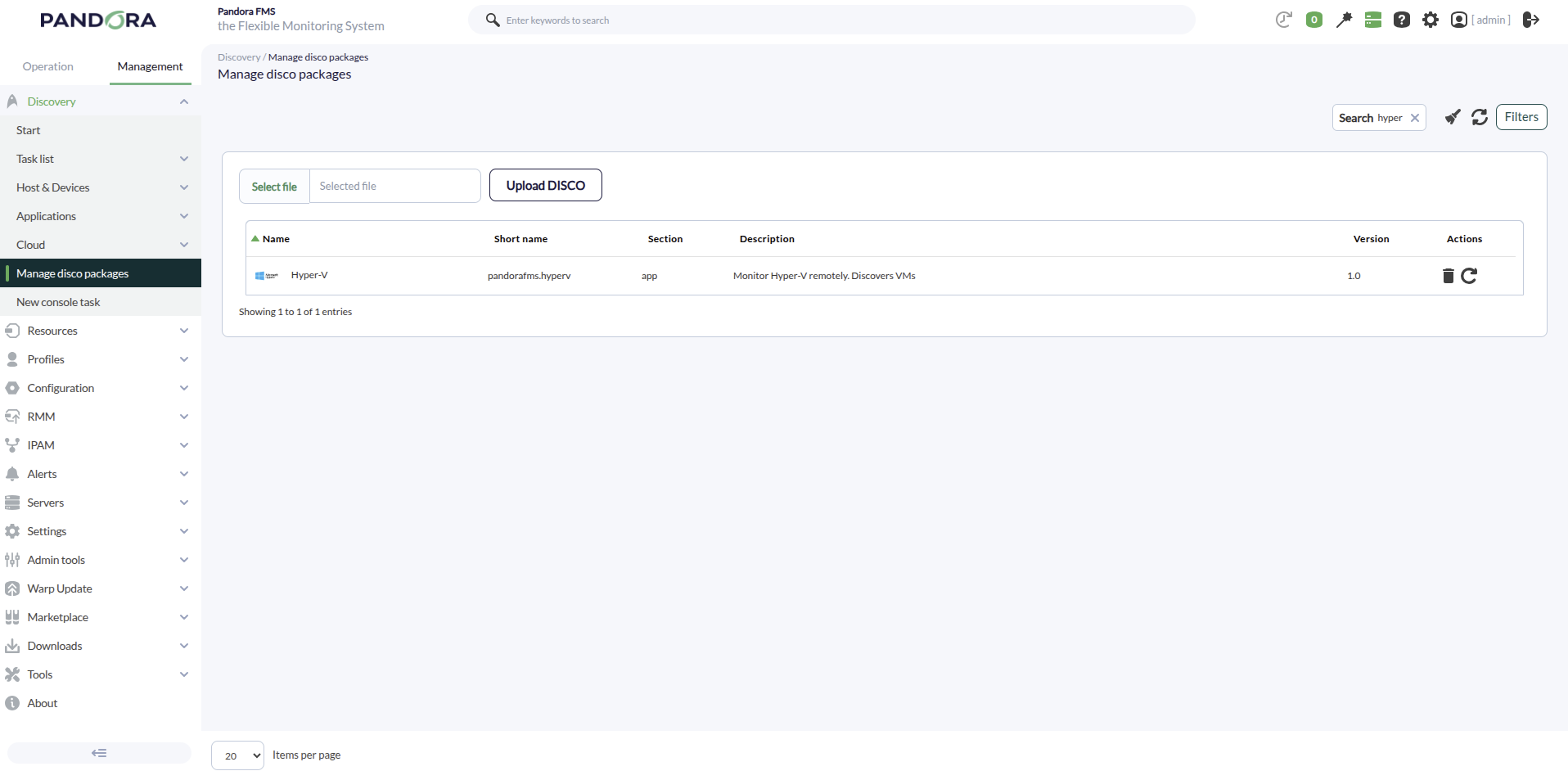
Once uploaded, Hyper-V environments can be monitored by creating Discovery tasks from the Management > Discovery > Applications section
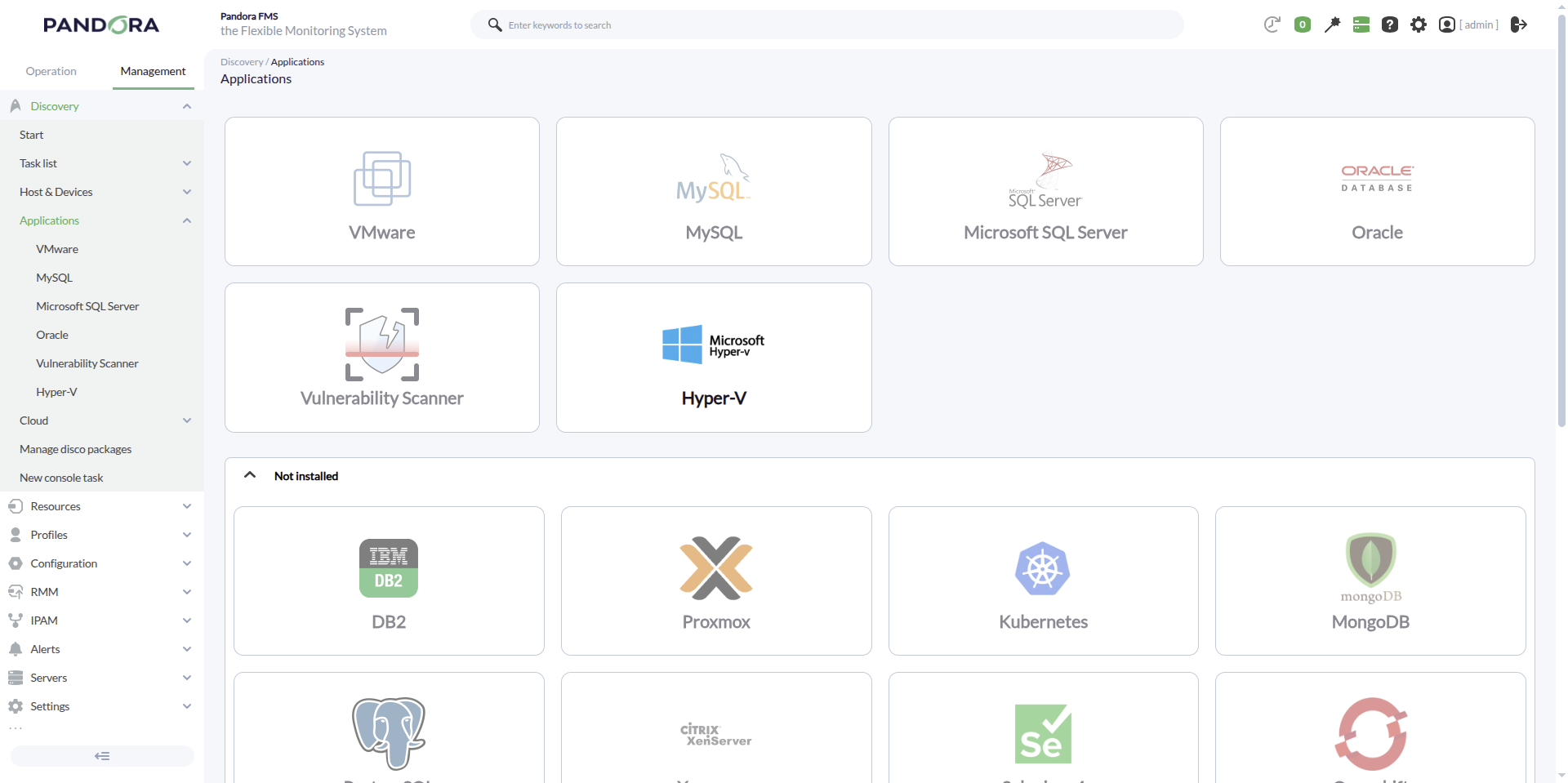
For each task, the following minimum parameters will be required:
- Hyper-V IP: IP address of the host with Hyper-V.
- Credentials: Custom-type username and password. To do this, you will need to create a new credential in the Management > Configuration > Credential store una nueva credencial.
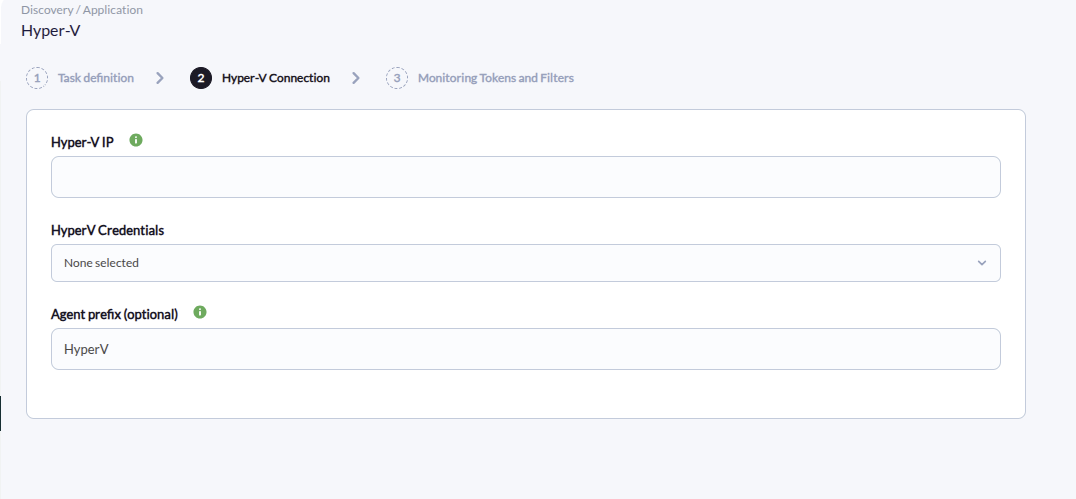
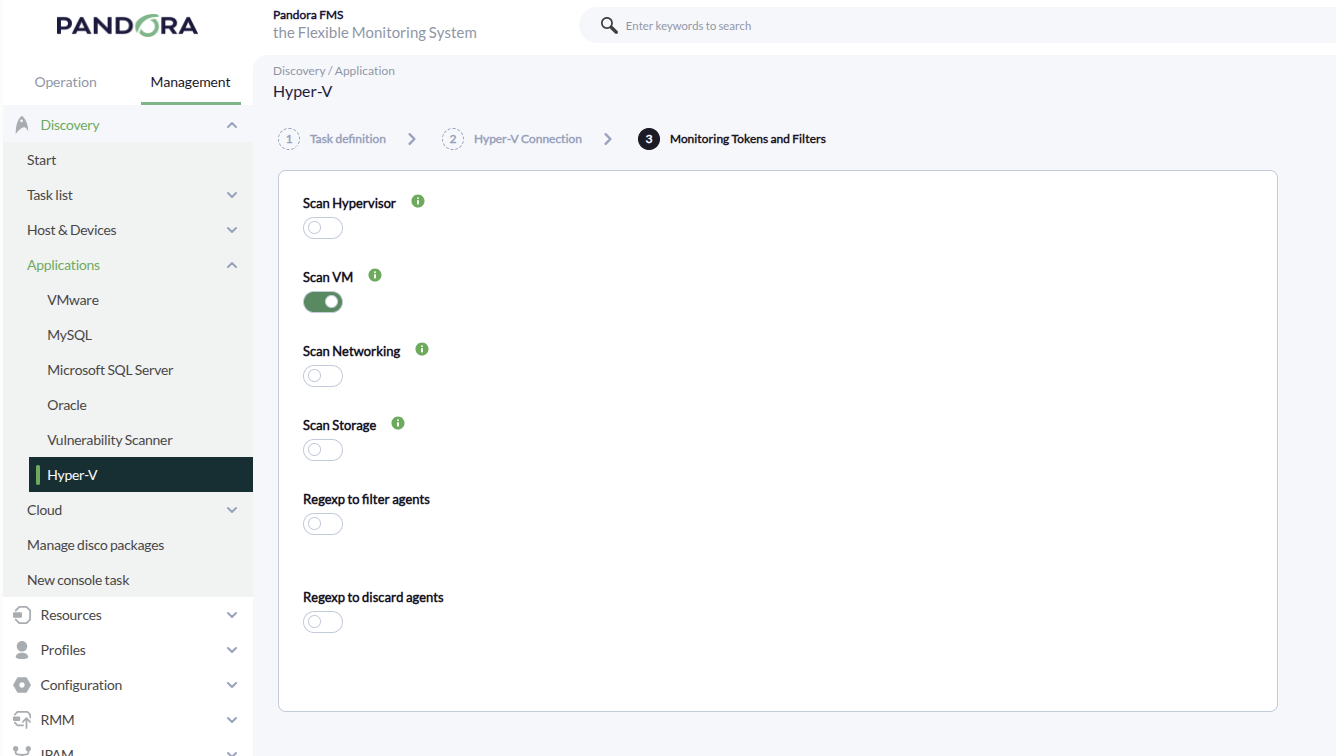
It will also be possible to adjust the task configuration to customize the desired monitoring:
- Scan Hypervisor Will create an agent with modules for the hypervisor host.
- Scan VM Will perform the search to create different agents for the existing VMs.
- Scan Networking Will create modules for the network adapters of the different VMs.
- Scan Storage Will create modules for the different storage disks of the VMs.
Agents and modules generated by the plugin
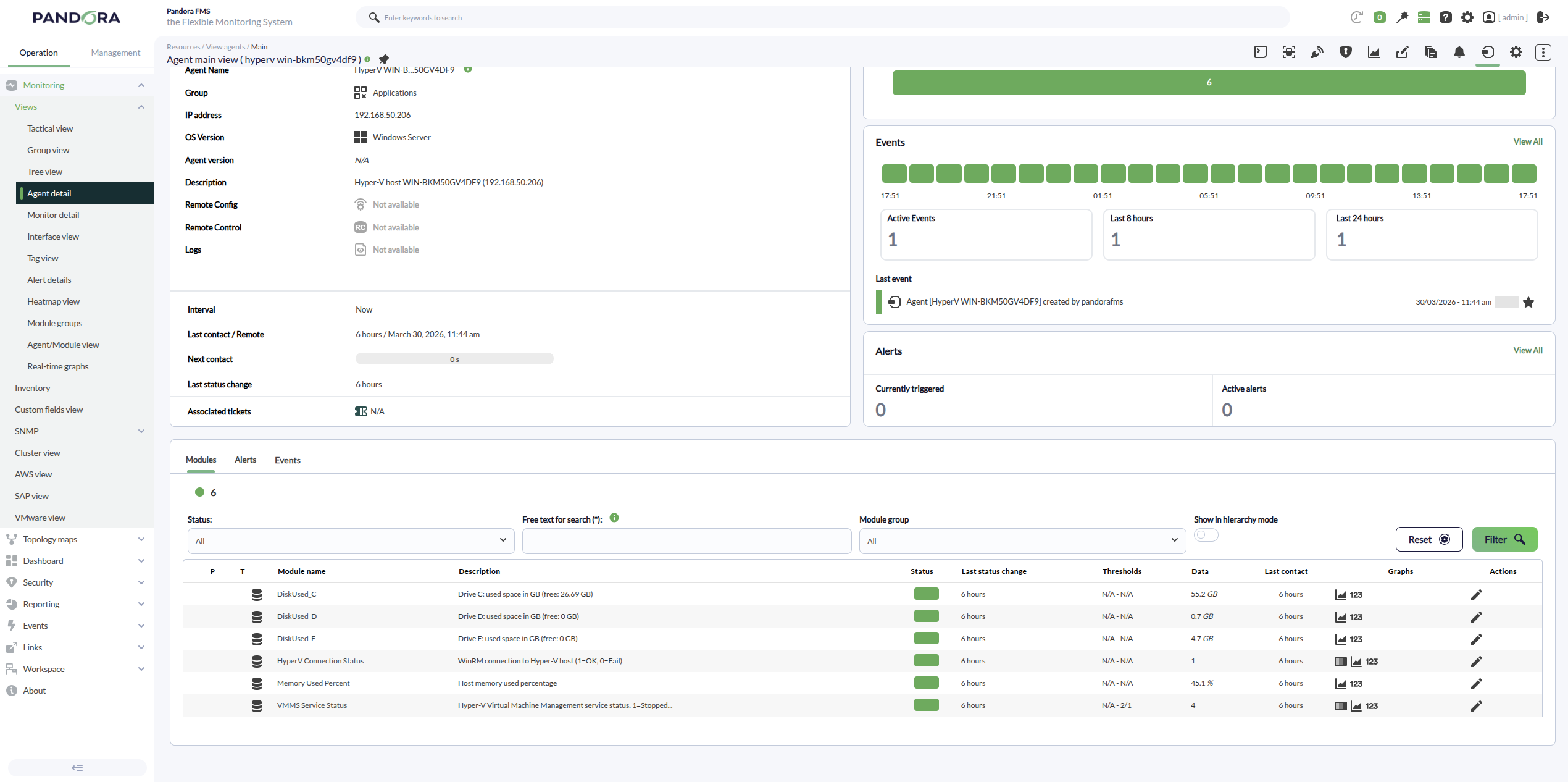
With the Scan hypervisor token the plugin creates:
- Agents created: 1 agent for the Hyper‑V host (the hypervisor). Its name is typically
HyperV <ComputerName>if an agent prefix is configured, or<ComputerName>if no prefix is provided. - Modules created (host agent):
- HyperV Connection Status (remote mode) / HyperV Local Status (local mode): execution/connectivity status of the discovery run.
- Host Memory Total (GB): total memory on the Hyper‑V host.
- Host Memory Free (GB): free/available memory on the Hyper‑V host.
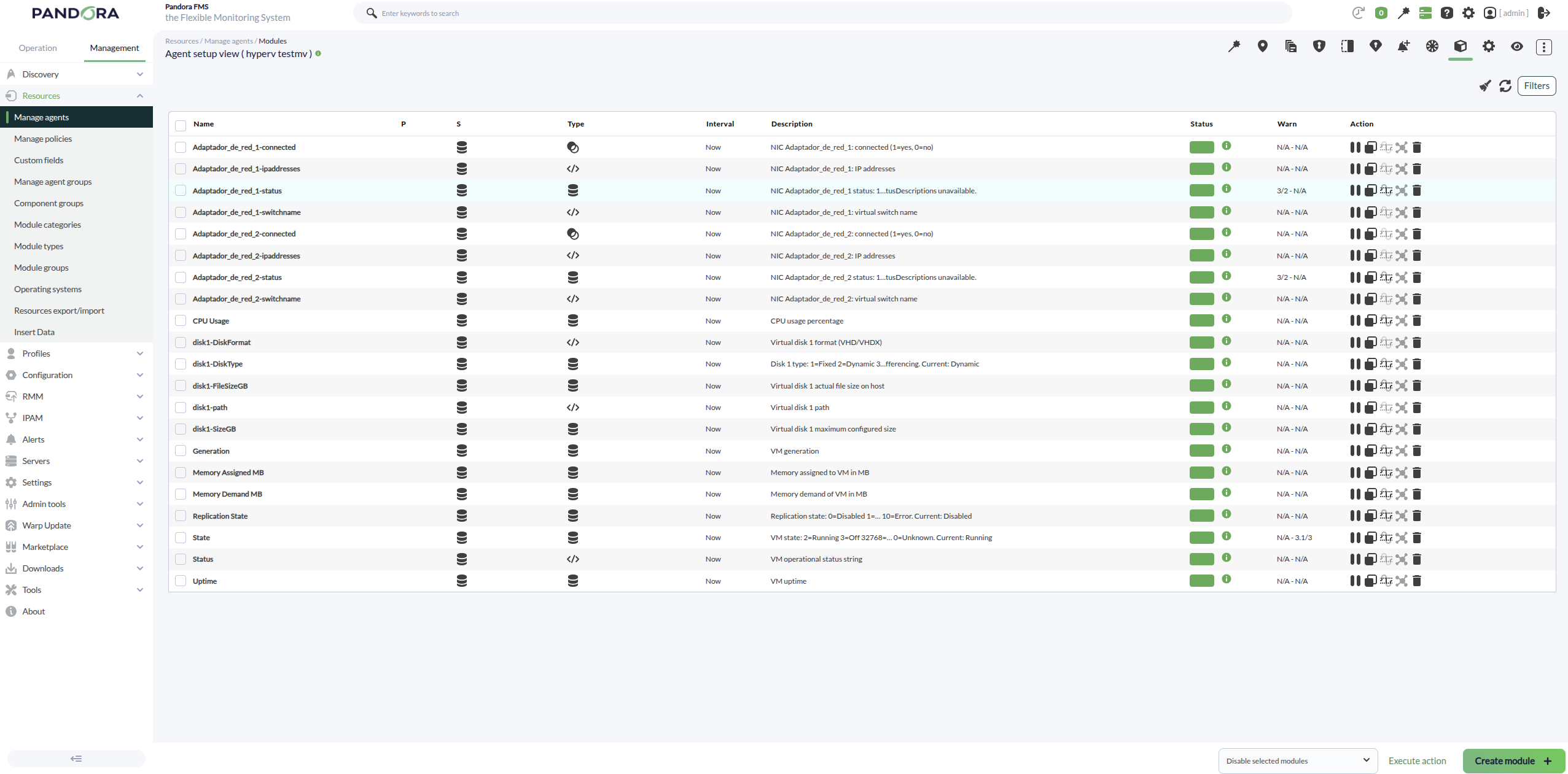
With the Scan VM token the plugin creates:
- Agents created: 1 agent per virtual machine discovered on the Hyper‑V host (e.g.,
HyperV <VMName>if an agent prefix is set, or<VMName>if no prefix is provided). - Modules created (per VM agent):
- State: VM numeric state.
- Status: VM operational status reported by Hyper‑V (string).
- Generation: VM generation.
- CPU usage percentage: VM CPU usage in percent (description cleaned, without “from Get‑VM”).
- Memory (when available): VM memory metrics (assigned/consumed/dynamic depending on what is exposed).
- Uptime: VM uptime in seconds.
With the Scan Networking token the plugin creates:
- Agents created: it does not create new agents; it adds networking modules to the already discovered VM agents (it requires the VM agents to exist).
- Modules created (per VM, per network adapter):
- Adapter connectivity/state modules (connected / disconnected).
- The associated Virtual Switch (vSwitch) information.
- MAC Address information (when exposed as a module/value in your version).
- Adapter status as reported by Hyper‑V.
- Multiple adapters with the same name: if a VM has 2+ NICs sharing the same
Name(e.g., “Network Adapter”), the plugin appends a suffix to avoid overwriting modules:..._1,..._2, etc. If the adapter name is unique, no numbering is added.
With the Scan Storage token the plugin creates:
- Agents created: it does not create new agents; it adds storage-related modules to the VM agents (and/or the hypervisor agent if your configuration includes host storage metrics).
- Modules created (per VM):
- Modules for disks/volumes reported for the VM (size/usage/status depending on the available data).
- When usage is reported per drive letter, module names follow the pattern
DiskUsed_<LETTER>(e.g.,DiskUsed_C,DiskUsed_D, …) instead of labels like “Disk C Used GB”.
- Purpose: to monitor disk usage and detect low space or abnormal growth on virtual machines.
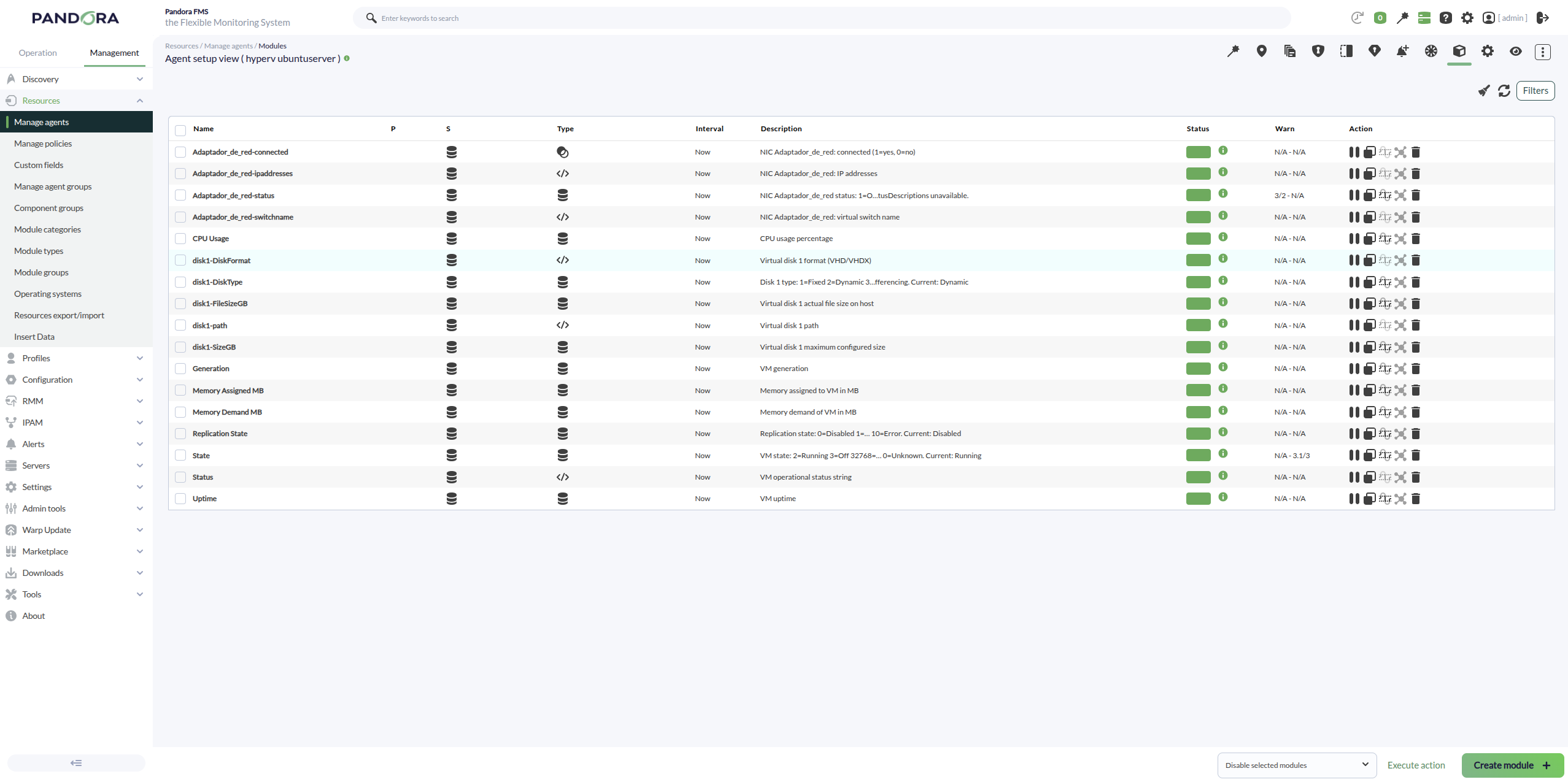
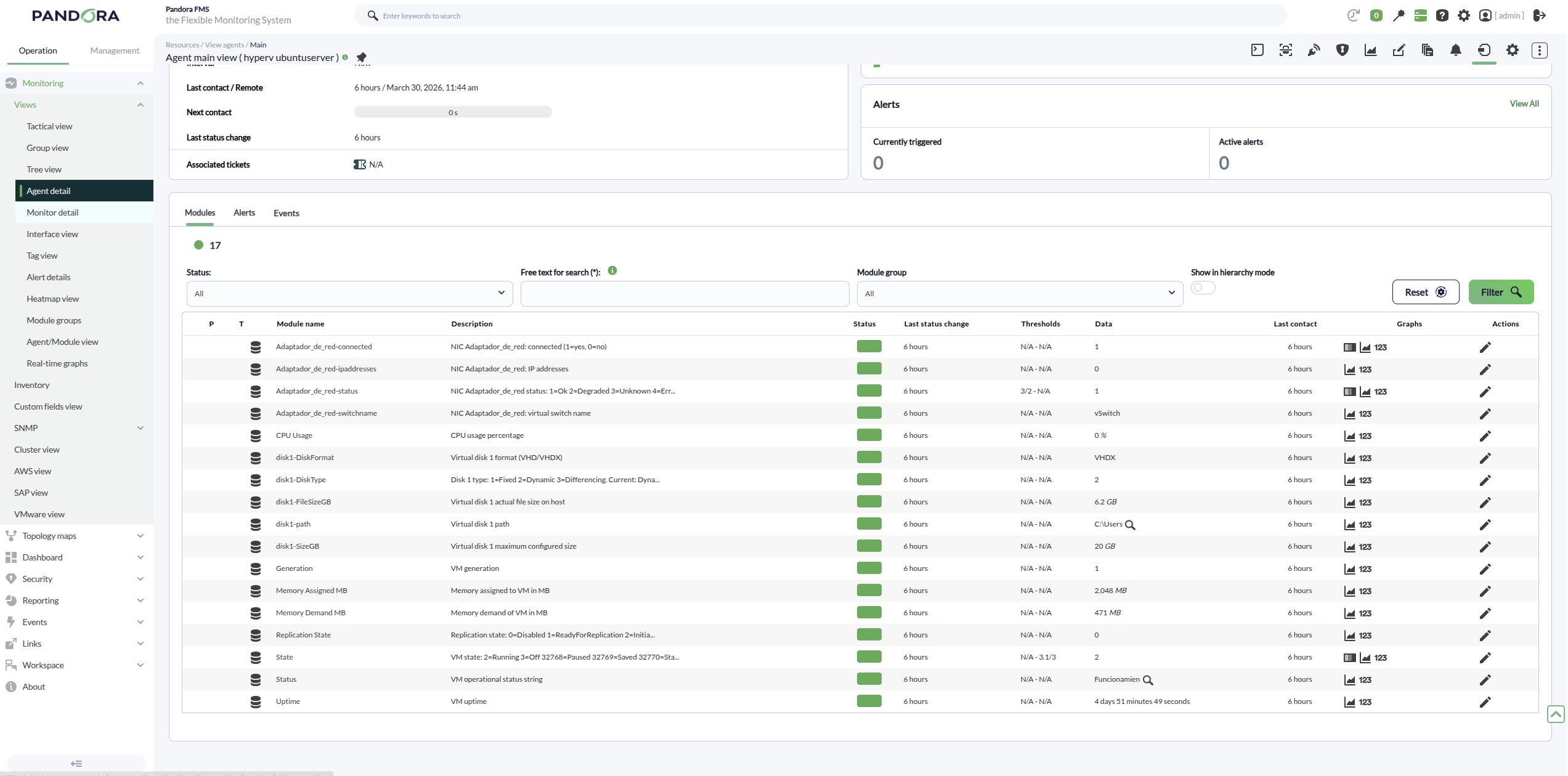
An example of agents created with the plugin would be the following:
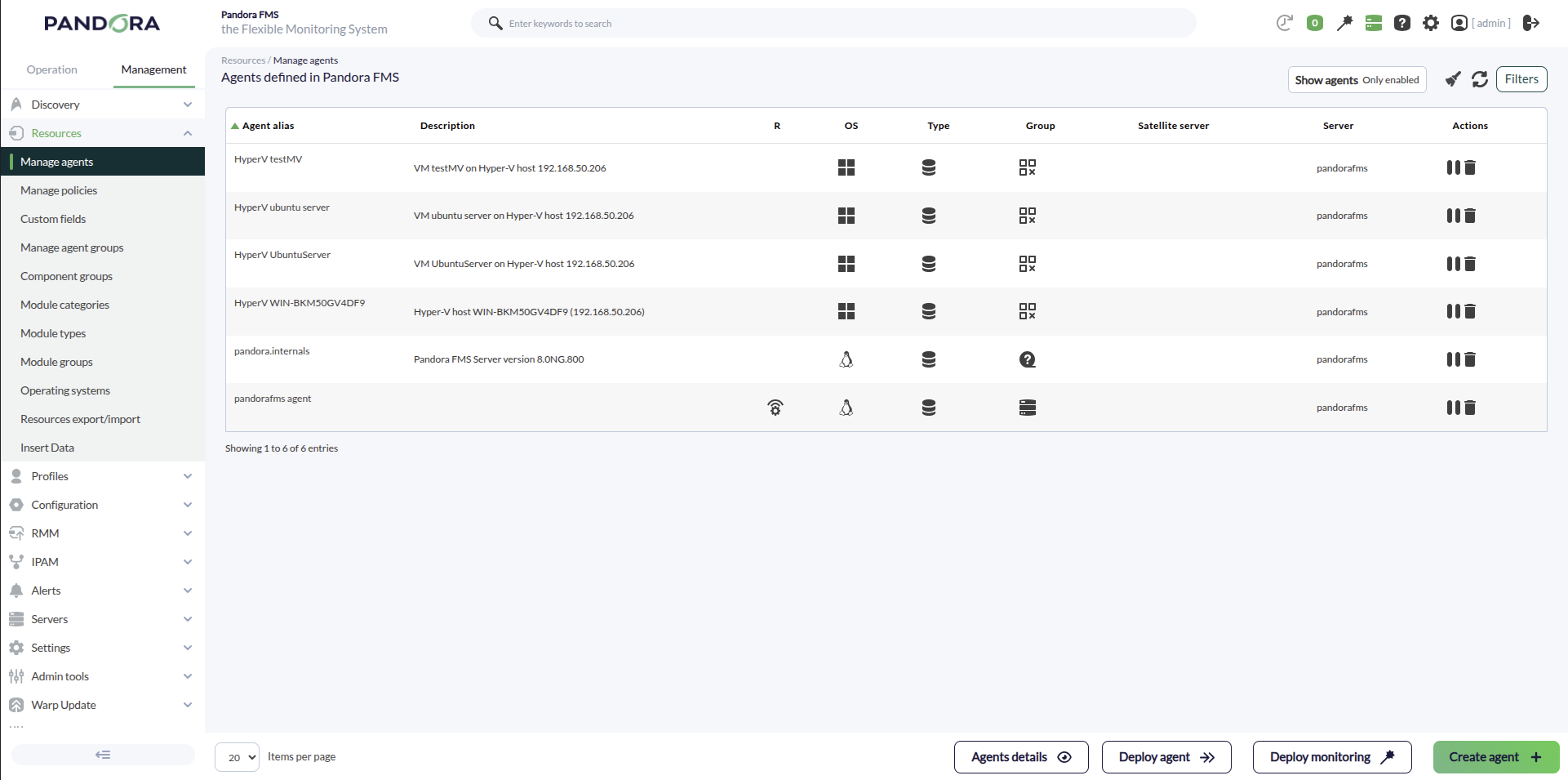
The hypervisor host modules will be as follows:
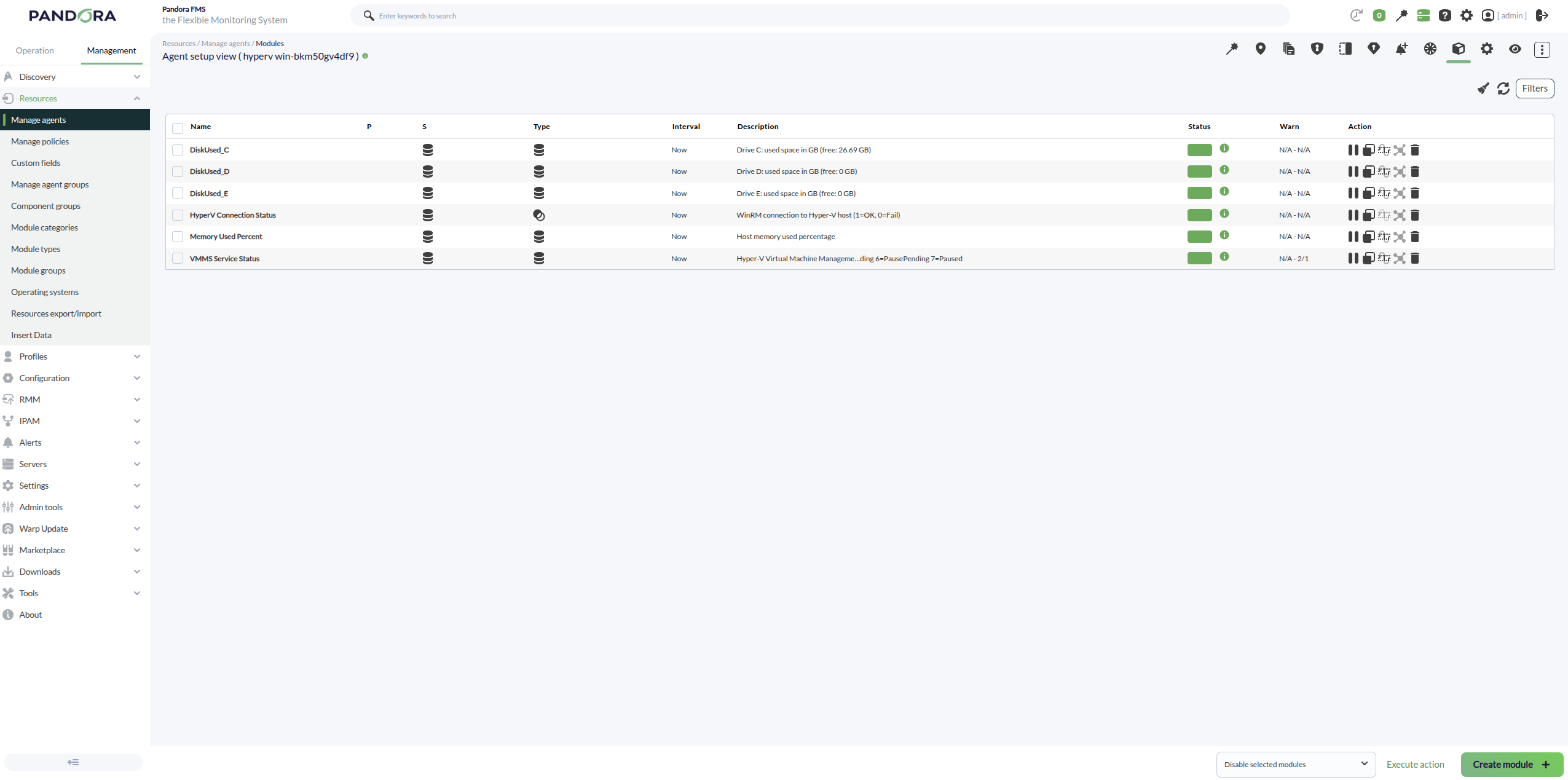
For a Windows VM, we can see that the following modules are created:
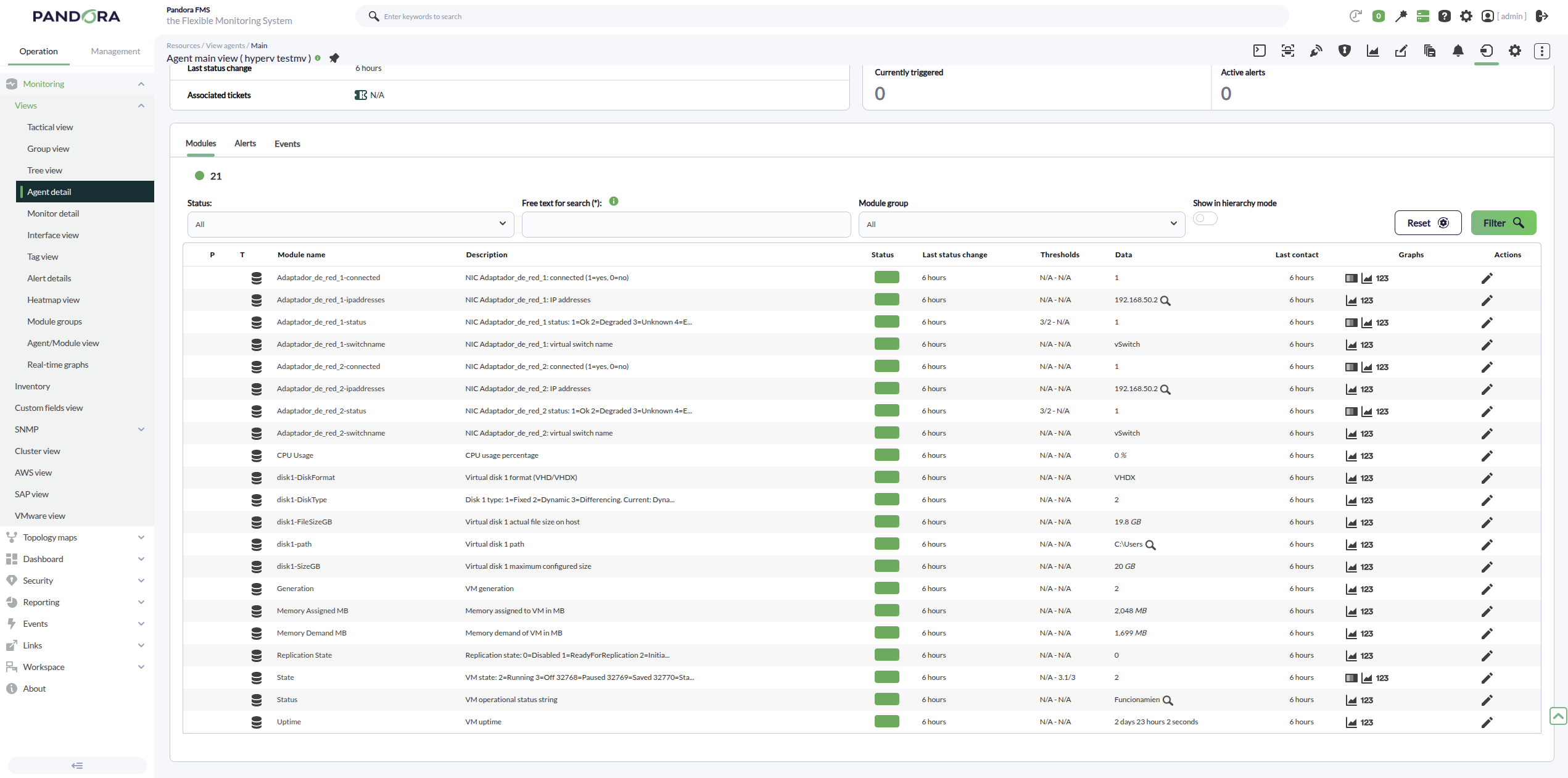
For an Ubuntu VM, we can see the following modules: