Genieacs plugin
Plugin for take data from genieacs
- Introduction
- Compatibility matrix
- Prerequisites
- Configuration
- Manual execution and parameters
- Modules generated by the plugin
Introduction
Ver. 02-12-2021
This plugin take data from your environment genieacs.
Tipo: Server Plug-in
Compatibility matrix
| Systems where it has been tested |
CentOS 7, Fedora |
| Systems where it should work |
Any linux system |
Prerequisites
Required :
- A genieacs environment
- Run genieacs-nbi
- Python 3
Configuration
You will have to launch genieacs-nbi, which generates the api on port 7557 by default.

Manual execution and parameters
You can run the plugin manually from the terminal with the --as_agent_plugin parameter, leaving it at 1 :

The plug-in has the following parameters:
|
Parámeter |
Description |
|
-u ip, --url ip |
This is mandatory. You have to enter your ip with the port, for example1 92.168.1.178:7557 |
|
--as_agent_plugin |
It's optional, if you want the plugin to be an agent plugin and put the modules in the pandora agent, execute this with a 1 |
|
-g GROUP, --group GROUP |
Pandora FMS Target Group |
|
--data_dir DATA_DIR |
Pandora FMS data directory. By default it is /var/spool/pandora/data_in/ |
Modules generated by the plugin
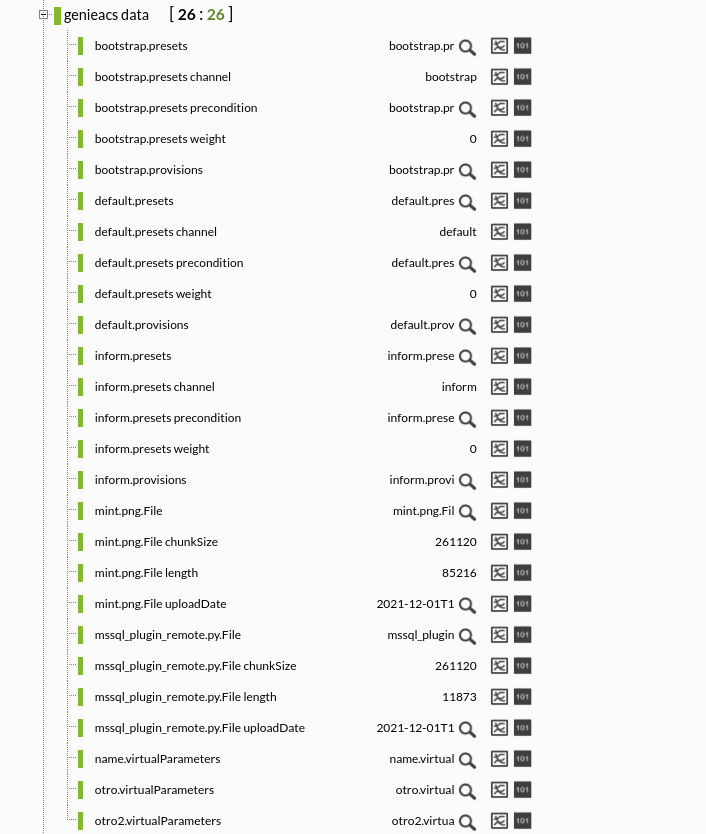
The execution of the plugin will generate an agent with the following modules :
Provisions
| Provision id |
Virtual Parameters
| Virtual Parameters |
Presets
| Preset id |
| preset channel |
| preset precondition |
| preset weight |
Files
| FIle id |
| file chunksize |
| file legth |
| file upload date |