This plugin may take some time to execute, so it is recommended to configure a timeout of at least 20 seconds. It is possible that the global parameter ‘plugin\_timeout’ of the pandora\_server.conf should be adjusted as well.
[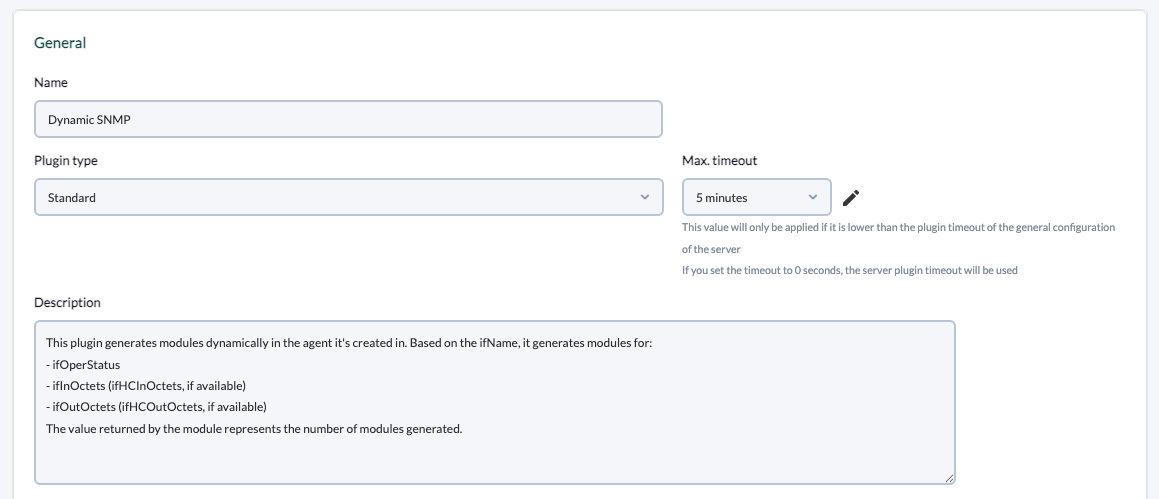](https://pandorafms.com/guides/public/uploads/images/gallery/2025-05/captura-de-pantalla-2025-05-22-a-las-13-40-05.png) Description used in the example: > This plugin generates modules dynamically in the agent it's created in. Based on the ifName, it generates modules for: > \- ifOperStatus > \- ifInOctets (ifHCInOctets, if available) > \- ifOutOctets (ifHCOutOctets, if available) > The value returned by the module represents the number of modules generated. **4. Add the path to the plugin in the command and the necessary parameters for its execution.** This example is configured for monitoring interfaces with SNMPv2, indicating filters for the interfaces and status thresholds for the generated modules. The \_agentname\_ and \_address\_ server macros will be used to avoid having to manually indicate the agent name and IP address of the device in each execution.For each parameter a macro must be configured, the syntax of this macro being the following : \_fieldx\_, where x is the positional number of the parameter.
[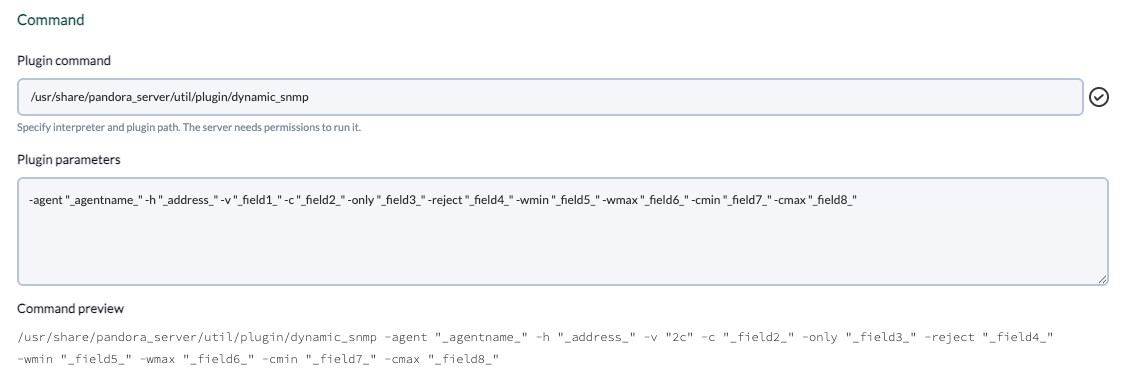](https://pandorafms.com/guides/public/uploads/images/gallery/2025-05/captura-de-pantalla-2025-05-22-a-las-13-43-29.png) Plugin parameters used in the example: ``` -agent "_agentname_" -h "_address_" -v "_field1_" -c "_field2_" -only "_field3_" -reject "_field4_" -wmin "_field5_" -wmax "_field6_" -cmin "_field7_" -cmax "_field8_" ``` **5. Configure the macros shown above, adding in each one the description of the parameter.** [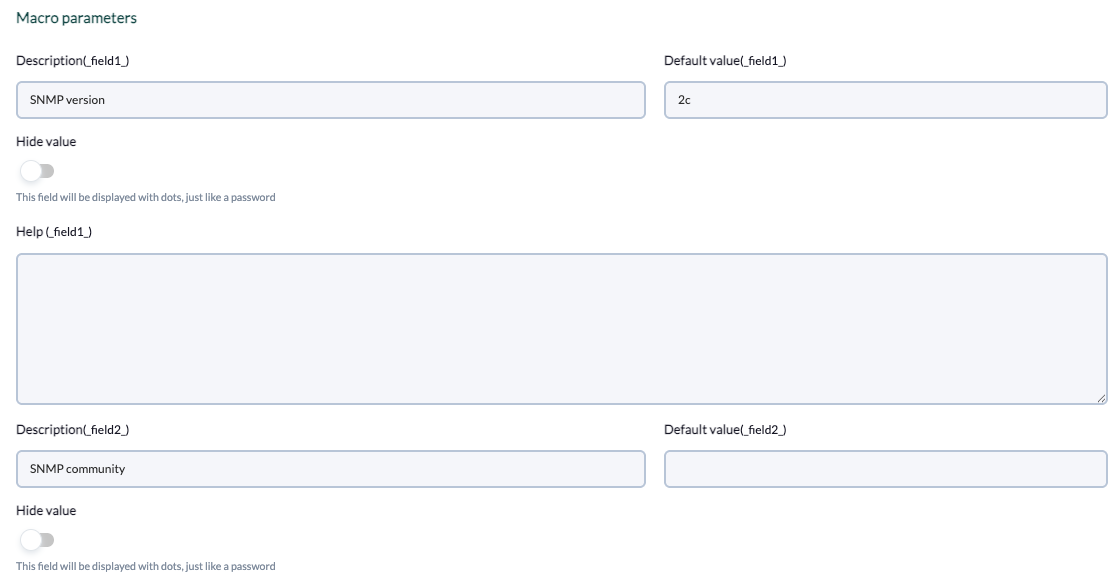](https://pandorafms.com/guides/public/uploads/images/gallery/2025-05/Okgimage.png) Fields included in the example: - Field 1 - Description: `SNMP version` - Default value: `2c` - Field 2 - Description: `SNMP community` - Field 3: - Description: `Filter interfaces by name` - Help: `Optional: allows filtering interfaces by name, separated by commas. For example: ‘ge,fe’, will only generate modules for interfaces whose name contains ‘ge’ or ‘fe’.` - Field 4: - Description: `Exclude interfaces by name` - Help: `Optional: allows to exclude interfaces by name, separated by comma. For example: ‘ge,fe’ will generate modules for all available interfaces except if their name contains ‘ge’ or ‘fe’.` - Field 5: - Description: `Warning threshold (min)` - Help: `Optional: Allows to specify the min threshold for Warning status in the generated modules.` - Field 6: - Description: `Warning threshold (max)` - Help: `Optional: Allows to specify the max threshold for Warning status in the generated modules.` - Field 7: - Description: `Critical threshold (min)` - Help: `Optional: Allows to specify the min threshold for Critical status in the generated modules.` - Field 8: - Description: `Critical threshold (max)` - Help: `Allows to specify the max threshold for Critical status in the generated modules.` **6. Once configured, you must create a module in an agent that will execute the plugin. In the module menu of an agent, create a module of plugin server type.** [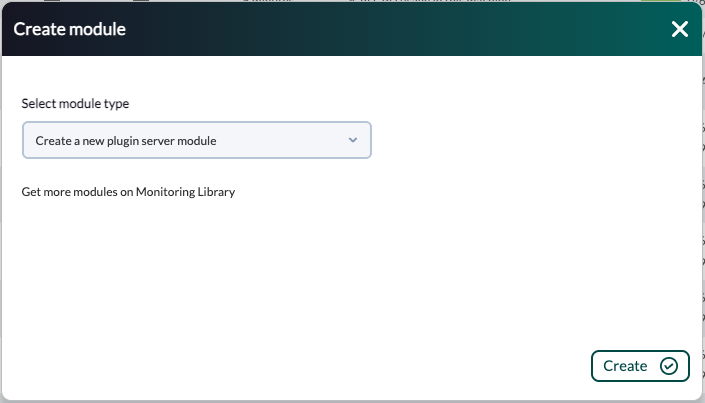](https://pandorafms.com/guides/public/uploads/images/gallery/2025-05/Htucaptura-de-pantalla-2025-05-22-a-las-16-05-33.png) **7. In the module configuration menu, enter a name, select the plugin and fill in the required fields.** [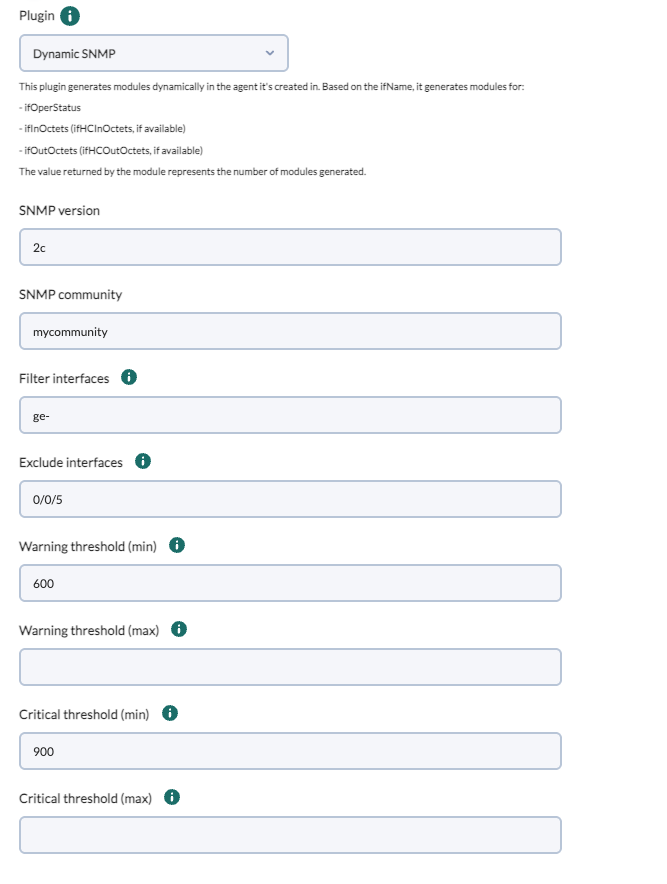](https://pandorafms.com/guides/public/uploads/images/gallery/2025-05/captura-de-pantalla-2025-05-22-a-las-15-51-20.png) **8. Once the module is created, the plugin will run and generate the modules that match the specified filters.** [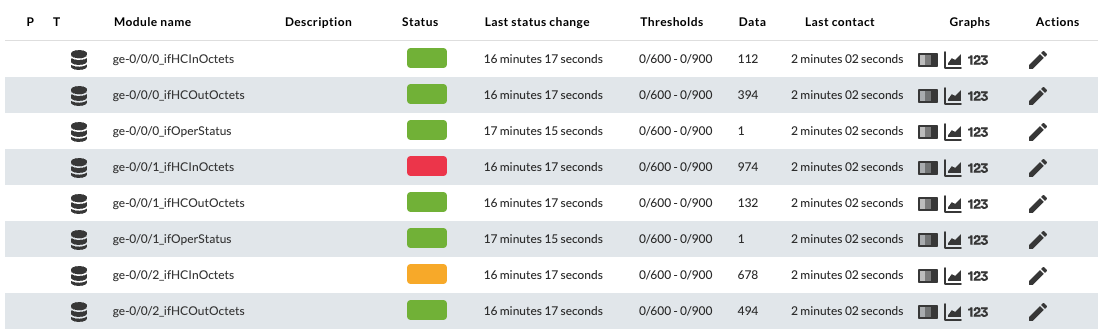](https://pandorafms.com/guides/public/uploads/images/gallery/2025-05/captura-de-pantalla-2025-05-22-a-las-15-56-12.png)