
Bienvenido a la comunidad de Pandora FMS › Forums › Community support › Advanced troubleshooting › Gray page after module creation… :-(
-
Gray page after module creation… :-(
Posted by baastrup on marzo 19, 2014 at 13:11Hi
I got the strange issue, when I try to add a module for my agent.
When I click create module, im just getting a blank page/gray page.No errors to be found in the logs even with lvl 10 logging.
ivo_yordanov replied 12 years, 4 months ago 2 Members · 23 Replies -
23 Replies
-

-
-
::
#############################################################################
# Pandora FMS Server Parameters
# Pandora FMS, the Flexible Monitoring System.
# Version 5.0SP3
# Licensed under GPL license v2,
# (c) 2003-2013 Artica Soluciones Tecnologicas
# http://www.pandorafms.com
# Please change it for your setup needs
############################################################################## Servername: Name of this server
# if not given, it takes hostname. It’s preferable to setup one
# because machine name could change by some reason.servername x3650
# incomingdir: Defines directory where incoming data packets are stored
# You could set directory relative to base path or absolute, starting with /incomingdir /var/spool/pandora/data_in
# log_file: Main logfile for pandora_server
# You could set file relative to base path or absolute, starting with /log_file /var/log/pandora/pandora_server.log
# Log file for Pandora FMS SNMP console. Its generated by NetSNMP Trap daemon
snmp_logfile /var/log/pandora/pandora_snmptrap.log
# Error logfile: aux logfile for pandora_server errors (in Daemon mode)
# You could set file relative to base path or absolute, starting with /errorlog_file /var/log/pandora/pandora_server.error
# daemon: Runs in daemon mode (background) if 1, if 0 runs in foreground
# this could be also configured on commandline with -D option# daemon 1
# dbengine: mysql, postgresql or oracle (mysql by default)
dbengine mysql
# Database credentials. A VERY important configuration.
# This must be the same credentials used by your Pandora FMS Console
# but could be different if your console is not running in the same
# host than the server. Check your console setup in /include/config.php# dbname: Database name (pandora by default)
dbname pandora
# dbuser: Database user name (pandora by default)
dbuser pandora
# dbpass: Database password
dbpass xxxxxxx
# dbhost: Database hostname or IP address
dbhost localhost
# dbport: Database port number
# Default value depends on the dbengine (mysql: 3306, postgresql: 5432, oracle: 1521)#dbport 3306
# By default, parent agent will not update
#update_parent 0
# verbosity: level of detail on errors/messages (0 default, 1 verbose, 2 debug…. 10 noisy)
# -v in command line (verbose) or -d (debug). Set this to 10 when try to locate problems and
# set to 0 or 1 on production enviroments.verbosity 10
# Master Server, 1 if master server (normal mode), 0 for slave mode (slave in multi-server setup)
master 1
# Activate Pandora SNMP console (depending on snmptrapd)
snmpconsole 1
# snmptrapd will ignore authenticationFailure traps if set to 1.
snmp_ignore_authfailure 1
# snmptrapd will read the PDU source address instead of the agent-addr field is set to 1.
snmp_pdu_address 0
# Activate (1) Pandora Network Server
networkserver 1
# Activate (1) Pandora Data Server
dataserver 1
# Activate (1) Pandora FMS Recon server
reconserver 1
# pluginserver : 1 or 0. Set to 1 to activate plugin server with this setup
pluginserver 1
# Pandora FMS Plugin exec tool filepath (by default at /usr/bin)
plugin_exec /usr/bin/timeout
# predictionserver : 1 or 0. Set to 1 to activate prediction server with this setup
# DISABLED BY DEFAULTpredictionserver 0
# wmiserver : 1 or 0. Set to 1 to activate WMI server with this setup
# DISABLED BY DEFAULTwmiserver 0
# Network timeout (in seconds) for timeout in network connections for Network agents
network_timeout 5
# Server keepalive (in seconds)
server_keepalive 45
# Server Threshold: defines number of seconds of main loop (in sec)
server_threshold 5
# Network threads: Do not set too high (~40). Each threads make a network module check.
network_threads 3
# icmp_checks x : defines number of pings for each icmp_proc module type. at least one of
# that ping should be 1 to report 1icmp_checks 1
# tcp specific options :
# tcp_checks: number of tcp retries if first attempt fails.
# tcp_timeout: specific timeout for tcp connectionstcp_checks 1
tcp_timeout 30# snmp specific options :
# snmp_checks: number of snmp request retries if first attempt fails.
# snmp_timeout: specific timeout for snmp request.snmp_checks 1
snmp_timeout 5# snmp_proc_deadresponse 1 (default): Return DOWN if cannot contact
# or receive NULL from a SNMP PROC module.snmp_proc_deadresponse 1
# plugin_threads: Specify number of plugin server threads for processing plugin calls
plugin_threads 1
# plugin_timeout: Specify number of seconds calling plugin exec waiting for response
# after this time, call is aborted and result is «unknown».plugin_timeout 15
# wmi_timeout : specific timeout for wmi request.
wmi_timeout 10
# wmi_threads: Specify number of WMI server threads for processing WMI remote calls
wmi_threads 1
# recon_threads. Each thread will scan a different scantask.
recon_threads 1
# dataserver_threads: Number of threads for data server (XML processing threads)
dataserver_threads 1
# mta_address: External Mailer (MTA) IP Address to be used by Pandora FMS internal email capabilities
mta_address localhost
# mta_port, this is the mail server port (default 25)
#mta_port 25
# mta_user MTA User (if needed for auth, FQD or simple user, depending on your server)
#mta_user [email protected]
# mta_pass MTA Pass (if needed for auth)
#mta_pass mypassword
# mta_auth MTA Auth system (if needed, it supports LOGIN, PLAIN, CRAM-MD5, DIGEST-MD)
#mta_auth LOGIN
# mta_from Email address that sends the mail, by default is pandora@localhost
# probably you need to change it to avoid problems with your antispam#mta_from Pandora FMS
# Set 1 if want eMail deliver alert in separate mail (default).
# Set 0 if want eMail deliver shared mail by all destination.
mail_in_separate 1# xprobe2: Optional package to detect OS types using advanced TCP/IP
# fingerprinting tecniques, much more accurates than stadard nmap.
# If not provided, nmap is used insted xprobe2xprobe2 /usr/bin/xprobe2
# nmap: If provided, is used to detect OS type with recon server using
# advanded OS fingerprint technique. Xprobe2 gives more accurate results
# Nmap is also used to do TCP port scanning in detected host.nmap /usr/bin/nmap
# snmpget: Needed to do SNMP checks. By default is on /usr/bin/snmpget
snmpget /usr/bin/snmpget
# Location of the braa binary needed by the Enterprise SNMP Server (/usr/bin/braa by default) (PANDORA FMS ENTERPRISE ONLY).
braa /usr/bin/braa
# Number of retries before braa hands a module over to the Network Server (PANDORA FMS ENTERPRISE ONLY).
braa_retries 3
# Default group id for new agents created with Pandora FMS Data Server
autocreate_group 2
# Set to 1 if want to autocreate agents with Pandora FMS Data Server,
# set to 0 to disableautocreate 1
# max_log_size: Specify max size of Pandora FMS server log file (1MB by default). If
# log file grows above this limit, is renamed to «pandora_server.log.old».max_log_size 65536
# max_queue_files (500 by default)
# When server have more than max_queue_files in incoming directory, skips the read
# the directory to avoid filesystem overhead.max_queue_files 500
# Use the XML file last modification time as timestamp.
# use_xml_timestamp 1
# Pandora FMS will autorestart itself each XXX seconds, use this if you experience problems with
# shutting down threads, or other stability problems.# auto_restart 86400
# Pandora FMS will restart after restart_delay seconds on critical errors.
# restart 0
# restart_delay 60# More information about GIS Setup in /usr/share/pandora_server/util/gis.README
# Flag to activate GIS (positional information for agents and maps)
# by default it is desactivated#activate_gis 0
# Radius of error in meters to consider two gis locations as the same location.
#location_error 50
# Recon reverse geolocation mode [disabled, sql, file]
# disabled The recon task doesn’t try to geolocate the ip discovered.
# sql The recon task trys to query the SQL database to geolocate the
# ip discovered
# file The recon task trys to find the geolocation information of the
# ip discovered in the file indicated in the
# recon_reverse_geolocation_file parameter# recon_reverse_geolocation_mode disabled
# Recon reverse geolocation file. This is the database with the reverse
# geolocation information using MaxMind GPL GeoLiteCity.dat format).#recon_reverse_geolocation_file /usr/local/share/GeoIP/GeoIPCity.dat
# Radius (in meters) of the circle in where the agents will be place randomly
# when finded by a recon task. Center of the circle is guessed
# by geolocating the IP.#recon_location_scatter_radius 1000
# Pandora Server self-monitoring (embedded agent) (by default enabled)
self_monitoring 1
# Update parent from the agent xml
#update_parent 1
#
#
# This enable realtime reverse geocoding using Google Maps public api.
# This requires internet access, and could have performance penalties processing GIS
# information due the connetion needed to resolve all GIS input.
# NOTE: If you dont pay the service to google, they will ban your IP in a few days.# google_maps_description 1
# This enable realtime reverse geocoding using Openstreet Maps public api.
# This requires internet access, and could have performance penalties processing GIS
# information due the connetion needed to resolve all GIS input.
# You can alter the code to use a local (your own) openstreet maps server.# openstreetmaps_description 1
# Enable (1) or disable (0) Pandora FMS Event Web Server (PANDORA FMS ENTERPRISE ONLY).
webserver 1
# Number of threads for the Web Server (PANDORA FMS ENTERPRISE ONLY).
web_threads 1
# Uncomment to perform web checks with CURL instead of LWP.
#web_engine curl# Enable (1) or disable (0) Pandora FMS Inventory Server (PANDORA FMS ENTERPRISE ONLY).
inventoryserver 1
# Number of threads for the Web Server (PANDORA FMS ENTERPRISE ONLY).
inventory_threads 1
# Enable (1) or disable (0) Pandora FMS Export Server (PANDORA FMS ENTERPRISE ONLY).
exportserver 0
# Number of threads for the Export Server (PANDORA FMS ENTERPRISE ONLY).
export_threads 1
# Enable (1) or disable (0) Pandora FMS Event Server (PANDORA FMS ENTERPRISE ONLY).
eventserver 0
# Event Server event window in seconds (3600 by default) (PANDORA FMS ENTERPRISE ONLY).
event_window 3600
# Enable (1) or disable (0) Pandora FMS Enterprise ICMP Server (PANDORA FMS ENTERPRISE ONLY).
# You need nmap 5.20 or higher in order to use this !icmpserver 0
# Number of threads for the Enterprise ICMP Server (PANDORA FMS ENTERPRISE ONLY).
icmp_threads 2
# Enable (1) or disable (0) Pandora FMS Enterprise SNMP Server (PANDORA FMS ENTERPRISE ONLY).
# Check braa tool is running and operative.snmpserver 0
# Number of threads for the Enterprise SNMP Server (PANDORA FMS ENTERPRISE ONLY).
snmp_threads 2
# Block size for block producer/consumer servers, that is, the number of modules
# per block (15 by default) (PANDORA FMS ENTERPRISE ONLY).block_size 15
# If set to 1, process XML data files in a stack instead of a queue. 0 by default.
# WARNING: Incremental modules will not work properly if dataserver_lifo is set to 1!!!dataserver_lifo 0
# If set to 1, the policy manager is enabled and the server is listening the policy queue.
# 0 by default (PANDORA FMS ENTERPRISE ONLY)policy_manager 1
# If set to 1, the event replicate process is enabled. 0 by default. (PANDORA FMS ENTERPRISE ONLY)
# WARNING: This process doesn’t do anything if is not properly configured from the console setupevent_replication 0
# If set to 1, new events validate older event for the same module. This will
# affect the performance of the server. This was the «normal behaviour» on previous (4.x) versions.
# disable only if you really know what you are doing !!.event_auto_validation 1
# If defined, events generated by Pandora FMS will be written to the specified text file.
#event_file /var/log/pandora/pandora_events.txt# Set the maximum number of traps that will be processed from a single source in a
# configured time interval.
#snmp_storm_protection 10# Time interval for snmp_storm protection (in seconds).
#snmp_storm_timeout 600# Default texts for some events. The macros _module_ and _data_ are supported.
#text_going_down_normal Module ‘_module_’ is going to NORMAL (_data_)
#text_going_up_critical Module ‘_module_’ is going to CRITICAL (_data_)
#text_going_up_warning Module ‘_module_’ is going to WARNING (_data_)
#text_going_down_warning Module ‘_module_’ is going to WARNING (_data_)
#text_going_unknown Module ‘_module_’ is going to UNKNOWN# Events older that the specified time (in seconds) will be auto-validated. Set to 0 to disable this feature.
event_expiry_time 0# Only events more recent than the specified time window (in seconds) will be auto-validated. This value must
# be greater than event_expiry_time.
#event_expiry_window 86400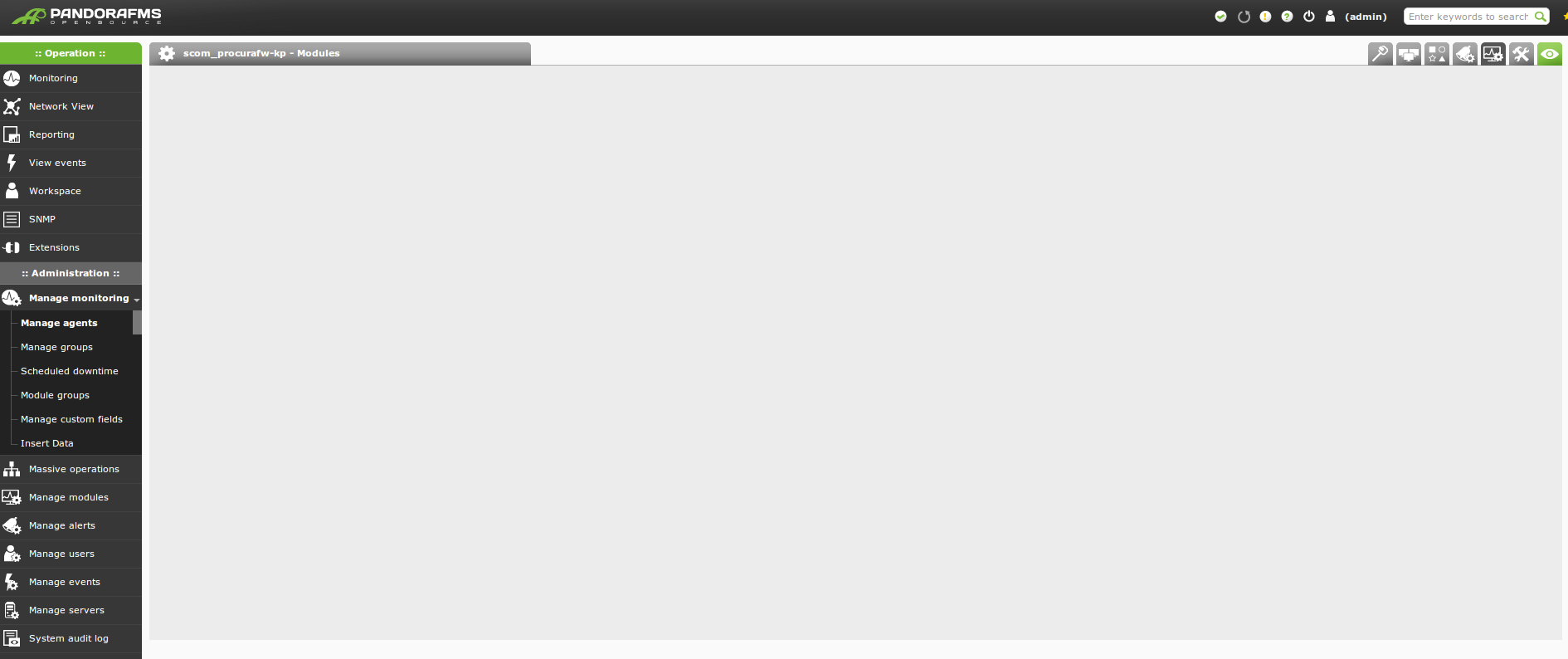
-
::
sure:
#############################################################################
# Pandora FMS Server Parameters
# Pandora FMS, the Flexible Monitoring System.
# Version 5.0SP3
# Licensed under GPL license v2,
# (c) 2003-2013 Artica Soluciones Tecnologicas
# http://www.pandorafms.com
# Please change it for your setup needs
############################################################################## Servername: Name of this server
# if not given, it takes hostname. It’s preferable to setup one
# because machine name could change by some reason.servername x3650
# incomingdir: Defines directory where incoming data packets are stored
# You could set directory relative to base path or absolute, starting with /incomingdir /var/spool/pandora/data_in
# log_file: Main logfile for pandora_server
# You could set file relative to base path or absolute, starting with /log_file /var/log/pandora/pandora_server.log
# Log file for Pandora FMS SNMP console. Its generated by NetSNMP Trap daemon
snmp_logfile /var/log/pandora/pandora_snmptrap.log
# Error logfile: aux logfile for pandora_server errors (in Daemon mode)
# You could set file relative to base path or absolute, starting with /errorlog_file /var/log/pandora/pandora_server.error
# daemon: Runs in daemon mode (background) if 1, if 0 runs in foreground
# this could be also configured on commandline with -D option# daemon 1
# dbengine: mysql, postgresql or oracle (mysql by default)
dbengine mysql
# Database credentials. A VERY important configuration.
# This must be the same credentials used by your Pandora FMS Console
# but could be different if your console is not running in the same
# host than the server. Check your console setup in /include/config.php# dbname: Database name (pandora by default)
dbname pandora
# dbuser: Database user name (pandora by default)
dbuser pandora
# dbpass: Database password
dbpass elizhkzl
# dbhost: Database hostname or IP address
dbhost localhost
# dbport: Database port number
# Default value depends on the dbengine (mysql: 3306, postgresql: 5432, oracle: 1521)#dbport 3306
# By default, parent agent will not update
#update_parent 0
# verbosity: level of detail on errors/messages (0 default, 1 verbose, 2 debug…. 10 noisy)
# -v in command line (verbose) or -d (debug). Set this to 10 when try to locate problems and
# set to 0 or 1 on production enviroments.verbosity 10
# Master Server, 1 if master server (normal mode), 0 for slave mode (slave in multi-server setup)
master 1
# Activate Pandora SNMP console (depending on snmptrapd)
snmpconsole 1
# snmptrapd will ignore authenticationFailure traps if set to 1.
snmp_ignore_authfailure 1
# snmptrapd will read the PDU source address instead of the agent-addr field is set to 1.
snmp_pdu_address 0
# Activate (1) Pandora Network Server
networkserver 1
# Activate (1) Pandora Data Server
dataserver 1
# Activate (1) Pandora FMS Recon server
reconserver 1
# pluginserver : 1 or 0. Set to 1 to activate plugin server with this setup
pluginserver 1
# Pandora FMS Plugin exec tool filepath (by default at /usr/bin)
plugin_exec /usr/bin/timeout
# predictionserver : 1 or 0. Set to 1 to activate prediction server with this setup
# DISABLED BY DEFAULTpredictionserver 0
# wmiserver : 1 or 0. Set to 1 to activate WMI server with this setup
# DISABLED BY DEFAULTwmiserver 0
# Network timeout (in seconds) for timeout in network connections for Network agents
network_timeout 5
# Server keepalive (in seconds)
server_keepalive 45
# Server Threshold: defines number of seconds of main loop (in sec)
server_threshold 5
# Network threads: Do not set too high (~40). Each threads make a network module check.
network_threads 3
# icmp_checks x : defines number of pings for each icmp_proc module type. at least one of
# that ping should be 1 to report 1icmp_checks 1
# tcp specific options :
# tcp_checks: number of tcp retries if first attempt fails.
# tcp_timeout: specific timeout for tcp connectionstcp_checks 1
tcp_timeout 30# snmp specific options :
# snmp_checks: number of snmp request retries if first attempt fails.
# snmp_timeout: specific timeout for snmp request.snmp_checks 1
snmp_timeout 5# snmp_proc_deadresponse 1 (default): Return DOWN if cannot contact
# or receive NULL from a SNMP PROC module.snmp_proc_deadresponse 1
# plugin_threads: Specify number of plugin server threads for processing plugin calls
plugin_threads 1
# plugin_timeout: Specify number of seconds calling plugin exec waiting for response
# after this time, call is aborted and result is «unknown».plugin_timeout 15
# wmi_timeout : specific timeout for wmi request.
wmi_timeout 10
# wmi_threads: Specify number of WMI server threads for processing WMI remote calls
wmi_threads 1
# recon_threads. Each thread will scan a different scantask.
recon_threads 1
# dataserver_threads: Number of threads for data server (XML processing threads)
dataserver_threads 1
# mta_address: External Mailer (MTA) IP Address to be used by Pandora FMS internal email capabilities
mta_address localhost
# mta_port, this is the mail server port (default 25)
#mta_port 25
# mta_user MTA User (if needed for auth, FQD or simple user, depending on your server)
#mta_user [email protected]
# mta_pass MTA Pass (if needed for auth)
#mta_pass mypassword
# mta_auth MTA Auth system (if needed, it supports LOGIN, PLAIN, CRAM-MD5, DIGEST-MD)
#mta_auth LOGIN
# mta_from Email address that sends the mail, by default is pandora@localhost
# probably you need to change it to avoid problems with your antispam#mta_from Pandora FMS
# Set 1 if want eMail deliver alert in separate mail (default).
# Set 0 if want eMail deliver shared mail by all destination.
mail_in_separate 1# xprobe2: Optional package to detect OS types using advanced TCP/IP
# fingerprinting tecniques, much more accurates than stadard nmap.
# If not provided, nmap is used insted xprobe2xprobe2 /usr/bin/xprobe2
# nmap: If provided, is used to detect OS type with recon server using
# advanded OS fingerprint technique. Xprobe2 gives more accurate results
# Nmap is also used to do TCP port scanning in detected host.nmap /usr/bin/nmap
# snmpget: Needed to do SNMP checks. By default is on /usr/bin/snmpget
snmpget /usr/bin/snmpget
# Location of the braa binary needed by the Enterprise SNMP Server (/usr/bin/braa by default) (PANDORA FMS ENTERPRISE ONLY).
braa /usr/bin/braa
# Number of retries before braa hands a module over to the Network Server (PANDORA FMS ENTERPRISE ONLY).
braa_retries 3
# Default group id for new agents created with Pandora FMS Data Server
autocreate_group 2
# Set to 1 if want to autocreate agents with Pandora FMS Data Server,
# set to 0 to disableautocreate 1
# max_log_size: Specify max size of Pandora FMS server log file (1MB by default). If
# log file grows above this limit, is renamed to «pandora_server.log.old».max_log_size 65536
# max_queue_files (500 by default)
# When server have more than max_queue_files in incoming directory, skips the read
# the directory to avoid filesystem overhead.max_queue_files 500
# Use the XML file last modification time as timestamp.
# use_xml_timestamp 1
# Pandora FMS will autorestart itself each XXX seconds, use this if you experience problems with
# shutting down threads, or other stability problems.# auto_restart 86400
# Pandora FMS will restart after restart_delay seconds on critical errors.
# restart 0
# restart_delay 60# More information about GIS Setup in /usr/share/pandora_server/util/gis.README
# Flag to activate GIS (positional information for agents and maps)
# by default it is desactivated#activate_gis 0
# Radius of error in meters to consider two gis locations as the same location.
#location_error 50
# Recon reverse geolocation mode [disabled, sql, file]
# disabled The recon task doesn’t try to geolocate the ip discovered.
# sql The recon task trys to query the SQL database to geolocate the
# ip discovered
# file The recon task trys to find the geolocation information of the
# ip discovered in the file indicated in the
# recon_reverse_geolocation_file parameter# recon_reverse_geolocation_mode disabled
# Recon reverse geolocation file. This is the database with the reverse
# geolocation information using MaxMind GPL GeoLiteCity.dat format).#recon_reverse_geolocation_file /usr/local/share/GeoIP/GeoIPCity.dat
# Radius (in meters) of the circle in where the agents will be place randomly
# when finded by a recon task. Center of the circle is guessed
# by geolocating the IP.#recon_location_scatter_radius 1000
# Pandora Server self-monitoring (embedded agent) (by default enabled)
self_monitoring 1
# Update parent from the agent xml
#update_parent 1
#
#
# This enable realtime reverse geocoding using Google Maps public api.
# This requires internet access, and could have performance penalties processing GIS
# information due the connetion needed to resolve all GIS input.
# NOTE: If you dont pay the service to google, they will ban your IP in a few days.# google_maps_description 1
# This enable realtime reverse geocoding using Openstreet Maps public api.
# This requires internet access, and could have performance penalties processing GIS
# information due the connetion needed to resolve all GIS input.
# You can alter the code to use a local (your own) openstreet maps server.# openstreetmaps_description 1
# Enable (1) or disable (0) Pandora FMS Event Web Server (PANDORA FMS ENTERPRISE ONLY).
webserver 1
# Number of threads for the Web Server (PANDORA FMS ENTERPRISE ONLY).
web_threads 1
# Uncomment to perform web checks with CURL instead of LWP.
#web_engine curl# Enable (1) or disable (0) Pandora FMS Inventory Server (PANDORA FMS ENTERPRISE ONLY).
inventoryserver 1
# Number of threads for the Web Server (PANDORA FMS ENTERPRISE ONLY).
inventory_threads 1
# Enable (1) or disable (0) Pandora FMS Export Server (PANDORA FMS ENTERPRISE ONLY).
exportserver 0
# Number of threads for the Export Server (PANDORA FMS ENTERPRISE ONLY).
export_threads 1
# Enable (1) or disable (0) Pandora FMS Event Server (PANDORA FMS ENTERPRISE ONLY).
eventserver 0
# Event Server event window in seconds (3600 by default) (PANDORA FMS ENTERPRISE ONLY).
event_window 3600
# Enable (1) or disable (0) Pandora FMS Enterprise ICMP Server (PANDORA FMS ENTERPRISE ONLY).
# You need nmap 5.20 or higher in order to use this !icmpserver 0
# Number of threads for the Enterprise ICMP Server (PANDORA FMS ENTERPRISE ONLY).
icmp_threads 2
# Enable (1) or disable (0) Pandora FMS Enterprise SNMP Server (PANDORA FMS ENTERPRISE ONLY).
# Check braa tool is running and operative.snmpserver 0
# Number of threads for the Enterprise SNMP Server (PANDORA FMS ENTERPRISE ONLY).
snmp_threads 2
# Block size for block producer/consumer servers, that is, the number of modules
# per block (15 by default) (PANDORA FMS ENTERPRISE ONLY).block_size 15
# If set to 1, process XML data files in a stack instead of a queue. 0 by default.
# WARNING: Incremental modules will not work properly if dataserver_lifo is set to 1!!!dataserver_lifo 0
# If set to 1, the policy manager is enabled and the server is listening the policy queue.
# 0 by default (PANDORA FMS ENTERPRISE ONLY)policy_manager 1
# If set to 1, the event replicate process is enabled. 0 by default. (PANDORA FMS ENTERPRISE ONLY)
# WARNING: This process doesn’t do anything if is not properly configured from the console setupevent_replication 0
# If set to 1, new events validate older event for the same module. This will
# affect the performance of the server. This was the «normal behaviour» on previous (4.x) versions.
# disable only if you really know what you are doing !!.event_auto_validation 1
# If defined, events generated by Pandora FMS will be written to the specified text file.
#event_file /var/log/pandora/pandora_events.txt# Set the maximum number of traps that will be processed from a single source in a
# configured time interval.
#snmp_storm_protection 10# Time interval for snmp_storm protection (in seconds).
#snmp_storm_timeout 600# Default texts for some events. The macros _module_ and _data_ are supported.
#text_going_down_normal Module ‘_module_’ is going to NORMAL (_data_)
#text_going_up_critical Module ‘_module_’ is going to CRITICAL (_data_)
#text_going_up_warning Module ‘_module_’ is going to WARNING (_data_)
#text_going_down_warning Module ‘_module_’ is going to WARNING (_data_)
#text_going_unknown Module ‘_module_’ is going to UNKNOWN# Events older that the specified time (in seconds) will be auto-validated. Set to 0 to disable this feature.
event_expiry_time 0# Only events more recent than the specified time window (in seconds) will be auto-validated. This value must
# be greater than event_expiry_time.
#event_expiry_window 86400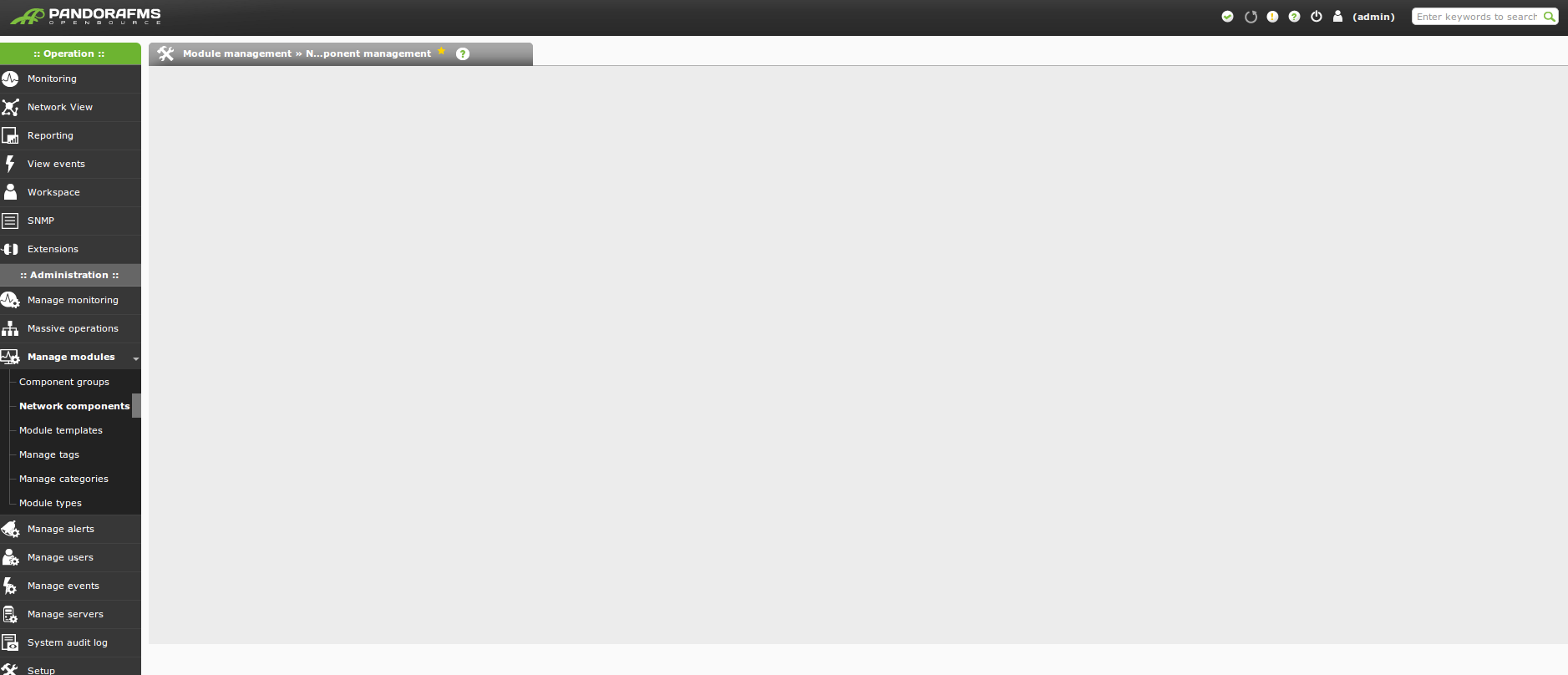

-
::
Hello
Can you click on Monitoring (in the ::Operation:: menu) and send me a screencapture. The only error I spotted in the conf file is that verbosity is set to 10. And it should be set to 1 please change it. I’d need a copy of the pandora_server.log file located in /var/log/pandora
Regards
Ivo -
-
-
-
-
-
-
-
-
-
::
Hello
Check if the files in the pandora_console folder have the following permissions:
-rw-r–r–. 1 apache apache 2834 jun 27 2013 ajax.php
drwxr-xr-x. 6 apache apache 4096 mar 21 13:41 attachment
-rw-r–r–. 1 apache apache 500 jun 27 2013 AUTHORS
-rw-r–r–. 1 apache apache 1431717 ene 28 14:58 ChangeLog
-rw-r–r–. 1 apache apache 14875 jun 27 2013 COPYING
drwxr-xr-x. 2 apache apache 4096 ene 28 15:10 DEBIAN
drwxr-xr-x. 12 apache apache 4096 ene 31 11:19 enterprise
drwxr-xr-x. 9 apache apache 4096 ene 28 15:10 extensions
drwxr-xr-x. 2 apache apache 4096 ene 28 15:10 extras
drwxr-xr-x. 4 apache apache 4096 ene 28 15:10 general
drwxr-xr-x. 18 apache apache 4096 ene 28 15:10 godmode
drwxr-xr-x. 12 apache apache 20480 ene 28 15:10 images
drwxr-xr-x. 14 apache apache 4096 ene 31 11:10 include
-rw-r–r–. 1 apache apache 18538 oct 12 02:00 index.php
drwxr-xr-x. 5 apache apache 4096 ene 28 15:10 mobile
drwxr-xr-x. 15 apache apache 4096 ene 28 15:10 operation
-rw-r–r– 1 apache apache 33279 mar 25 15:22 pandora_console.log
-rw-r–r–. 1 apache apache 3754 jun 27 2013 pandora_console_upgrade
-rw-r–r–. 1 apache apache 415310 nov 15 12:28 pandoradb.data.oracle.sql
-rw-r–r–. 1 apache apache 431367 nov 15 12:28 pandoradb.data.postgreSQL.sql
-rw-r–r–. 1 apache apache 603498 ene 28 15:01 pandoradb_data.sql
-rw-r–r–. 1 apache apache 82906 sep 17 2013 pandoradb.oracle.sql
-rw-r–r–. 1 apache apache 65430 sep 17 2013 pandoradb.postgreSQL.sql
-rw-r–r–. 1 apache apache 73461 ene 21 02:01 pandoradb.sqlRegards
Ivo -
-
-
::
drwxr-x— 11 www-data www-data 4096 Mar 26 12:46 .
drwxr-xr-x 3 root root 4096 Feb 14 13:57 ..
-rw-r–r– 1 www-data www-data 2834 Jan 28 14:34 ajax.php
drwxr-xr-x 5 www-data www-data 4096 Mar 18 21:41 attachment
-rw-r–r– 1 www-data www-data 500 Jan 28 14:34 AUTHORS
-rw-r–r– 1 www-data www-data 1431717 Jan 28 14:34 ChangeLog
-rw-r–r– 1 www-data www-data 14875 Jan 28 14:34 COPYING
d-wx–xr-x 9 www-data www-data 4096 Mar 20 22:26 extensions
drwxr-xr-x 2 www-data www-data 4096 Mar 20 22:26 extras
drwxr-xr-x 4 www-data www-data 4096 Mar 20 22:26 general
drwxr-xr-x 18 www-data www-data 4096 Mar 20 22:26 godmode
drwxr-xr-x 12 www-data www-data 69632 Mar 20 22:26 images
drwxr-xr-x 14 www-data www-data 12288 Mar 20 22:26 include
-rw-r–r– 1 www-data www-data 18538 Jan 28 14:35 index.php
-rw-r–r– 1 www-data www-data 36248 Jan 28 14:35 install.php.del
drwxr-xr-x 5 www-data www-data 4096 Mar 20 22:26 mobile
drwxr-xr-x 15 www-data www-data 4096 Mar 20 22:26 operation
-rwxr-xr– 1 www-data www-data 6309 Jan 28 14:36 pandora_console_install
-rw-r–r– 1 www-data www-data 2150578 Mar 26 12:54 pandora_console.log
-rw-r–r– 1 www-data www-data 2732 Jan 28 14:36 pandora_console.redhat.spec
-rwxr-xr– 1 www-data www-data 3754 Jan 28 14:36 pandora_console_upgrade
-rw-r–r– 1 www-data www-data 415310 Jan 28 14:36 pandoradb.data.oracle.sql
-rw-r–r– 1 www-data www-data 431367 Jan 28 14:36 pandoradb.data.postgreSQL.sql
-rw-r–r– 1 www-data www-data 603498 Jan 28 14:36 pandoradb_data.sql
-rw-r–r– 1 www-data www-data 82906 Jan 28 14:36 pandoradb.oracle.sql
-rw-r–r– 1 www-data www-data 65430 Jan 28 14:36 pandoradb.postgreSQL.sql
-rw-r–r– 1 www-data www-data 73461 Jan 28 14:36 pandoradb.sqlstill no go.
-
-



Log in to reply.